
Introduction
Thank you for choosing the VANNECT 5-in-1 Folding Treadmill X390S-2. This treadmill is designed to provide a versatile and efficient home fitness experience, combining walking, jogging, and running functionalities with smart features. Please read this manual thoroughly before initial use to ensure safe operation, proper assembly, and effective maintenance of your equipment. Keep this manual for future reference.
Important Safety Information
WARNING: To reduce the risk of serious injury, read all instructions and warnings before using this treadmill.
- Always consult with a physician before starting any exercise program.
- Keep children and pets away from the treadmill during operation.
- Place the treadmill on a flat, stable surface with adequate clearance around it.
- Ensure the safety key is properly attached before starting the treadmill. In case of emergency, pull the safety key to stop the machine immediately.
- Do not use the treadmill if it is damaged or malfunctioning.
- Wear appropriate athletic footwear and clothing.
- The maximum user weight capacity is 150 kg (330 lbs). Do not exceed this limit.
- Keep hands and feet clear of all moving parts.
- Unplug the treadmill from the power outlet when not in use or before cleaning and maintenance.
Product Overview
The VANNECT 5-in-1 Folding Treadmill X390S-2 is a versatile fitness machine designed for home use. It features a powerful motor, adjustable incline, smart app connectivity, and a space-saving foldable design.
Key Features:
- Adjustable Incline: Manual 9% incline adjustment to simulate uphill walking/running, enhancing calorie burn.
- Powerful & Quiet Motor: Equipped with a 2.75 HP motor for smooth operation and low noise levels (below 25 dB), suitable for use at any time.
- Advanced Shock Absorption: Features a 5-layer anti-slip running surface and 8 silicone shock absorbers to protect joints and reduce muscle pressure.
- Smart App Connectivity: Connects to intelligent fitness apps like Zwift, Kinomap, and Fitshow to track progress, engage in interactive workouts, and compete with friends.
- Multi-functional Display & Remote Control: An LED screen displays real-time data including time, calories, steps, speed (1-12 KM/H), and distance. A magnetic remote control provides convenient speed adjustments.
- Space-Saving Design: Foldable and ultra-thin (13.5 cm when folded) with transport wheels for easy storage under a sofa or bed.
- High Weight Capacity: Supports users up to 150 kg (330 lbs).
Components:
- Running Platform
- Upright Column
- Electronic Display Console
- Safety Lock
- Device Holder (for tablet/smartphone)
- Quick-Release Handle
- Remote Control
- Lubrication Oil (for maintenance)
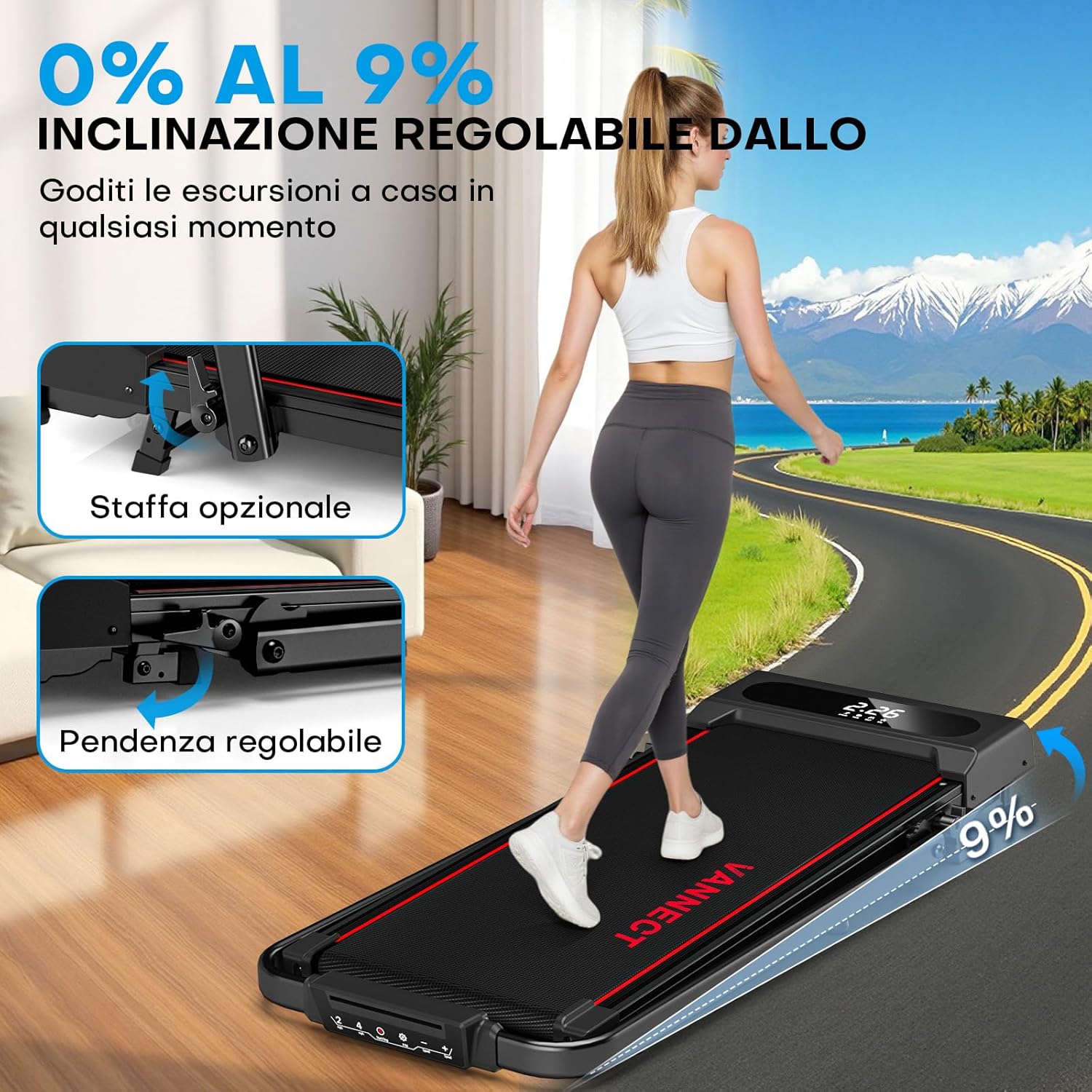
Figure 1: Overview of the VANNECT 5-in-1 Folding Treadmill X390S-2. This image shows the treadmill in its operational state, highlighting its compact design and integrated display.
Setup and Initial Use
The VANNECT 5-in-1 Folding Treadmill X390S-2 comes pre-assembled and is ready for use with minimal setup. Follow these steps to prepare your treadmill:
- Unpacking: Carefully remove the treadmill from its packaging. Retain packaging materials for future storage or transport if needed.
- Placement: Place the treadmill on a firm, level surface. Ensure there is at least 2 meters (6.5 feet) of clear space behind the treadmill and 0.5 meters (1.6 feet) on each side.
- Unfolding (if folded):
- Locate the quick-release handles on the sides of the upright column.
- Lift the upright column into its vertical position until it locks securely.
- Ensure all locking mechanisms are engaged before use.
- Power Connection: Plug the power cord into a grounded electrical outlet.
- Safety Key: Attach the safety key to the designated slot on the console. The treadmill will not operate without the safety key in place.

Figure 2: Demonstrates the space-saving design of the treadmill, showing how it can be folded flat and stored upright or under furniture. The transport wheels are also visible for easy movement.
Operating Instructions
1. Basic Operation
- Power On: Ensure the safety key is in place. Press the power button on the console. The display will illuminate.
- Start Exercise: Press the 'Start' button. The treadmill will begin at a low speed (e.g., 1 KM/H).
- Adjust Speed: Use the '+' and '-' buttons on the console or the remote control to adjust the speed from 1 KM/H to 12 KM/H.
- Stop Exercise: Press the 'Stop' button to gradually slow down and stop the treadmill. Alternatively, pull the safety key for an immediate stop.
- Display Information: The LED display shows real-time data including time, calories burned, number of steps, current speed, and distance covered.
2. Incline Adjustment
The treadmill features a manual 9% incline adjustment. This allows you to simulate uphill walking or running, increasing the intensity of your workout and calorie expenditure.
- To adjust the incline, stop the treadmill and manually lift or lower the rear support legs to the desired incline level.
- Ensure both support legs are set to the same incline level for stability.
- Always adjust the incline before starting your workout. Do not attempt to adjust incline while the treadmill is in motion.
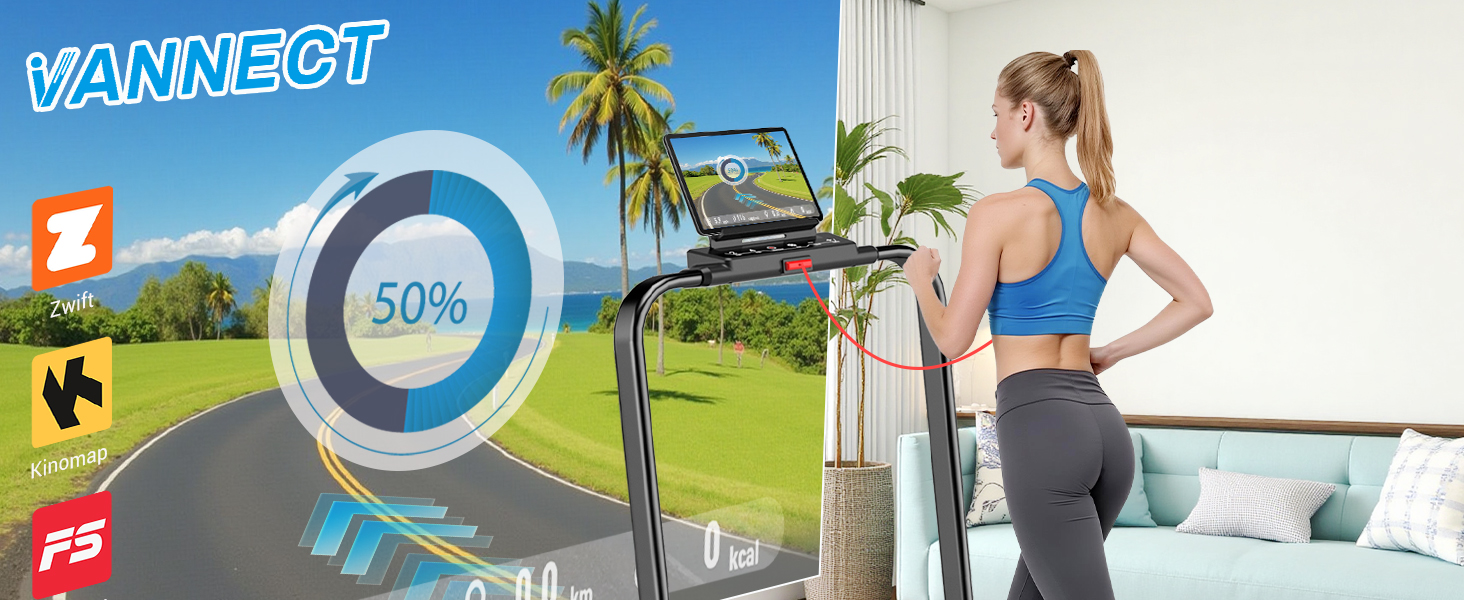
Figure 3: Illustrates the manual incline adjustment mechanism, showing how the treadmill can be set to a 9% incline to increase workout intensity.
3. App Connectivity
Enhance your workout experience by connecting your treadmill to compatible fitness applications via Bluetooth.
- Download App: Download a compatible fitness app (e.g., Zwift, Kinomap, Fitshow) from your device's app store (Google Play Store or Apple App Store).
- Enable Bluetooth: Ensure Bluetooth is enabled on your smartphone or tablet.
- Connect: Open the chosen app and follow the in-app instructions to connect to your VANNECT treadmill. The app will synchronize real-time data such as speed, calories, and distance.
- Interactive Workouts: Utilize the app's features for guided workouts, virtual routes, and fitness challenges.
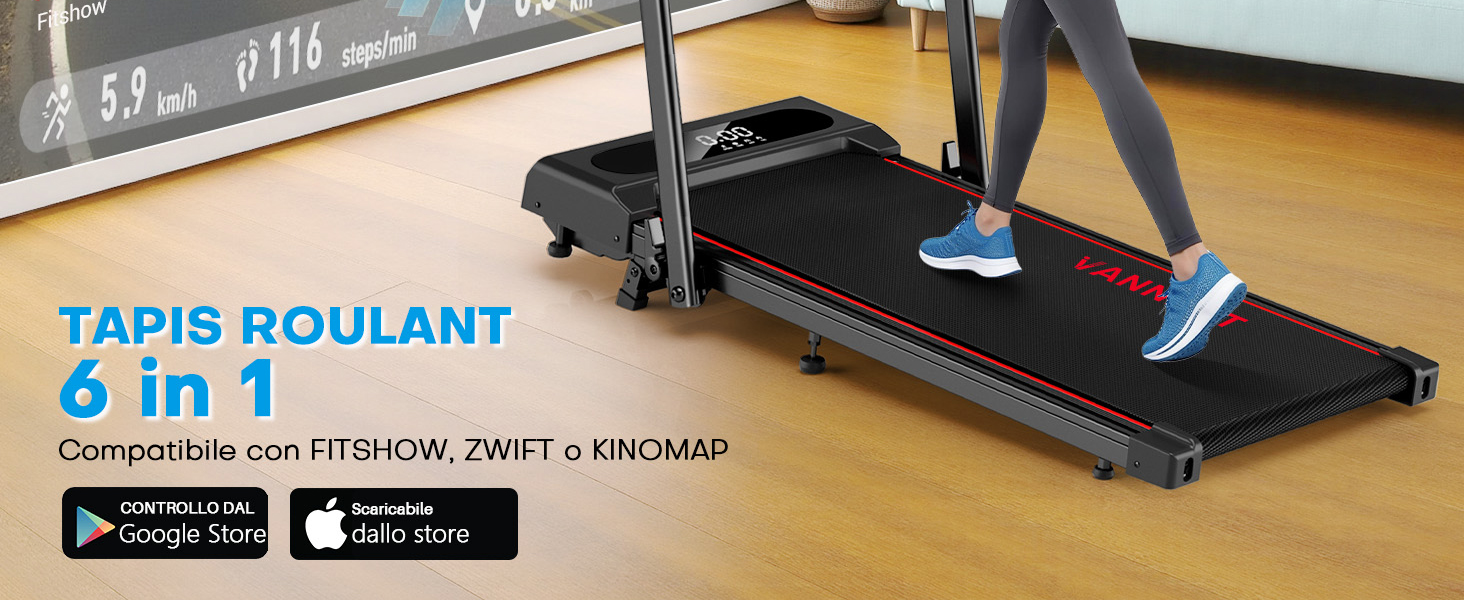
Figure 4: Shows the treadmill integrated with a tablet displaying a fitness app interface, highlighting compatibility with popular apps like Zwift, Kinomap, and Fitshow for interactive training.
4. Control Methods
You can control your treadmill using the integrated display panel, the magnetic remote control, or a connected fitness app.
- Display Panel: Use the buttons on the treadmill's console for direct control of speed, start/stop, and viewing workout data.
- Remote Control: The magnetic remote control allows for convenient speed adjustments and start/stop functions without reaching for the console. Its magnetic design ensures it stays securely attached to the treadmill handle.
- Smartphone App: As described above, a connected app provides comprehensive control and tracking features.
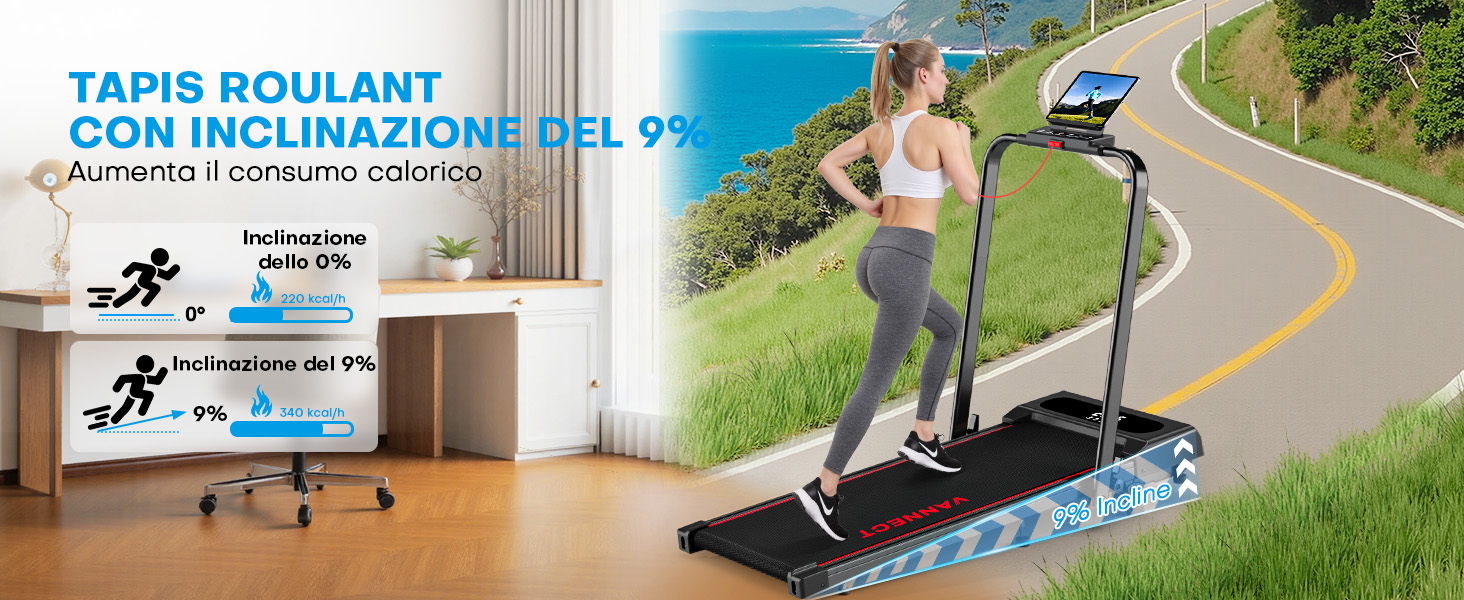
Figure 5: Illustrates the three control methods for the treadmill: the integrated display, the handheld remote control, and a smartphone/tablet connected via an app.
Maintenance
Regular maintenance ensures the longevity and optimal performance of your treadmill. Always unplug the treadmill before performing any maintenance.
1. Cleaning
- Wipe down the treadmill's surfaces with a damp cloth after each use to remove sweat and dust.
- Do not use abrasive cleaners or solvents, as these can damage the finish.
- Keep the area around the treadmill clean and free of debris.
2. Belt Lubrication
The running belt requires periodic lubrication to reduce friction and extend its lifespan. A small bottle of lubrication oil is included with your treadmill.
- Turn off and unplug the treadmill.
- Loosen the rear roller bolts slightly to lift the running belt.
- Apply a small amount of silicone lubricant (provided) evenly under the center of the running belt.
- Tighten the roller bolts.
- Plug in the treadmill and run it at a low speed (e.g., 3 KM/H) for 5 minutes to distribute the lubricant.
- Lubricate the belt every 3-6 months, depending on usage.
3. Belt Tension and Alignment
- If the running belt feels loose or slips during use, it may need tensioning. Refer to the detailed instructions in the full manual (if available) or contact customer support.
- If the running belt drifts to one side, it needs alignment. Adjust the rear roller bolts incrementally (e.g., quarter turns) until the belt is centered.
Troubleshooting
If you encounter any issues with your treadmill, please refer to the following common problems and solutions. If the problem persists, contact customer support.
| Problem | Possible Cause | Solution |
|---|---|---|
| Treadmill does not power on. | Power cord not plugged in, safety key not in place, power switch off. | Check power connection, ensure safety key is fully inserted, turn on power switch. |
| Running belt slips or hesitates. | Belt tension too loose, belt needs lubrication. | Adjust belt tension (refer to maintenance), lubricate the running belt. |
| Running belt drifts to one side. | Belt alignment issue. | Adjust belt alignment using the rear roller bolts (refer to maintenance). |
| Unusual noise during operation. | Loose components, motor issue, belt friction. | Check for loose screws, lubricate belt, contact customer support if noise persists. |
| App not connecting via Bluetooth. | Bluetooth off, app not updated, interference. | Ensure Bluetooth is on, restart app/device, try connecting in a different location. |
Specifications
| Feature | Detail |
|---|---|
| Model Number | X390S-2 |
| Brand | VANNECT |
| Motor Horsepower | 2.75 HP |
| Speed Range | 1 - 12 KM/H |
| Incline | Manual 9% |
| Maximum User Weight | 150 kg (330 lbs) |
| Running Belt Dimensions | 110 x 40 cm (43.3 x 15.7 inches) |
| Product Dimensions (L x W x H) | 120.8 cm x 56 cm x 10.2 cm (folded flat height) |
| Folded Dimensions (Upright) | 121 cm x 56 cm x 102 cm |
| Display Type | LED |
| Material | Metal, Plastic (Steel Alloy frame) |
| Power Source | Corded Electric |
| Metrics Displayed | Calories Burned, Distance, Time, Speed, Steps |
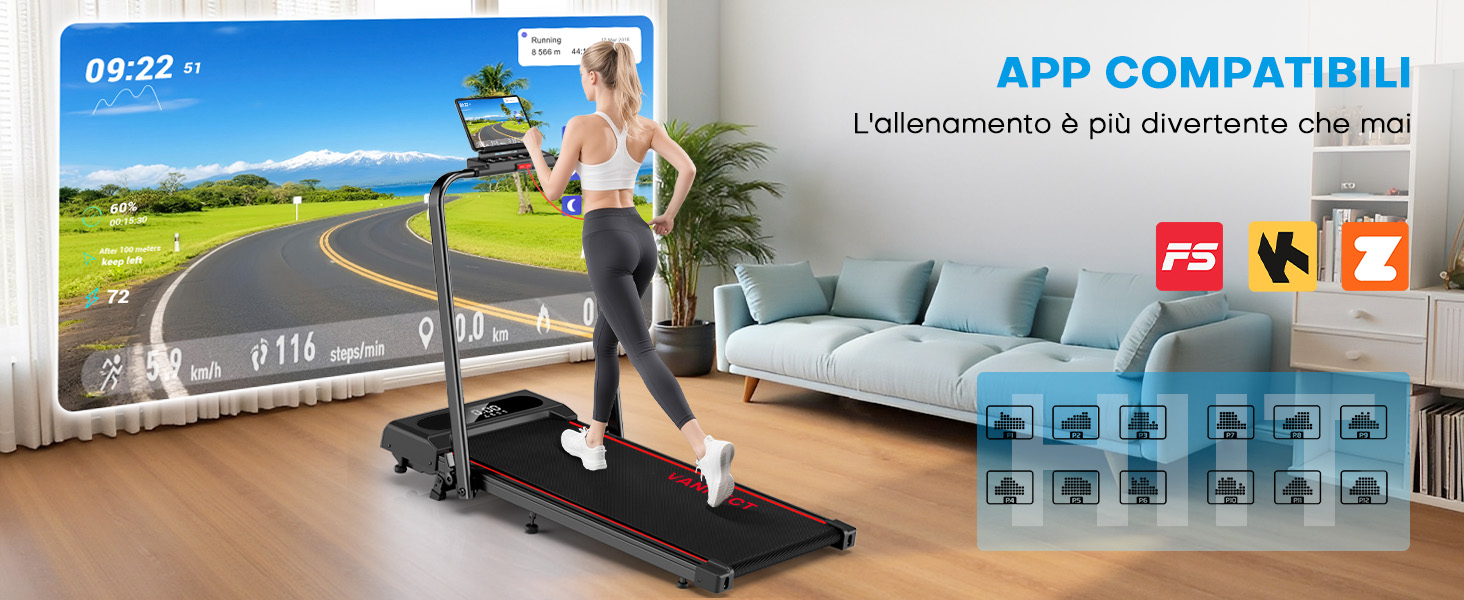
Figure 6: Highlights the powerful 2.75 HP motor, quiet operation (less than 25 dB), and robust 160 kg weight capacity of the treadmill.
Warranty and Customer Support
VANNECT is committed to providing excellent customer service and product quality.
- Warranty: We offer a 5-year free replacement service for parts.
- Customer Support: Our dedicated support team is available 24 hours a day to assist with any issues or questions you may have. Please refer to your purchase documentation for contact details or visit the official VANNECT website.