
Introduction
This manual provides detailed instructions for replacing the USB Type-C charging port flex cable on your Samsung Galaxy S24 Ultra (models SM-S928U, SM-S928U1) using the Yondista replacement kit. This 3-in-1 solution integrates the charging port, microphone board, and flex cable to address common issues such as charging failure, microphone problems, and port loosening.
Package Contents
Before beginning the installation, please verify that all components listed below are present in your kit.
- Charging Port Flex Cable ×1
- Ultra-Thin Triangle Pry Tools (0.6mm scratch-proof) ×1
- Anti-Static Cross Screwdrivers (S2 Alloy Steel) ×2
- Dual-End Nylon Spudgers ×2
- Vacuum Suction Cup ×1

This image displays the Yondista USB Type-C Charging Port Flex Cable along with the included repair tools: triangle pry tools, anti-static screwdrivers, nylon spudgers, and a vacuum suction cup.
Compatibility
This replacement part is specifically designed for the following device models:
- Samsung Galaxy S24 Ultra 5G (SM-S928U)
- Samsung Galaxy S24 Ultra 5G (SM-S928U1)
- Samsung Galaxy S24 Ultra 5G USA Version
Ensure your device model matches one of the listed compatible models before proceeding with the installation.
Safety Information and Precautions
Performing repairs on electronic devices requires careful handling. Please observe the following precautions to prevent damage to your device or injury.
- Always operate in a dust-free environment, away from direct sunlight, to prevent dust particles from entering the device.
- Wear anti-static gloves when handling the flex cable and other internal components due to their extreme sensitivity to static electricity.
- Apply force at a 45° angle from the bottom when using pry tools to separate components, minimizing the risk of damage.
- If adhesive needs to be preheated for easier separation, use a hot air gun for no more than 3 seconds and ensure the temperature does not exceed 80°C (176°F). Excessive heat can damage internal components.
- If you are not confident in your ability to perform this repair, it is strongly advised to contact a local professional repair shop for assistance.
- Disconnect the device's battery before starting any repair to prevent short circuits.
Installation Guide
Follow these steps carefully to replace the charging port flex cable. Refer to the safety information before proceeding.
- Power Off Device: Completely power off your Samsung Galaxy S24 Ultra.
- Remove SIM Tray: Use a SIM ejector tool to remove the SIM card tray.
- Heat and Open Back Cover: Carefully apply heat to the edges of the back cover using a hot air gun (max 3 seconds, ≤80°C/176°F) to soften the adhesive. Use the suction cup to create a gap and then insert the ultra-thin triangle pry tools to gently separate the back cover from the frame. Work slowly around the perimeter.
- Disconnect Battery: Once the back cover is removed, locate the battery connector and carefully disconnect it using a nylon spudger to prevent accidental power-on during the repair.
- Locate and Remove Old Flex Cable: Identify the existing charging port flex cable. It is typically located at the bottom of the phone. Carefully disconnect any ribbon cables or connectors attached to it. Use the anti-static screwdrivers to remove any screws securing the old flex cable.
- Install New Flex Cable: Position the new Yondista charging port flex cable in place. Ensure all connectors align correctly. Secure it with the screws previously removed. Reconnect any ribbon cables.
- Reconnect Battery: Reconnect the battery connector.
- Reattach Back Cover: Carefully align the back cover and press it firmly back onto the frame. Apply gentle pressure around the edges to ensure the adhesive seals properly.
- Test Functionality: Power on your device and test the charging functionality, data transfer, and microphone to ensure the replacement was successful.

This image shows the top side of the replacement flex cable, highlighting the main connector and integrated components.

An angled view of the flex cable, providing a clearer perspective of its three-dimensional structure and connection points.

This image displays the bottom side of the flex cable, including the USB Type-C port and the SIM card tray slot.
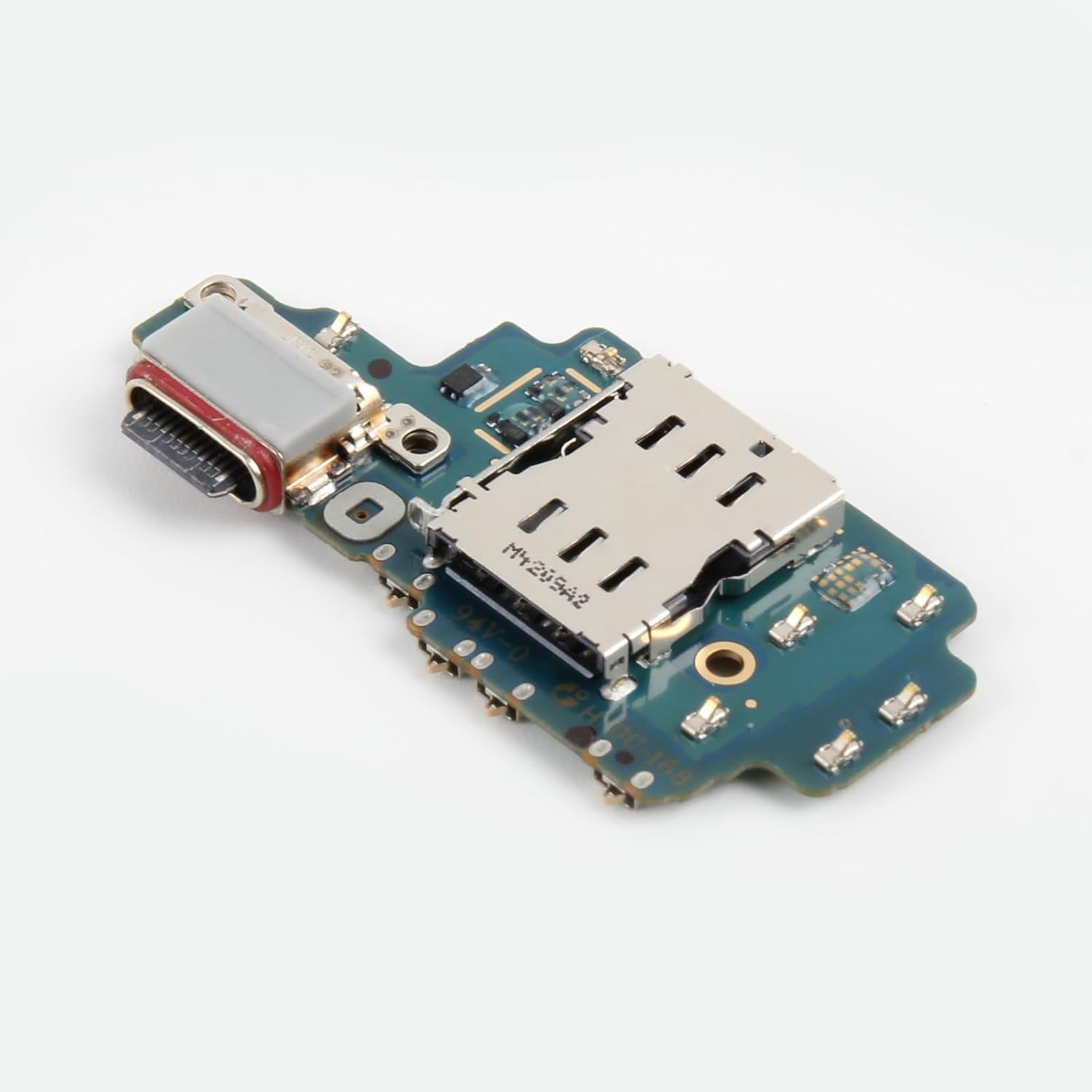
A different angled view of the flex cable, emphasizing the USB Type-C connector and surrounding circuitry.
Common Applications and Troubleshooting
This replacement part is designed to resolve several common issues related to the charging port and microphone.
Common Issues Addressed:
- Intermittent Charging/Power Cuts: If your device charges inconsistently or stops charging unexpectedly.
- Abnormal Data Transfer Speed: Slow or failed data transfers via the USB-C port.
- Microphone Static/Call Muting: Issues with audio input during calls or recordings.
- Physical Port Damage: Visible cracks, corrosion, or loosening of the charging port.
- Post-Liquid Damage Emergency Repair: As part of a repair process after liquid exposure.
Troubleshooting Tips:
- Double-Check Connections: Ensure all flex cables and connectors are securely seated.
- Inspect for Debris: Verify no dust or debris is obstructing the new charging port.
- Software Glitches: If issues persist, a factory reset (after backing up data) might resolve software-related conflicts, though this is less common for hardware replacements.
- Professional Assistance: If the problem remains after careful installation and troubleshooting, seek professional repair services.
Specifications
| Feature | Detail |
|---|---|
| Brand | Yondista |
| Model Name | For Samsung S24 Ultra S928U Charger Port Flex |
| Compatible Devices | Samsung Galaxy S24 Ultra 5G (SM-S928U, SM-S928U1) |
| Connector Type | USB Type C |
| Cable Type | USB Type-C |
| Connector Gender | USB Type-C 3.2, USB On-The-Go |
| Number of Pins | 24 |
| Maximum Voltage | 5 Volts (DC) |
| Special Feature | A+++ High Quality, Gold-plated connectors, Bend-resistant cable, 3000+ plug-unplug cycles tested |
| Included Components | 1*USB Flex cable replacement, 1*Repair kits |
| UPC | 728944660271 |
| ASIN | B0FM7V6YBC |
Warranty and Support
Yondista is committed to customer satisfaction.
- Quality Assurance: This product undergoes 100% Triple QC Verification, including Impedance Test, X-Ray Inspection, and Plug Cycle Test, to ensure high quality and durability.
- After-Sales Support: For any inquiries or assistance needed, please reach out to our professional after-sales service team immediately via Amazon messaging. Our team is ready to assist you 24/7.
- Return Policy: The product is eligible for a refund/replacement within 30 days of purchase.