1. Introduction
Thank you for choosing the VEEKTOMX Portable Charger. This device is designed to provide convenient and efficient power on the go for a wide range of electronic devices. Featuring built-in cables and fast-charging capabilities, it is an ideal companion for travel and daily use.
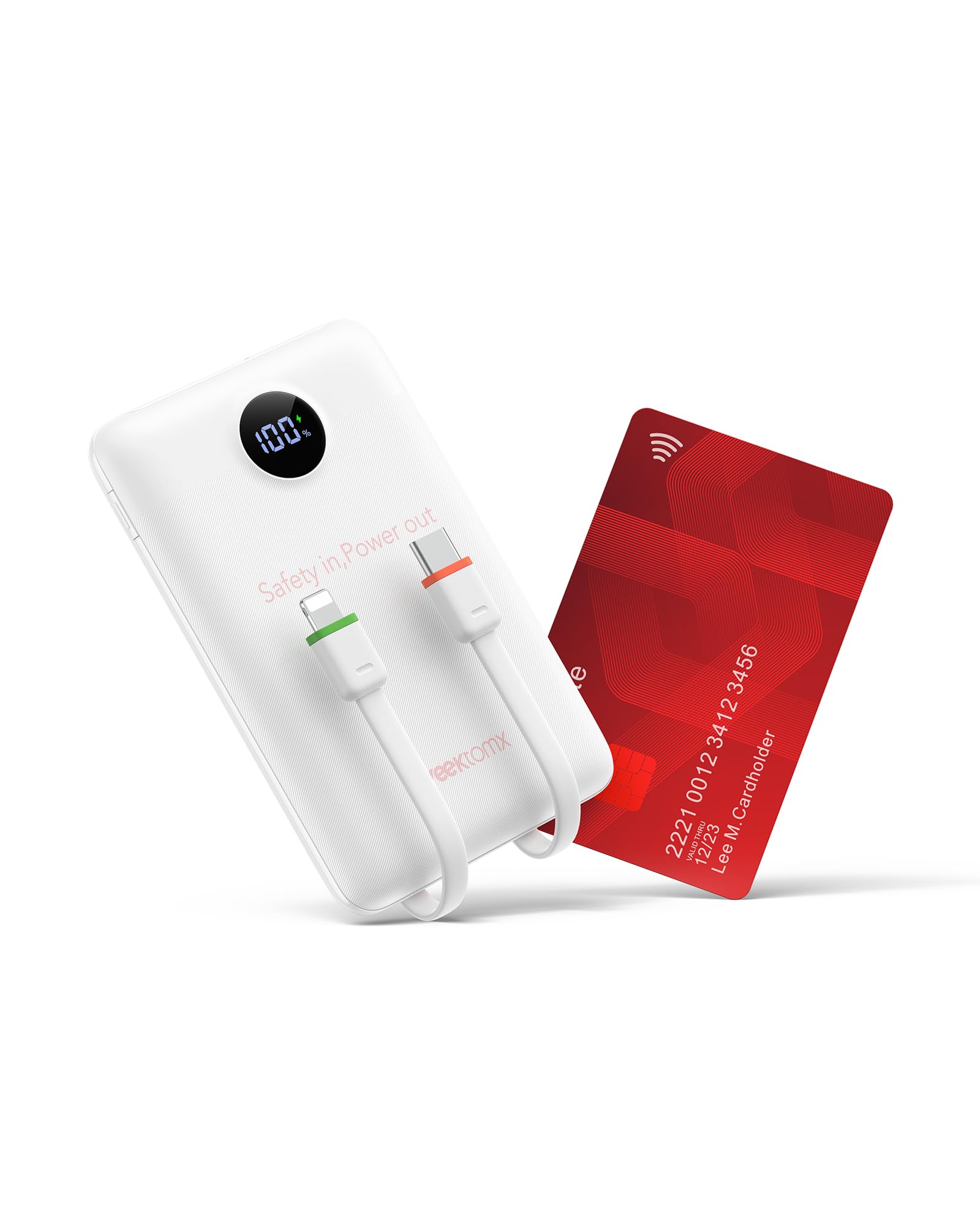
Image: The VEEKTOMX Portable Charger in white, showcasing its compact design and integrated cables.
2. Product Features
- Ultra-Portable Design: Weighing only 0.363lb (165g), its credit card-like design makes it exceptionally slim and small, fitting easily into pockets or small bags.
- Integrated Cables: Equipped with built-in Lightning, USB-C, and USB-Micro cables, eliminating the need to carry additional cords.
- Fast Charging Technology: Supports Dual PD 3.0 and QC 3.0 with a maximum output power of 22.5W for rapid device charging and efficient power bank recharging.
- Wide Compatibility: Universally compatible with a broad range of devices including iPhone 17/16/15/14/13/12/11/X/8/7 series, Samsung S24/S23/S22/S21/S20/A52/A32/Z Fold/Z Flip series, Google Pixel series, tablets, cameras, headphones, smartwatches, Kindle, and other low-current devices.
- Multi-Layer Safety Protection: Features an exclusive Multi Protect safety system with built-in safeguards to protect against excessive current, overheating, and overcharging.

Image: Visual representation of the charger's compact dimensions and the convenience of its integrated cables.
3. Setup
Upon receiving your VEEKTOMX Portable Charger, it is recommended to fully charge the power bank before its first use to optimize battery performance.
3.1 Initial Charging of the Power Bank
- Connect the power bank to a power source using one of the built-in cables (USB-C or Lightning) or an external USB-C cable.
- The digital display will show the charging progress, indicating the battery percentage.
- Once the display shows 100%, the power bank is fully charged and ready for use.

Image: Different ways to recharge the power bank, including USB-C port, built-in USB-C, and built-in Lightning cables.
4. Operating Instructions
4.1 Charging Your Devices
- Identify the appropriate built-in cable (Lightning, USB-C, or Micro-USB) for your device.
- Connect the corresponding cable from the power bank to your device's charging port.
- The power bank will automatically begin charging your device. The digital display will show the remaining battery percentage of the power bank.
- For devices requiring a standard USB-A connection, use the available USB-A output port on the power bank with your device's charging cable.
4.2 Simultaneous Charging (Pass-Through Charging)
The VEEKTOMX Portable Charger supports pass-through charging, allowing you to recharge the power bank while simultaneously charging your devices.
- Connect the power bank to a wall charger.
- Connect your device(s) to the power bank using the built-in cables or USB ports.
- Both the power bank and your connected devices will charge concurrently.

Image: The power bank charging multiple devices at once.
5. Maintenance
- Cleaning: Use a soft, dry cloth to clean the exterior of the power bank. Avoid using harsh chemicals or abrasive materials.
- Storage: Store the power bank in a cool, dry place away from direct sunlight and extreme temperatures.
- Battery Care: To prolong battery life, fully charge the power bank at least once every three months if not in regular use.
- Avoid Drops: Protect the device from drops and impacts, which can damage internal components.
6. Troubleshooting
- Device not charging: Ensure the power bank is sufficiently charged. Check that the cables are securely connected to both the power bank and your device.
- Slow charging: Verify that your device supports fast charging and that the cable used is compatible with fast charging protocols. Some devices may limit charging speed based on their battery status.
- Power bank not recharging: Confirm that the wall adapter and charging cable are functioning correctly. Try a different power outlet or cable.
- Digital display not working: If the display is unresponsive, try connecting the power bank to a charger to see if it reactivates. If the issue persists, contact customer support.
7. Specifications
| Feature | Detail |
|---|---|
| Model Number | WF103C |
| Product Dimensions | 4.32 x 2.7 x 0.62 inches |
| Item Weight | 7 ounces |
| Battery Capacity | 10000 Milliamp Hours |
| Special Features | Built-in Lightning, USB-C, and Micro-USB Cables |
| Max Output Power | 22.5W (Dual PD 3.0 & QC 3.0) |
| Manufacturer | Dong guan Utopia-Originality Technology co.,Ltd |
8. Warranty and Support
For warranty information, technical support, or any inquiries regarding your VEEKTOMX Portable Charger, please refer to the product packaging or contact the manufacturer directly through their official website or customer service channels. Keep your purchase receipt for warranty claims.


