
Introduction
Thank you for choosing the Matast A6 Bluetooth Speaker. This manual provides essential information for setting up, operating, and maintaining your speaker to ensure optimal performance and longevity. Please read this manual thoroughly before using the product.
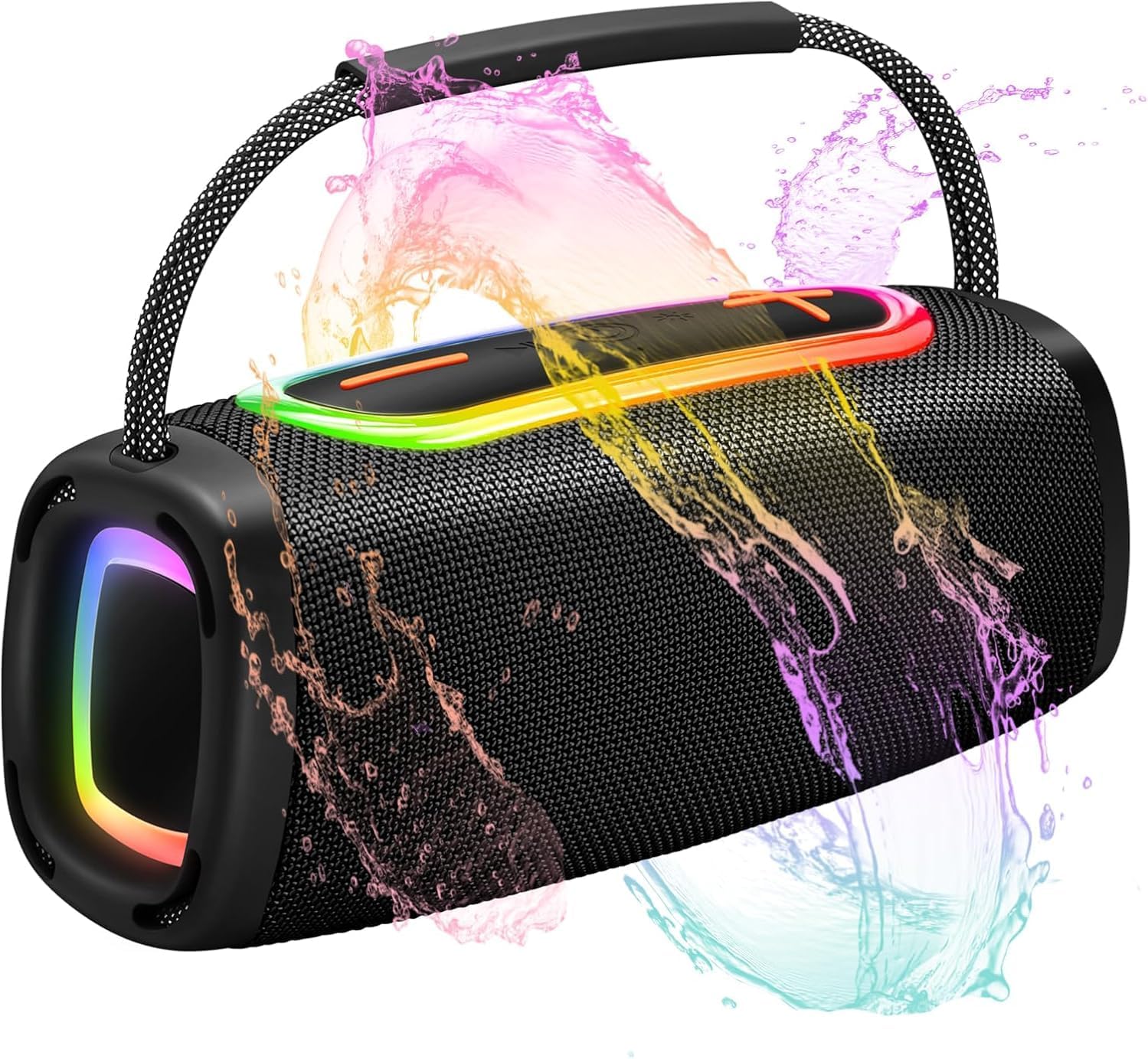
Image: The Matast A6 Bluetooth Speaker, showcasing its vibrant RGB lighting and IP6 waterproof design with water splashes.
Package Contents
Please check the box for the following items:
- Matast A6 Bluetooth Speaker x 1
- Type-C Charging Cable x 1
- Instruction Book x 1

Image: The Matast A6 Bluetooth Speaker, its retail box, a Type-C charging cable, and the instruction manual, illustrating the complete package contents.
Product Overview
Familiarize yourself with the speaker's components and controls.

Image: A detailed diagram of the Matast A6 Bluetooth Speaker's top panel, highlighting the five main buttons and their corresponding functions: Volume-/Previous Track, Play/Pause (including answering/disconnecting calls), Power On/Off, Switch Lighting, and Volume+/Next Track.
- Volume-/Previous Track: Press briefly to decrease volume. Press and hold to go to the previous track.
- Play/Pause: Press briefly to play or pause audio. Press briefly to answer an incoming call. Press briefly again to end a call. Press and hold to reject an incoming call.
- Power On/Off: Press and hold to power the speaker on or off.
- Switch Lighting: Press briefly to cycle through different RGB lighting modes. Press and hold to turn the lights off or on.
- Volume+/Next Track: Press briefly to increase volume. Press and hold to go to the next track.
Setup
1. Charging the Speaker
Before first use, fully charge the speaker. Use the provided Type-C charging cable to connect the speaker to a compatible USB power adapter (not included).
- The charging indicator light will illuminate during charging.
- A full charge typically takes approximately 3-4 hours.
- A fully charged speaker provides up to 24 hours of playtime, depending on volume level and audio content.
2. Powering On/Off
- To Power On: Press and hold the Power On/Off button (button 3 in Product Overview) until you hear an audible prompt and the indicator lights illuminate.
- To Power Off: Press and hold the Power On/Off button until you hear an audible prompt and the indicator lights turn off.
3. Bluetooth Pairing
The Matast A6 uses Bluetooth 5.3 for stable and efficient wireless connection.
- Ensure the speaker is powered on and in pairing mode (the Bluetooth indicator light will typically flash).
- On your device (smartphone, tablet, computer), enable Bluetooth.
- Search for available Bluetooth devices.
- Select "Matast A6" from the list of devices.
- Once paired, you will hear an audible confirmation, and the Bluetooth indicator light will become solid.
- The speaker will automatically attempt to reconnect to the last paired device when powered on.
Operating Instructions
1. Audio Playback
- Play/Pause: Press the Play/Pause button (button 2) once.
- Volume Up: Press the Volume+ button (button 5) briefly.
- Volume Down: Press the Volume- button (button 1) briefly.
- Next Track: Press and hold the Volume+ button (button 5).
- Previous Track: Press and hold the Volume- button (button 1).
2. RGB Lighting Modes
The speaker features multiple RGB lighting dynamics modes to enhance your listening experience.
- Change Mode: Press the Switch Lighting button (button 4) briefly to cycle through the seven available lighting effects.
- Turn Lights On/Off: Press and hold the Switch Lighting button (button 4) to toggle the lights off or on. Turning off the lights can help conserve battery life.

Image: The Matast A6 Bluetooth Speaker showcasing its seven types of ambient lighting, with icons representing different color options.
3. Hands-Free Calling
With the built-in microphone, you can answer calls directly through the speaker.
- Answer Call: When an incoming call rings, press the Play/Pause button (button 2) briefly.
- End Call: During a call, press the Play/Pause button (button 2) briefly.
- Reject Call: When an incoming call rings, press and hold the Play/Pause button (button 2).

Image: A person sitting on a couch, using their smartphone with the Matast A6 Bluetooth Speaker for a hands-free phone call, demonstrating its compatibility with various devices.
4. Waterproof Functionality (IP6 Rating)
The Matast A6 speaker is designed with an IP6 rating, offering protection against water splashes and spills. This makes it suitable for outdoor use, including by the pool or at the beach.
- Avoid submerging the speaker completely in water.
- Ensure the charging port cover is securely closed to maintain water resistance.
- After exposure to water, wipe the speaker dry before charging.

Image: The Matast A6 Bluetooth Speaker resting on a rock with water splashing around it, illustrating its IP6 waterproof capability.
Maintenance
- Cleaning: Use a soft, dry cloth to clean the speaker's exterior. For stubborn dirt, a slightly damp cloth can be used, ensuring no water enters the ports. Do not use abrasive cleaners or solvents.
- Storage: Store the speaker in a cool, dry place away from direct sunlight and extreme temperatures.
- Battery Care: To prolong battery life, avoid fully discharging the speaker frequently. Charge it regularly, even if not in use for extended periods.
- Water Resistance: Always ensure the charging port cover is sealed tightly to maintain the IP6 water resistance. Do not expose the speaker to saltwater or other chemicals, as this may degrade the seals.
Troubleshooting
| Problem | Possible Cause | Solution |
|---|---|---|
| Speaker does not power on. | Low battery or no charge. | Charge the speaker using the provided Type-C cable. |
| Cannot pair with Bluetooth device. | Bluetooth is off on your device, speaker is not in pairing mode, or too far from device. | Ensure Bluetooth is enabled on your device. Power cycle the speaker to enter pairing mode. Move the speaker closer to your device (within 33ft/10m). Forget "Matast A6" from your device's Bluetooth list and try pairing again. |
| No sound or low volume. | Volume too low on speaker or device, or speaker is paused. | Increase volume on both the speaker and your connected device. Press the Play/Pause button to ensure audio is not paused. |
| RGB lights are not working. | Lights are turned off or a specific mode is selected. | Press the Switch Lighting button briefly to cycle through modes. Press and hold the Switch Lighting button to turn the lights on. |
| Call quality is poor. | Weak Bluetooth connection or environmental interference. | Move closer to your connected device. Ensure there are no obstructions between the speaker and your device. |
Specifications
| Model Name | A6 |
| Brand | Matast |
| Speaker Type | Portable Speaker |
| Connectivity Technology | Bluetooth 5.3 |
| Audio Output | 24W (2*8W enhanced bass radiator) |
| Woofer Diameter | 66 mm |
| Battery Capacity | 4400mAh (up to 24 hours playtime) |
| Waterproof Rating | IP6 |
| Product Dimensions | 25cm (9.8 in) L x 8cm (3.15 in) W x 9cm (3.54 in) H |
| Item Weight | 1.18 Kilograms (2.59 pounds) |
| Material | ABS Plastic Shell, Mesh Fabric, Soft Silicone End Caps |
| Included Components | Power Cable |

Image: The Matast A6 Bluetooth Speaker with its physical dimensions clearly marked: 25cm (9.8 inches) in length, 8cm (3.15 inches) in width, and 9cm (3.54 inches) in height.
Warranty Information
The Matast A6 Bluetooth Speaker comes with a Limited Warranty. For specific terms and conditions, please refer to the warranty card included in your package or contact Matast customer support.
Customer Support
If you encounter any issues or have questions regarding your Matast A6 Bluetooth Speaker, please contact Matast customer support through the retailer's platform or the contact information provided in your product documentation.