
Introduction
Thank you for choosing the Aokpsrt Duck Kids Alarm Clock with Night Light. This multi-functional device is designed to assist children in developing healthy sleep habits through its sleep training light, dual alarms, soothing white noise, and colorful night light features. Please read this manual thoroughly to ensure proper use and to maximize the benefits of your new alarm clock.
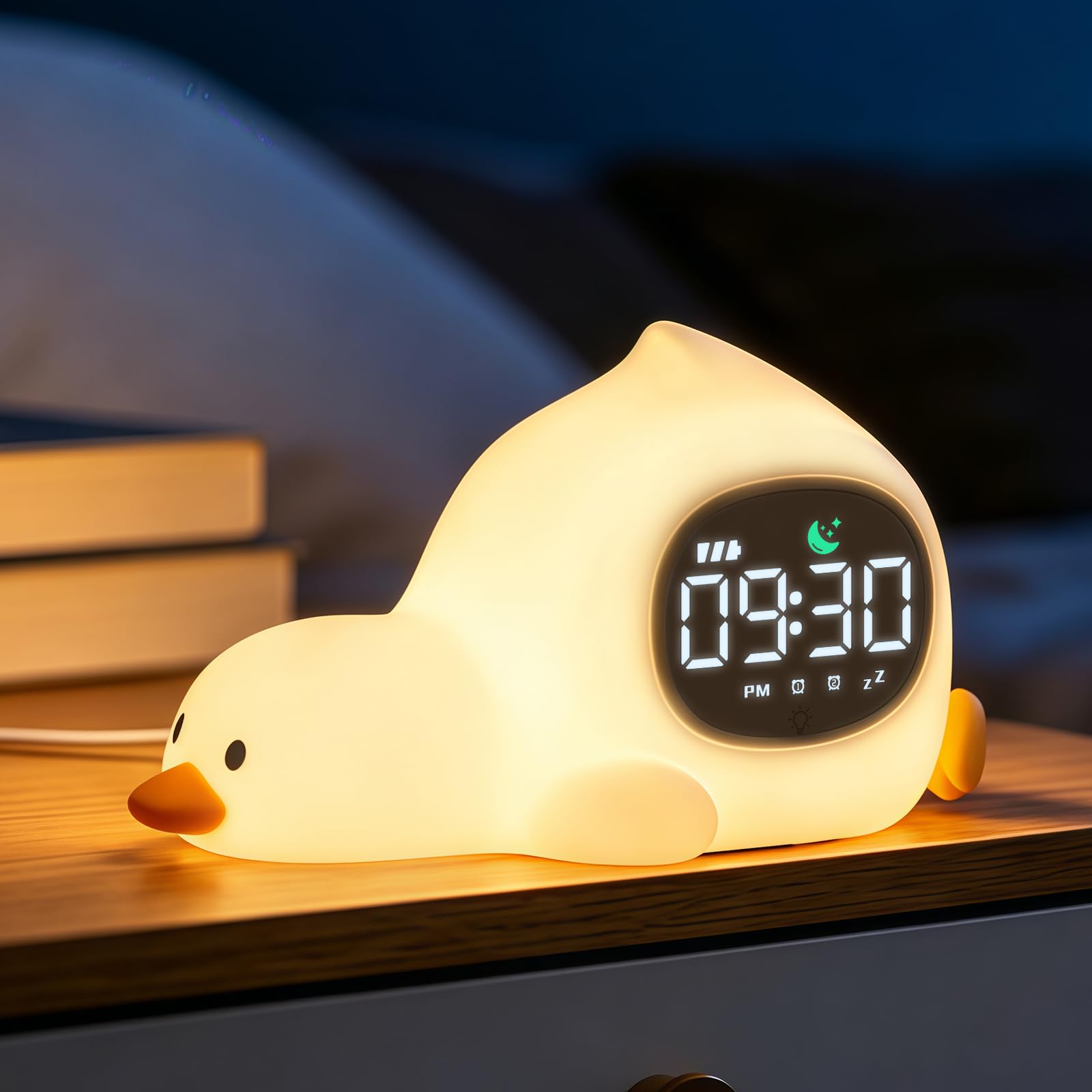
The Aokpsrt Laying Duck Kids Alarm Clock with Night Light.
Product Features
- Sleep Training Light: Uses color signals (green for wake-up, red for bedtime) to guide children's sleep routines without traditional alarm sounds.
- Dual Alarms: Set two independent alarms with options for weekday-only or always-on modes. Includes a 5-minute snooze function, repeatable up to 3 times.
- Adjustable Screen Brightness: Three levels of screen brightness (bright, soft, low) for comfortable viewing day and night.
- 6 Soothing White Noise Sounds: Features nature sounds (rain, ocean waves, etc.) to aid sleep, with 8 adjustable volume levels.
- Colorful Night Light: Tap the clock to cycle through 3 warm light settings, a gradual transition mode, or 7 vibrant colors.
- Durable Silicone Design: Made from soft, drop-resistant silicone, suitable for children's use.

Key features of the Aokpsrt Duck Alarm Clock.
Package Contents
Upon unpacking, please ensure all items are present:
- Aokpsrt Duck Kids Alarm Clock
- USB Charging Cable (Adapter NOT included)
- User Manual

Size reference and contents of the package.
Controls and Display
The control buttons are located on the bottom of the alarm clock. Refer to the diagram below for button functions:

Control button layout and functions.
| Button Icon | Short Press Function | Long Press Function |
|---|---|---|
| Wake-up/Sleep Setting | Turn sleep training light on/off | Set sleep training light |
| White Noise | Turn white noise on/off | Adjust white noise volume |
| Time Setting | Display date | Set time |
| Alarm 1 | Turn alarm 1 on/off | Set alarm 1 |
| Alarm 2 | Turn alarm 2 on/off | Set alarm 2 |
| Plus (+) | Adjust screen brightness | Switch 6 white noise sounds |
| Minus (-) | Adjust screen brightness | Adjust white noise volume |
Setup
- Power Connection: Connect the provided USB cable to the clock and a USB power adapter (not included). For continuous use and reliable alarm function, it is recommended to keep the clock plugged in.
- Initial Charge: Allow the clock to charge fully before first use, especially if planning to use it in wireless mode.
- Set Time: Long press the 'Time Setting' button. Use the '+' and '-' buttons to adjust the hour and minute. Short press 'Time Setting' to confirm each step.
- Set Date: Short press the 'Time Setting' button to display the date. Long press it to enter date setting mode and adjust using '+' and '-' buttons.
Operating Instructions
Sleep Training Light
The sleep training light uses color to indicate wake-up and bedtime. Green light signals it's time to wake up, and red light indicates it's time to sleep.
- Set Sleep Training: Long press the 'Wake-up/Sleep Setting' button. Follow the prompts to set the desired wake-up and sleep times.
- Activate/Deactivate: Short press the 'Wake-up/Sleep Setting' button to toggle the sleep training light feature on or off.

Visual guide for the sleep training light feature.
Dual Alarms
The clock features two independent alarms.
- Set Alarm 1/2: Long press the 'Alarm 1' or 'Alarm 2' button. Use '+' and '-' to set the desired alarm time and mode (weekday/daily). Short press the alarm button to confirm each step.
- Activate/Deactivate: Short press the 'Alarm 1' or 'Alarm 2' button to turn the respective alarm on or off.
- Snooze Function: When an alarm sounds, tap the clock body to activate a 5-minute snooze. This can be repeated up to 3 times.

Setting and using the dual alarm feature.
Night Light
The clock offers various night light options.
- Turn On/Off: Tap the clock body to turn the night light on or off.
- Change Colors: Continue tapping the clock body to cycle through 3 warm light settings, a gradual transition mode, and 7 vibrant colors.

Changing the night light colors by tapping the clock.
White Noise
Choose from 6 soothing nature sounds to help with sleep.
- Turn On/Off: Short press the 'White Noise' button.
- Change Sound: Long press the '+' button to cycle through the 6 white noise sounds.
- Adjust Volume: Long press the '-' button to adjust the volume through 8 levels.

White noise sounds and volume adjustment.
Screen Brightness
Adjust the screen brightness for optimal visibility and comfort.
- Adjust Brightness: Short press the '+' or '-' buttons to cycle through the 3 screen brightness levels (Bright, Soft, Low).

Adjustable screen brightness levels.
Power Modes
The alarm clock supports both plug-in and wireless use.
- Plug-in Mode: Recommended for all-night use to ensure a stable power supply and consistent alarm function.
- Wireless Mode: Features a built-in 2000mAh rechargeable battery, providing 4-8 hours of usage. Ideal for short-term portability.

Plug-in vs. Wireless power modes.
Maintenance
- Cleaning: Wipe the silicone surface with a soft, damp cloth. Do not use abrasive cleaners or immerse the device in water.
- Storage: Store the clock in a cool, dry place when not in use for extended periods.
- Battery Care: To prolong battery life, avoid fully discharging the battery frequently. Charge regularly.
Troubleshooting
| Problem | Possible Cause | Solution |
|---|---|---|
| Clock not turning on/display off | Low battery or not plugged in. | Connect to power using the USB cable and a suitable adapter. Ensure the cable is securely connected. |
| Alarm not sounding | Alarm is off or volume is too low. | Short press the respective alarm button to turn it on. Long press the '-' button to increase white noise volume (which also affects alarm volume). |
| Night light not changing colors | Incorrect tapping or feature disabled. | Ensure you are tapping the clock body directly. If still not working, try resetting the device by unplugging and replugging it. |
| Sleep training light not working as expected | Incorrect settings or feature disabled. | Long press the 'Wake-up/Sleep Setting' button to reconfigure the times. Short press to ensure the feature is activated. |
Specifications
- Display Type: LED
- Power Source: Corded (USB) / Rechargeable Battery
- Battery Capacity: 2000mAh (approx. 4-8 hours wireless use)
- Material: Silicone
- Color: White (Laying Duck style)
- Dimensions (W x H): 3.15" x 3.94" (approx. 8cm x 10cm)
- Weight: 0.18 kg
- Additional Features: Adjustable Brightness, Adjustable Volume, Dual Alarms, White Noise Machine, OK to Wake Function
Official Product Videos
Product Overview
This video provides a comprehensive overview of the Aokpsrt Duck Kids Alarm Clock, demonstrating its night light and alarm functions.
Sleep Trainer & Night Light Demo
Watch this video to see the adorable alarm clock in action, showcasing its sleep trainer and night light features.
Warranty and Support
Aokpsrt is committed to providing high-quality products. For any questions, concerns, or support needs regarding your Duck Kids Alarm Clock, please refer to the contact information provided with your purchase or visit the official Aokpsrt website. Please retain your proof of purchase for warranty claims.