1. Introduction
This manual provides essential information for the setup, operation, maintenance, and troubleshooting of your ACEMAGIC LX15Pro Laptop. Please read this manual thoroughly before using your device to ensure proper function and longevity.
The ACEMAGIC LX15Pro is a high-performance laptop designed for both productivity and light gaming. It features an AMD Ryzen-7 5700U processor, 16GB of DDR4 RAM, and a fast 512GB NVMe SSD, providing a smooth and responsive user experience. The 15.6-inch Full HD IPS display offers vibrant visuals, while comprehensive connectivity options including WiFi 6 and Bluetooth 5.2 ensure you stay connected.

Figure 1.1: Overview of the LX15Pro's core specifications and advantages.
2. Setup
2.1 Unboxing and Initial Inspection
Carefully remove the laptop and all accessories from the packaging. Verify that all components are present:
- ACEMAGIC LX15Pro Laptop
- Power Adapter (USB-C type)
- User Manual (this document)
Inspect the laptop for any visible damage. If any damage is found or components are missing, contact customer support immediately.

Figure 2.1: The ACEMAGIC LX15Pro Laptop.
2.2 Powering On and Initial Configuration
- Connect the power adapter to the USB-C power port on the laptop and plug it into a wall outlet.
- Open the laptop lid. The laptop may power on automatically, or you may need to press the power button.
- Follow the on-screen instructions to complete the Windows 11 Home setup. This typically involves selecting your region, language, connecting to a Wi-Fi network, and creating a user account. Note that while Windows 11 Home usually requires a network connection for setup, this laptop may allow for local account creation without immediate internet access.
3. Operating the Laptop
3.1 Display and Visuals
The LX15Pro features a 15.6-inch Full HD (1920x1080) IPS display with thin bezels, providing an immersive viewing experience. The IPS technology ensures wide viewing angles and accurate color reproduction.

Figure 3.1: The LX15Pro's 15.6-inch FHD IPS Display.
3.2 Performance and Storage
Equipped with an AMD Ryzen 7 5700U processor, the LX15Pro delivers strong performance for daily tasks, multitasking, and light gaming. The 16GB DDR4 RAM ensures smooth operation, and the 512GB NVMe SSD provides rapid boot times and application loading.

Figure 3.2: AMD Ryzen 7 5700U Processor Performance.

Figure 3.3: Internal components showing RAM and SSD.
3.3 Connectivity
The LX15Pro offers a variety of ports for connecting peripherals and external displays:
- USB 3.2: Three USB-A 3.2 ports for high-speed data transfer.
- USB-C (Full Function): One USB-C port for data, display output, and power delivery.
- HDMI: One full-size HDMI port for connecting to external monitors or TVs.
- 3.5mm Headphone Jack: For audio output and microphone input.
- TF Card Socket: For expanding storage or transferring files from memory cards.
Wireless connectivity includes:
- Wi-Fi 6 (802.11ax): Provides fast and stable wireless internet connection.
- Bluetooth 5.2: For connecting wireless accessories like headphones, mice, and keyboards.

Figure 3.4: Laptop Ports and Connectivity Options.

Figure 3.5: Wi-Fi 6 Connectivity Advantage.
4. Maintenance
4.1 General Care and Cleaning
- Keep the laptop in a clean, dry environment away from extreme temperatures.
- Use a soft, lint-free cloth to clean the screen and exterior. For stubborn smudges, slightly dampen the cloth with water or a screen-safe cleaner.
- Avoid spraying liquids directly onto the laptop.
- Regularly clean the keyboard with compressed air to remove dust and debris.
4.2 Battery Care
- For optimal battery life, avoid fully discharging the battery frequently.
- Store the laptop with a charge between 50% and 80% if not used for extended periods.
- Use only the original ACEMAGIC power adapter or a compatible USB-C power supply with the correct wattage (19V at 2A).
4.3 Storage Management
The 512GB NVMe SSD provides ample storage. To maintain performance:
- Regularly delete unnecessary files and applications.
- Utilize cloud storage for large files to free up local disk space.
- Windows 11 includes built-in disk cleanup and optimization tools.
Figure 4.1: Internal cooling system for stable performance.
5. Troubleshooting
This section addresses common issues you might encounter with your ACEMAGIC LX15Pro Laptop.
5.1 Power Issues
- Laptop does not turn on: Ensure the power adapter is securely connected to both the laptop and a working power outlet. Check if the power indicator light is on. Try a different outlet.
- Battery not charging: Verify the power adapter is correctly connected. Ensure the USB-C power port is clean and free of debris.
5.2 Display Issues
- No display on screen: Connect an external monitor via HDMI to check if the issue is with the laptop's display or the system itself. Press Fn + F7 (or the key with a display icon) to toggle display output.
- Flickering or distorted display: Update your graphics drivers. Reduce screen resolution to see if the issue persists.
5.3 Connectivity Issues
- Wi-Fi not connecting: Ensure Wi-Fi is enabled in Windows settings. Restart your router and the laptop. Update Wi-Fi drivers.
- Bluetooth device not pairing: Ensure Bluetooth is enabled on both the laptop and the device. Make sure the device is in pairing mode. Remove and re-add the device in Bluetooth settings.
- USB-C display output not working: Note that the USB-C port is for data and power, and while it supports full function, some USB-C to HDMI cables or docks may not support display output on this specific model. Ensure your adapter is compatible.
5.4 System Performance
- Laptop is slow: Close unnecessary applications. Check Task Manager for high CPU/RAM usage. Run a disk cleanup and defragmentation (for HDD, not necessary for SSD). Scan for malware.
- Laptop overheating: Ensure ventilation vents are not blocked. Use the laptop on a hard, flat surface. Consider a cooling pad if consistently overheating during heavy use.
If you encounter issues not covered here or require further assistance, please refer to the Warranty and Support section.
6. Specifications
| Feature | Specification |
|---|---|
| Model Name | LX15Pro |
| Screen Size | 15.6 Inches |
| Display Resolution | FHD (1920x1080) IPS |
| Processor | AMD Ryzen 7 5700U (8 Cores, 16 Threads, up to 4.3GHz) |
| Graphics | Integrated AMD Radeon Graphics |
| RAM | 16GB DDR4 SDRAM (SODIMM, upgradable to 64GB) |
| Storage | 512GB NVMe SSD (M.2 2280, upgradable to 4TB) |
| Operating System | Windows 11 Pro |
| Wireless Connectivity | WiFi 6 (802.11ax), Bluetooth 5.2 |
| Ports | 3x USB 3.0, 1x USB-C (Full Function), 1x HDMI, 1x 3.5mm TRRS Jack, 1x Memory Card Slot (TF Card) |
| Item Weight | 4.07 pounds |
| Product Dimensions | 14.52 x 9.19 x 0.74 inches |
| Battery | Nonstandard Battery (included) |
7. Warranty and Support
ACEMAGIC is committed to providing excellent customer service and support for your LX15Pro Laptop.
7.1 Warranty Information
We provide a one-year effective warranty period for the ACEMAGIC LX15Pro Laptop, which includes free return or exchange services for product-related issues. Offline maintenance services are also available for products beyond the warranty period.
7.2 Customer Support
For any product-related inquiries, technical assistance, or maintenance services, please contact our professional service team:
- Email: service@acemagic.com
- Phone (US): +1 833 988 3568 (Monday-Friday, 9am-5pm EST)
You can also find assistance by logging into your Amazon account, navigating to 'Your Orders', and using the 'Ask Product Question' feature.
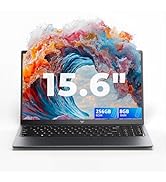
Figure 7.1: ACEMAGIC Customer Support Contact Information.


