
1. Introduction
This manual provides detailed instructions for the assembly, operation, and maintenance of your Grandder 55x32 Electric Standing Desk. Please read this manual thoroughly before use to ensure proper function and safety. This desk is designed to offer a versatile workspace, allowing seamless transitions between sitting and standing positions to promote a healthier work environment.
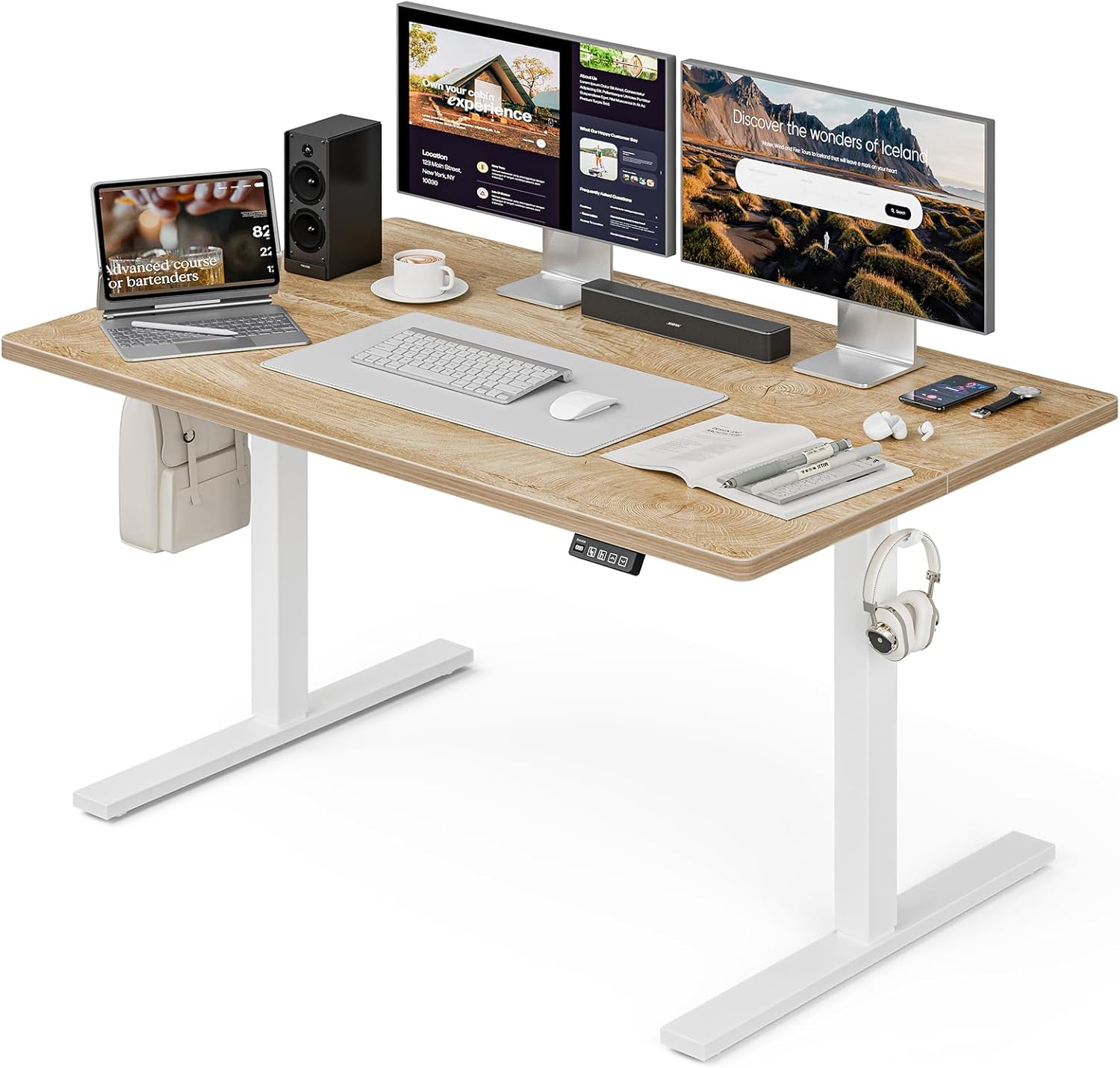
Image: The Grandder 55x32 Electric Standing Desk, featuring a spacious oak desktop, white legs, and a control panel. It is shown with dual monitors, a laptop, and various office accessories, highlighting its large workspace.
2. Safety Information
- Weight Capacity: Do not exceed the maximum weight capacity of 220 lbs (100 kg). Overloading the desk can cause damage and pose a safety risk.
- Anti-Collision Technology: The desk is equipped with advanced anti-collision technology. If an obstacle is detected during height adjustment, the desk will automatically stop and reverse slightly to prevent damage to equipment or injury.
- Power Source: Ensure the desk is connected to a stable power source. Do not use damaged power cords or adapters.
- Clearance: Maintain clear space around the desk during operation to avoid obstructions.
- Children and Pets: Keep children and pets away from the desk during height adjustments.
- Stability: Ensure all screws are tightened securely after assembly. If using casters, ensure they are locked when the desk is in a desired position to prevent unintended movement.
3. Package Contents
Before beginning assembly, verify that all components listed below are present and undamaged. If any parts are missing or damaged, please contact customer support.
- Desktop (55x32 Inch, Oak)
- Leg Frames (White, T-shaped)
- Motor and Control Box
- Control Panel with LED Display
- Power Adapter and Cable
- Assembly Hardware (screws, brackets, etc.)
- Earphone Hooks (x2)
- Lockable Casters (x4, optional installation)
- Adjustable Feet (x4, optional installation)
- Assembly Manual
- Basic Assembly Tools (screwdriver, Allen wrench)
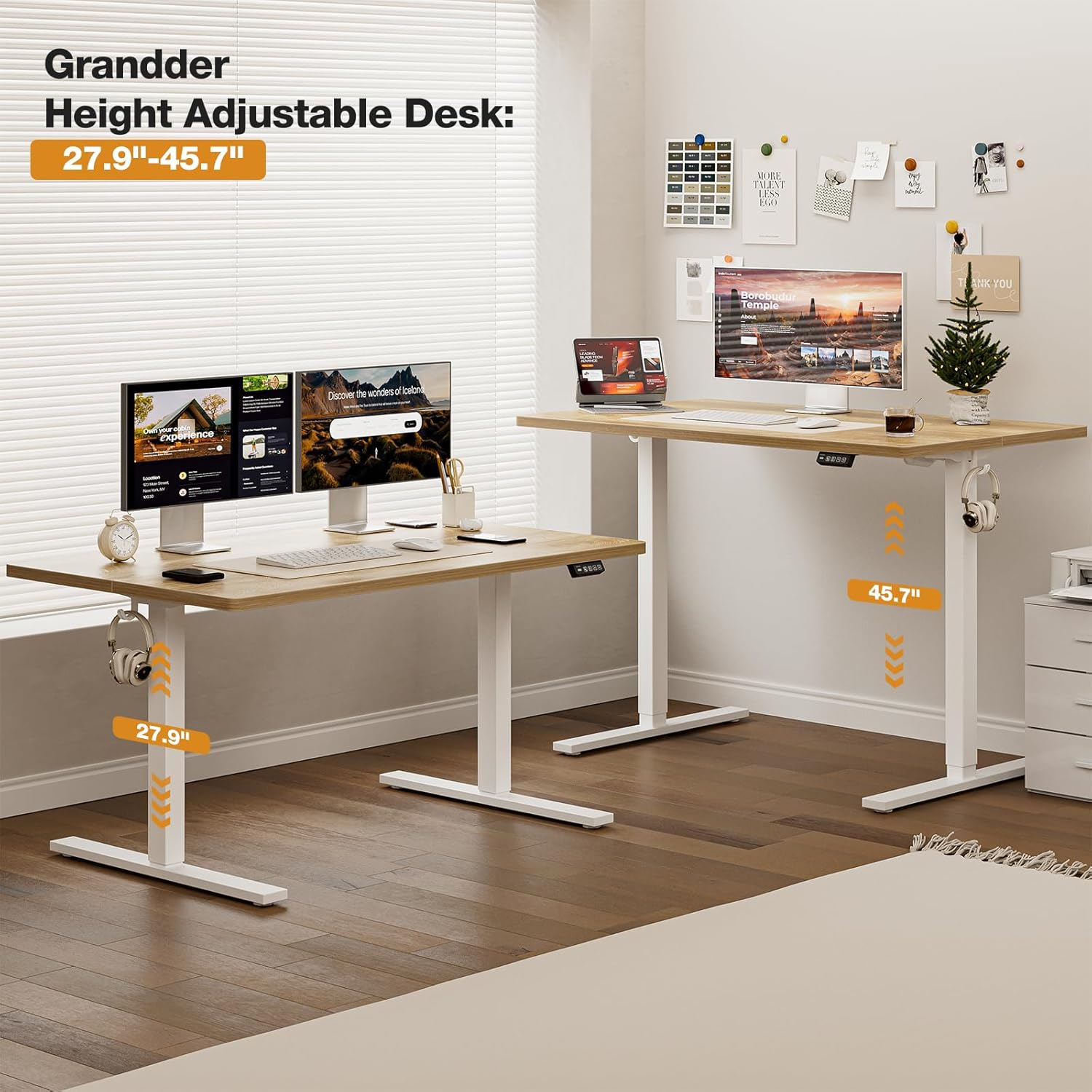
Image: A comprehensive view of all desk components, including the two-piece oak desktop, white metal leg components, control panel, power adapter, and bags of screws and tools, ready for assembly.
4. Setup & Assembly
Follow these steps carefully for a smooth assembly process. It is recommended to have a clear, spacious area for assembly.
Step 1: Assemble the Desktop
- Place the two desktop pieces face down on a soft, clean surface to prevent scratches.
- Align the two desktop pieces and insert the wooden dowels into the pre-drilled holes along the joining edge.
- Secure the desktop pieces together using the provided metal brackets and screws. Ensure they are tightly fastened for a stable surface.
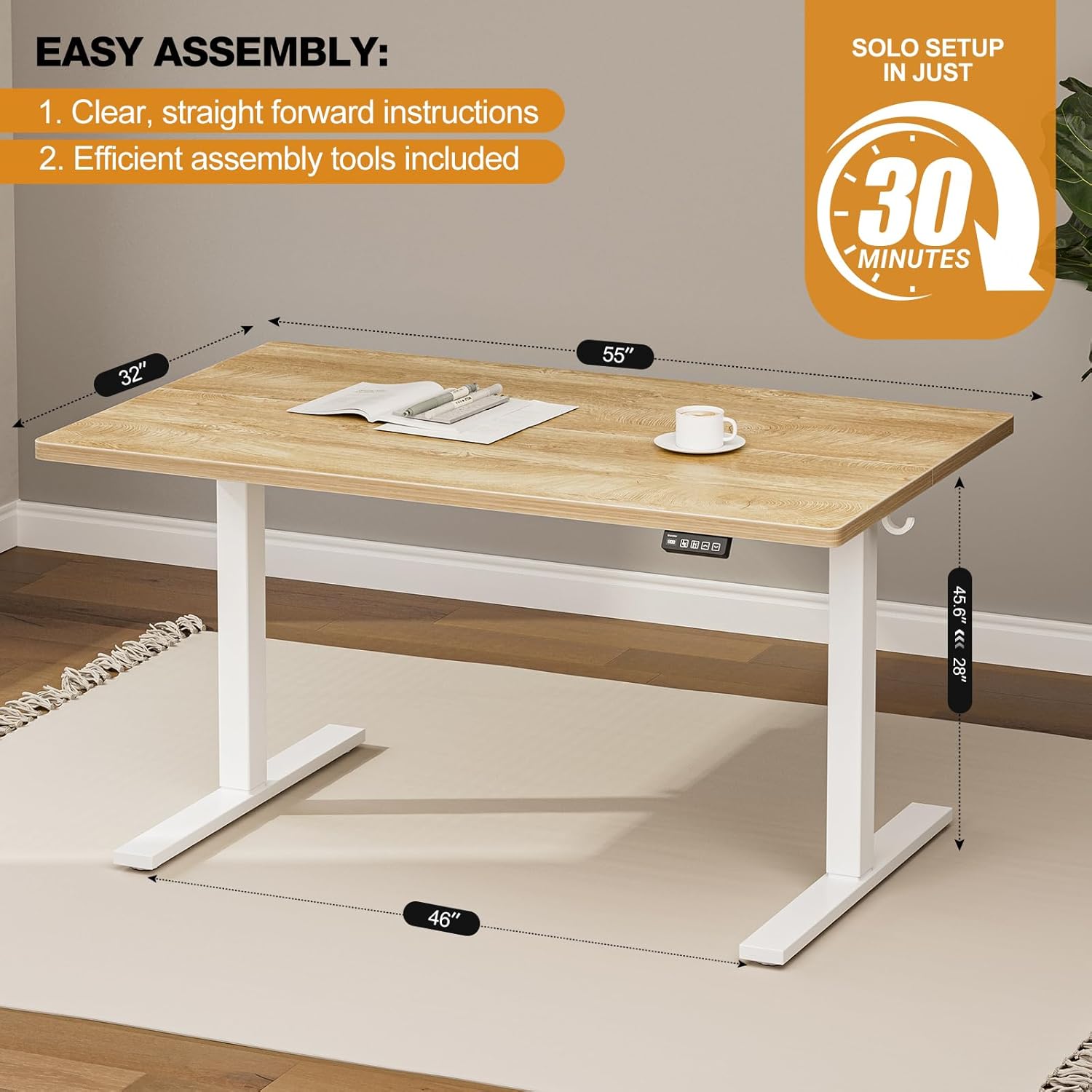
Image: Close-up of the desktop assembly, showing the two oak panels being joined with metal brackets and screws. A power drill is used for efficient fastening.
Step 2: Attach the Leg Frames
- Position the T-shaped leg frames onto the underside of the assembled desktop, aligning them with the pre-drilled holes.
- Secure the leg frames to the desktop using the provided screws.
- Install the crossbar between the two leg frames, ensuring it is securely attached to provide stability.

Image: The desk frame partially assembled, with the white metal legs attached to the desktop. A person is shown using a power drill to secure the components.
Step 3: Install Motor and Control Panel
- Mount the motor and control box to the designated area on the underside of the desktop, typically along the crossbar.
- Attach the control panel to your preferred side of the desk (left or right) using the provided screws.
- Connect the motor and control panel to the control box, and then connect the power adapter to the control box and a power outlet.
Video: This video demonstrates the assembly process, including attaching the motor and control panel, and connecting the power. It highlights the ease of setup for the Grandder Electric Standing Desk.
Step 4: Install Feet or Casters
- Decide whether to use the adjustable feet for stationary placement or the lockable casters for mobility.
- Screw the chosen feet or casters into the bottom of the leg frames.
- If using casters, ensure they are locked when the desk is in its final position.
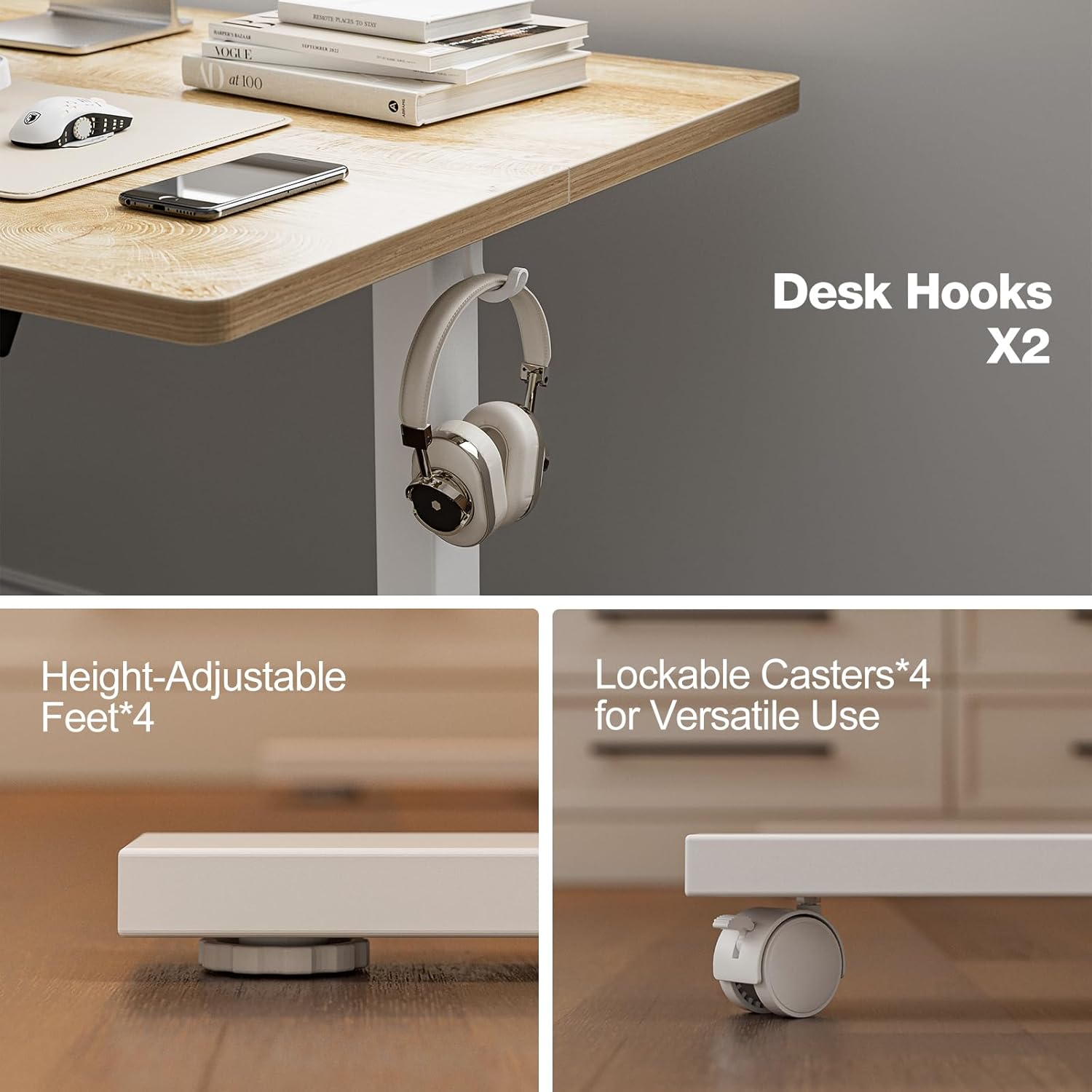
Image: Detailed view of the desk's base options: height-adjustable feet for stability and lockable casters for easy movement. Two white hooks are also visible on the side of the desk.
Step 5: Attach Earphone Hooks
- Screw the two earphone hooks into the pre-drilled holes on either side of the desktop's underside, as desired.
5. Operating Instructions
Your Grandder Electric Standing Desk features an intuitive control panel for easy height adjustments and memory presets.
Height Adjustment
- Use the Up (▲) and Down (▼) arrows on the control panel to manually adjust the desk height. The LED display will show the current height.
- The desk can be adjusted from a minimum height of 28.3 inches (71.9 cm) to a maximum height of 46.5 inches (118.1 cm).
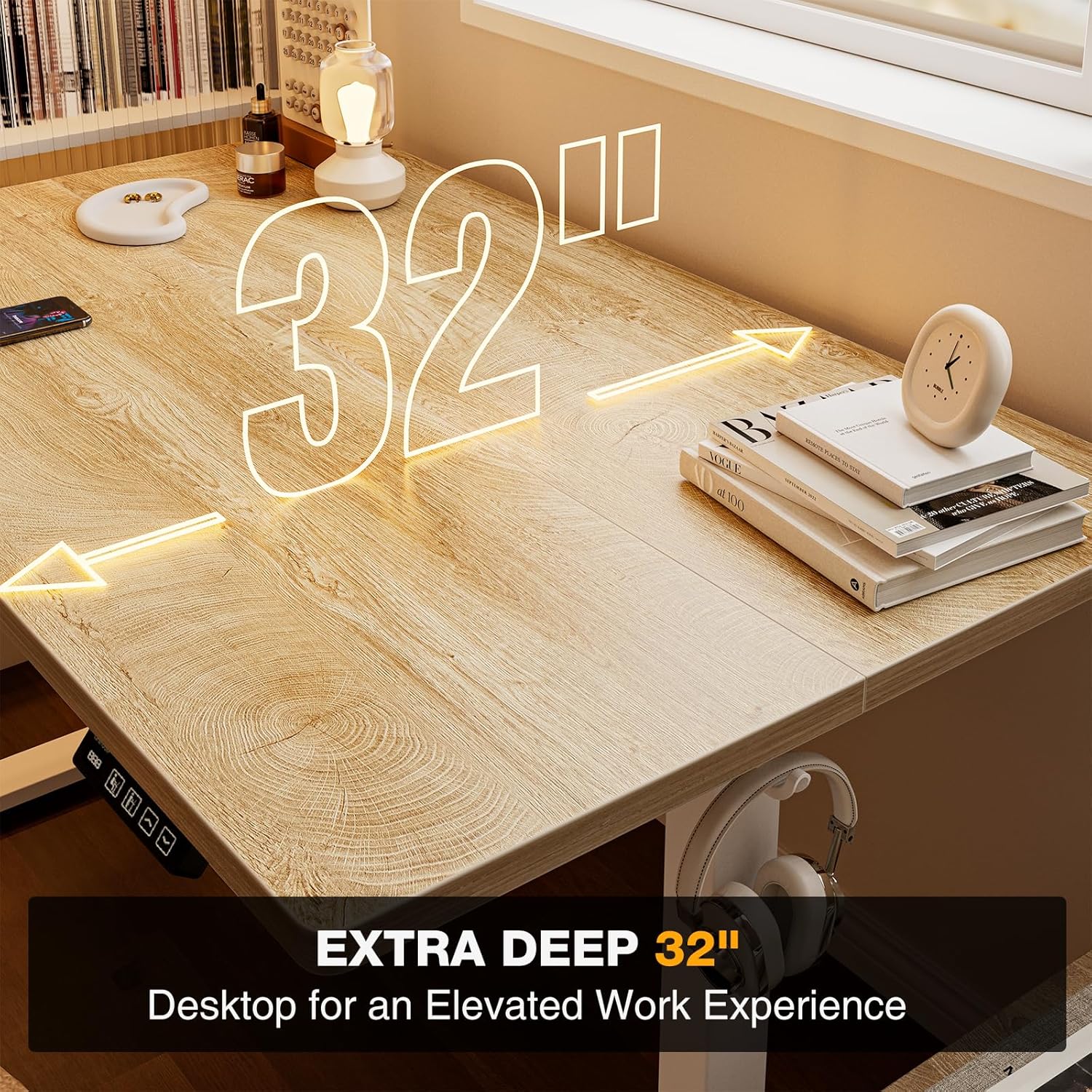
Image: Visual representation of the desk's height adjustment range, showing the desk at its lowest and highest settings, with measurements indicated.
Memory Presets
- The control panel allows you to save 2 preferred height settings (e.g., one for sitting, one for standing).
- To set a memory position:
- Adjust the desk to your desired height using the Up/Down arrows.
- Press the "M" button (Memory) once. The LED display will flash.
- Immediately press either the "1" or "2" button to save the current height to that preset. The display will confirm the setting.
- To recall a memory position: Simply press the corresponding "1" or "2" button. The desk will automatically move to the saved height.

Image: The desk's control panel, detailing the LED screen, two memory preset buttons, and up/down movement controls. The image also highlights the desk's robust build, capable of supporting significant weight.
Video: This video provides a demonstration of the Grandder Electric Standing Desk's height adjustment feature, showcasing its smooth and quiet operation as it moves between sitting and standing positions.
6. Features
- Spacious Desktop: The 55x32 inch (139.7 cm x 81.3 cm) desktop provides ample space for multiple monitors, laptops, and other accessories, enhancing productivity and organization.
- Quiet Operation: The desk operates with a noise level under 45 dB, ensuring smooth and silent transitions that won't disrupt your work environment.
- Durable Construction: Built with a premium industrial-grade steel frame and a powerful lift motor, the desk supports up to 220 lbs (100 kg) and offers long-lasting stability.
- Anti-Collision System: Integrated sensors detect obstacles during movement, automatically stopping and reversing the desk to prevent damage or injury.
- Convenient Hooks: Two integrated hooks allow for easy storage of headphones, bags, or cables, keeping your workspace tidy.
- Mobility Options: Choose between adjustable feet for a stationary setup or lockable casters for easy relocation of your workstation.

Image: The spacious 32-inch deep desktop, providing extensive room for various work setups and accessories.
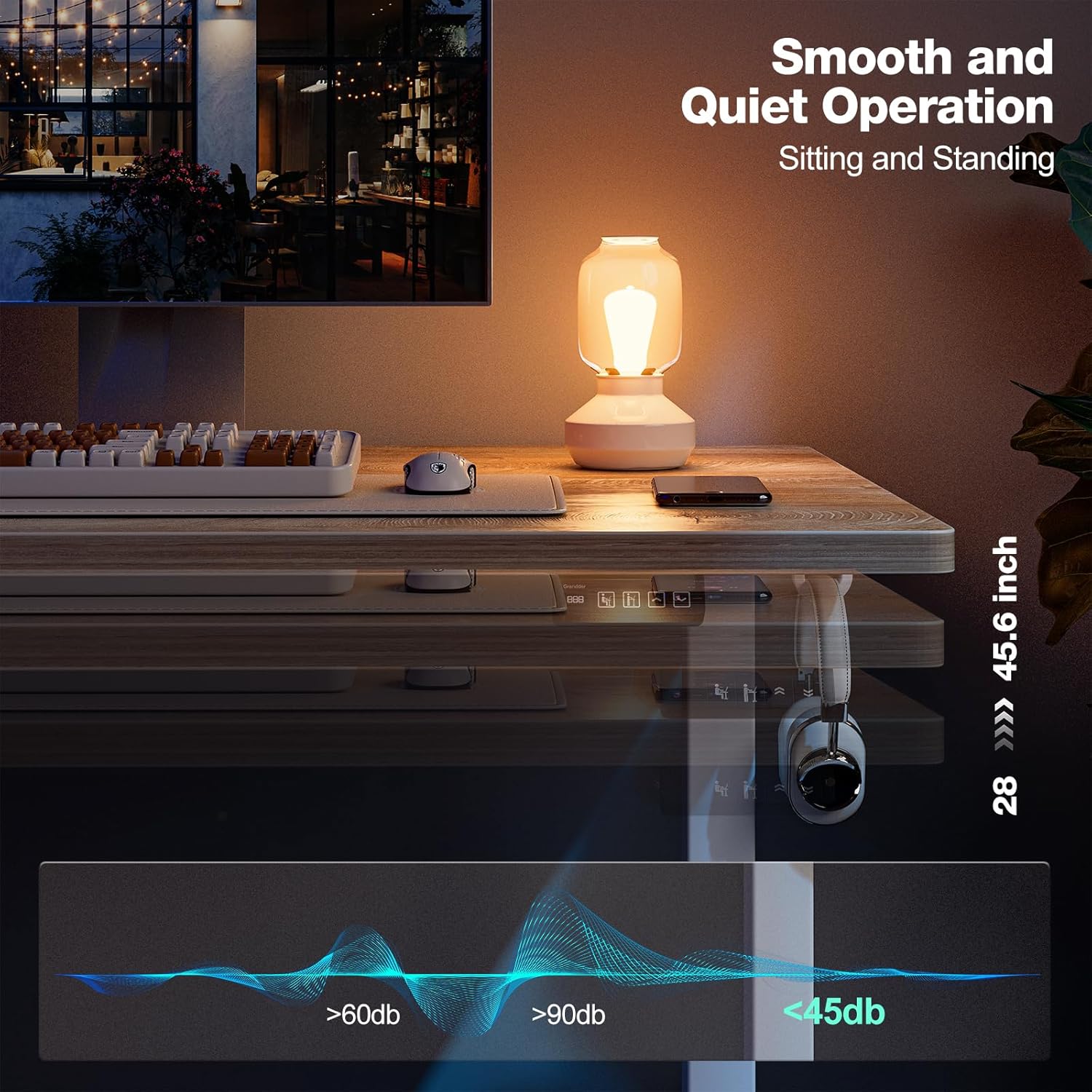
Image: An illustration highlighting the desk's quiet motor, operating at less than 45 dB, ensuring minimal disturbance during height adjustments.
Video: This video provides a general overview of the Grandder 55x32 Electric Standing Desk, showcasing its adjustable height and oak finish in a home office setting.
7. Maintenance
- Cleaning: Wipe the desktop and frame with a soft, damp cloth. Avoid harsh chemicals or abrasive cleaners that could damage the finish.
- Cable Management: Regularly check and organize cables to prevent tangling or damage, especially during height adjustments.
- Screw Tightness: Periodically check all screws and fasteners to ensure they remain tight. Retighten if necessary.
- Motor Care: The motor is designed for long-term use and requires minimal maintenance. Avoid obstructing the motor or forcing the desk to move if it encounters resistance.
8. Troubleshooting
| Problem | Possible Cause | Solution |
|---|---|---|
| Desk does not move. | Power cable disconnected; motor error. | Check power connections. Unplug and replug the power cable. If the issue persists, contact support. |
| Desk moves unevenly or makes unusual noise. | Loose screws; uneven load; motor issue. | Check and tighten all assembly screws. Redistribute weight evenly on the desktop. If noise persists, contact support. |
| Anti-collision system frequently activates. | Obstruction in path; sensor sensitivity. | Ensure there are no objects in the desk's path during movement. Clear the area. |
| Memory presets not saving/recalling correctly. | Incorrect programming sequence. | Refer to the "Memory Presets" section in Operating Instructions and re-program the settings. |
9. Specifications
- Brand: Grandder
- Model Number: AU-A204-55DX
- Desktop Dimensions (D x W): 32" x 55" (81.3 cm x 139.7 cm)
- Adjustable Height Range: 28.3" - 46.5" (71.9 cm - 118.1 cm)
- Maximum Weight Capacity: 220 lbs (100 kg)
- Material: Engineered Wood (Desktop), Industrial-Grade Steel (Frame)
- Color: Oak (Desktop), White (Frame)
- Noise Level: < 45 dB
- Special Features: Electric Height Adjustment, 2 Memory Presets, Anti-Collision Technology, Earphone Hooks, Optional Lockable Casters
- Item Weight: 42 Pounds (19.05 kg)
10. Warranty & Support
For warranty information, product support, or to purchase replacement parts, please visit the official Grandder Store or contact their customer service directly. Refer to the contact information provided with your purchase documentation.
Online Support: Visit the Grandder Store on Amazon
Protection Plans: Extended protection plans are available for purchase. Please refer to your retailer for details.