
WINNY POOL CLEANER WPC-20250805-HJ1102P
WINNY POOL CLEANER Cordless Robotic Pool Cleaner User Manual
Model: WPC-20250805-HJ1102P
1. Introduction
This manual provides essential information for the safe and efficient operation, maintenance, and troubleshooting of your WINNY POOL CLEANER Cordless Robotic Pool Cleaner. Please read this manual thoroughly before using the product and retain it for future reference.
The WINNY POOL CLEANER is designed for automatic cleaning of above-ground pools with flat or gently sloped bottoms, offering a cordless and self-parking solution for pool maintenance.
2. Safety Information
- Always ensure the cleaner is fully charged before use.
- Do not operate the cleaner if the pool water temperature is outside the recommended range (typically 10°C to 35°C / 50°F to 95°F).
- Keep children and pets away from the pool area when the cleaner is in operation.
- Only use the provided charger for recharging the unit.
- Do not attempt to disassemble or repair the cleaner yourself. Contact customer support for assistance.
- Remove the cleaner from the pool after each cleaning cycle and before adding chemicals to the pool water.
- Ensure the charging port is dry before connecting the charger.
3. Package Contents
Verify that all items are present in the package:
- Cordless Robotic Pool Cleaner Unit
- Filter Tray (Cotton foam + 180µm filter)
- Flippers & Handle
- Scrapers (x2)
- Retrieving Hook
- Screws
- Charger
- User Manual

4. Product Overview
The WINNY POOL CLEANER is designed with several key features for effective and convenient pool cleaning:
- Cordless Operation: Eliminates tangled cords and provides unrestricted movement.
- Dual-Stage Filtration System: Features a 180µm precision mesh filter and a multi-density foam layer to capture various debris types.
- Strong Cleaning Power: Equipped with a safety-certified high-speed motor and dual scrubbing scrapers.
- Self-Parking Technology: Automatically docks itself near the pool edge when the battery is low.
- Compact & Lightweight: Easy to handle and retrieve from the pool.


5. Setup and Charging
5.1 Initial Assembly
- Unpack all components and verify against the package contents list.
- Attach the handle to the main unit using the provided screws. Ensure it is securely fastened.
- Ensure the filter tray with both the mesh filter and foam layer is correctly installed inside the cleaner.
5.2 Charging the Cleaner
Before first use, fully charge the robotic pool cleaner. A full charge typically takes 3-4 hours.
- Ensure the cleaner is completely dry, especially the charging port area.
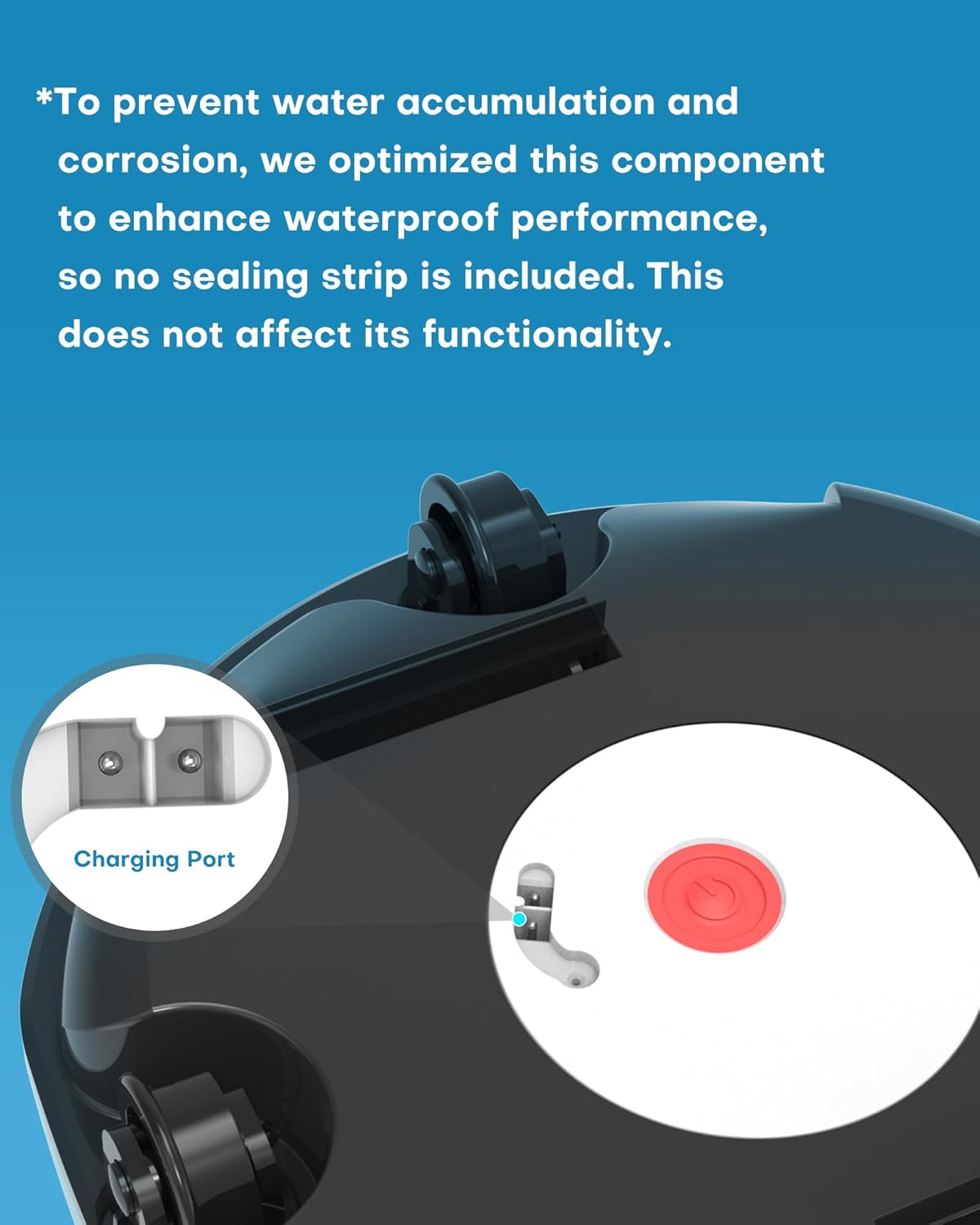
- Locate the charging port on the cleaner.
- Connect the charger to the cleaner's charging port and then plug the charger into a power outlet.
- The indicator light on the charger will turn red to indicate charging is in progress.
- Once charging is complete, the indicator light will turn green.
- Disconnect the charger from the power outlet and then from the cleaner.


Note: To prevent water accumulation and corrosion, the charging port is optimized for waterproof performance, so no sealing strip is included. This design choice does not affect its functionality.
6. Operating Instructions
6.1 Placing the Cleaner in the Pool
- Ensure the cleaner is fully charged.
- Press the power button on the cleaner to activate it.
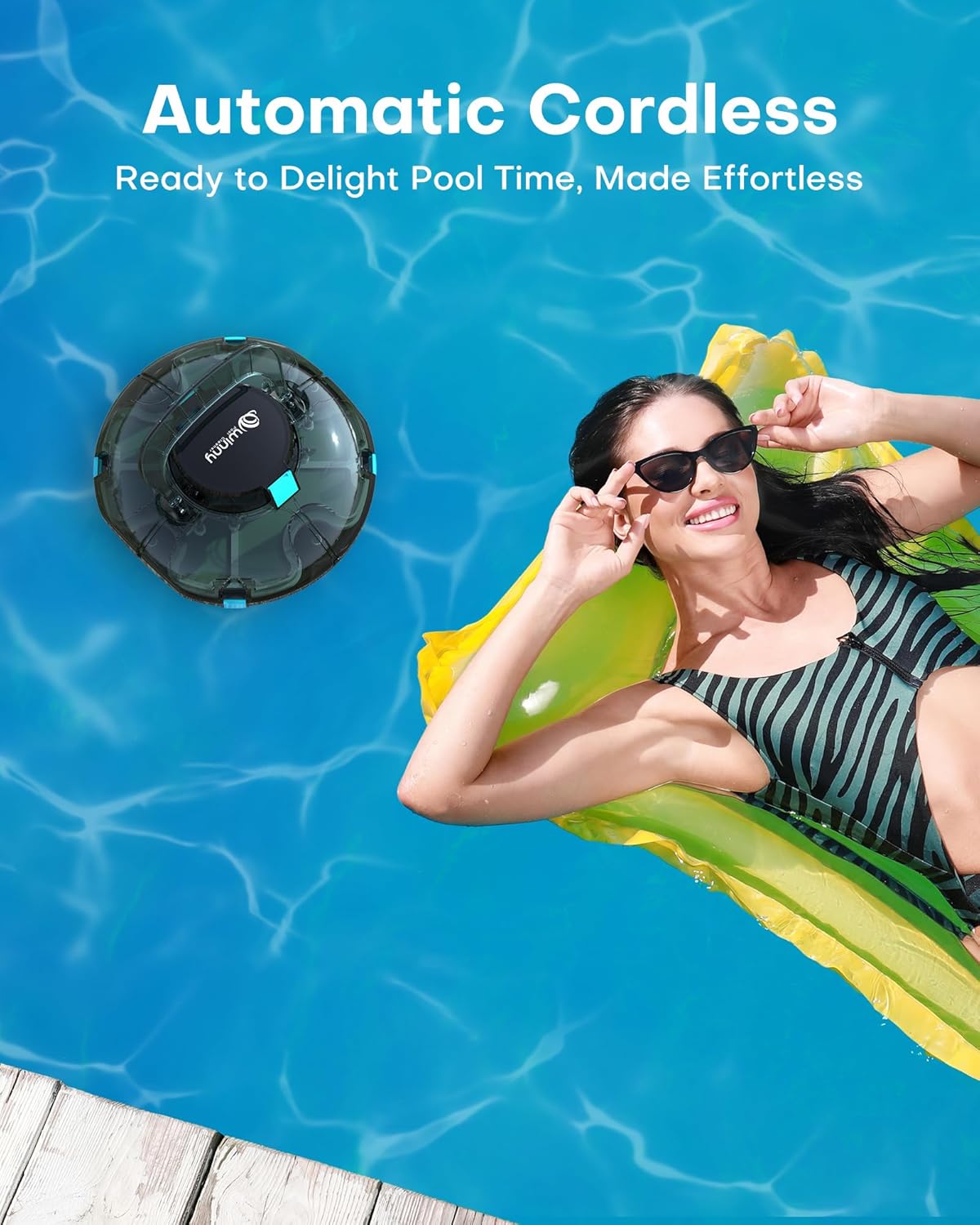
- Gently submerge the cleaner into the pool water. It will begin its cleaning cycle automatically.

6.2 Cleaning Cycle and Self-Parking
The cleaner operates for approximately 75-80 minutes per cleaning cycle, covering above-ground pools up to 645 sq. ft. It is designed for flat or gently sloped bottoms (less than 15° inclination).
- The cleaner uses an intelligent route planning system, automatically reorienting itself when it encounters a wall or obstacle.
- When the battery level is low, the cleaner will automatically move to the edge of the pool for easy retrieval (self-parking feature).


6.3 Retrieving the Cleaner
After the cleaning cycle or when the cleaner has self-parked:
- Use the provided retrieving hook (attached to a standard pool pole, not included) to lift the cleaner out of the water.
- Allow excess water to drain from the cleaner before placing it on a dry surface.


7. Maintenance
7.1 Cleaning the Filter Tray
It is recommended to clean the filter tray after each use to maintain optimal cleaning performance.
- Remove the filter tray from the cleaner unit.
- Rinse the filter tray thoroughly with a garden hose to remove all trapped debris.
- Ensure both the mesh filter and foam layer are clean.
- Allow the filter tray to dry completely before reinserting it into the cleaner or storing the unit.

7.2 Storage
- Store the cleaner in a cool, dry place, away from direct sunlight and extreme temperatures.
- Ensure the cleaner is clean and dry before storage.
- Charge the battery periodically during long storage periods to maintain battery health.
8. Troubleshooting
| Problem | Possible Cause | Solution |
|---|---|---|
| Cleaner does not turn on. | Battery is depleted. | Charge the cleaner fully (3-4 hours). |
| Cleaner moves slowly or stops during operation. | Filter tray is clogged with debris. | Remove and clean the filter tray. |
| Battery is low. | Retrieve the cleaner and recharge it. | |
| Cleaner is not picking up debris effectively. | Filter tray is dirty or improperly installed. | Clean the filter tray and ensure it is correctly seated. |
| Large debris is blocking suction ports. | Remove the cleaner from the pool and clear any blockages from the suction ports. | |
| Cleaner does not self-park. | Obstruction preventing movement to the edge. | Ensure the pool area is clear of large obstacles. |
| Battery completely drained before self-parking could initiate. | Monitor cleaning cycles and retrieve manually if necessary. Ensure full charge before use. |
If the problem persists after attempting these solutions, please contact customer support.
9. Specifications
| Feature | Detail |
|---|---|
| Model Name | WPC-20250805-HJ1102P |
| Brand | WINNY POOL CLEANER |
| Power Source | Battery Powered |
| Battery Type | Lithium Ion (1 included) |
| Battery Energy Content | 28.47 Watt Hours |
| Charging Time | 3-4 hours |
| Operating Time | Approx. 75-80 minutes |
| Max Pool Size | Up to 645 sq. ft. |
| Pool Compatibility | Above-ground pools with flat or gently sloped bottoms (<15° inclination). Suitable for PVC liners, vinyl, tile, and gunite finishes. |
| Filtration System | Dual-stage (180µm precision mesh filter + multi-density foam layer) |
| Product Dimensions | 10"L x 7"W x 12"H (25.4 x 17.8 x 30.5 cm) |
| Item Weight | 5.4 ounces (154 Grams) |
| Material | Plastic |
| Color | Light Green |


10. Warranty and Support
For warranty information, technical support, or service inquiries, please refer to the contact information provided on the product packaging or visit the official WINNY POOL CLEANER website. Keep your purchase receipt as proof of purchase for warranty claims.
Related Documents - WPC-20250805-HJ1102P
 |
Winny 200/HJ1102P Robotic Pool Cleaner User Manual User manual for the Winny 200/HJ1102P robotic pool cleaner, covering setup, operation, maintenance, troubleshooting, and warranty information. |
 |
Hydrus Cordless Pool Vacuum User Manual Comprehensive user manual for the Hydrus Cordless Pool Vacuum, a robotic pool cleaner with a 90-minute runtime, powerful brushless motor, and self-parking feature, ideal for above and in-ground flat swimming pools up to 50 feet. |
 |
Elix ACM-853 Rechargeable Cordless Robotic Pool Cleaner User Manual User manual for the Elix ACM-853 rechargeable cordless robotic pool cleaner by Olympic. Provides detailed operating instructions, specifications, parts list, warranty information, and troubleshooting guide. |
 |
Robotic Pool Cleaner Y50 User Manual User manual for the Robotic Pool Cleaner Model Y50, providing instructions on product introduction, usage, troubleshooting, and warranty information. Includes specifications and maintenance guidance. |
 |
Wybot Osprey 700 Robotic Pool Cleaner User Manual Comprehensive user manual for the Wybot Osprey 700 robotic pool cleaner, detailing its features, specifications, operation, maintenance, and safety precautions for efficient pool cleaning. |
 |
Winny 200 Robotic Pool Cleaner User Manual User manual for the Winny 200 robotic pool cleaner, providing instructions on setup, operation, maintenance, troubleshooting, and safety. Learn how to efficiently clean your swimming pool with this advanced device. |