
Introduction
This manual provides detailed instructions for the setup, operation, and maintenance of your Zyee Syee Smart Ring R5. Please read this manual thoroughly to ensure proper use and to maximize the benefits of your device.
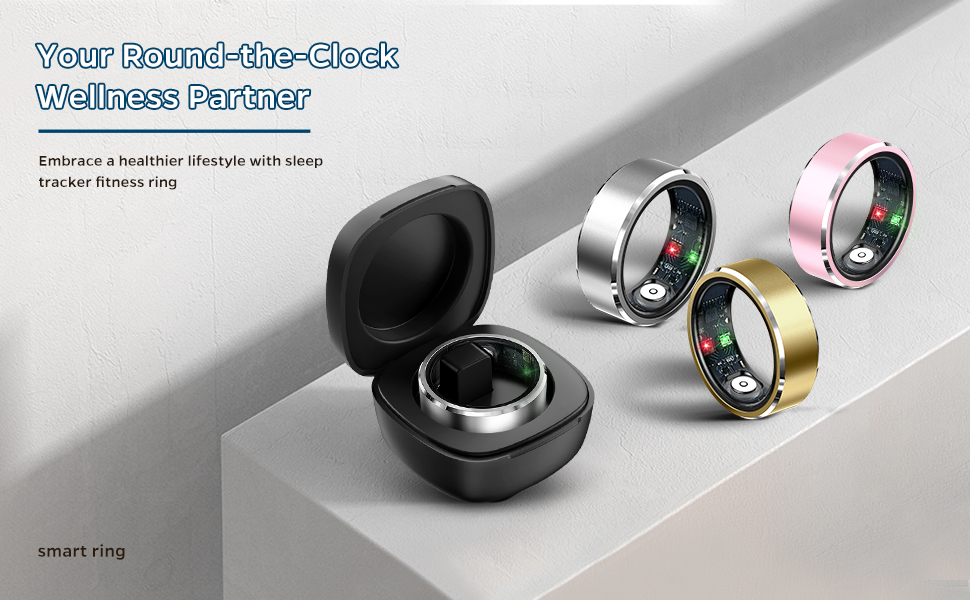
Image: The Zyee Syee Smart Ring R5, available in multiple colors, shown with its charging case. This image illustrates the product's design and charging accessory.
What's in the Box
- Zyee Syee Smart Ring R5
- Charging Cable
- User Manual (this document)
Setup Guide
1. Charging the Smart Ring
Before initial use, fully charge your Smart Ring. Connect the charging cable to a USB power source and place the ring onto the charging base. The indicator light will show charging status.
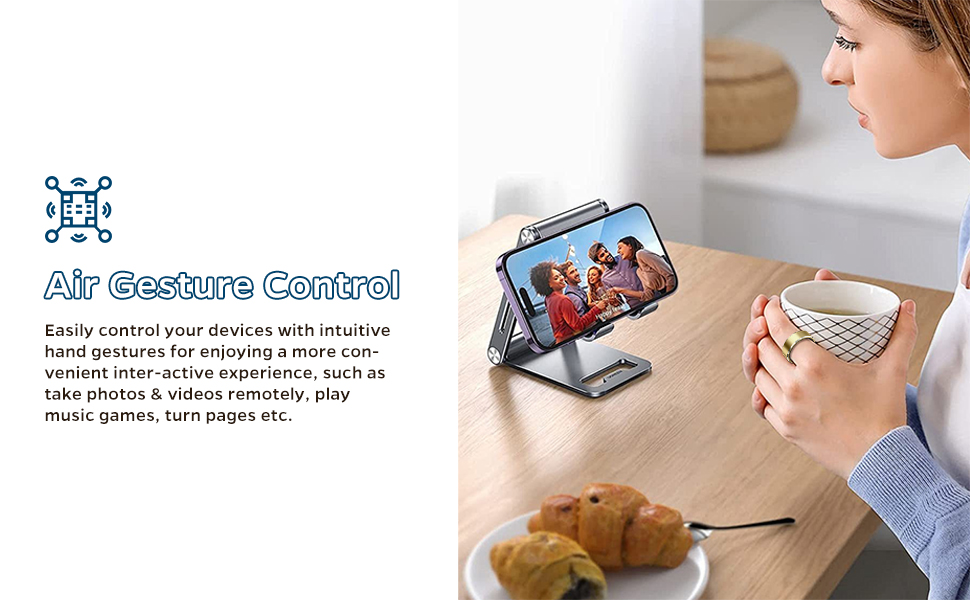
Image: The Smart Ring R5 placed on its charging base, connected via a USB cable. This demonstrates the charging process.
2. App Installation and Pairing
- Download the App: Search for the "Zyee Syee" app on the Apple App Store (for iOS) or Google Play Store (for Android).
- Create an Account: Open the app and follow the on-screen instructions to create a new user account.
- Pair the Ring: Ensure Bluetooth is enabled on your smartphone. Within the app, navigate to the device pairing section and select your Smart Ring R5 from the list of available devices. Follow any additional prompts to complete the pairing process.
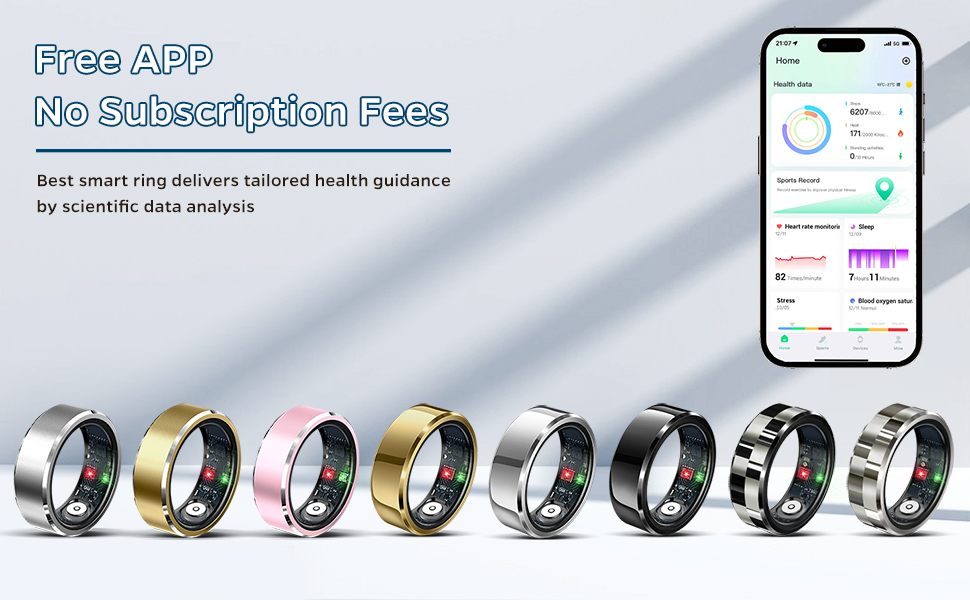
Image: A smartphone screen displaying the Zyee Syee app interface, showing various health tracking data. This illustrates the app's functionality for data visualization.
3. Sizing and Wearing
For accurate data collection, wear the Smart Ring on your index, middle, or ring finger. Ensure it fits comfortably without being too loose or too tight.

Image: A diagram illustrating the steps to measure finger circumference using paper and a ruler to determine the correct ring size. This helps users select the appropriate size for optimal fit and data accuracy.
Operating Instructions
Health Monitoring
The Smart Ring R5 continuously monitors various health metrics throughout the day and night. Data is automatically synced to the app when connected.
- Heart Rate: Tracks your heart rate continuously.
- Blood Oxygen (SpO2): Measures blood oxygen levels.
- Sleep Monitoring: Analyzes sleep stages (deep, light, REM) and wakefulness. View detailed reports in the app to understand your sleep patterns.

Image: A woman sleeping while wearing the Smart Ring, with an overlay showing the sleep analysis interface on a smartphone. This highlights the ring's sleep monitoring capabilities and the app's detailed reporting.
Fitness Activity Tracking
The ring automatically tracks your daily activities and various exercises.
- Steps: Counts your daily steps.
- Calories Burned: Estimates calorie expenditure based on activity.
- Exercise Duration & Distance: Records details for various sports.

Image: A woman performing a stretch, with icons representing various multisport data tracking features like running, cycling, and swimming. This illustrates the ring's comprehensive fitness tracking capabilities.
Air Gesture Control
The Smart Ring R5 supports intuitive air gestures for remote control of your smartphone.
- Functions: Take photos, flip through e-books, switch short videos, pause/play music.
- Operation: Double-tap your fingers in the air to activate gesture controls. Refer to the app for specific gesture configurations.
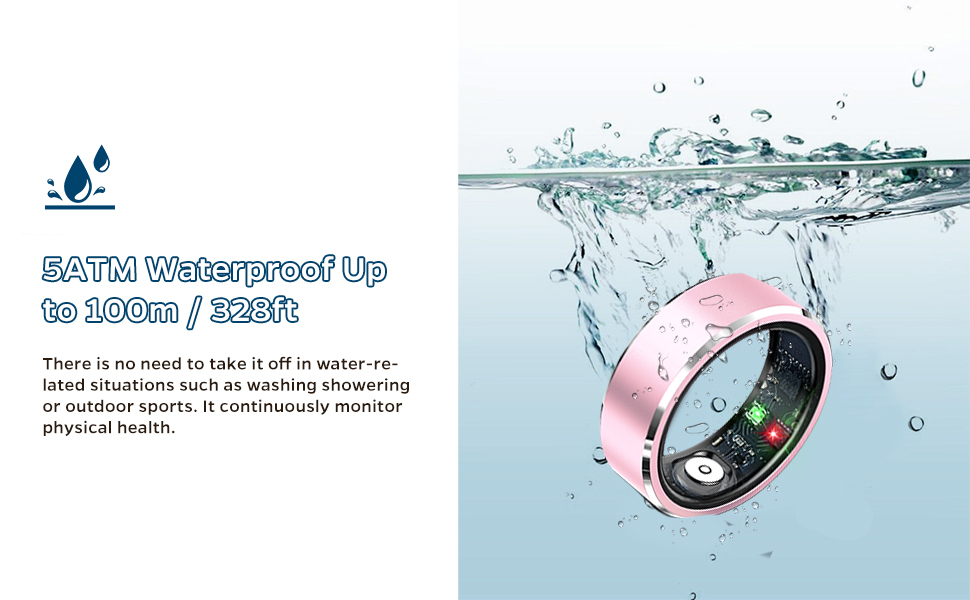
Image: A woman using hand gestures while wearing the Smart Ring, with a smartphone on a stand displaying content. This demonstrates the air gesture control feature for remote device interaction.
Maintenance and Care
Waterproof Design
The Smart Ring R5 is IP68 waterproof, allowing it to be worn during daily activities such as washing hands, showering, or swimming. It is resistant to water up to 100m/328ft.
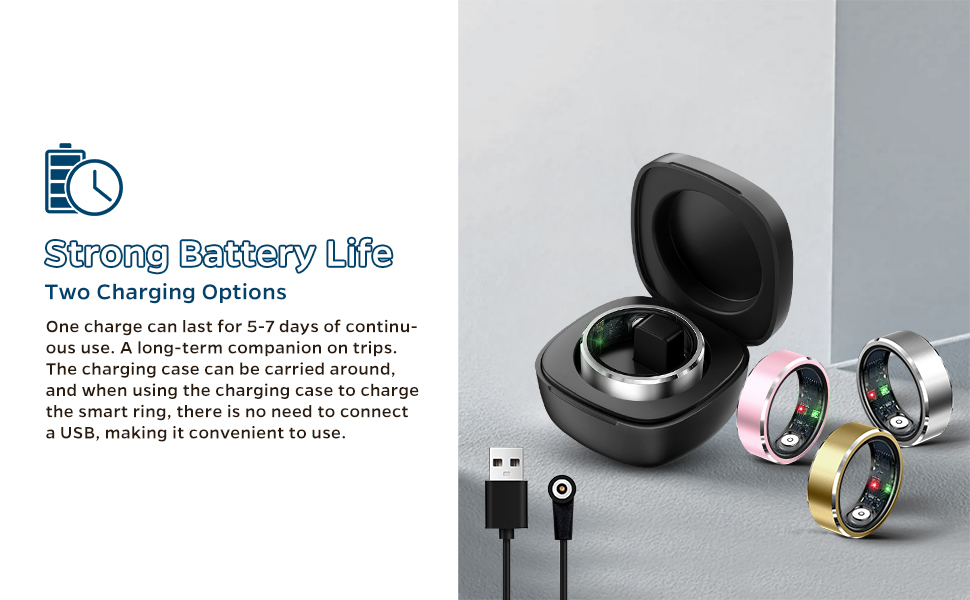
Image: The Smart Ring R5 partially submerged in water, illustrating its waterproof capability. This confirms its suitability for use in wet conditions.
Cleaning
To clean your Smart Ring, wipe it with a soft, damp cloth. Avoid using harsh chemicals or abrasive materials that could damage the device.
Troubleshooting
- Ring Not Charging:
- Ensure the charging cable is securely connected to both the power source and the charging base.
- Verify that the ring is correctly seated on the charging base.
- Try a different USB power adapter or port.
- Clean the charging contacts on both the ring and the base with a dry, soft cloth.
- Data Not Syncing:
- Check if Bluetooth is enabled on your smartphone and the ring is paired.
- Ensure the Zyee Syee app is open and running in the background.
- Restart both your smartphone and the Smart Ring (if applicable, by placing it on the charger for a few seconds).
- Verify that the app has necessary permissions (e.g., Bluetooth, location) enabled in your phone's settings.
- Inaccurate Readings:
- Ensure the ring is worn correctly and snugly on your finger (index, middle, or ring finger).
- Avoid wearing the ring too loosely or too tightly, as this can affect sensor performance.
- Clean the sensors on the inside of the ring regularly.
Specifications
| Model Name | R5 |
| Brand | Zyee Syee |
| Operating System Compatibility | iOS, Android |
| Connectivity Technology | Bluetooth |
| Special Features | Activity Tracker, Sleep Monitoring, Heart Rate, Blood Oxygen, Air Gestures |
| Waterproof Rating | IP68 (up to 100m/328ft) |
| Battery Type | Lithium Polymer (rechargeable, integrated) |
| Battery Life | 5-7 days (continuous use) |
| Item Weight | 4.2 ounces |
| Dimensions | 3.5 x 3.5 x 1.89 inches (Package) |
Warranty and Support
For warranty information and technical support, please refer to the official Zyee Syee website or contact customer service through the Zyee Syee app. Keep your purchase receipt for warranty claims.
Online Support: Visit Zyee Syee Official Page