
1. Important Safeguards
When using electrical appliances, basic safety precautions should always be followed to reduce the risk of fire, electric shock, and injury to persons. Read all instructions carefully before operating the Livwell Touch IQ Air Fryer.
- Electrical Safety: Ensure the voltage indicated on the appliance corresponds to your local mains voltage before connecting. Do not immerse the appliance, cord, or plug in water or other liquids.
- Hot Surfaces: The appliance surfaces become hot during use. Use oven mitts when handling hot components. Do not touch hot surfaces directly.
- Proper Placement: Place the air fryer on a stable, heat-resistant surface, away from walls or other appliances to allow for adequate air circulation. Do not place near flammable materials.
- Ventilation: Do not block any ventilation openings. Ensure there is sufficient space around the appliance for proper airflow.
- Children: Close supervision is necessary when any appliance is used by or near children.
- Maintenance: Regularly inspect the appliance for any damage. Do not operate if the cord or plug is damaged. Refer to the Maintenance section for cleaning instructions.
- Intended Use: This appliance is for household use only. Do not use outdoors or for commercial purposes.
2. Product Overview
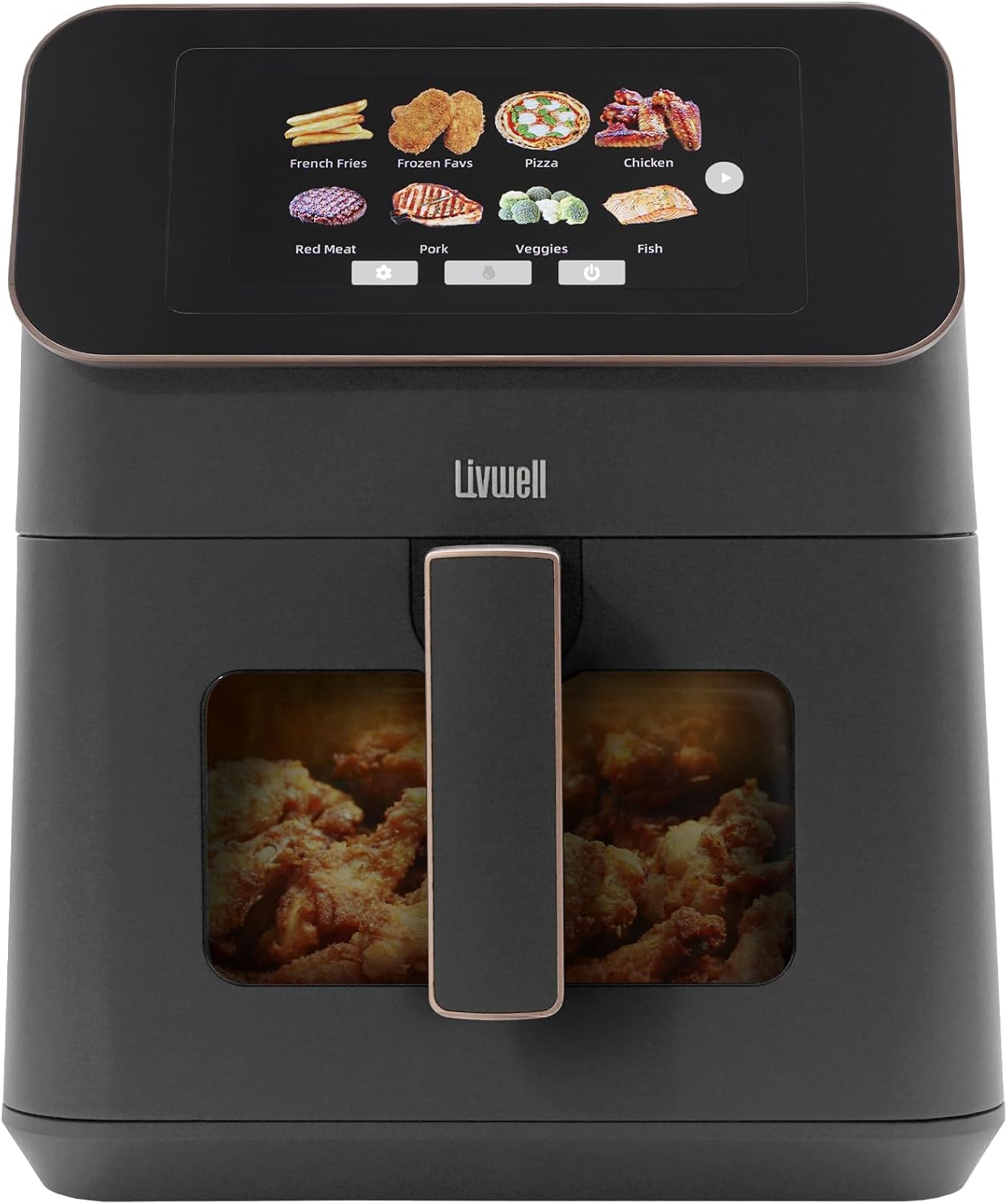
The Livwell Touch IQ Air Fryer is designed for efficient and healthy cooking. It features a high-resolution touch screen, a PFAS-free cooking basket, and a clear viewing window.
Key Components:
- High-Resolution Touch Screen: Intuitive interface for selecting cooking functions, recipes, and settings.
- Cooking Basket: 7-quart capacity, PFAS-free, with a non-stick coating for easy food release.
- Clear Viewing Window: Allows monitoring of food during cooking without opening the basket.
- Ergonomic Handle: For safe and easy removal of the cooking basket.
- Air Inlet/Outlet Vents: For proper air circulation during operation.
Features:
- 200+ Built-in Recipes: Access a wide variety of recipes across 12 food categories.
- Multilingual Support: Operate in English, Spanish, French, or Mandarin.
- PFAS-Free Materials: Ensures safer cooking.
- Precise Temperature Control: Adjustable temperature up to 400°F.

3. Setup
3.1 Unpacking
- Carefully remove all packaging materials from the air fryer.
- Remove any stickers or labels from the appliance.
- Check that all components are present and undamaged.
3.2 First Use Cleaning
- Wipe the exterior of the air fryer with a damp cloth.
- Remove the cooking basket and crisper plate. Wash them thoroughly with hot water, dish soap, and a non-abrasive sponge.
- Rinse and dry all parts completely before reassembling.
3.3 Placement and Power
- Place the air fryer on a stable, level, and heat-resistant surface. Ensure there is at least 4 inches (10 cm) of clear space around the back and sides of the appliance.
- Plug the power cord into a grounded electrical outlet. The air fryer is now ready for use.
4. Operating Instructions
4.1 Powering On and Interface
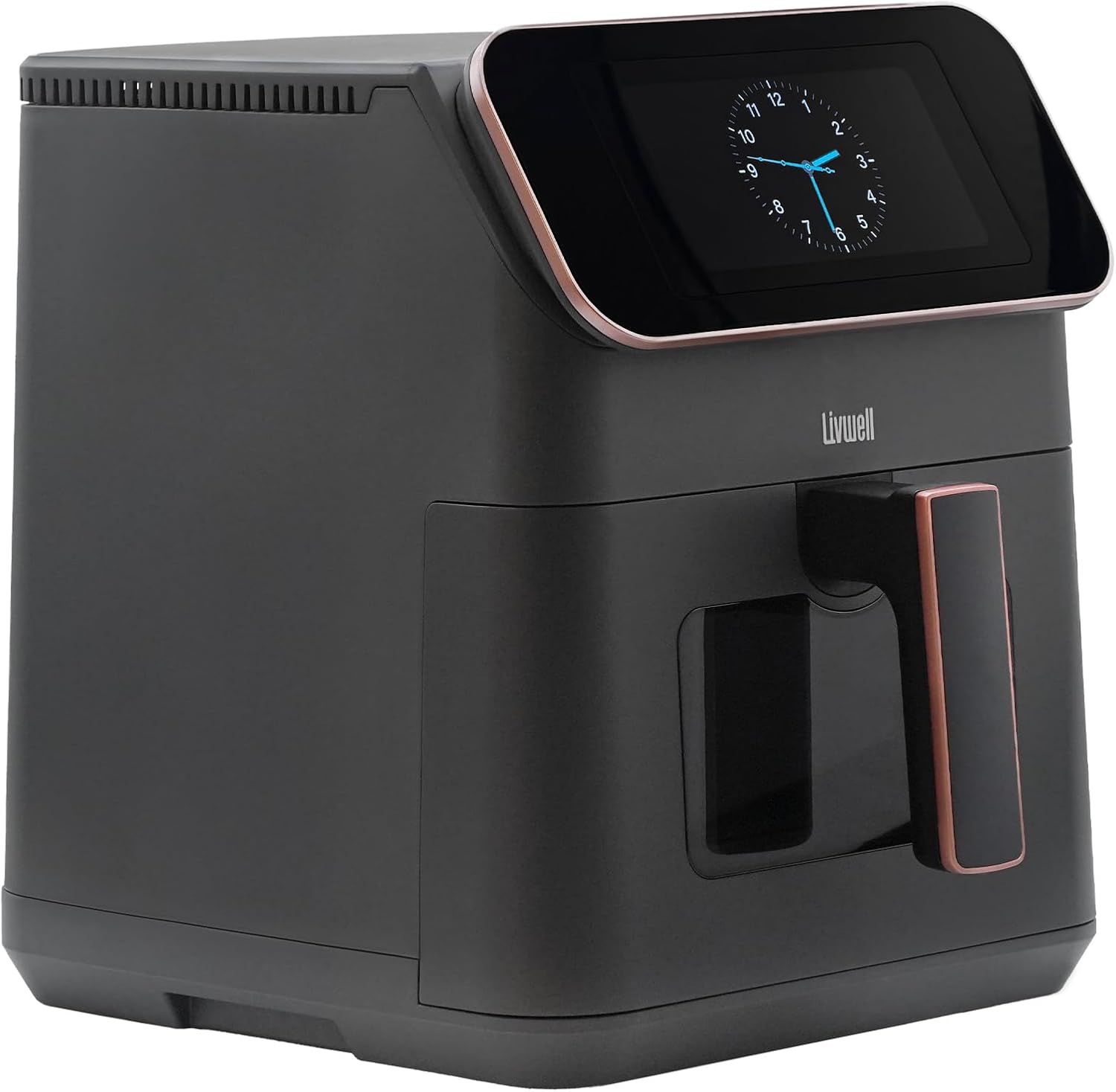
- Once plugged in, the touch screen will illuminate. You may see a clock display when idle.
- Touch the screen to activate the main menu, which displays various food categories and cooking options.
4.2 Selecting Recipes and Settings
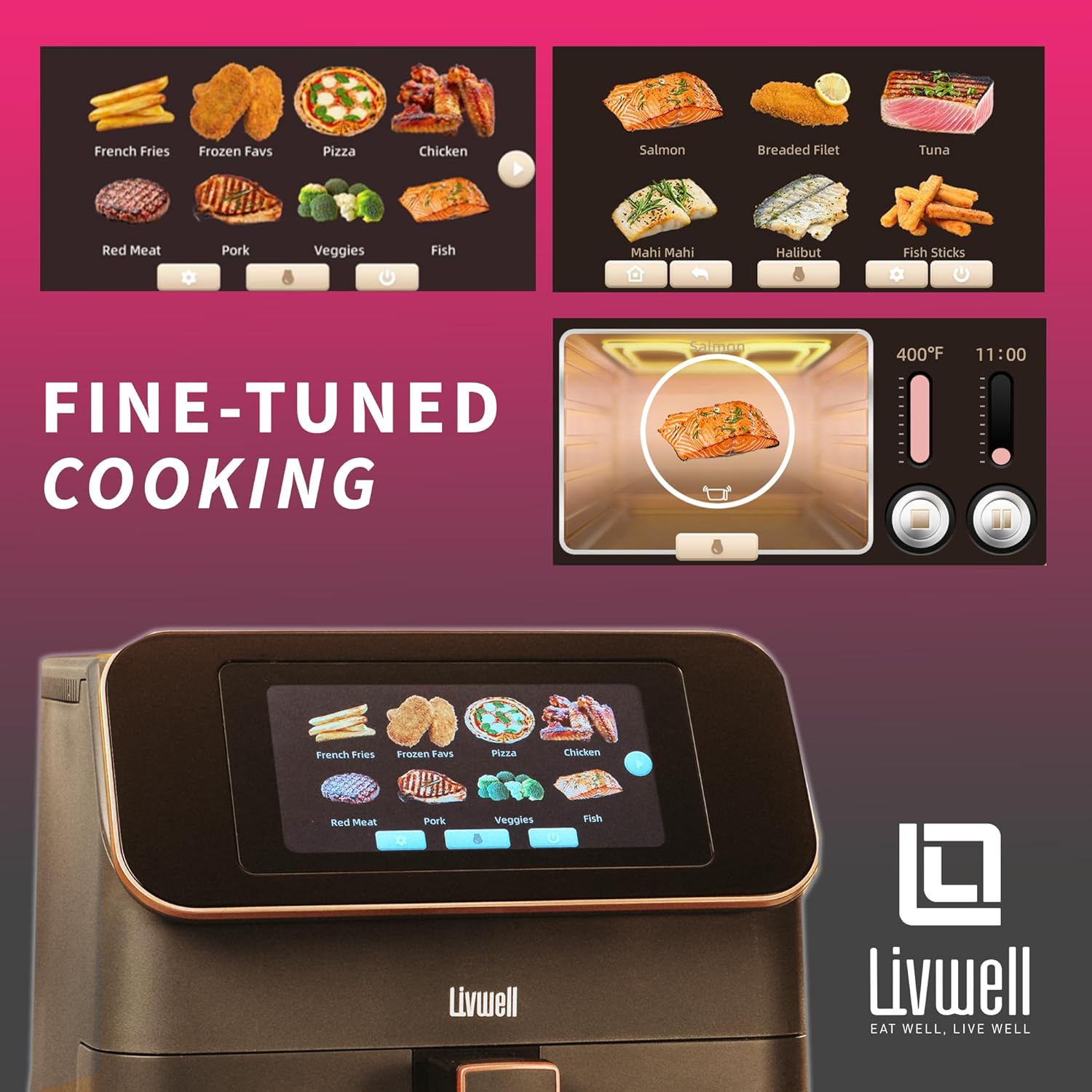
- From the main menu, browse through the 12 food categories (e.g., French Fries, Pizza, Chicken, Fish, Vegetables).
- Tap on a category to view specific recipes or food types within that category (e.g., under 'Fish', you might find Salmon, Breaded Fillet, Tuna).
- Select your desired recipe. The screen will then display recommended cooking time, temperature, and portion size options.
- Adjust the time, temperature, or portion size using the on-screen controls if needed.

4.3 Starting and Monitoring Cooking
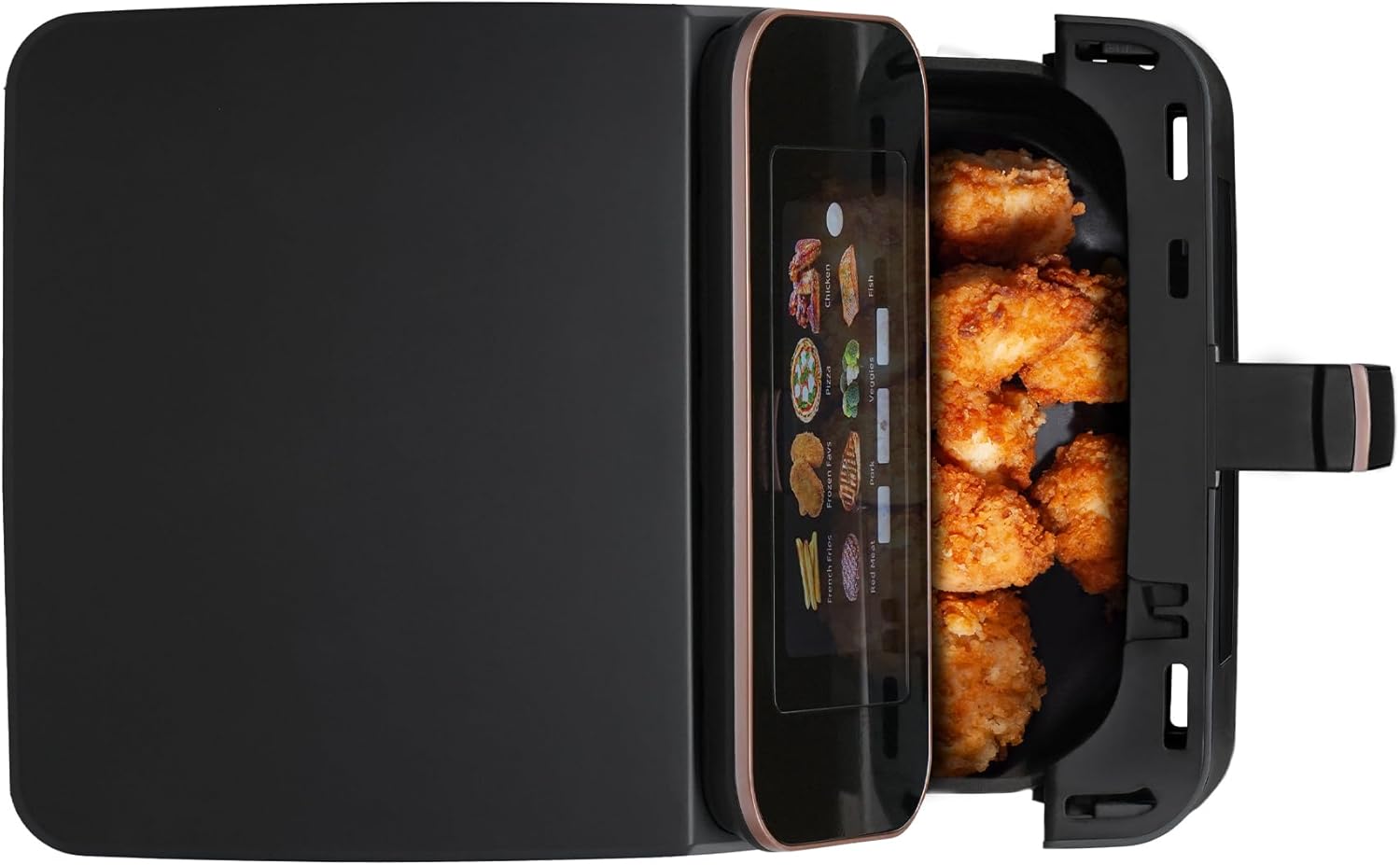
- Place your food into the cooking basket. Ensure the crisper plate is at the bottom of the basket.
- Slide the cooking basket firmly back into the air fryer until it clicks into place.
- Press the 'Start' button on the touch screen to begin the cooking cycle.
- You can monitor the cooking progress through the clear viewing window without interrupting the process.
- To pause cooking, pull out the basket or press the 'Pause' button on the screen. Reinserting the basket or pressing 'Start' will resume cooking.
4.4 Multilingual Settings
The Livwell Touch IQ Air Fryer supports multiple languages. To change the language:
- Access the settings menu on the touch screen (usually indicated by a gear icon).
- Navigate to the 'Language' option.
- Select your preferred language: English, Spanish, French, or Mandarin.
4.5 Official Product Video
5. Maintenance and Cleaning
Regular cleaning ensures optimal performance and extends the lifespan of your air fryer.
5.1 Cleaning the Cooking Basket and Crisper Plate
The cooking basket and crisper plate are PFAS-free and feature a non-stick coating.
- Always unplug the air fryer and allow it to cool completely before cleaning.
- Remove the cooking basket and crisper plate.
- Wash them with hot water, dish soap, and a non-abrasive sponge. For stubborn food residue, soak the basket in warm, soapy water for about 10 minutes.
- Important: The cooking basket and crisper plate are not dishwasher safe. Hand wash only.
- Rinse thoroughly and dry completely before reassembling or storing.
5.2 Cleaning the Exterior and Interior
- Wipe the exterior of the air fryer with a damp cloth. Do not use abrasive cleaners or scouring pads.
- Clean the interior of the appliance with a damp cloth and mild detergent. Ensure no water enters the electrical components.
- Wipe the heating element with a soft brush to remove any food residue.
5.3 Storage
Before storing, ensure the air fryer is clean, dry, and completely cooled. Store it in a cool, dry place.
6. Troubleshooting
If you encounter issues with your Livwell Touch IQ Air Fryer, refer to the following common problems and solutions:
| Problem | Possible Cause | Solution |
|---|---|---|
| Air fryer does not turn on. | Not plugged in; power outlet issue; appliance malfunction. | Ensure the power cord is securely plugged into a working outlet. Check the circuit breaker. If the issue persists, contact customer support. |
| Food is not cooked evenly. | Basket overloaded; incorrect temperature/time; food not shaken/flipped. | Do not overload the basket. Adjust cooking time/temperature. For best results, shake or flip food halfway through cooking. |
| White smoke coming from the appliance. | Grease residue from previous use; high-fat food cooking. | Clean the basket and crisper plate thoroughly after each use. For high-fat foods, drain excess fat from the basket during cooking. |
| Food is not crispy. | Too much moisture; not enough oil; basket overloaded. | Pat food dry before air frying. Lightly coat food with oil. Avoid overloading the basket. |
| Error message on screen. | Internal sensor issue; specific malfunction. | Note the error code and refer to the full user manual (if available) or contact customer support for assistance. |
7. Specifications
Detailed technical specifications for the Livwell Touch IQ Air Fryer.
| Feature | Specification |
|---|---|
| Model Name | Livwell Touch IQ Matte Grey Air Fryer with Recipes |
| Item Model Number | LWFT2TFTG |
| Capacity | 7 Quarts |
| Output Wattage | 1650 Watts |
| Voltage | 120 Volts |
| Max Temperature Setting | 400°F |
| Product Dimensions | 11"D x 13.4"W x 13"H |
| Item Weight | 11.7 Pounds |
| Material | Ceramic, Polypropylene (PP) |
| Control Method | Touch Screen |
| Special Features | Multilingual, PFAS-Free, Programmable, Temperature Control, Timer |
| UPC | 850064866162 |
8. Warranty and Support
8.1 Warranty Information
The Livwell Touch IQ Air Fryer comes with a manufacturer's warranty. Please refer to the warranty card included in your product packaging for specific terms, conditions, and duration of coverage. Keep your proof of purchase for warranty claims.
8.2 Customer Support
For further assistance, technical support, or warranty inquiries, please contact Livwell customer service:
- Website: Visit the official Livwell website for FAQs and support resources.
- Email: support@livwell.com (Example email, replace with actual if available)
- Phone: 1-800-LIVWELL (Example phone, replace with actual if available)
Please have your model number (LWFT2TFTG) and proof of purchase ready when contacting support.