
Introduction
Thank you for purchasing the Gigamax Game Controller Model 8080. This manual provides detailed instructions for setting up, operating, and maintaining your new game controller. Please read this manual thoroughly before use to ensure optimal performance and to prevent damage.
Product Overview
The Gigamax Model 8080 is a high-performance Bluetooth game controller designed for an enhanced gaming experience. It features precise controls, immersive vibration feedback, and wireless convenience.
Key Features:
- Wireless Freedom: Enjoy stable Bluetooth connectivity up to 10 meters without delay or disconnection.
- Multi-Platform Compatibility: Works seamlessly with PC and any device supporting a Bluetooth engine.
- Vibration Feedback: Experience immersive gameplay with dual motors providing realistic in-game effects.
- Long-Lasting Battery: Up to 7 hours of continuous playtime on a single charge, rechargeable via USB.
- Comfortable Design: Ergonomic grip with a non-slip texture for extended gaming sessions.
Package Contents:
- Gigamax Game Controller Model 8080
- USB Charging Cable
- User Manual
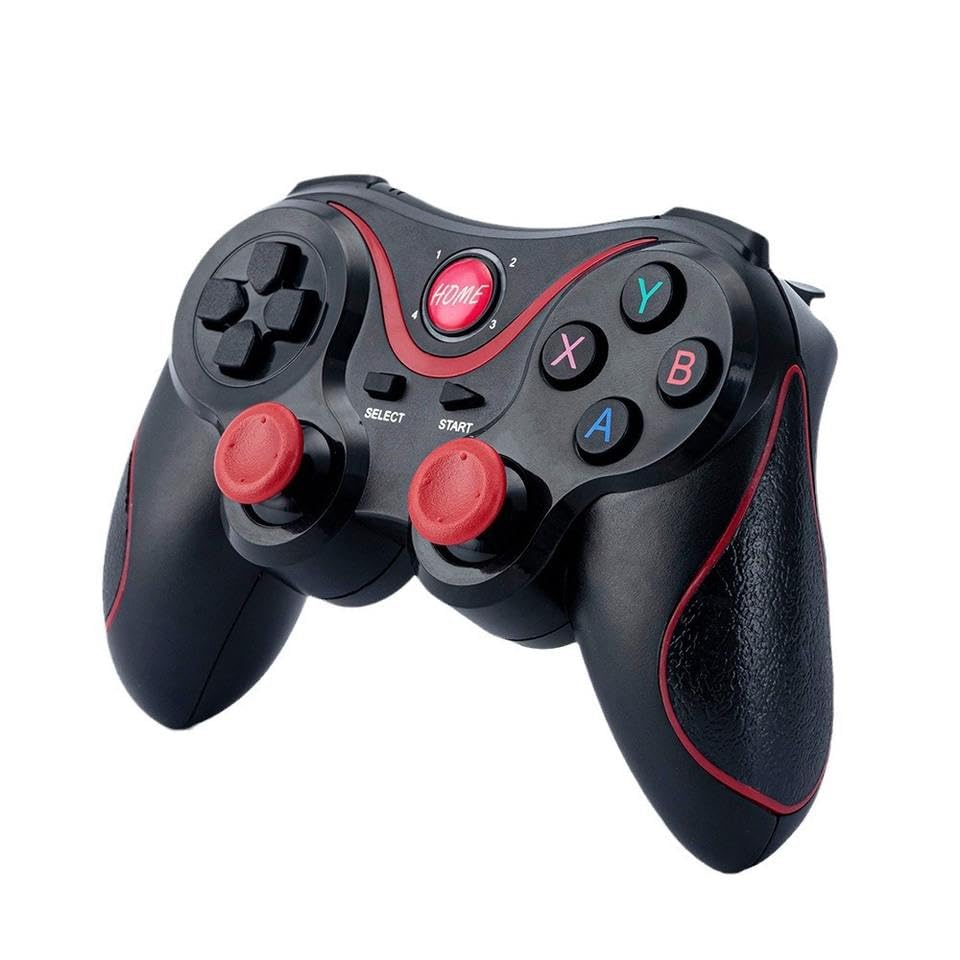
Figure 1: Front view of the Gigamax Game Controller Model 8080, showing the main buttons and analog sticks.
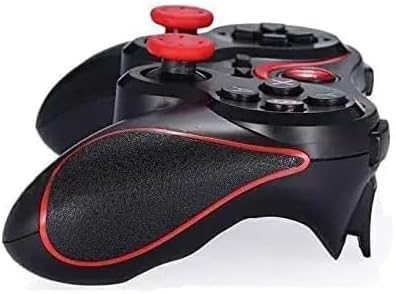
Figure 2: Detailed view highlighting various components of the controller, including the USB charging port, D-pad, action buttons, and analog sticks.
Setup
Charging the Controller:
- Connect the small end of the included USB charging cable to the charging port on the front of the controller.
- Connect the larger end of the USB cable to a powered USB port (e.g., computer, USB wall adapter).
- The indicator light on the controller will illuminate during charging and turn off or change color when fully charged. A full charge typically takes approximately 2-3 hours.
Pairing via Bluetooth:
- Ensure the controller is sufficiently charged.
- Turn on the controller by pressing and holding the "HOME" button for a few seconds until the indicator lights begin to flash.
- On your device (PC, Android, etc.), enable Bluetooth and search for new devices.
- Select "GM-8080" or a similar name from the list of available devices to pair.
- Once paired, the indicator light on the controller will stop flashing and remain solid, indicating a successful connection.
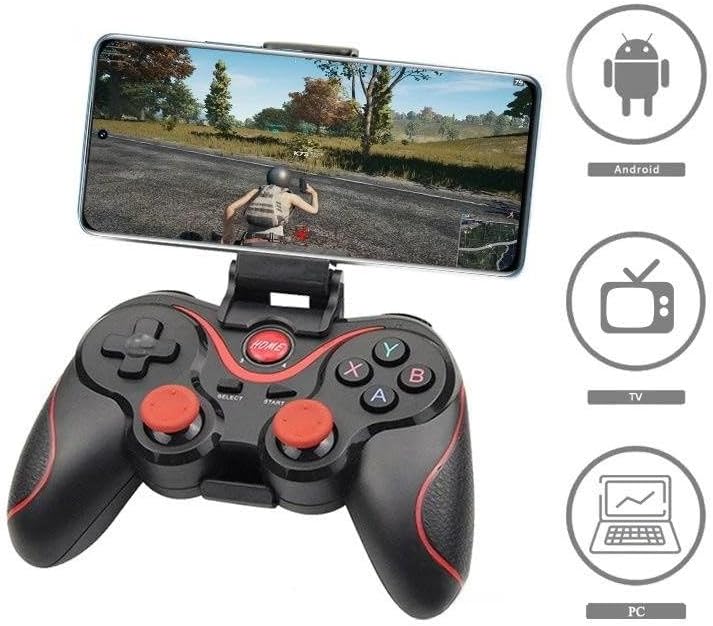
Figure 3: Illustration of the controller connecting wirelessly via Bluetooth to a display, emphasizing the 10-meter range.
Operating Instructions
The Gigamax Model 8080 controller is designed for intuitive use. Most games will automatically recognize the controller once paired. For specific game configurations, refer to the game's settings menu.
Button Layout:
| Button/Component | Function |
|---|---|
| HOME Button | Powers on/off the controller, returns to home screen (device dependent). |
| Analog Sticks (Left/Right) | Precise 360-degree movement control. |
| D-Pad (Directional Pad) | Directional input for menu navigation and specific game actions. |
| Action Buttons (A, B, X, Y) | Primary in-game actions (jump, attack, interact, etc.). |
| Shoulder Buttons (L1, R1) | Secondary actions, often used for quick commands or weapon switching. |
| Trigger Buttons (L2, R2) | Analog input for actions like acceleration or aiming. |
| SELECT/START Buttons | Menu access, pause, or specific game functions. |

Figure 4: The controller shown with an attached phone mount, illustrating its compatibility with Android devices, Smart TVs, and personal computers.
Compatibility
The Gigamax Model 8080 controller is designed for broad compatibility with devices that support Bluetooth game controllers, including:
- Personal Computers (PC)
- Android Smartphones and Tablets
- Smart TVs with Bluetooth support
Note: This controller does NOT support PlayStation 3/4/5, Xbox consoles, or Mac operating systems.
Maintenance
To ensure the longevity and optimal performance of your Gigamax Game Controller, follow these maintenance guidelines:
- Cleaning: Use a soft, dry cloth to wipe the controller. Do not use harsh chemicals or abrasive cleaners.
- Storage: Store the controller in a cool, dry place away from direct sunlight and extreme temperatures.
- Battery Care: Avoid fully discharging the battery frequently. Charge the controller regularly, even if not in use for extended periods, to maintain battery health.
- Avoid Drops: Protect the controller from drops and impacts, which can damage internal components.
Troubleshooting
If you encounter issues with your Gigamax Game Controller, refer to the following common solutions:
| Problem | Possible Solution |
|---|---|
| Controller does not turn on. | Ensure the battery is charged. Connect the controller to a power source using the USB cable and allow it to charge for at least 30 minutes before attempting to turn it on again. |
| Controller does not pair with device. |
|
| Buttons or analog sticks are unresponsive. |
|
| Vibration feedback is not working. |
|
| Controller disconnects frequently. |
|
Specifications
| Feature | Detail |
|---|---|
| Model Number | GM-8080 |
| Connectivity | Bluetooth Wireless |
| Wireless Range | Up to 10 meters |
| Battery Type | 1 Lithium Ion battery (included) |
| Battery Life | Up to 7 hours of continuous play |
| Charging Port | USB |
| Dimensions (Package) | 17.5 x 13.7 x 6.6 cm |
| Weight (Package) | 280 grams |
Safety Information
- Do not expose the controller to extreme temperatures, direct sunlight, or high humidity.
- Do not attempt to disassemble or modify the controller. This will void the warranty and may cause damage.
- Keep the controller away from water and other liquids.
- Use only the provided USB cable for charging.
- Keep out of reach of small children.
Warranty and Support
The Gigamax Game Controller Model 8080 comes with a standard manufacturer's warranty. Please retain your proof of purchase for warranty claims.
For technical support or warranty inquiries, please contact Gigamax customer service through the retailer where you purchased the product or visit the official Gigamax website.