
Introduction
This manual provides comprehensive instructions for the MRSXWPY 7-Inch GPS Navigation System. It covers device setup, operation, maintenance, and troubleshooting to ensure optimal performance and user experience. Please read this manual thoroughly before using the device.
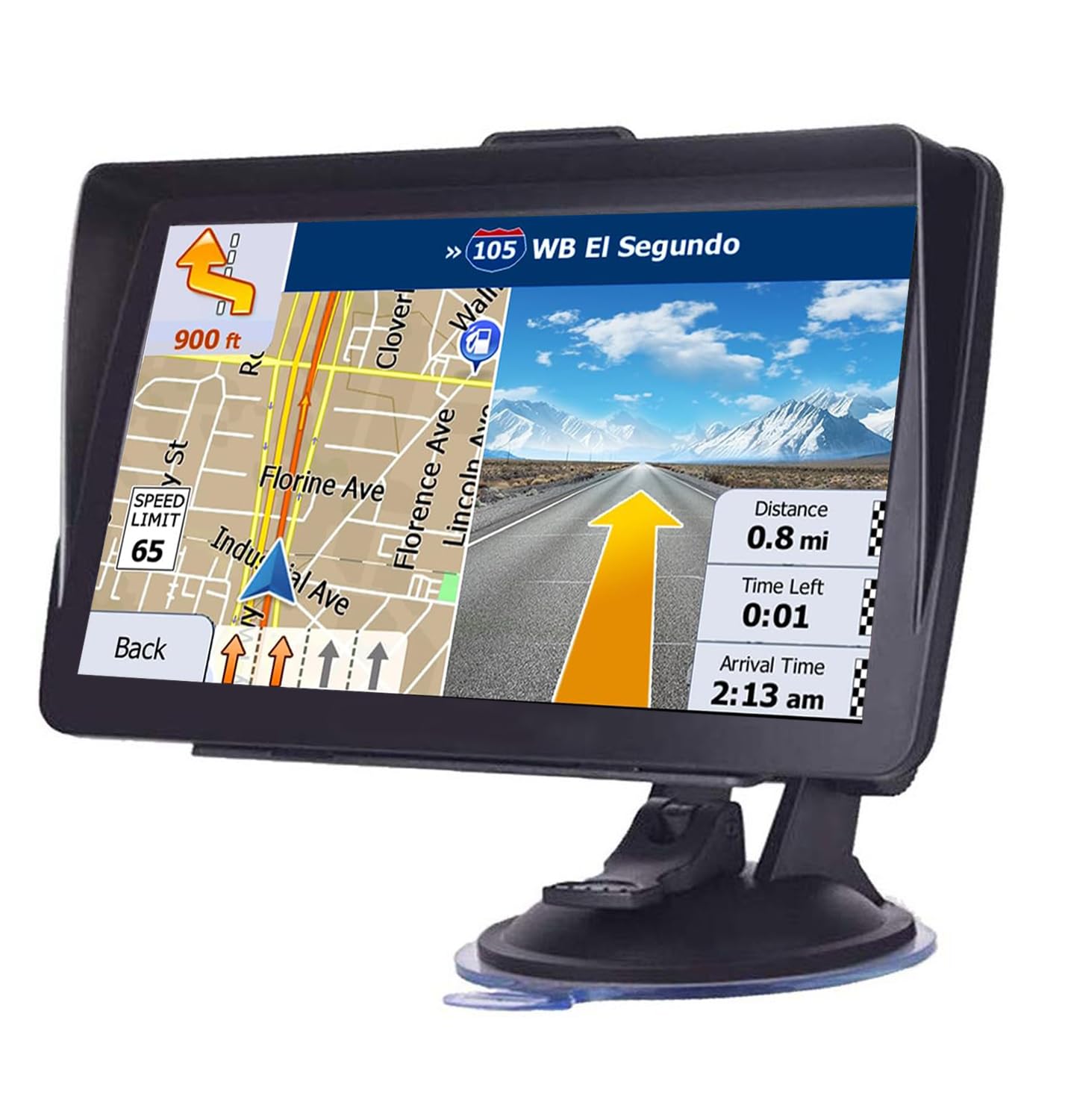
Image Description: The MRSXWPY 7-Inch GPS Navigation System mounted on a dashboard, displaying a detailed map with current location, route, speed limit, distance, time left, and estimated arrival time. A sunshade is visible above the screen.
Safety Information
Driving Safety: Always prioritize safe driving. Do not operate the device in a way that distracts you from the road. Adjust settings or input destinations only when the vehicle is stationary and safely parked.
Power Source: Use only the provided car charger to power the device. Using unauthorized power adapters may damage the device and void the warranty.
Temperature: Avoid exposing the device to extreme temperatures. Prolonged exposure to direct sunlight or very cold conditions can affect battery life and screen performance.
Mounting: Ensure the device is securely mounted and does not obstruct your view of the road or interfere with vehicle controls.
Package Contents
Verify that all items listed below are present in your product package:
- GPS Navigation Device
- Suction Cup Bracket
- Clip Holder
- Car Charger
- USB Cable
- User Manual (this document)
- Packing Box

Image Description: An image displaying the complete package contents of the MRSXWPY GPS Navigation System. Items include the GPS device, a suction cup mount, a clip holder, a car charger, a USB cable, a user manual, and the product's packing box.
Device Overview
Familiarize yourself with the physical components of your MRSXWPY 7-Inch GPS Navigation System:
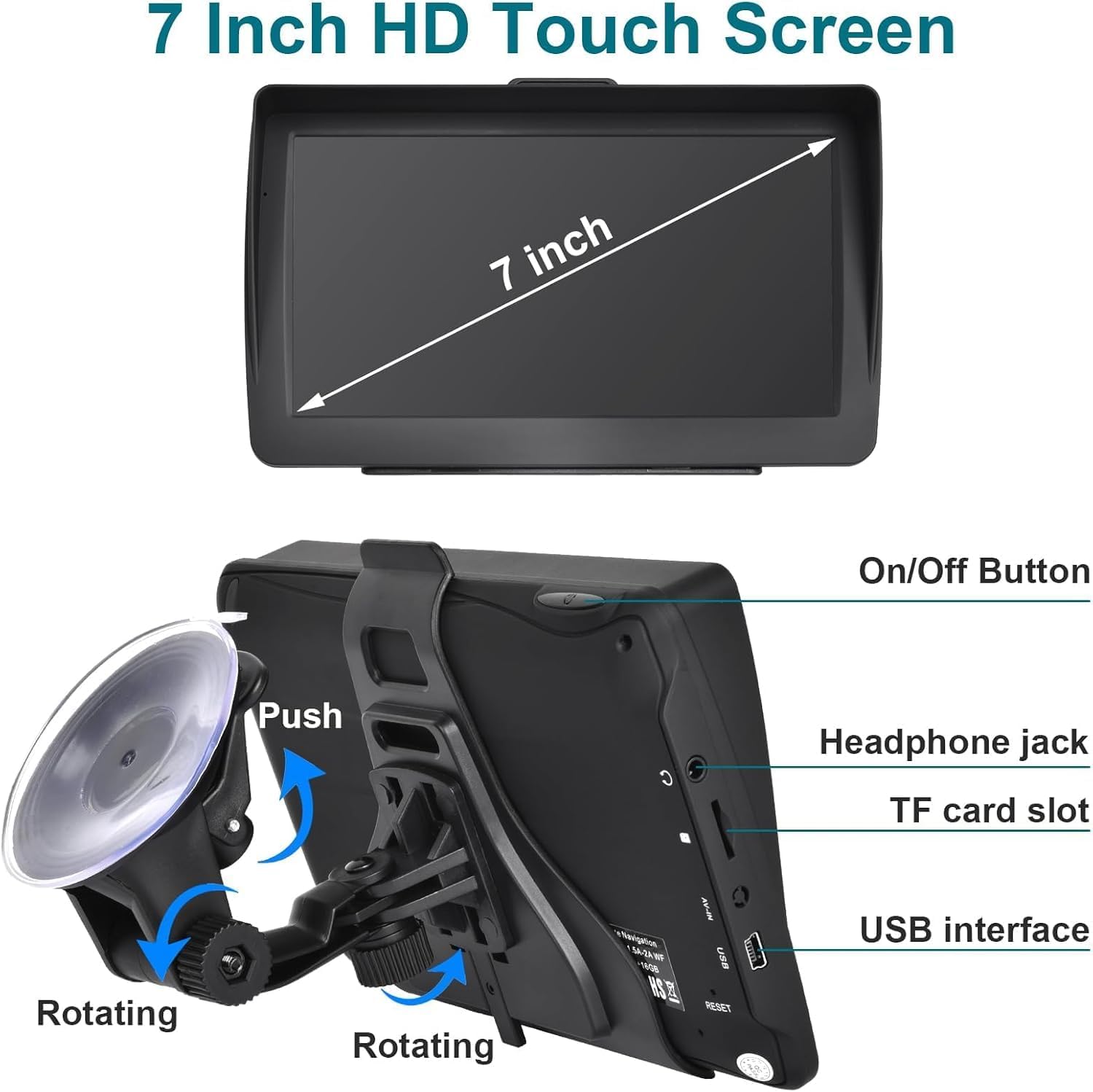
Image Description: A detailed view of the MRSXWPY 7-Inch GPS Navigation device, highlighting its 7-inch touch screen and various ports. Labels indicate the On/Off Button, Headphone jack, TF card slot, USB interface, and Reset button. The image also shows the rotating mechanism of the suction cup bracket.
- 7-Inch HD Touch Screen: The primary interface for all operations.
- On/Off Button: Powers the device on or off.
- Headphone Jack: For connecting external audio devices.
- TF Card Slot: For expandable memory, typically used for map data.
- USB Interface: For connecting to a computer for data transfer or charging.
- Reset Button: Used to restart the device in case of unresponsiveness.
- Suction Cup Bracket: For mounting the device securely to a windshield or dashboard.
Setup
- Mounting the Device:
- Attach the suction cup bracket to the back of the GPS unit.
- Clean the desired mounting surface (windshield or dashboard) thoroughly.
- Press the suction cup firmly against the surface and engage the locking mechanism to secure it.
- Adjust the viewing angle for optimal visibility without obstructing your driving view. The included sunshade helps reduce glare.

Image Description: The MRSXWPY GPS Navigation System mounted on a car dashboard, viewed from the driver's perspective. The device has a sunshade attached to reduce glare, making the screen visible under bright light conditions.
- Powering On:
- Connect the car charger to the device's USB interface and plug the other end into your vehicle's 12V power outlet.
- Press and hold the On/Off button until the screen illuminates.
- Initial Configuration:
- Upon first use, the device may prompt you to select language, time zone, and other basic settings. Follow the on-screen instructions.
- Ensure the GPS has a clear view of the sky to acquire satellite signals for accurate positioning.
- Map Updates:
The device supports free lifetime map updates. To update maps:
- Connect the GPS device to a computer using the provided USB cable.
- Visit the official MRSXWPY support website (refer to the manual for specific URL if available, otherwise a generic statement).
- Follow the instructions on the website to download and install the latest map files onto your device.
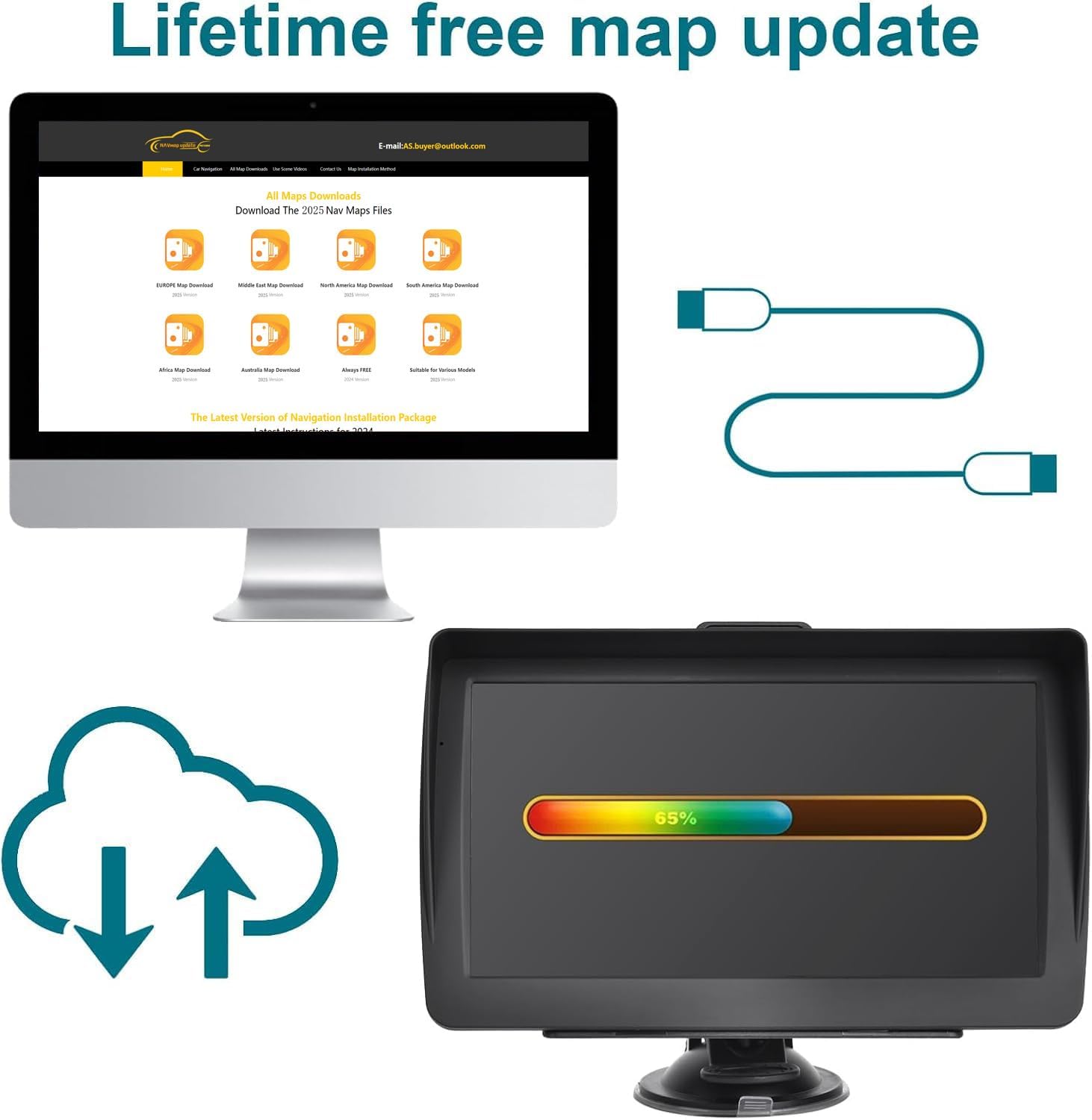
Image Description: An illustration showing the process of updating maps. It depicts a computer screen displaying a map download portal and the GPS device showing a progress bar for a map update, connected via a USB cable.
Operating Instructions
Basic Navigation
- Entering a Destination:
- From the main menu, select "Navigation" or "Destination".
- Choose your preferred method of input: Address, Point of Interest (POI), Coordinates, or Recent Destinations.
- Enter the required information using the on-screen keyboard.
- Confirm the destination, and the device will calculate the route.
- Following the Route:
- The device will display the route on the map and provide voice guidance for turns and maneuvers.
- Pay attention to voice prompts and on-screen directions.
Route Customization and Vehicle Modes
The MRSXWPY GPS Navigation System offers customized routing based on vehicle type to avoid restrictions such as height, weight, and width limits.
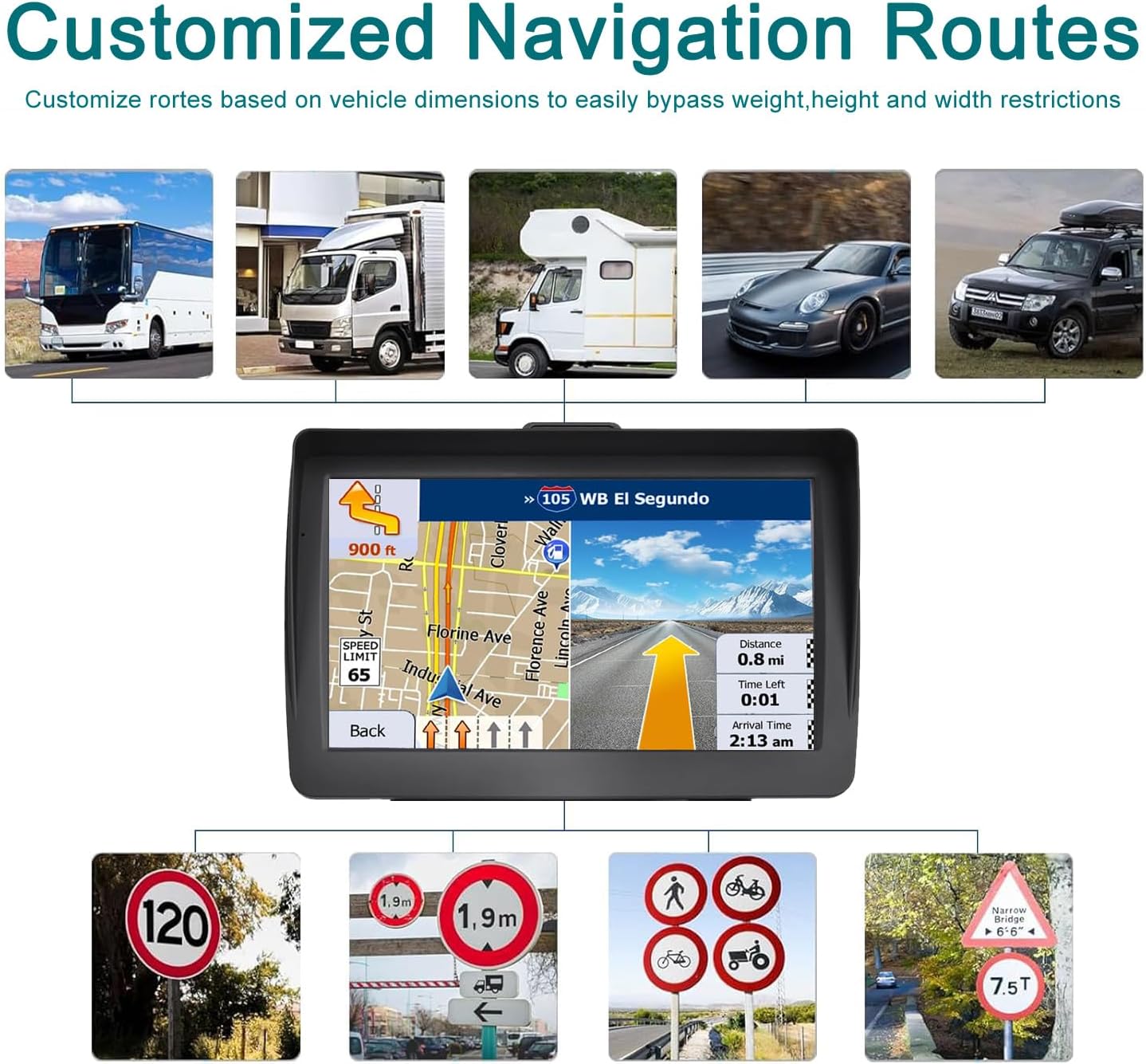
Image Description: An image illustrating customized navigation routes. It shows the GPS device displaying a route, surrounded by images of different vehicle types (bus, truck, RV, car, SUV) and various road signs indicating restrictions like speed limits, height limits, and weight limits.
- Selecting Vehicle Type: Access the settings menu to select your vehicle type (Car, Truck, RV, etc.). This ensures the navigation system calculates routes appropriate for your vehicle's dimensions and weight.
- Avoiding Restrictions: The system will automatically adjust routes to bypass roads with restrictions that apply to your selected vehicle type.

Image Description: A collage of images depicting various transportation modes including an RV, cars, a bus, a truck, a bicycle, and pedestrians, illustrating the diverse vehicle and travel modes supported by the navigation system.
Driving Alerts and Reminders
The navigation system provides various alerts to enhance driving safety and awareness:

Image Description: A split image showing a traffic light on the top left and a speed limit sign on the bottom right. Text overlays describe "TRAFFIC LIGHT REMINDER" (voice reminder at traffic light locations) and "SPEED LIMIT REMINDER" (voice prompts on expressways with speed limits).
- Traffic Light Reminder: The device will provide voice reminders when approaching traffic light locations.
- Speed Limit Reminder: On expressway sections with speed limits, voice prompts will remind you to maintain a safe speed.

Image Description: A split image showing surveillance cameras on the top left and a height limit sign on the bottom right. Text overlays describe "SPEED CAMERA REMINDER" (reminds drivers of surveillance cameras on the road) and "HEIGHT LIMIT REMINDER" (reminds drivers to pay attention to height limits on bridges or poles).
- Speed Camera Reminder: The system will alert you to the presence of speed cameras on your route.
- Height Limit Reminder: Drivers will be reminded of height restrictions on road sections, bridges, or at specific poles.
Multimedia Functions
Beyond navigation, the device includes several multimedia features:

Image Description: An image showing the MRSXWPY GPS device alongside icons representing its multimedia capabilities: Video, Music, FM, Game, E-book, and Photo viewing.
- Video Player: Play supported video files.
- Music Player: Play supported audio files.
- FM Transmitter: Transmit audio from the GPS to your car's FM radio.
- Game: Access pre-installed games.
- E-book Reader: View supported e-book formats.
- Photo Viewer: Display image files.
Access these functions from the main menu. Refer to the on-screen interface for specific file format support and operation details.
Maintenance
Cleaning the Screen: Use a soft, lint-free cloth to gently wipe the screen. For stubborn marks, slightly dampen the cloth with water or a screen-cleaning solution designed for electronics. Avoid harsh chemicals.
Device Casing: Wipe the device casing with a soft, dry cloth. Do not use abrasive cleaners.
Battery Care: The device contains a 12V battery. To prolong battery life, avoid fully discharging it frequently and store the device in a cool, dry place when not in use for extended periods.
Storage: When not in use, store the GPS unit in a safe place away from direct sunlight, extreme temperatures, and moisture.
Troubleshooting
| Problem | Possible Cause | Solution |
|---|---|---|
| Device does not power on. | Low battery; power cable not connected; device frozen. | Charge the device; ensure power cable is securely connected; press the reset button. |
| No GPS signal. | Obstructed view of sky; device indoors; faulty GPS antenna. | Move to an open area with a clear view of the sky; restart the device. |
| Touch screen unresponsive. | Software glitch; screen damage. | Restart the device using the reset button; if problem persists, contact customer support. |
| Maps are outdated. | Maps have not been updated recently. | Follow the map update instructions in the "Setup" section. |
| Voice guidance is unclear or too low. | Volume settings incorrect; audio interference. | Adjust the volume settings on the device; check for any obstructions to the speaker. |
Specifications
- Brand: MRSXWPY
- Model: 7-Inch GPS Navigation
- Screen Size: 7 Inches
- Display Size: 7 Inches
- Memory Storage Capacity: 16 GB
- Item Weight: 1.25 Pounds (approx. 0.57 kg)
- Product Dimensions: 5.8 x 3 x 8 inches (approx. 14.7 x 7.6 x 20.3 cm)
- Batteries: 1 x 12V battery (included)
- Vehicle Service Type: Car, RV, Truck
- Date First Available: August 17, 2025
Warranty Information
The MRSXWPY 7-Inch GPS Navigation System comes with a standard manufacturer's warranty. Please refer to the warranty card included in your package or visit the official MRSXWPY website for detailed terms and conditions regarding warranty coverage, duration, and claims process. Keep your proof of purchase for warranty validation.
Customer Support
For technical assistance, troubleshooting beyond this manual, or warranty inquiries, please contact MRSXWPY customer support:
- Website: [Insert Official Support Website Here, if available. Otherwise, advise searching for 'MRSXWPY Support']
- Email: [Insert Support Email Here, if available. Otherwise, advise searching for 'MRSXWPY Contact']
- Phone: [Insert Support Phone Number Here, if available. Otherwise, advise searching for 'MRSXWPY Phone Support']
When contacting support, please have your product model (7-Inch GPS Navigation) and ASIN (B0FLY4DJND) ready.