
Introduction
Thank you for purchasing the Hupoaf ZY-02 Portable Bluetooth Speaker. This manual provides essential information for setting up, operating, and maintaining your speaker. Please read it thoroughly before use to ensure optimal performance and longevity of your device.

Image: The Hupoaf ZY-02 Portable Bluetooth Speaker, showcasing its waterproof design with water splashes.
What's in the Box
- Hupoaf ZY-02 Bluetooth Speaker x 1
- USB-C Power Cable x 1
- Quick Start Guide x 1
Product Overview
Familiarize yourself with the speaker's controls and features.

Image: Detailed diagram of the Hupoaf ZY-02 speaker, highlighting the control buttons and their functions.
- Power Button: Press and hold for 5 seconds to power ON/OFF.
- Play/Pause Button: Press once to play or pause music. Press once to answer a call, press and hold for 2 seconds to hang up.
- Volume Up (+)/Next Track Button: Press once to increase volume. Press and hold for 2 seconds for the next track.
- Volume Down (-)/Previous Track Button: Press once to decrease volume. Press and hold for 2 seconds for the previous track.
- Light Button: Press once to cycle through light modes. Press and hold for 2 seconds to turn lights ON/OFF.
- USB-C Charging Port: For charging the speaker.
Setup
1. Charging the Speaker
Before first use, fully charge the speaker. Use the provided USB-C cable to connect the speaker to a compatible USB power source (e.g., wall adapter, computer USB port).
- The charging indicator light will illuminate during charging.
- A full charge takes approximately 4 hours.
- The speaker provides up to 12 hours of playtime on a single charge.
2. Bluetooth Pairing
Pair your Hupoaf ZY-02 speaker with your Bluetooth-enabled device.

Image: A smartphone screen showing the Hupoaf ZY-02 speaker (ZY02) connected via Bluetooth, next to the speaker itself.
- Ensure the speaker is charged.
- Press and hold the Power button for 5 seconds to turn on the speaker. The Bluetooth indicator light will flash, indicating it's in pairing mode.
- On your device (smartphone, tablet, laptop), enable Bluetooth and search for available devices.
- Select "ZY02" from the list of devices.
- Once connected, the Bluetooth indicator light on the speaker will remain solid, and you will hear a confirmation tone.
- The speaker will automatically reconnect to the last paired device when powered on, if the device is within range.
Operating Instructions
Power On/Off
- To turn on: Press and hold the Power button for 5 seconds.
- To turn off: Press and hold the Power button for 5 seconds.
Music Playback
- Play/Pause: Press the Play/Pause button once.
- Volume Up: Press the Volume Up (+) button once.
- Volume Down: Press the Volume Down (-) button once.
- Next Track: Press and hold the Volume Up (+) button for 2 seconds.
- Previous Track: Press and hold the Volume Down (-) button for 2 seconds.
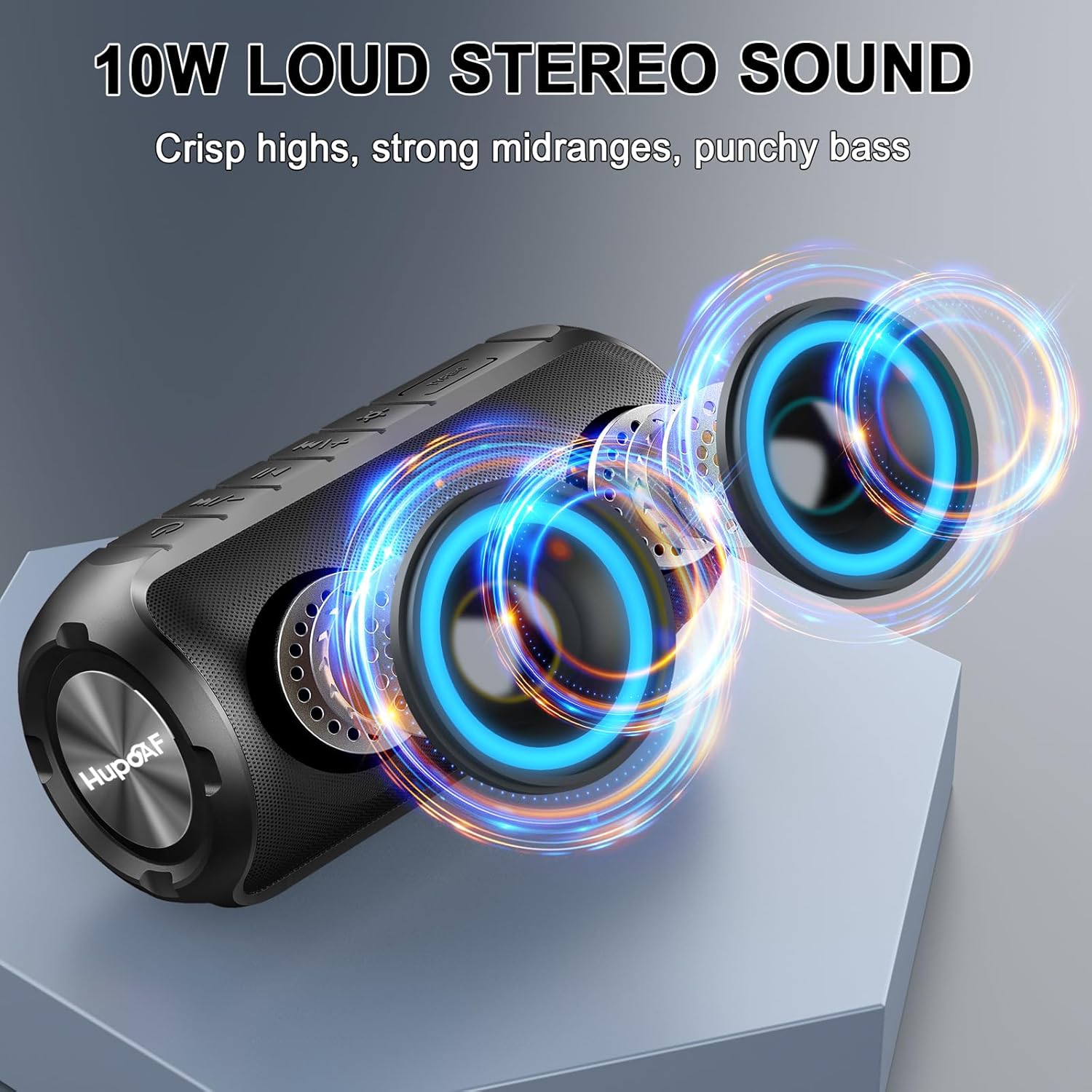
Image: The Hupoaf ZY-02 speaker with visual representations of sound waves, illustrating its 10W loud stereo sound with crisp highs, strong midranges, and punchy bass.
Call Management
- Answer Call: Press the Play/Pause button once.
- End Call: Press and hold the Play/Pause button for 2 seconds.
RGB Light Show
- Change Light Mode: Press the Light button once to cycle through different multi-color light effects.
- Turn Lights On/Off: Press and hold the Light button for 2 seconds.

Image: Several Hupoaf ZY-02 speakers showcasing their dynamic, beat-synced RGB party lights in various colors.
Maintenance
- Cleaning: Wipe the speaker with a soft, damp cloth. Do not use abrasive cleaners or solvents.
- Storage: Store the speaker in a cool, dry place away from direct sunlight and extreme temperatures.
- Water Resistance: The speaker has an IPX7 waterproof rating, meaning it can be submerged in up to 1 meter of water for 30 minutes. Ensure the charging port cover is securely closed before exposure to water.

Image: The Hupoaf ZY-02 speaker positioned near a swimming pool, illustrating its IPX7 waterproof capability.
Troubleshooting
| Problem | Possible Solution |
|---|---|
| Speaker does not turn on | Ensure the speaker is fully charged. Press and hold the power button for 5 seconds. |
| Cannot pair with Bluetooth device | Ensure the speaker is in pairing mode (flashing Bluetooth indicator). Turn off and on your device's Bluetooth. Move closer to the speaker (within 10 meters). Forget previous pairings on your device and try again. |
| No sound or low volume | Increase volume on both the speaker and your connected device. Ensure the speaker is properly paired. |
| Lights not working | Press the Light button to cycle modes. Press and hold the Light button for 2 seconds to turn them on. |
| Poor call quality | Ensure you are within Bluetooth range. Reduce background noise. |
Specifications
| Feature | Detail |
|---|---|
| Model Name | ZY-02 |
| Brand | Hupoaf |
| Bluetooth Version | 5.3 |
| Bluetooth Range | Up to 10 meters (33 feet) |
| Speaker Output Power | 10W (Continuous), 150W (Maximum Peak) |
| Audio Output Mode | Stereo |
| Water Resistance | IPX7 (Waterproof) |
| Battery Life | Up to 12 hours |
| Charging Time | Approximately 4 hours (via USB-C) |
| Product Dimensions | 3"D x 2"W x 3"H |
| Item Weight | 1.37 pounds |
| Included Components | Bluetooth Speaker, USB-C Power Cable, Quick Start Guide |
Warranty
The Hupoaf ZY-02 Portable Bluetooth Speaker comes with a limited warranty. Please refer to the Quick Start Guide included in your package or contact Hupoaf customer support for specific warranty terms and conditions.
Support
For further assistance, technical support, or inquiries, please contact Hupoaf customer service through the contact information provided in your product packaging or visit the official Hupoaf website.


