
1. Introduction
The Zyee Syee Smart Ring R5 is a wearable fitness and health tracker designed for continuous monitoring of various physiological metrics. This device offers features such as sleep tracking, activity monitoring, heart rate measurement, blood oxygen level detection, and convenient air gesture controls. It is designed to be lightweight, comfortable, and waterproof for daily use.

Figure 1: Zyee Syee Smart Ring R5 (Pink)
2. Getting Started
2.1 Package Contents
- Zyee Syee Smart Ring R5
- Charging Case
- USB Charging Cable
- User Manual
2.2 Charging the Smart Ring
Before first use, fully charge your Smart Ring. The ring is charged via its dedicated charging case.
- Place the Smart Ring into the charging case, ensuring proper alignment.
- Connect the USB charging cable to the charging case and a power source (e.g., USB wall adapter, computer USB port).
- The indicator light on the charging case will show charging status. A full charge typically takes approximately 1-2 hours.
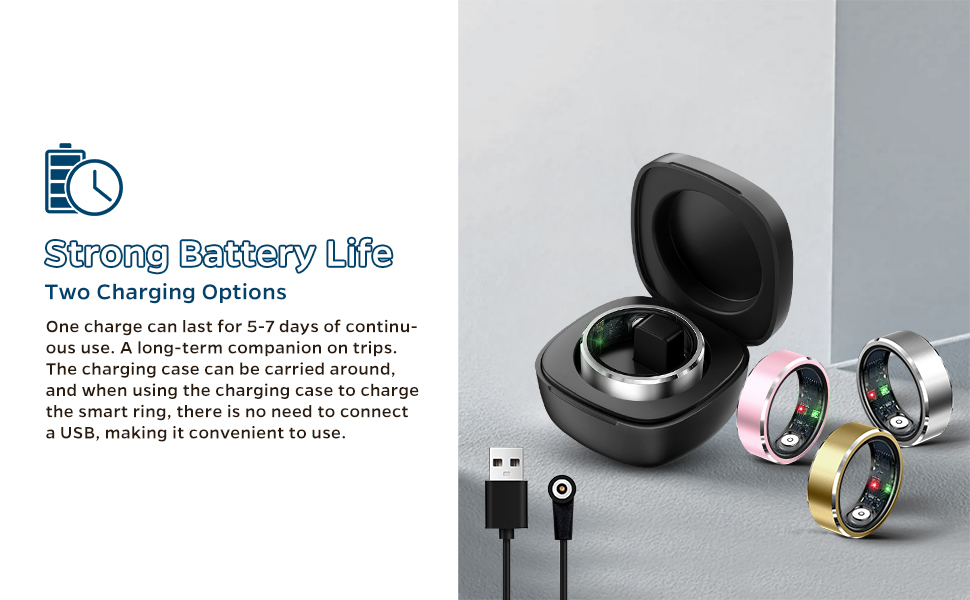
Figure 2: Charging the Smart Ring R5
2.3 App Installation and Pairing
The Zyee Syee Smart Ring R5 requires a companion application for full functionality and data synchronization. The app is available for both iOS and Android devices.
- Scan the QR code provided in the manual or search for the official Zyee Syee app in your device's app store (Apple App Store for iOS, Google Play Store for Android).
- Download and install the application.
- Open the app and follow the on-screen instructions to create an account or log in.
- Ensure your phone's Bluetooth is enabled.
- Within the app, navigate to the device pairing section and select your Smart Ring R5 from the list of available devices.
- Confirm the pairing request on both your phone and, if prompted, the ring (though the ring typically pairs automatically).
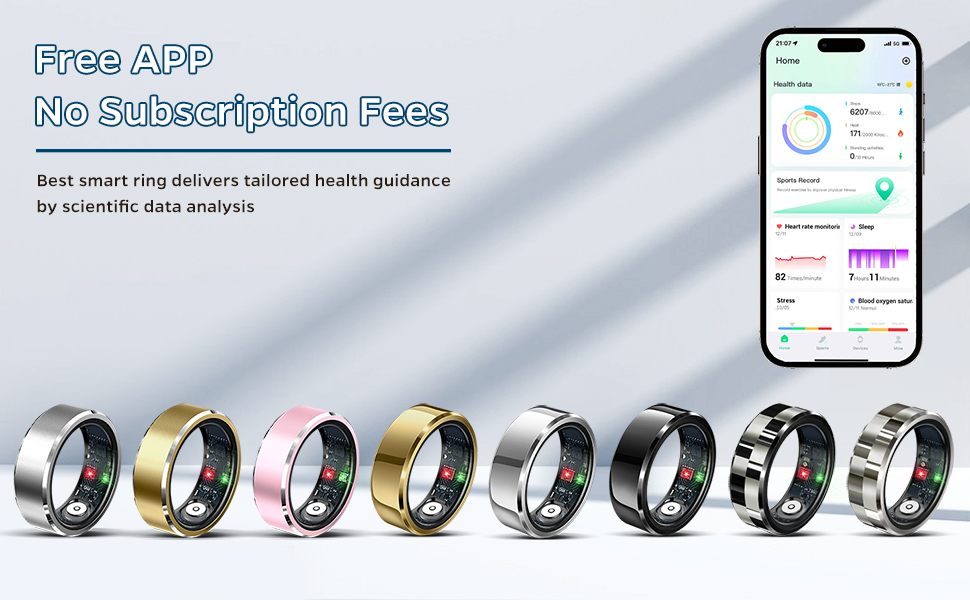
Figure 3: Companion App Interface
3. Wearing the Smart Ring
3.1 Sizing and Placement
For optimal accuracy, wear the Smart Ring on your index, middle, or ring finger. Ensure the ring fits snugly but comfortably. A fit that is too loose or too tight may affect data collection accuracy.

Figure 4: Ring Sizing and Measurement Guide
4. Operating the Smart Ring
4.1 Health Monitoring
The Smart Ring continuously tracks essential health metrics throughout the day and night:
- Heart Rate: Monitors your heart rate to provide insights into your cardiovascular health.
- Blood Oxygen (SpO2): Measures your blood oxygen saturation levels.
- Calories Burned: Estimates calorie expenditure based on your activity levels.
View detailed reports and trends within the companion app.

Figure 5: Health Tracking Overview
4.2 Fitness Activity Tracking
The ring automatically tracks your daily activities and various exercises:
- Steps: Counts your daily steps.
- Exercise Duration: Records the length of your workouts.
- Speed & Distance: Tracks your movement speed and distance covered.
- Exercise Routes: (Requires GPS via smartphone) Maps your outdoor activity routes.
Access comprehensive data for different sports within the app.

Figure 6: Multisports Data Tracking
4.3 Advanced Sleep Tracking
The Smart Ring monitors your sleep quality and provides detailed analysis:
- Sleep Stages: Identifies deep sleep, light sleep, and REM sleep.
- Wakefulness: Tracks periods of wakefulness during the night.
- Sleep Cycle Monitoring: Analyzes your overall sleep patterns.
Review sleep metrics and receive personalized advice in the app to develop healthier sleep habits.

Figure 7: Sleep Monitoring Features
4.4 Convenient Gesture Control
The Smart Ring supports intuitive air gestures for remote control of your connected devices:
- Take photos remotely.
- Flip through e-books.
- Switch short videos.
- Pause or play music.
Simply double-tap your fingers in the air to activate these functions. Refer to the app for gesture customization and detailed instructions.
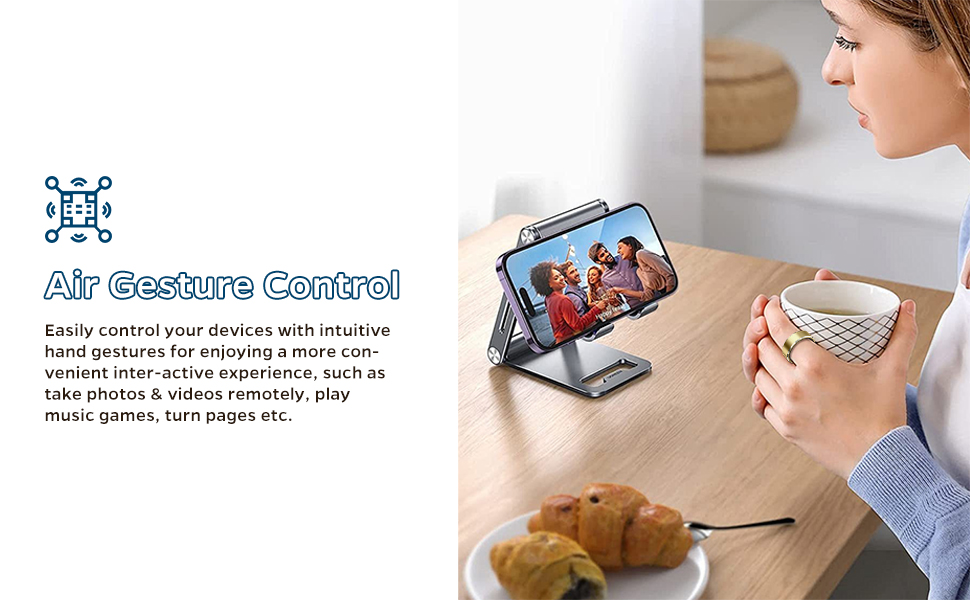
Figure 8: Air Gesture Control in Use
5. Care and Maintenance
5.1 Waterproof Design
The Zyee Syee Smart Ring R5 features an IP68 waterproof rating, allowing it to withstand immersion up to 5ATM (approximately 100m / 328ft). This means you can wear it during daily activities such as washing hands, showering, swimming, and intense workouts without concern.
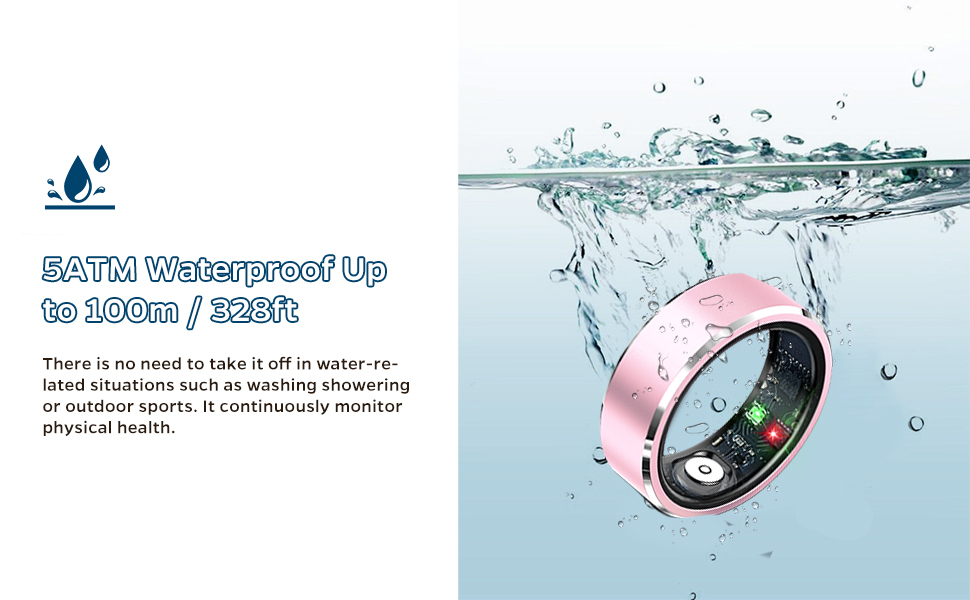
Figure 9: Waterproof Feature
5.2 Battery Life
A single charge provides 5-7 days of continuous use, depending on usage patterns. The portable charging case offers convenience for charging on the go without needing a direct USB connection.
5.3 Cleaning and Storage
- Clean the ring regularly with a soft, damp cloth to remove dirt and oils.
- Avoid using harsh chemicals or abrasive materials, as these can damage the finish and sensors.
- Store the ring in its charging case or a safe place when not in use to prevent scratches.
6. Specifications
| Feature | Detail |
|---|---|
| Model Name | R5 |
| Brand | Zyee Syee |
| Connectivity Technology | Bluetooth |
| Operating System Compatibility | iOS, Android |
| Special Feature | Activity Tracker |
| Water Resistance | IP68, 5ATM (up to 100m / 328ft) |
| Battery Type | Lithium Polymer |
| Battery Life | 5-7 days (typical use) |
| GPS | Via Smartphone |
| Item Weight | 4.2 ounces |
| Package Dimensions | 3.58 x 3.5 x 1.93 inches |
7. Troubleshooting
- Ring not connecting to app:
Ensure Bluetooth is enabled on your smartphone. Restart both the ring (by placing it in the charger) and the app. Check if the app has necessary permissions enabled in your phone's settings. - Inaccurate step count:
The ring tracks movement from your hand. For best accuracy, ensure the ring is worn snugly on the recommended finger. Excessive hand movements not related to walking may influence step count. Compare with other trackers for general trends rather than exact numbers. - Sleep data not recording:
Ensure the ring is worn throughout the night. Check that the ring has sufficient battery life. Verify that the app is running in the background and has permission to access health data. - Charging issues:
Ensure the ring is correctly seated in the charging case. Check that the USB cable and power source are functioning correctly. Clean the charging contacts on both the ring and the case. - App permissions:
The app may require various permissions (e.g., Bluetooth, location, storage) to function correctly. Grant all necessary permissions when prompted during setup or check your phone's app settings.
8. Warranty and Support
For warranty information and customer support, please refer to the documentation included with your product or visit the official Zyee Syee website. Keep your purchase receipt as proof of purchase.