
Introduction
This manual provides comprehensive instructions for the JORREP Wireless Controller. Designed for versatility, this controller is fully compatible with PS5, PS5 Pro, PS5 Slim, Steam Deck, PC, MAC, iOS, and Android 10 devices. It features RGB lighting, dual vibration, a turbo function, motion sensing, programmable buttons, and a 1500mAh battery for extended gameplay.
Please read this manual carefully before using the controller to ensure proper operation and to maximize your gaming experience.
Product Overview
Familiarize yourself with the controller's layout and components.

This diagram identifies the various buttons and ports on the JORREP Wireless Controller, including the Directional Pad, Share button, Touchpad, Options button, M1/M2 programmable buttons, Light button, Reset button, Audio Output, Home button, Turbo button, Headphone Jack, Left 3D Joystick, and Right 3D Joystick.
Setup and Connection
Initial Pairing with PS5 Console
- Connect the controller to your PS5 console using a USB Type-C cable for initial communication and pairing.
- Once connected via cable, ensure Bluetooth is enabled on your PS5 console.
- Press the 'HOME' button on the controller to establish a wireless connection. The controller's indicator light will confirm successful pairing.

This image illustrates the steps for connecting the controller to a PS5 console, showing both wired pairing and wireless connection via the Home button.
Connecting to Other Devices (PC/MAC/iOS/Android/Steam Deck)
For other compatible devices, enable Bluetooth on your device and search for available devices. Select 'JORREP Controller' from the list to pair. Specific pairing instructions may vary slightly depending on your operating system.
Operating Instructions
TURBO Function
The TURBO function allows for rapid, continuous input of a button press without repeatedly pressing the physical button. This feature is useful for games requiring fast, continuous actions. To activate/deactivate TURBO for a specific button, press and hold the TURBO button, then press the desired action button. Repeat the process to clear the TURBO setting for that button.
Programmable Buttons (M1/M2/LIGHT)
The controller supports programming for the M1, M2, and LIGHT buttons, allowing you to create custom macros or reassign functions. Programmable keys include directional keys (up, down, left, right), triangle, circle, square, cross, L1, L2, L3, R1, R2, R3, left joystick (VRL), and right joystick (VRR). Refer to the detailed programming instructions in the full manual for specific steps.

This image highlights the M1, M2, and Light buttons, which can be programmed for custom commands or combos.
RGB Lighting Modes
The controller features colorful 3D joystick ring lights with multiple display modes:
- Monochrome Display Only: Displays a single color.
- Colorful Brightness Mode: Cycles through various colors with adjustable brightness.
- Monochrome Cycle Brightness: A single color with cycling brightness.
Use the 'LIGHT' button or specific button combinations (refer to the full manual) to cycle through these modes and adjust settings.
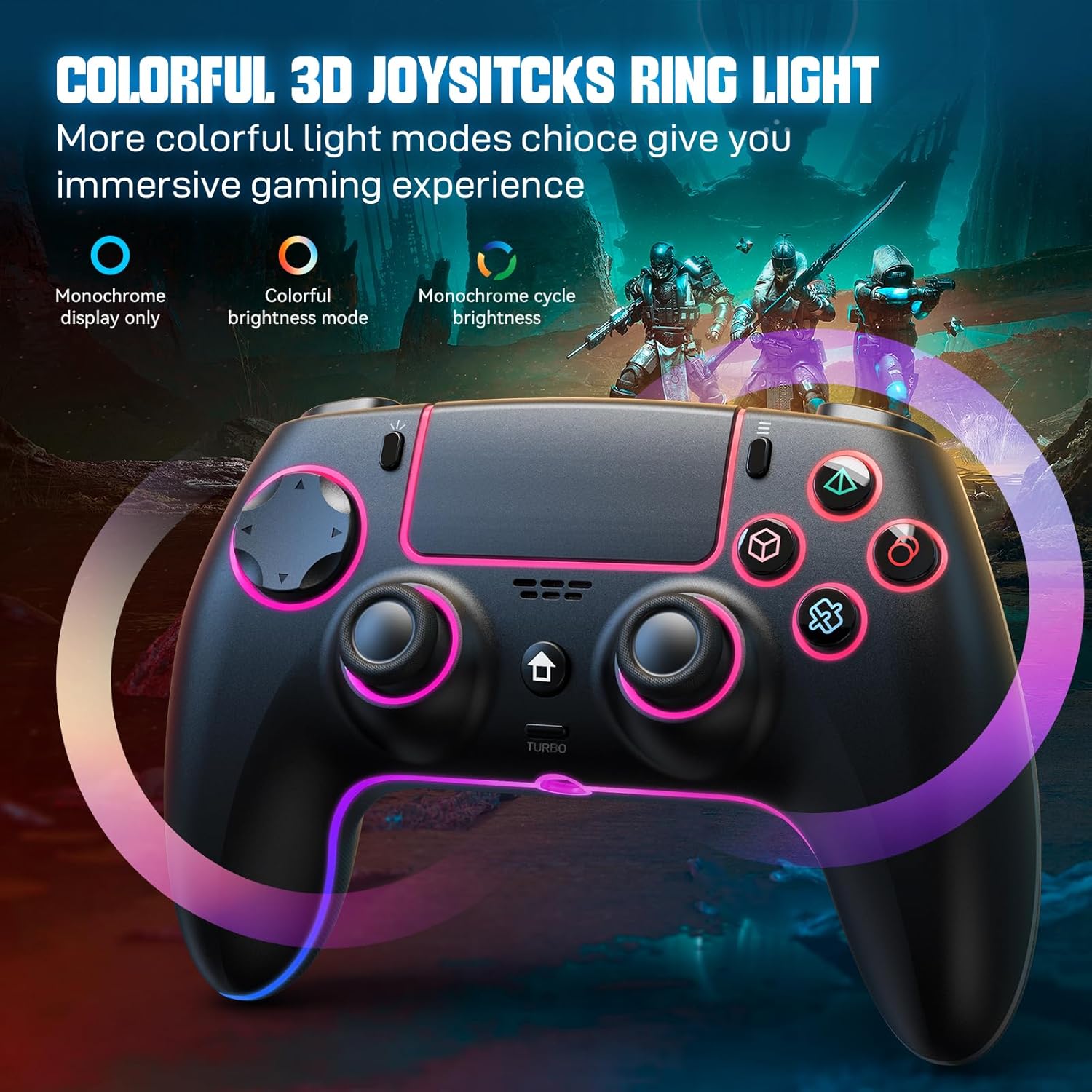
This image displays the controller with its vibrant RGB joystick ring lights, illustrating the visual effects.
Dual Vibration and Motion Sensor
Integrated vibration motors in the side grips provide real-time haptic feedback, enhancing immersion during gameplay. The built-in motion sensor allows for intuitive control in supported games that utilize tilt and movement inputs.
Headset Connection
A 3.5mm headphone jack is integrated into the controller, allowing users to plug in their favorite stereo headset for in-game audio and communication.
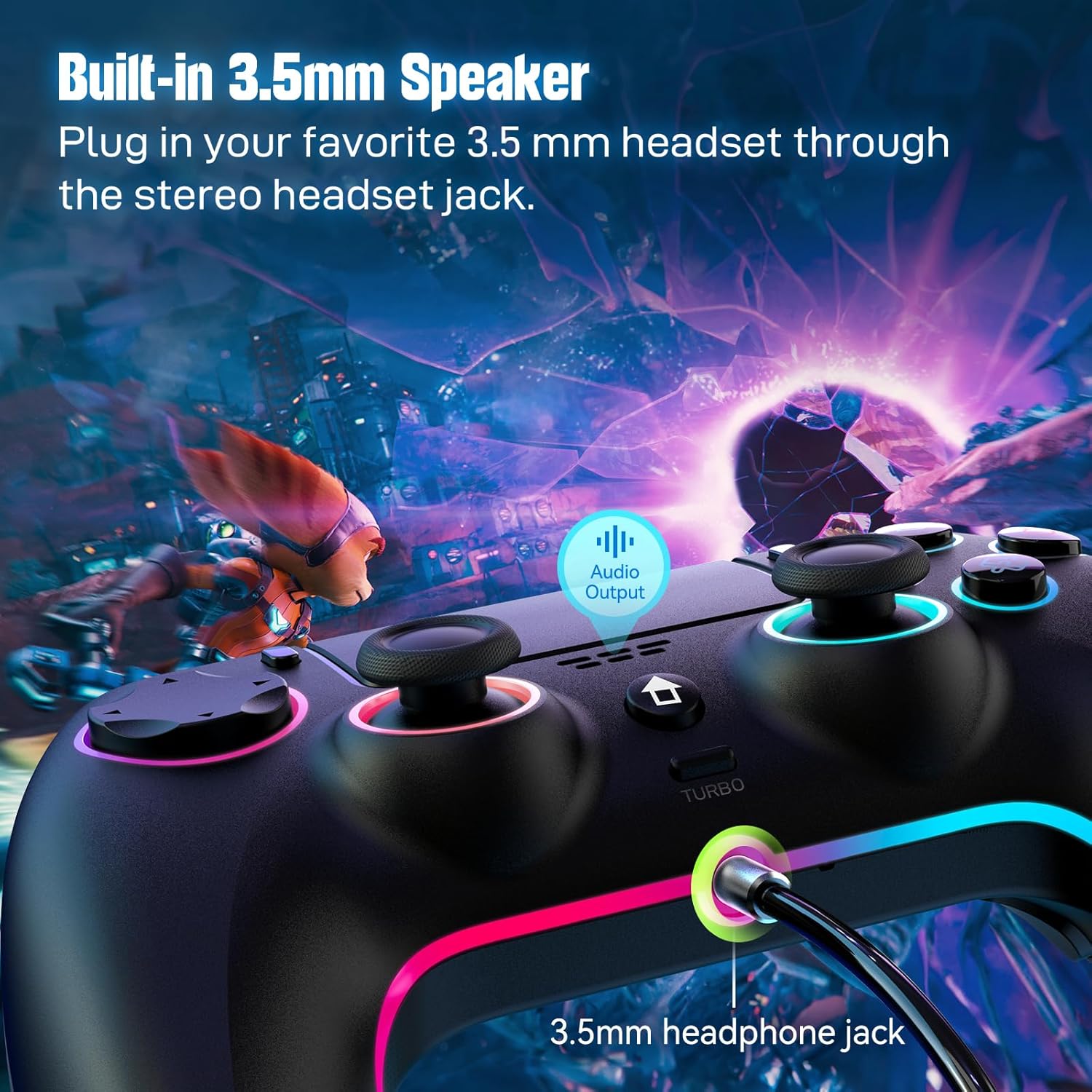
This image shows the location of the 3.5mm headphone jack on the controller.
Charging and Battery
The controller is equipped with a 1500mAh rechargeable battery. To charge the controller, connect it to a power source (e.g., console, PC, USB wall adapter) using the provided USB Type-C cable. The indicator light will show charging status and turn off or change color when fully charged. A full charge provides hours of uninterrupted gameplay.
Maintenance
- Keep the controller clean by wiping it with a dry, soft cloth. Avoid using harsh chemicals or abrasive materials.
- Avoid exposure to extreme temperatures, moisture, or direct sunlight.
- Do not attempt to disassemble the controller, as this may void the warranty and cause damage.
- Store the controller in a safe place when not in use to prevent accidental damage.
Troubleshooting
- Controller not connecting: Ensure the controller is charged. For PS5, try connecting with a USB cable first for pairing, then attempt wireless connection. Verify Bluetooth is enabled on your device.
- Input lag or unresponsiveness: Ensure the controller is within range of the connected device. Check for interference from other wireless devices. Try resetting the controller using the small reset button (often a pinhole on the back, requiring a thin tool like a paperclip).
- Battery not holding charge: Ensure the USB Type-C charging cable is properly connected to a power source. Allow sufficient time for charging. If issues persist, contact customer support.
- Vibration not working: Check in-game settings to ensure vibration is enabled. Some games may have specific settings for haptic feedback.
- Audio issues with headset: Ensure the headset is fully plugged into the 3.5mm jack. Check audio settings on your console or device to ensure output is directed to the controller.
Specifications
| Dimensions (L x W x H) | 15 x 10 x 5 cm |
| Weight | 310 grams |
| Battery Capacity | 1500 mAh |
| Connectivity | Wireless (Bluetooth), USB Type-C |
| Compatibility | PS5/Pro/Slim, Steam Deck, PC, MAC, iOS, Android 10 |
| Features | Dual vibration, Touchpad, Gravity sensor, LED light bar, 3.5mm headphone jack, Speaker, Turbo function, Programmable buttons, RGB lighting |
Warranty and Support
For warranty information or technical support, please refer to the product packaging or contact JORREP customer service directly. Keep your purchase receipt for any warranty claims. Detailed contact information can typically be found on the manufacturer's official website or product documentation.