
1. Introduction
This manual provides essential information for the proper installation, operation, and maintenance of your Uncle Brown Smart Toilet ST12P. Please read this manual thoroughly before installation and use to ensure optimal performance and safety. Keep this manual for future reference.

Image: Front view of the Uncle Brown Smart Toilet ST12P, showcasing its modern design and wall-mounted remote control.
2. Key Features
The Uncle Brown Smart Toilet ST12P integrates advanced technologies for enhanced hygiene, comfort, and convenience.
- Powerful & Quiet Flush: Features a built-in water submersible pump for MAP 1000g-certified flushing performance at 1.28GPF, designed to prevent clogs and reduce noise.
- Foam Shield: A dense foam layer forms inside the bowl to prevent splashing, contain odors, and reduce waste adhesion, promoting a hygienic environment.
- PlasmaClean Technology: A built-in plasma generator releases cleansing particles that disperse with airflow to maintain bowl hygiene.
- Hygienic Components: Includes an SIAA-certified seat, silver-ion infused nozzle, and auto self-cleaning nozzle for a healthier experience.
- Personalized Comfort: ADA height with an elongated heated seat, adjustable temperature dryer, instant warm bidet water, and customizable pressure and washing positions.
- Convenience: Offers auto-flush, remote/knob/foot-touch control, a built-in night light, and a digital display for real-time settings.
- Sustainable Living: Meets CEC water-saving standards with 1.28GPF flushing, air-in-water technology for 30% water savings, and a seasonal temperature system for energy efficiency.
- Multi-Layer Protection: Equipped with 8 built-in safety systems, including advanced electrical and thermal safety, for secure daily use.

Image: Illustration of the 1000g MaP Score flushing system, highlighting no clogs, water conservation, and lower noise.

Image: Visual representation of the HealthGuard Foam Shield's benefits, including splash prevention and odor control.

Image: Diagram of the Air Purification System, showing how the built-in deodorizer and foam shield work together.
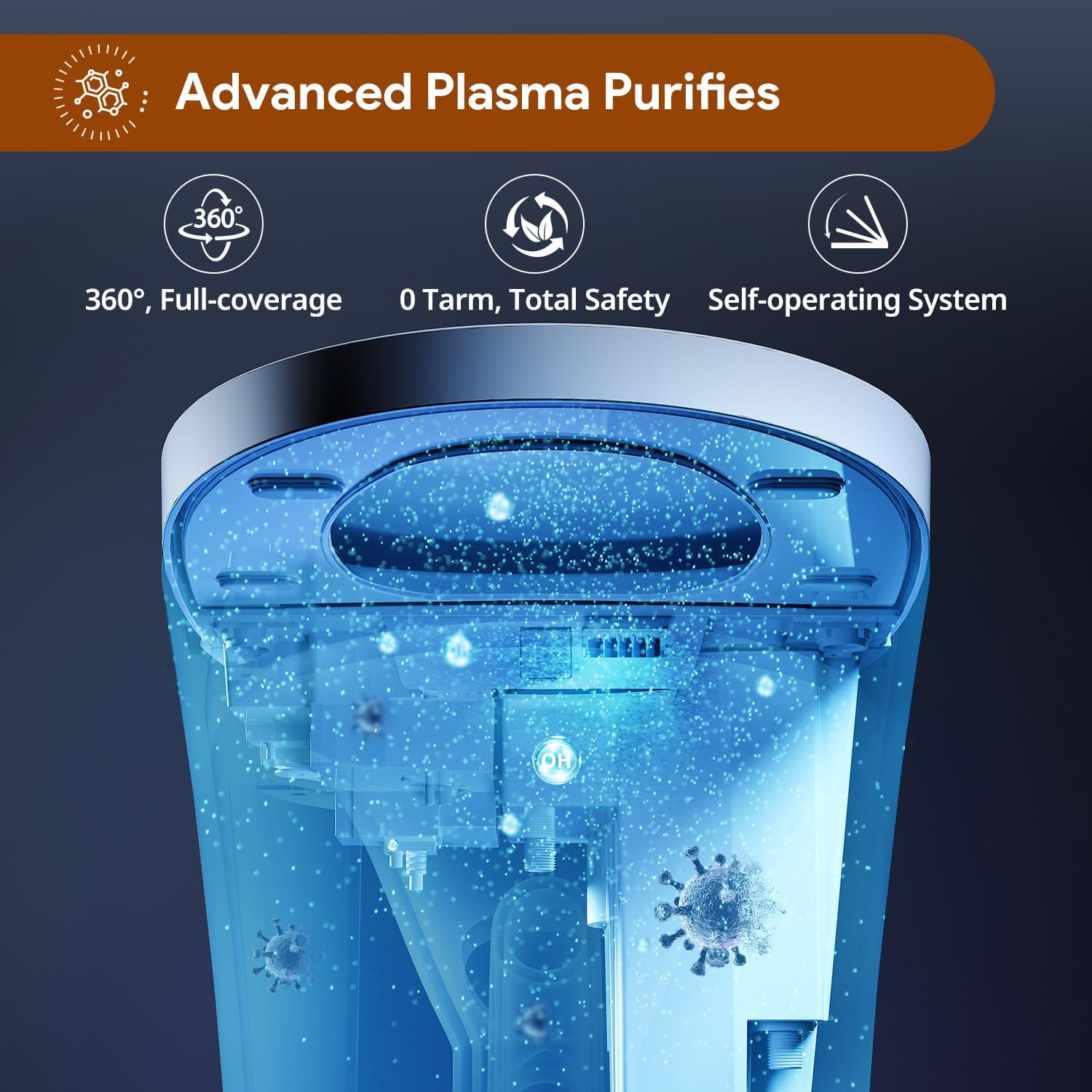
Image: Illustration of Advanced PlasmaClean Technology, detailing its 360-degree coverage and self-operating system.
3. Setup and Installation
The Uncle Brown Smart Toilet ST12P is designed for straightforward installation. It is recommended to have basic plumbing knowledge or consult a professional. All necessary components for connection are included.
Included Components:
- Adapter
- Angle Valve
- Remote Control Set
- Wax Ring
- Floor Flange
- Mounting Accessory Kit
The toilet features side-mounted bolts for secure floor installation, providing a stable and clean aesthetic without visible top-mounted hardware.
Installation Overview:
- Ensure the water supply is turned off and the old toilet is removed.
- Prepare the floor flange and install the new wax ring.
- Position the smart toilet over the flange, aligning the side-mounted bolts.
- Secure the toilet to the floor using the provided mounting accessories.
- Connect the water supply lines to the toilet and the angle valve. The unit comes with pre-attached stainless steel braided flexible lines.
- Plug the toilet into a GFCI-protected electrical outlet.
- Turn on the water supply and check for leaks.

Image: Product dimensions and ADA height for installation planning.

Image: Ground-Fault Circuit Interrupter (GFCI) protection for electrical safety.
Installation Videos:
Video: Next Gen Smart Toilet - Installation, Foam, Air Sterilization. This video provides an overview of the installation process and highlights key features like foam and air sterilization.
Video: Smart Toilet Installation and Features. This video demonstrates the ease of installation and showcases various functionalities of the smart toilet.
4. Operating Instructions
Your Smart Toilet ST12P offers multiple control options for a personalized experience.
Remote Control:
The included remote control provides full access to all functions:
- Washing Functions: Rear wash, Front wash, Stop. Adjust water pressure (Strong/Weak), water temperature, and nozzle position (Front/Back).
- Drying: Activate the gentle dryer with adjustable temperature settings.
- Flushing: Manual flush button.
- Seat & Lid: Open/Close lid, adjust seat temperature.
- Hygiene: Activate Foam Shield.
- Lighting: Turn Night Light on/off.
Automatic Functions:
- Auto-Flush: The toilet automatically flushes after use when the lid is closed.
- Foot-Touch Control: A sensor allows for hands-free lid opening and flushing by touching the base with your foot.
- Night Light: A built-in night light illuminates the bowl for guidance in the dark.
- Digital Display: Shows real-time settings and status.

Image: Overview of convenient features including remote, knob, and foot controls, auto-flush, night light, and digital display.

Image: Nightlight and digital display features for enhanced comfort and intuitive control.
5. Maintenance
Regular maintenance ensures the longevity and hygienic performance of your smart toilet.
Cleaning:
- The Foam Shield helps keep the bowl clean by preventing adhesion and splashing.
- The PlasmaClean Technology actively reduces bacteria buildup inside the toilet.
- The SIAA-certified seat, silver-ion infused nozzle, and auto self-cleaning nozzle maintain hygiene at contact points.
- For general cleaning, use mild, non-abrasive cleaners. Avoid harsh chemicals that may damage surfaces.
Foam Dispenser Refill:
To refill the foam dispenser:
- Turn off the power to the toilet.
- Carefully lift the top cover of the toilet.
- Remove the blue cap covering the foam dispenser opening.
- Insert the provided funnel into the opening.
- Pour specialized foaming agent into the dispenser, being careful not to overfill.
- Replace the blue cap and the top cover.
- Turn the power back on. The toilet will cycle to prepare the foam system.

Image: Cleaning Assistant features, including self-cleaning nozzle, pre-wet, powerful flush, and foam barrier.
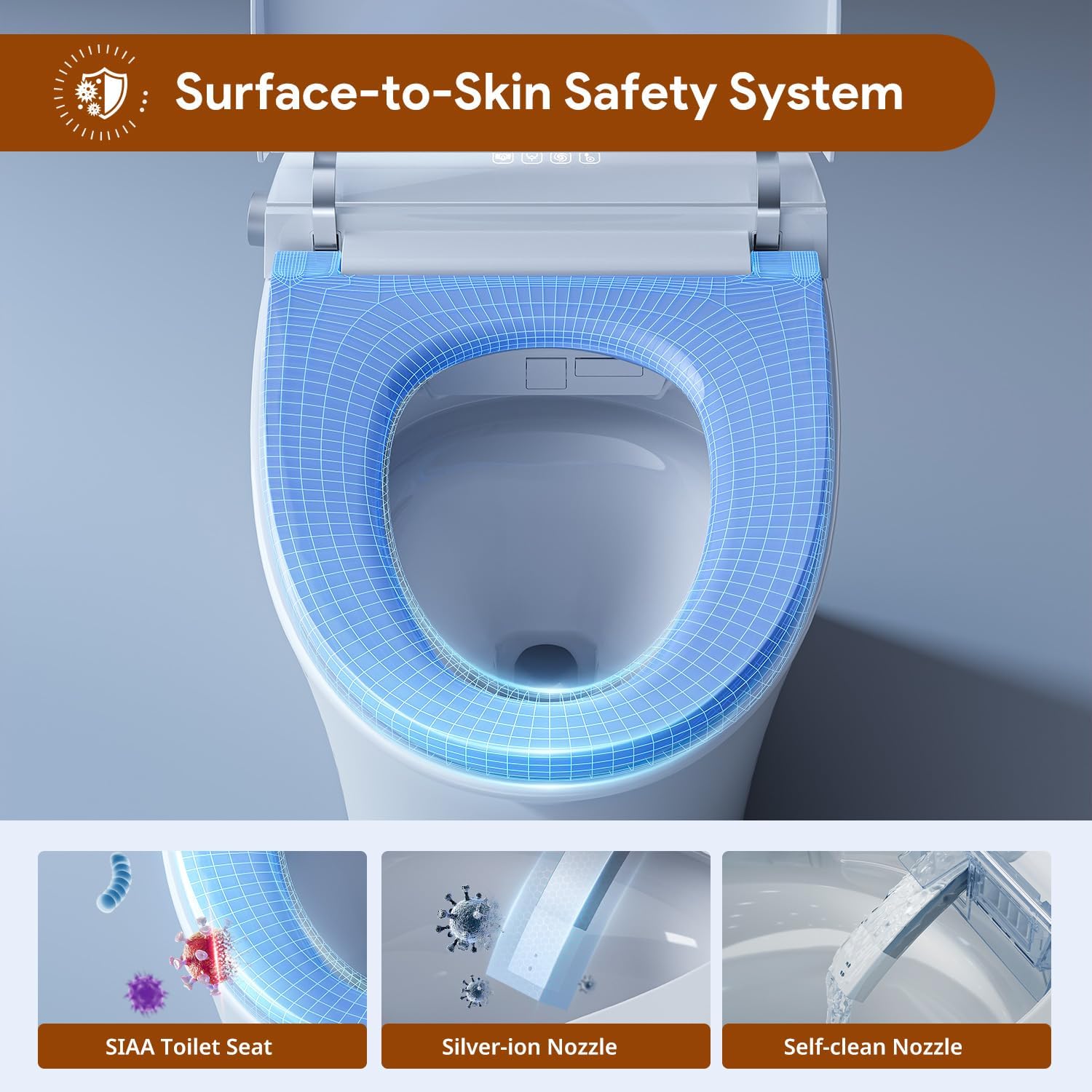
Image: Surface-to-Skin Safety System, detailing the SIAA-certified seat, silver-ion nozzle, and self-cleaning nozzle.
Maintenance Video:
Video: Filling the Foam Dispenser. This video demonstrates the process of refilling the foam dispenser for the smart toilet.
6. Troubleshooting
If you encounter any issues with your Uncle Brown Smart Toilet ST12P, please refer to the following general troubleshooting tips:
- No Power: Check if the power cord is securely plugged into a working GFCI outlet. Verify the circuit breaker.
- No Water/Weak Spray: Ensure the water supply valve is fully open. Check for any kinks in the water supply lines.
- Foam System Not Working: Verify the foam dispenser is filled and the top cover is correctly seated.
- Lid/Seat Not Responding: Ensure there are no obstructions. Check the remote control batteries.
- Auto-Flush Malfunction: Confirm the lid is closing completely after use.
For persistent issues, please contact customer service as detailed in the Warranty & Support section.

Image: Built-in backup power system, ensuring functionality during power outages (requires 16 AA batteries, not included).
7. Specifications
| Attribute | Detail |
|---|---|
| Model Number | ST12P |
| Color | ST12P (White) |
| Product Dimensions | 27.09"D x 16.5"W x 18.35"H |
| Material | Ceramic (Toilet), Polypropylene (PP) (Seat) |
| Installation Type | Floor Mounted |
| Item Weight | 95 pounds |
| Flush Performance | MAP 1000g-certified, 1.28GPF |
| Safety Systems | 8 built-in (electrical, thermal, GFCI, anti-scald, etc.) |

Image: Anti-Scald Temperature Control system, showing temperature regulation for water, air, and seat.
8. Warranty & Support
Uncle Brown is committed to providing high-quality products and excellent customer service.
Free Maintenance Period:
The product includes a one-year free maintenance period, starting from the date of product delivery. This covers quality-related issues.
Service Details:
- Simple product issues are addressed with guidance from our support team.
- Complex product issues may be resolved through part replacement.
- After the free maintenance period, low-cost solutions are available by contacting us.
Customer Support:
If you encounter any issues or require assistance, please contact us through your order page. Our team is available to assist you and ensure a smooth experience.

Image: Easy Installation Guidance icon.

Image: Rapid Replacement Solutions icon.

Image: 24/7 Responsive Support icon.


