
1. Introduction
The LITYMOL ZY-G2 is a 4G LTE cellular solar security camera designed for outdoor surveillance in areas without Wi-Fi access. It operates on solar power and a built-in battery, providing continuous monitoring. Key features include 2K resolution, 360-degree pan/tilt functionality, color night vision, smart PIR detection, two-way audio, and flexible storage options.
Product Features:
- Solar-Powered & 4G LTE Connectivity: Operates independently with a 3.2W solar panel and 9000mAh battery. Connects via 4G SIM card (Wi-Fi not supported).
- 2K HD & 360° View: Captures clear 2K resolution video with 355° pan and 120° tilt for comprehensive coverage.
- Color Night Vision: Provides clear visibility up to 33ft in low-light conditions using a spotlight.
- Smart PIR Detection & Two-Way Audio: Features a 10-level adjustable PIR sensor to reduce false alarms and a built-in microphone/speaker for real-time communication.
- Storage Options: Supports up to 256GB microSD card (sold separately) and cloud storage.
- Easy Installation: All-in-one design for quick wall or roof mounting.
- Weather Resistance: IP65 waterproof rating ensures durability in various weather conditions.
2. Setup Guide
2.1 Package Contents
Ensure all components are present:
- LITYMOL ZY-G2 4G LTE Cellular Solar Security Camera
- Mounting Bracket
- Mounting Screws and Anchors
- USB Charging Cable
- Quick Start Guide (this manual)
- U.S.-only 4G LTE SIM card (pre-installed or included separately)
2.2 Initial Charging
Before first use, fully charge the camera's internal battery using the provided USB cable and a standard 5V/2A USB adapter (not included). This ensures optimal performance and battery life.
2.3 SIM Card Installation (if not pre-installed)
- Power off the camera.
- Locate the SIM card slot, usually protected by a rubber cover on the camera body.
- Insert the provided 4G LTE SIM card into the slot with the gold contacts facing down and the notched corner aligned correctly.
- Ensure the SIM card is fully seated and replace the rubber cover to maintain waterproof integrity.
Note: The included SIM card is exclusive for device operation in the U.S. and comes with a 1-month unlimited data free trial. A subscription plan is required after the trial period for uninterrupted service.

Image: LITYMOL 4G LTE camera with SIM card slot and data plan details.
2.4 App Download and Device Connection
- Download the "FONDAL" app from your smartphone's app store (Google Play Store for Android or Apple App Store for iOS).
- Register for an account and log in.
- Follow the in-app instructions to add your device. This typically involves scanning a QR code located on the camera or its packaging.
- Ensure the camera is powered on and within cellular network range during the connection process.

Image: Step-by-step guide for app download, device connection, and mounting.
2.5 Mounting the Camera
The camera is designed for easy installation on a wall or roof. Choose a location with good cellular signal and direct sunlight exposure for optimal solar charging.
- Mark the drilling points using the mounting bracket as a template.
- Drill holes and insert the wall anchors if mounting on masonry or concrete.
- Secure the mounting bracket to the surface with the provided screws.
- Attach the camera to the mounting bracket and adjust its angle for the desired viewing area.

Image: A person installing the LITYMOL solar security camera on a wall.
3. Operating Instructions
3.1 Live View and Pan/Tilt Control
Open the FONDAL app and select your camera to access the live video feed. Use the on-screen controls to pan (355° horizontal) and tilt (120° vertical) the camera lens to adjust the viewing angle remotely.

Image: LITYMOL camera demonstrating 355° pan and 120° tilt for full coverage.
3.2 Night Vision Modes
The camera offers two night vision modes:
- Infrared Night Vision: Provides black and white video in complete darkness.
- Color Night Vision: Activates the built-in spotlight to capture full-color video at night. This mode can be configured in the app settings.
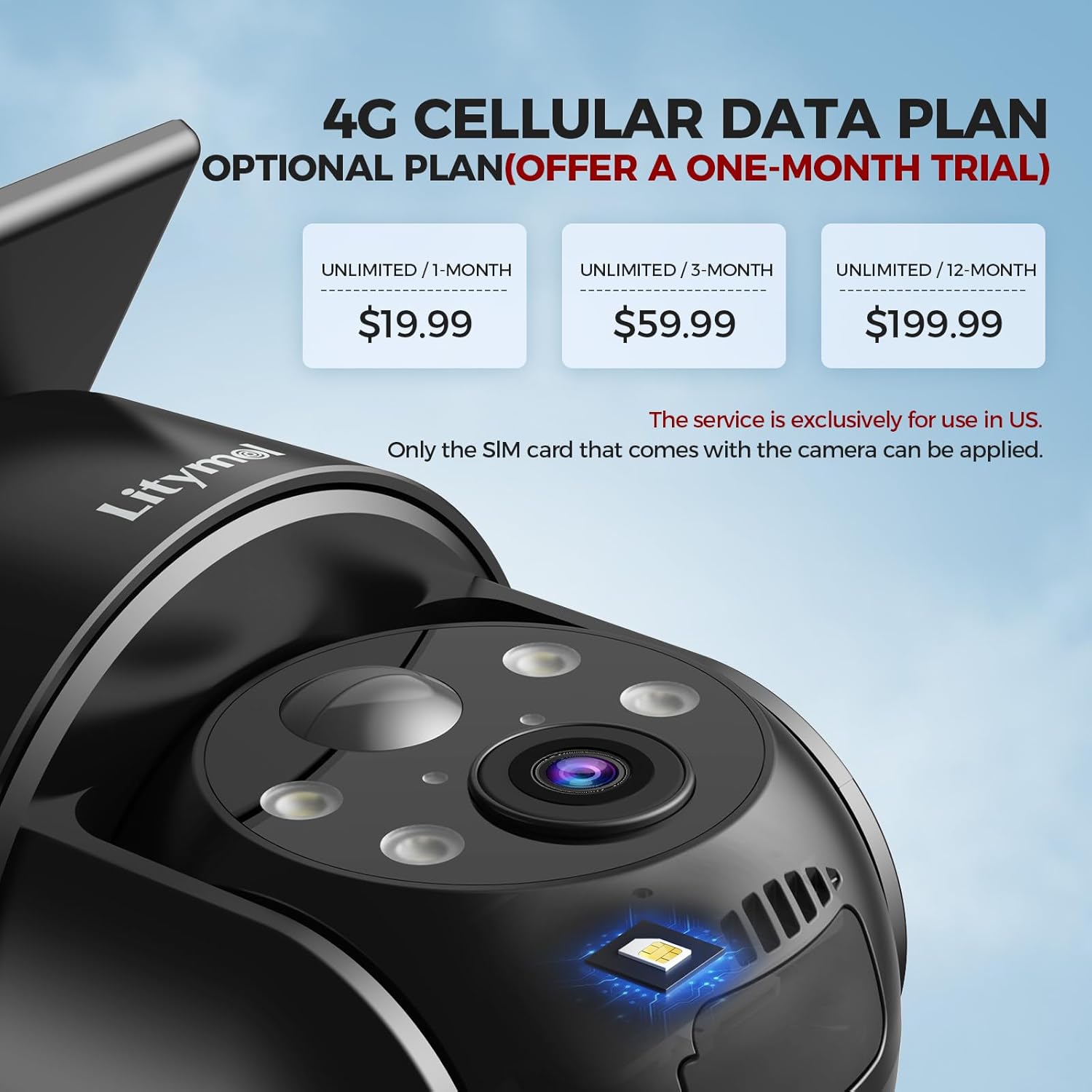
Image: Comparison of infrared and color night vision modes.
3.3 PIR Motion Detection and Alerts
The Passive Infrared (PIR) sensor detects heat signatures from moving objects, triggering recordings and sending instant notifications to your smartphone. You can adjust the PIR sensitivity (10 levels) in the app to minimize false alarms from environmental factors like wind or vegetation.

Image: PIR motion detection triggering alerts and spotlight.
3.4 Two-Way Audio
Use the two-way audio feature to communicate with visitors or deter intruders. Tap the microphone icon in the live view interface of the FONDAL app to speak, and listen through the camera's built-in speaker.

Image: Demonstrating two-way audio communication via the app.
3.5 AI Detection (Optional Subscription)
With an optional paid subscription, the camera can utilize AI to accurately identify specific objects such as people, vehicles, pets, and packages. This advanced detection further reduces false alarms and provides more precise notifications.
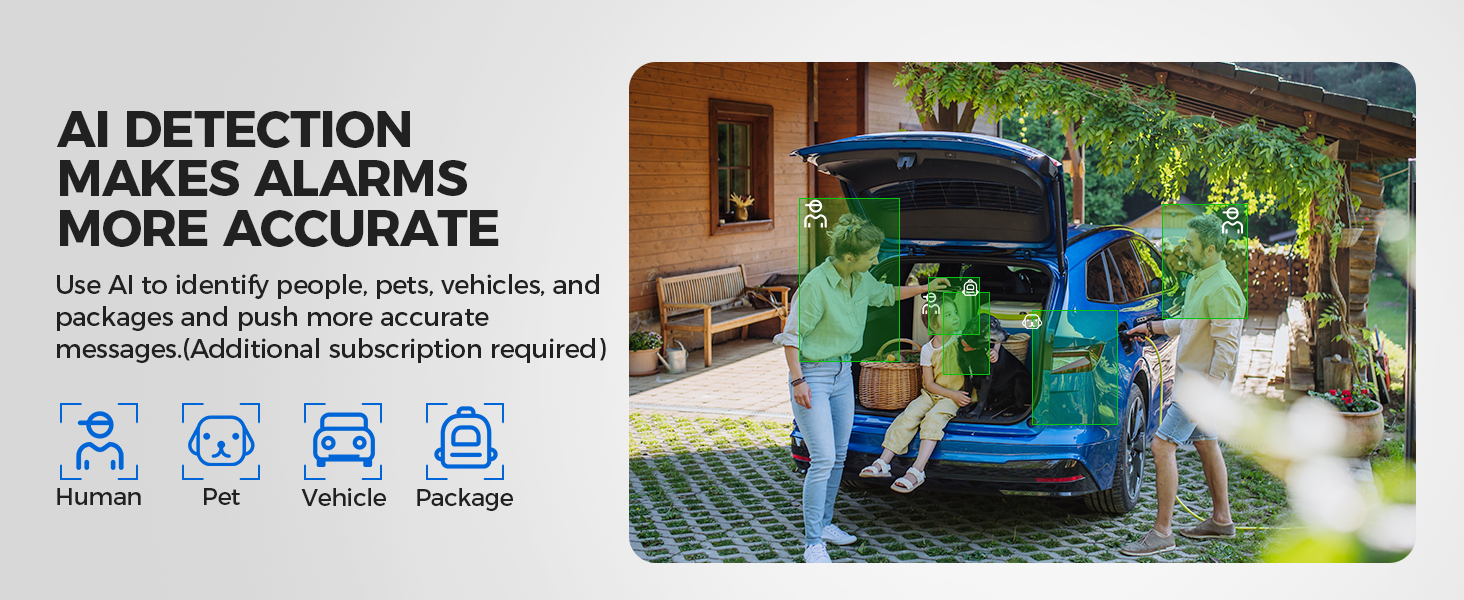
Image: AI detection capabilities for various objects.
3.6 Storage Management
The camera supports two storage methods:
- MicroSD Card: Insert a microSD card (up to 256GB, not included) into the designated slot. Ensure the camera is powered off before inserting or removing the card.
- Cloud Storage: The camera offers cloud storage for recorded events. A subscription may be required for extended storage duration or features.

Image: MicroSD card and cloud storage options.
3.7 Setting Up Alarm Detection Zones
Within the FONDAL app, you can define specific areas within the camera's view as alarm detection zones. This allows the camera to focus on critical areas and trigger alerts only when motion is detected within these zones, enhancing accuracy and reducing irrelevant notifications.
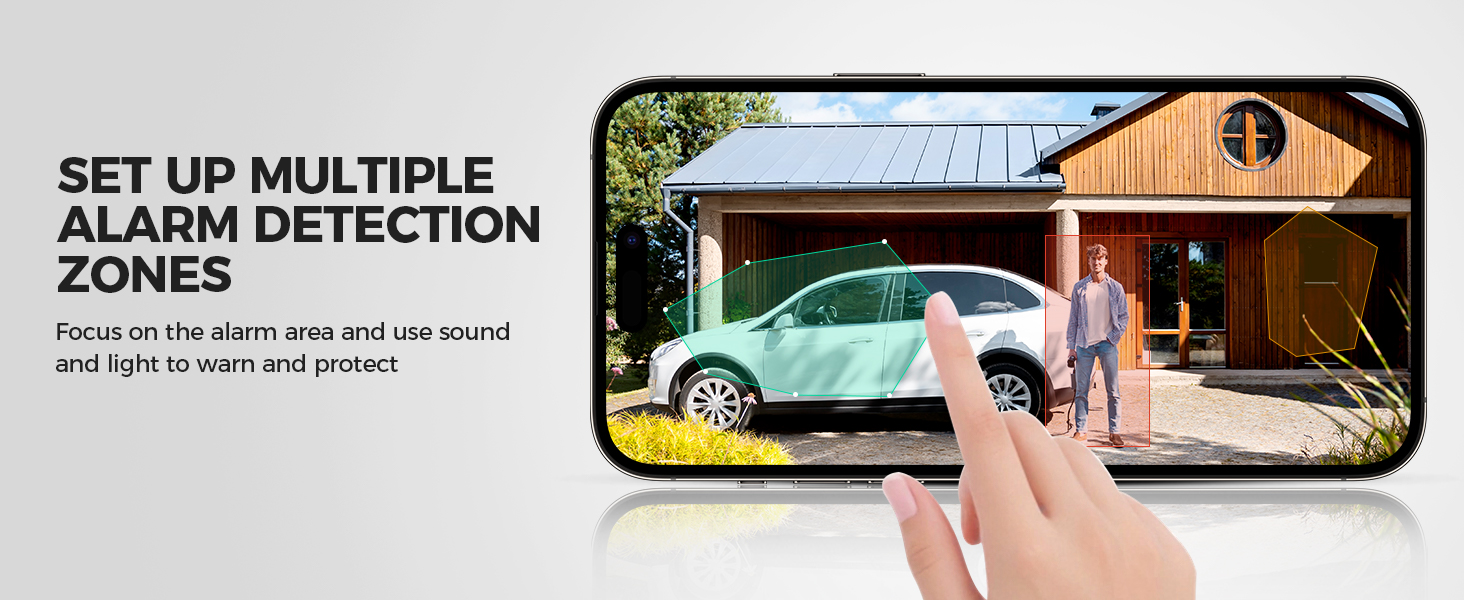
Image: Setting up multiple alarm detection zones in the app.
3.8 Reviewing Stored Videos
Access recorded videos through the FONDAL app. You can browse by date and time, or view event-triggered clips stored on your microSD card or in the cloud.
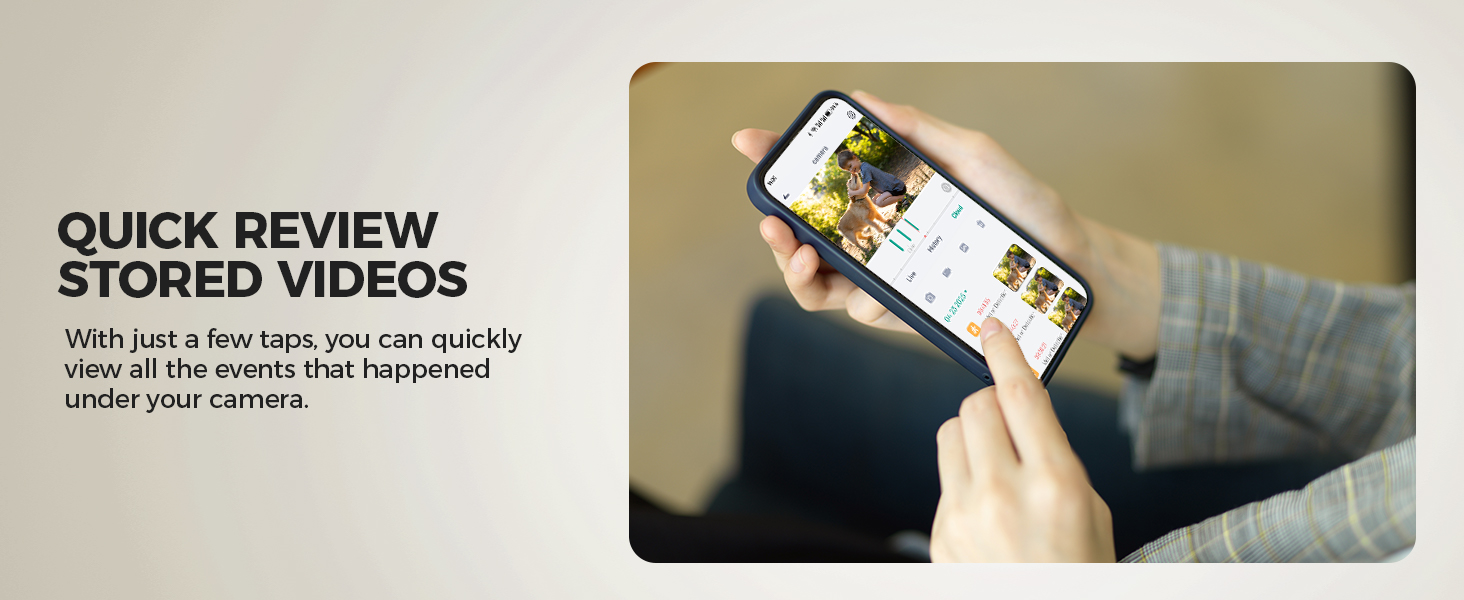
Image: Quick review of stored videos via the app.
4. Maintenance
4.1 Solar Panel Care
To ensure efficient solar charging, periodically clean the surface of the solar panel with a soft, damp cloth to remove dust, dirt, or debris. Avoid using abrasive cleaners or materials that could scratch the panel.
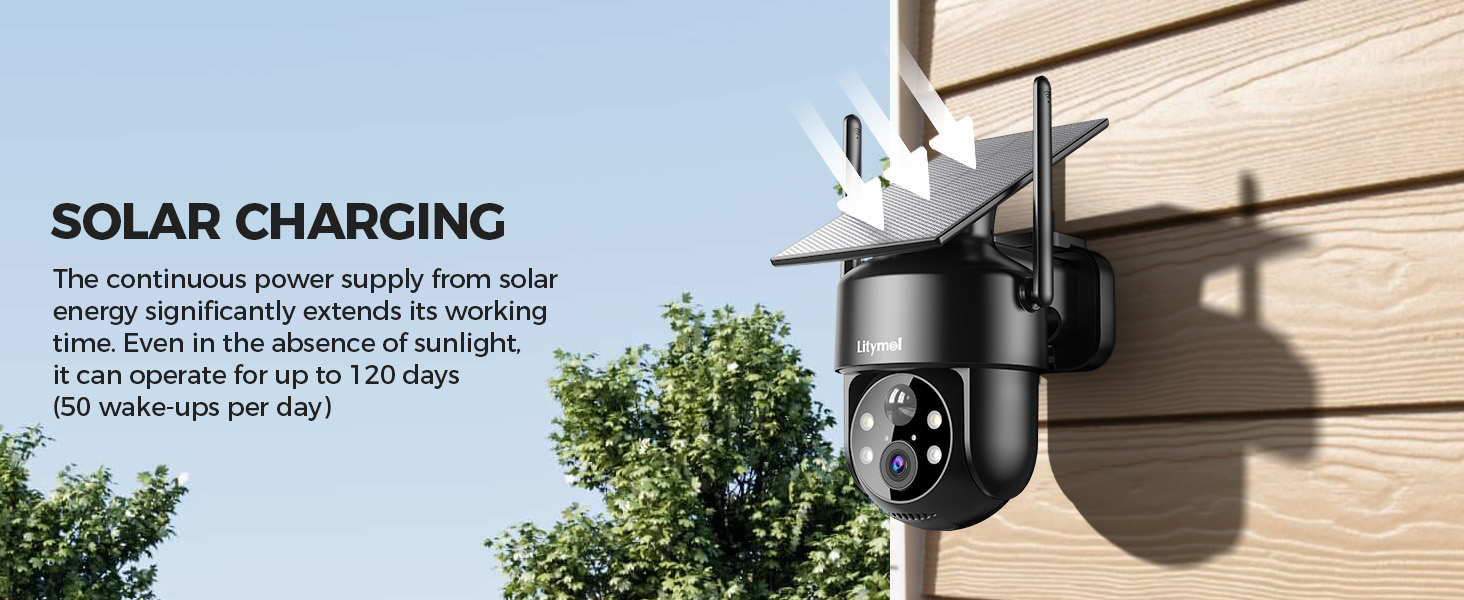
Image: Solar charging mechanism of the camera.
4.2 Battery Management
The camera's low-power design and solar charging system are optimized for extended battery life. If the camera is installed in an area with insufficient sunlight, or during prolonged periods of cloudy weather, the battery level may drop. Monitor the battery status in the FONDAL app and, if necessary, manually charge the camera using the USB cable.
4.3 Weather Protection
The LITYMOL ZY-G2 camera has an IP65 waterproof rating, making it resistant to dust and water jets. While designed to withstand various weather conditions, ensure all covers (e.g., SIM card slot) are securely closed to maintain its waterproof integrity.
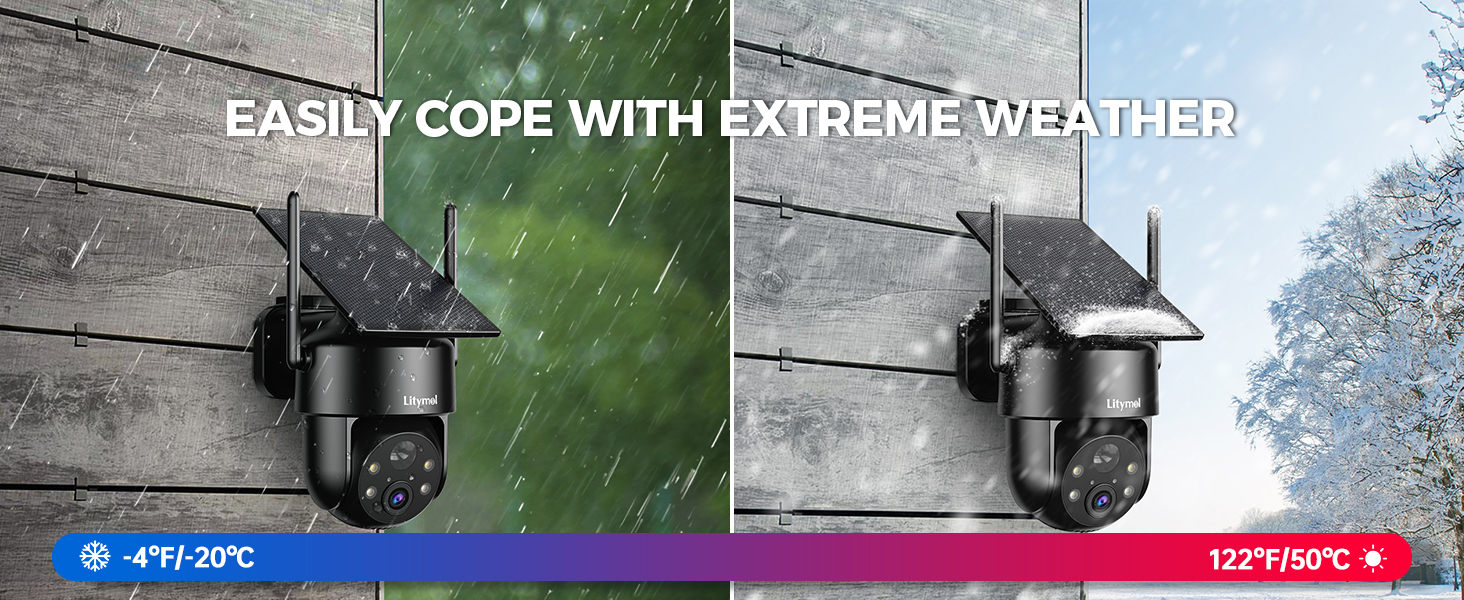
Image: Camera coping with extreme weather conditions.
5. Troubleshooting
| Problem | Possible Cause | Solution |
|---|---|---|
| Camera not connecting to 4G network | No SIM card, incorrect SIM card insertion, no data plan, poor cellular signal. | Ensure SIM card is correctly inserted and active. Check cellular signal strength at installation location. Verify data plan subscription. |
| Battery not charging or low battery life | Insufficient sunlight, dirty solar panel, prolonged heavy usage. | Relocate camera to an area with more direct sunlight. Clean the solar panel. Reduce motion detection frequency or recording length if possible. Manually charge via USB. |
| Frequent false alarms | PIR sensitivity too high, environmental factors (wind, moving branches). | Adjust PIR sensitivity settings in the FONDAL app to a lower level. Utilize AI detection (if subscribed) for more accurate filtering. Set up specific alarm detection zones. |
| No recording to microSD card | MicroSD card not inserted, card full, card not formatted, faulty card. | Ensure camera is powered off before inserting card. Check card insertion. Format the microSD card via the app. Replace card if faulty. |
| Poor video quality | Dirty lens, low cellular bandwidth, app settings. | Clean the camera lens. Ensure good cellular signal. Check video quality settings in the app. |
6. Specifications
| Feature | Detail |
|---|---|
| Brand | LITYMOL |
| Model Name | ZY-G2 |
| Connectivity Technology | Wireless (4G LTE Cellular) |
| Video Capture Resolution | 2K (2560x1440) |
| Pan/Tilt Range | 355° Horizontal, 120° Vertical |
| Night Vision | Color Night Vision, Infrared Night Vision (up to 33ft) |
| Special Features | 2-Way Audio, HD Resolution, Local Recording, Motion Sensor, Night Vision, Spotlight Siren Alarm, AI Detection |
| Indoor/Outdoor Usage | Outdoor |
| Power Source | Solar Powered (3.2W solar panel), 9000mAh Rechargeable Battery |
| Storage | MicroSD Card (up to 256GB), Cloud Storage |
| Water Resistance Level | IP65 Waterproof |
| Control Method | App (FONDAL) |
| Dimensions | 8 x 7 x 5 inches |
| Color | Black |
7. Warranty Information
For detailed warranty information regarding your LITYMOL ZY-G2 camera, please refer to the official LITYMOL website or contact customer support directly. Warranty terms and conditions may vary by region and purchase date.
8. Customer Support
If you encounter any issues or have questions about your LITYMOL ZY-G2 camera, please contact our customer support team:
- Email: Support@litymol.com
- Phone: (888) 742-6588

Image: LITYMOL Customer Care contact details.