1. Introduction
Thank you for choosing the Imou 3K+3K Solar Surveillance Camera. This manual provides essential information for the proper installation, operation, and maintenance of your device. Please read it thoroughly before use and retain it for future reference.
2. Product Features
- Dual Lens, Dual Protection: The camera features two 5MP lenses, allowing simultaneous monitoring of two distinct areas.
- 24/7 Surveillance with AOV Technology: The patented Always On Video (AOV) mode records 24/7 by capturing an image every 2 seconds. Upon event detection, it immediately begins full video recording, ensuring activities leading up to an alarm are captured.
- Extended Battery Life and 365-Day Energy Efficiency: Energy-saving technology allows 24-hour surveillance to consume only 10% of daily power. The included solar panel recharges 15% of the battery in 2 hours of sunlight. The integrated 10,000 mAh battery provides reliable operation even after 10 consecutive days without direct sunlight.
- Dual 4G + Wi-Fi Connectivity: This outdoor wireless camera offers dual network connectivity, combining 4G LTE with 2.4 GHz Wi-Fi for maximum flexibility. If Wi-Fi is unstable or unavailable, the integrated 4G SIM card automatically activates (includes 6GB test data for 3 months).
- 25-Meter AI Detection with High Accuracy: Video-based AI detection analyzes human silhouettes up to 25 meters away, reducing false alarms by 95% by accurately differentiating between wildlife and suspicious individuals.
- 360° Pan, 3K Super HD, and Smart Defense: The camera offers 355° pan, 90° tilt, and 8x digital zoom for comprehensive 360° coverage. Its 5 MP Ultra HD optics provide clear images, even in total darkness, with adaptive night vision. In case of detected danger, the camera automatically activates a siren and flash, and supports two-way audio.
- Cold-Resistant Design and Pre-installed 32GB Memory Card: IMOU's low-temperature charging technology allows the camera to be solar-charged even at -10°C. With IP66 certification, the camera is resistant to snowstorms and heavy rain. A pre-installed 32GB memory card provides local storage.
3. Package Contents
Ensure all items are present in the package:
- Imou 3K+3K Solar Surveillance Camera
- Solar Panel
- Mounting Screws and Anchors
- Quick Start Guide
- 32GB MicroSD Card (pre-installed)
- SIM Card (with 6GB test data for 3 months)
4. Setup
4.1 Initial Charging
Before first use, fully charge the camera using a 5V/2A USB power adapter (not included) for at least 8 hours. This ensures the internal battery is adequately charged for initial setup.
4.2 SIM Card and MicroSD Card Installation
- Locate the SIM/MicroSD card slot on the camera, usually protected by a rubber cover.
- Carefully open the cover.
- Insert the provided 4G SIM card into the SIM slot with the gold contacts facing down and the notched corner aligned correctly.
- Ensure the pre-installed 32GB MicroSD card is securely in its slot. If not, insert it with the gold contacts facing down.
- Close the rubber cover firmly to ensure waterproof sealing.
4.3 App Download and Account Creation
- Download the Imou Life app from your smartphone's app store (iOS App Store or Google Play Store).
- Open the app and create a new account or log in if you already have one.
4.4 Device Pairing
- In the Imou Life app, tap the '+' icon to add a new device.
- Scan the QR code located on the camera or its packaging.
- Follow the on-screen instructions to connect the camera to your Wi-Fi network (2.4 GHz only) or confirm 4G connectivity.
- Once connected, you can name your camera and set its location.
4.5 Mounting the Camera and Solar Panel
Choose a location with optimal sunlight exposure for the solar panel and a clear view for the camera. Ensure the camera is within range of your Wi-Fi network if using Wi-Fi, or has good 4G signal strength.

Figure 4.5.1: Imou Solar Surveillance Camera with its solar panel, illustrating solar power capability.
- Camera Placement: Mount the camera at a height of 2-3 meters (6.5-10 feet) for optimal detection range and coverage.
- Solar Panel Placement: Position the solar panel in an area that receives direct sunlight for several hours a day. Angle it to maximize sun exposure.
- Use the provided mounting screws and anchors to securely attach the camera and solar panel to a wall or pole.
- Connect the solar panel cable to the camera's charging port.
5. Operating Instructions
5.1 Live View and Playback
Open the Imou Life app and select your camera to view the live feed. You can access recorded footage from the MicroSD card or cloud storage (if subscribed) via the playback function.
5.2 Pan, Tilt, and Zoom (PTZ) Control
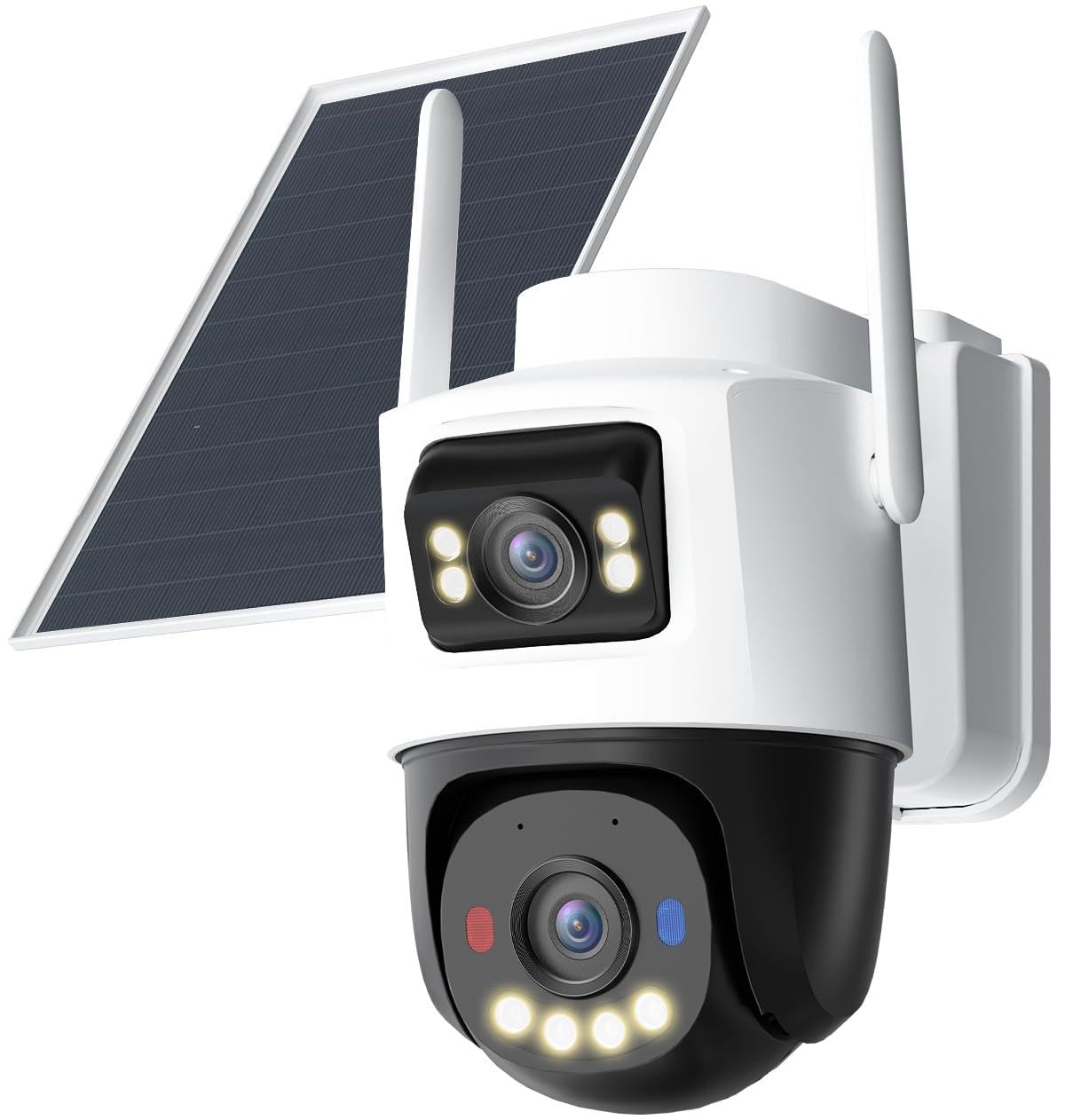
Figure 5.2.1: The Imou camera showcasing its dual lens design and pan/tilt capabilities.
From the live view screen in the app, use the directional controls to pan (355° horizontal rotation) and tilt (90° vertical movement) the camera. Pinch to zoom digitally (up to 8x).
5.3 AI Detection and Smart Tracking

Figure 5.3.1: The camera's AI detection accurately identifying a person and a vehicle.

Figure 5.3.2: The camera demonstrating smart tracking, following a person's movement across a 360-degree area.
Enable AI Person and Vehicle Detection in the app settings. When a person or vehicle is detected, the camera can automatically track their movement within its 360° field of view.
5.4 Night Vision

Figure 5.4.1: Example of the camera's color night vision capability, providing clear images up to 25 meters in low light conditions.
The camera automatically switches to adaptive night vision in low-light conditions, providing clear images. Color night vision is available when sufficient ambient light is present or when the camera's spotlight is activated.
5.5 Two-Way Audio and Alarm
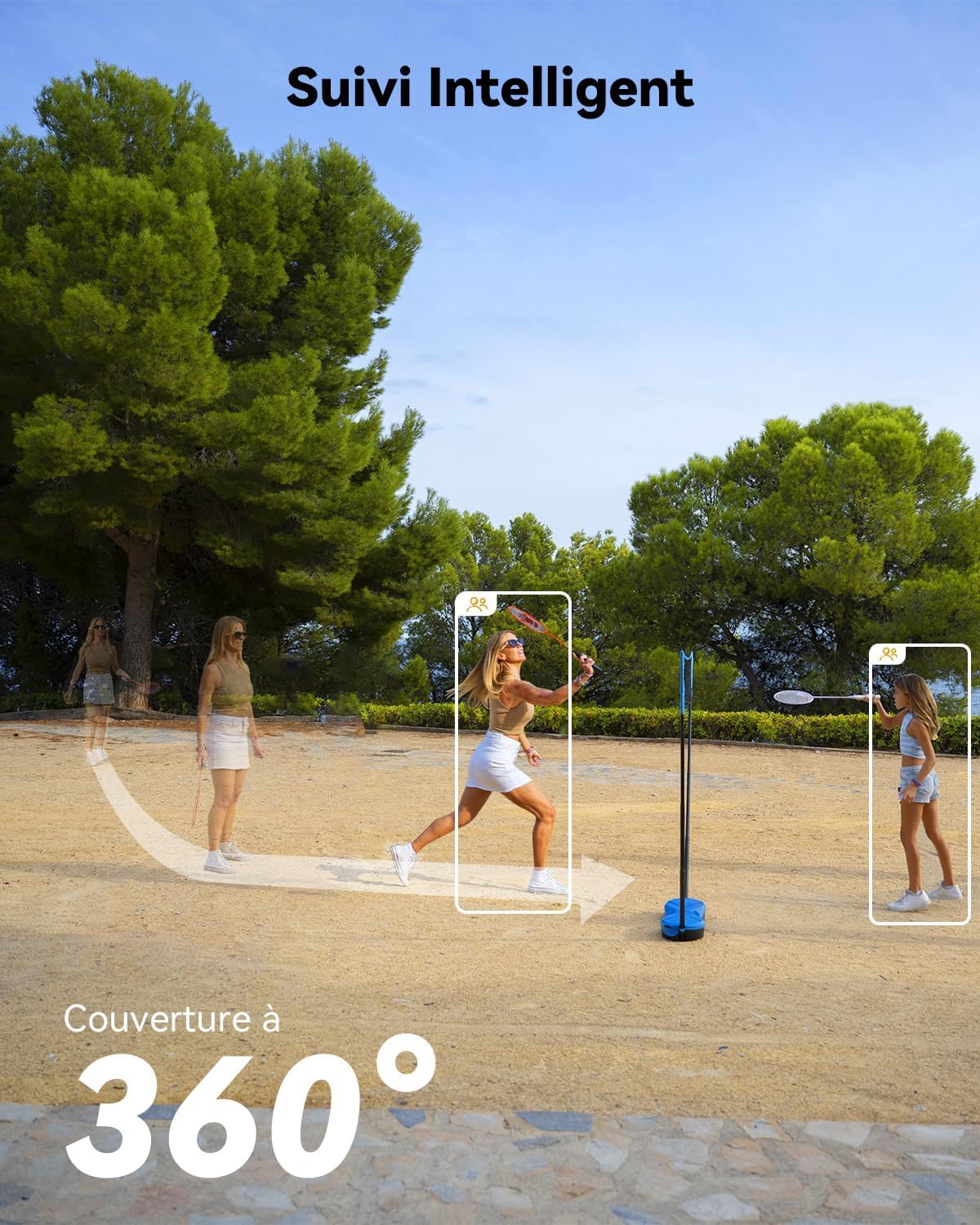
Figure 5.5.1: The camera's sound and light alarm system, designed to deter intruders with instant notifications.
Use the microphone and speaker icons in the app to engage in two-way communication. In case of an alarm event, the camera can activate a siren and flash to deter intruders, and send instant notifications to your smartphone.
5.6 Connectivity Options (Wi-Fi & 4G LTE)
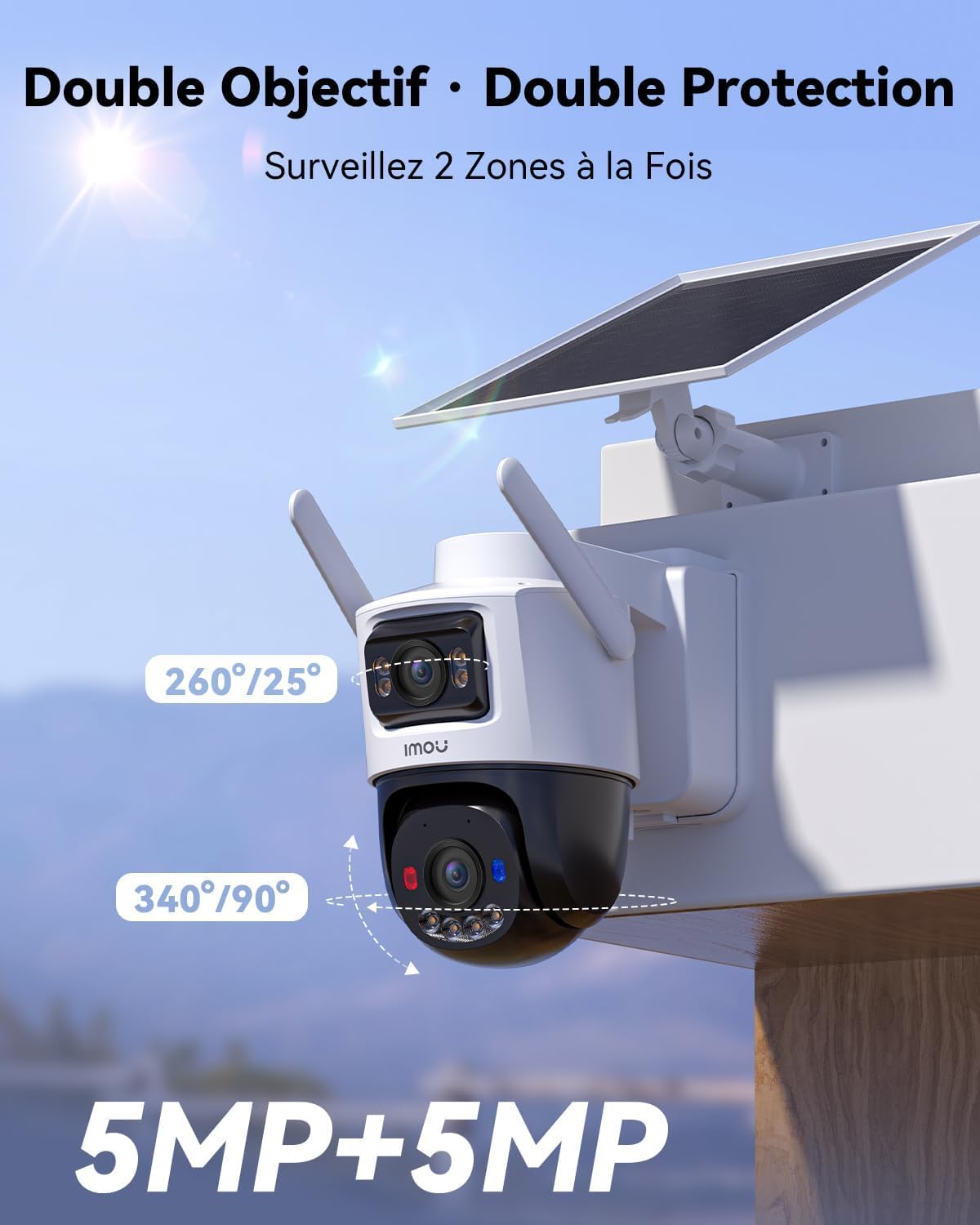
Figure 5.6.1: The Imou camera highlighting its dual 4G LTE and Wi-Fi connectivity, ensuring 100% wireless operation.

Figure 5.6.2: The camera's integrated SIM card feature, indicating flexible options and supported network providers in France and Belgium.
The camera automatically switches between Wi-Fi (2.4 GHz) and 4G LTE connectivity based on signal availability and strength. Ensure your 4G SIM card has an active data plan for continuous operation in areas without Wi-Fi.
6. Maintenance
6.1 Cleaning
Regularly clean the camera lenses and solar panel with a soft, damp cloth to ensure optimal performance. Avoid using harsh chemicals or abrasive materials that could scratch the surfaces.
6.2 Firmware Updates
Periodically check the Imou Life app for available firmware updates. Keeping your camera's firmware up-to-date ensures you have the latest features, security patches, and performance improvements.
6.3 Battery Management
While the solar panel provides continuous charging, ensure it remains free of obstructions (e.g., leaves, snow) to maximize charging efficiency. The camera is designed for low-temperature charging down to -10°C.

Figure 6.3.1: The camera's IP65 weather resistance and ability to charge at temperatures as low as -15°C.
6.4 Storage Management
The 32GB MicroSD card provides local storage. You can manage recordings, format the card, or subscribe to cloud storage services via the Imou Life app.
7. Troubleshooting
| Problem | Possible Cause | Solution |
|---|---|---|
| Camera not powering on | Low battery; Solar panel obstructed; Power cable disconnected. | Fully charge the camera; Clear solar panel; Check cable connection. |
| No video feed | No network connection (Wi-Fi/4G); Camera offline; App issue. | Check Wi-Fi signal/4G data plan; Restart camera; Reinstall app. |
| Frequent false alarms | AI detection sensitivity too high; Environmental factors (e.g., swaying branches). | Adjust AI detection sensitivity in app; Define detection zones to exclude irrelevant areas. |
| Poor night vision quality | Lens dirty; IR lights obstructed; Insufficient ambient light for color night vision. | Clean lens; Ensure IR lights are clear; Activate spotlight if needed. |
| 4G connection issues | No 4G signal; SIM card not activated; Data plan expired. | Check 4G signal strength; Contact SIM card provider; Recharge data plan. |
8. Specifications
| Feature | Detail |
|---|---|
| Model Number | IPC-SA70F-10M1T2 |
| Manufacturer | Imou |
| Item Dimensions (L x W x H) | 30 x 22 x 22.2 cm (11.8 x 8.7 x 8.7 inches) |
| Product Weight | 2.06 kg (4.54 lbs) |
| Power Source | Solar Powered, Built-in 10,000 mAh Rechargeable Battery |
| Voltage | 5 Volts |
| Power Consumption | 5 Watts |
| Connectivity Technology | Wireless (Wi-Fi 2.4 GHz, 4G LTE) |
| Video Resolution | 5 MP Ultra HD (equivalent to 3K Super HD) |
| Pan/Tilt/Zoom | 355° Pan, 90° Tilt, 8x Digital Zoom |
| Detection Range | AI detection up to 25 meters |
| Weather Resistance | IP66 Certified |
| Operating Temperature | Supports charging down to -10°C |
| Storage | Pre-installed 32GB MicroSD Card (supports up to 256GB) |
| Included Components | Camera, Solar Panel, Mounting Screws, 32GB MicroSD Card, SIM Card (with test data) |
9. Warranty Information
Imou products typically come with a limited warranty. Please refer to the warranty card included in your product packaging or visit the official Imou website for detailed warranty terms and conditions specific to your region. Keep your purchase receipt as proof of purchase for warranty claims.
10. Support
For technical assistance, troubleshooting, or further inquiries, please contact Imou customer support through the following channels:
- Imou Life App: Access support directly through the app's 'Me' or 'Support' section.
- Official Website: Visit www.imoulife.com for FAQs, user manuals, and contact information.
- Email Support: Refer to the Imou website for regional email support addresses.
When contacting support, please have your camera's model number (IPC-SA70F-10M1T2) and serial number ready.


