
1. Safety Information
Please read and understand all instructions before beginning installation. Failure to follow these instructions could result in electric shock, fire, or personal injury.
- Always disconnect power at the main circuit breaker before installation or servicing.
- All electrical connections must be in accordance with local codes, ordinances, or national electrical codes. If you are unfamiliar with wiring, consult a qualified electrician.
- Ensure the installation site can support the fan's weight (approximately 9.5 lbs).
- Do not operate the fan with damaged blades or housing.
- Keep hands, clothing, and other objects clear of the fan blades when the fan is in operation.
2. Product Overview
The Fanbulous 42 Inch Ceiling Fan is designed to provide efficient air circulation and adjustable lighting for various indoor spaces. It features a quiet DC motor, reversible dual-color blades, and an integrated LED light with three color temperature options, all controllable via a remote.

Image: The Fanbulous 42 Inch Ceiling Fan, showcasing its modern design with five black blades and an integrated LED light. A remote control is visible in the foreground, along with interchangeable blade colors and downrod options.
3. Components List
Before installation, verify that all components are present and undamaged. Refer to the packaging for a complete list of parts. Key components typically include:
- Motor Housing Assembly
- Fan Blades (5, dual-color reversible)
- Downrods (6-inch and 10-inch options)
- Mounting Bracket
- Canopy
- LED Light Kit
- Remote Control with Wall Mount
- Hardware Pack (screws, washers, wire nuts)
4. Setup (Installation)
This ceiling fan is designed for straightforward installation. It includes two downrods (6" and 10") for adjustable height and supports sloped ceilings up to 15 degrees.
4.1 Pre-Installation Steps
- Turn off Power: Ensure power is disconnected at the circuit breaker.
- Identify Mounting Location: Choose a location that can support the fan's weight and allows for at least 7 feet of clearance from the floor to the blade and 18 inches from the wall to the blade tips.
- Prepare Wiring: Ensure existing wiring meets electrical codes.
4.2 Mounting the Fan
- Attach Mounting Bracket: Secure the mounting bracket to the ceiling junction box using the provided screws.
- Assemble Downrod: Select the desired downrod (6" or 10"). Feed the motor wires through the downrod and secure the downrod to the motor housing.
- Hang Fan Assembly: Carefully lift the fan assembly and hang it on the mounting bracket hook.
- Wire Connections: Connect the fan's electrical wires to the household wiring according to the wiring diagram in your detailed manual. Use wire nuts to secure connections.
- Secure Canopy: Slide the canopy up to the ceiling and secure it to the mounting bracket.
4.3 Attaching Blades and Light Kit
- Attach Blades: Choose your preferred blade color (black or walnut). Secure each blade to the motor housing using the provided screws.
- Install Light Kit: Connect the light kit wires to the fan's light kit wires. Secure the light kit to the bottom of the motor housing.
- Install Light Cover: Attach the light cover by twisting or securing it as per instructions.

Image: Diagram illustrating the 42-inch diameter of the Fanbulous ceiling fan, along with the two downrod options (6" and 10") and examples of low ceiling, high ceiling, and slanted ceiling installations.
5. Operating Instructions
The Fanbulous ceiling fan is operated using the included remote control, offering convenient access to all functions.
5.1 Remote Control Functions
The remote allows you to adjust fan speeds, control the light, and set auto-off timers. A wall-mount bracket is included for remote storage.
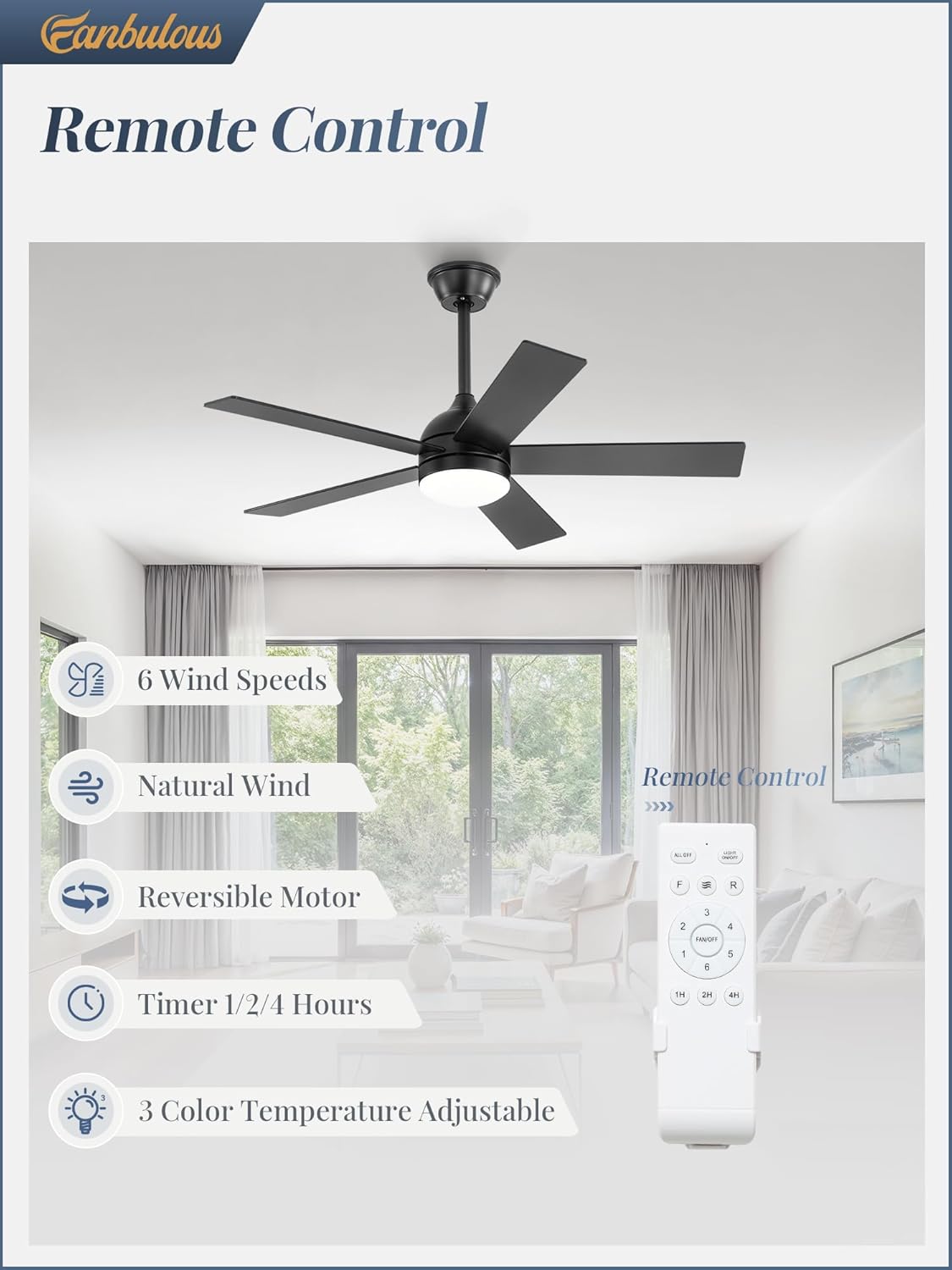
Image: A close-up of the Fanbulous ceiling fan remote control, highlighting buttons for 6 wind speeds, natural wind mode, reversible motor, 1/2/4 hour timer, and 3 color temperature adjustable light.
- Power On/Off: Press the power button to turn the fan and light on or off.
- Fan Speed: Select from 6 fan speeds (1-6) to adjust airflow. Speeds 1-2 provide a soft wind, 3-4 a natural wind, and 5-6 a cool wind.
- Light Control: Turn the light on/off. The fan features a memory function that recalls your last brightness and color setting.
- Color Temperature (CCT) Adjustment: Cycle through three color temperatures: 3000K (warm white), 4500K (natural white), and 6000K (cool white).
- Timer Function: Set the fan to automatically turn off after 1, 2, or 4 hours.
- Reversible Motor: The DC motor supports reversible rotation. In summer, forward rotation delivers cool air. In winter, reverse rotation helps circulate warm air.

Image: Visual representation of the 6 adjustable fan speeds, categorizing them into Soft Wind (1-2), Natural Wind (3-4), and Cool Wind (5-6), with corresponding user scenarios.

Image: A visual demonstration of the three adjustable color temperatures (3000K Warm Light, 4500K Natural Light, 6000K Cold White Light) provided by the Fanbulous ceiling fan's integrated LED.

Image: Illustrates the quiet operation of the Fanbulous ceiling fan (35dB) compared to other sounds, and highlights the 1h/2h/4h timer settings.

Image: Depicts the reversible function of the Fanbulous ceiling fan, showing forward rotation for cooling in summer and reverse rotation for warm air circulation in winter.
5.2 Dual-Color Blades
The fan blades are reversible, offering two aesthetic options: a sleek black finish for an industrial style or a warm walnut color for a farmhouse style. Choose the side that best complements your room's decor during installation.

Image: Shows the Fanbulous ceiling fan with its dual-color blades, illustrating both the black side for an industrial style and the walnut side for a farmhouse style, suitable for various decorations.
6. Maintenance
Regular maintenance ensures optimal performance and extends the life of your ceiling fan.
- Cleaning: Periodically clean the fan blades and motor housing with a soft, damp cloth. Do not use abrasive cleaners or solvents.
- Blade Care: Check blades for dust accumulation. Dusting regularly prevents imbalance and reduces noise.
- Tighten Fasteners: Annually, check all screws and fasteners on the fan and mounting hardware to ensure they are secure.
- Light Kit: The integrated LED light is designed for long life and typically does not require replacement. If issues arise, contact customer support.
7. Troubleshooting
If you experience issues with your Fanbulous ceiling fan, refer to the following common problems and solutions:
| Problem | Possible Cause | Solution |
|---|---|---|
| Fan does not start | No power to the fan; Loose wire connections; Remote control battery low. | Check circuit breaker; Verify all wire connections are secure; Replace remote control battery. |
| Light does not work | Loose wire connection in light kit; LED driver issue. | Check light kit wiring; Contact customer support if LED driver is suspected. |
| Fan wobbles | Loose blades or blade holders; Unbalanced blades; Loose mounting bracket. | Ensure all blade screws are tight; Use a balancing kit (not included) if necessary; Tighten mounting bracket screws. |
| Noisy operation | Loose screws; Motor housing rubbing; Incorrect installation. | Check all screws for tightness; Ensure no parts are touching; Re-check installation steps. |
| Remote control not working | Battery dead; Remote not paired; Obstruction between remote and receiver. | Replace battery; Refer to remote pairing instructions in the full manual; Ensure clear line of sight. |
If these solutions do not resolve the issue, please contact Fanbulous customer support for further assistance.
8. Specifications
| Brand | Fanbulous |
| Model Name | TY42D |
| Size | 42 Inch |
| Color | Black |
| Style | Modern |
| Room Type | Bedroom, Indoor, Living Room |
| Power Source | AC/DC |
| Voltage | 120 Volts |
| Switch Type | Remote Control |
| Mounting Type | Downrod Mount |
| Assembly Required | Yes |
| Product Dimensions | 42 x 42 x 10 inches |
| Item Weight | 9.5 pounds |
9. Warranty and Customer Support
Fanbulous is committed to providing reliable products and excellent customer service.
- Warranty: This fan is backed by a manufacturer's warranty. Please refer to your purchase documentation or contact customer support for specific warranty terms and duration.
- Free Replacement Parts: If any parts arrive damaged or malfunction, free replacement parts will be provided.
- Customer Support: For any questions, concerns, or assistance, please contact Fanbulous customer service. We aim to reply within 24 hours.
For further assistance, please visit the Fanbulous Store on Amazon.