Introduction
The CozyMoew Automatic Pet Feeder (Model WSQ-B-WF) is designed to provide convenient and reliable feeding for your pets. With its 4-liter capacity and smart features, you can manage your pet's meal schedule remotely via a smartphone application. This feeder ensures food freshness, prevents jamming, and offers a dual power supply for uninterrupted operation.
Setup
1. Unpacking and Assembly
- Carefully remove all components from the packaging.
- Ensure all parts are present: main feeder unit, stainless steel bowl, power adapter (not included), and instruction manual.
- Place the stainless steel bowl into the designated slot at the base of the feeder.
2. Power Connection
The feeder supports two power options:
- AC Adapter: Connect the AC adapter (not included) to the feeder's power port and plug it into a wall outlet.
- Battery Backup: For power outage protection, insert four D-cell batteries (sold separately) into the battery compartment at the bottom of the feeder. The feeder will automatically switch to battery power during an outage.

The feeder supports both AC adapter power and battery backup (4 D-cell batteries, sold separately), ensuring continuous feeding even during power outages.
3. App Download and Wi-Fi Connection
- Download the dedicated smartphone application (compatible with iOS) from your device's app store.
- Open the app and follow the on-screen instructions to connect the feeder to your 2.4GHz Wi-Fi network. Ensure your router is set to 2.4GHz for initial setup.
- Once connected, you can set feeding times, portions, and monitor feeding history remotely.
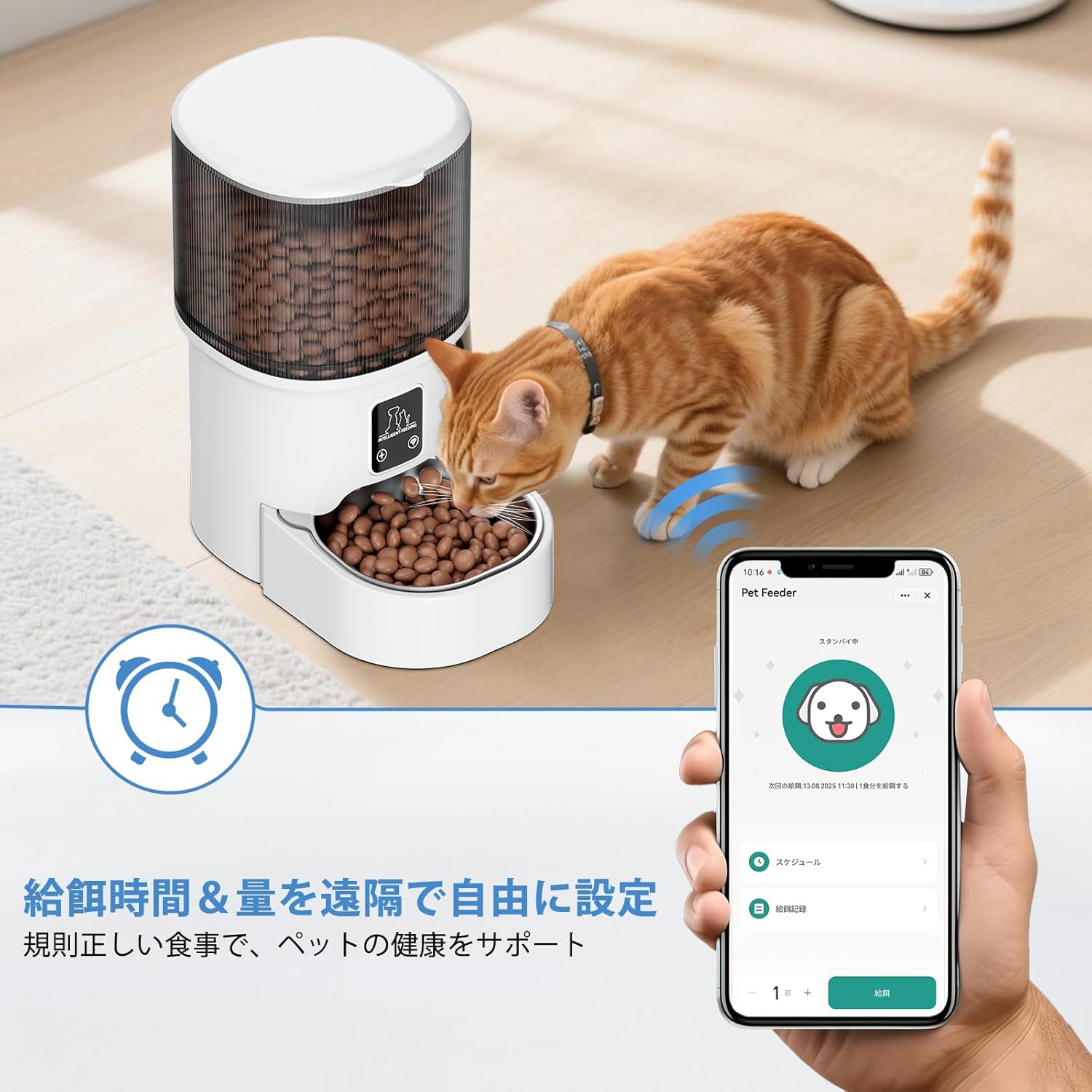
This image shows a cat enjoying a meal from the CozyMoew automatic feeder, while a smartphone screen illustrates the remote control application for setting feeding times and portions.
Operating Instructions
1. Setting Feeding Schedules
- Open the CozyMoew app on your smartphone.
- Navigate to the 'Schedule' section.
- Set desired feeding times, the number of meals per day (up to 6), and the portion size for each meal.
- The feeder will automatically dispense food according to your programmed schedule.
2. Manual Feeding
- To dispense food manually, press the manual feed button on the feeder or use the 'Manual Feed' option in the app.
- This is useful for immediate feeding or providing extra treats.
3. Monitoring Feeding History
- The app allows you to view a history of dispensed meals, ensuring you can track your pet's eating habits.
Maintenance
1. Cleaning the Stainless Steel Bowl
- The stainless steel bowl is removable and dishwasher-safe for easy and hygienic cleaning.
- Regular cleaning prevents bacterial growth and maintains food hygiene.

The feeder features a removable stainless steel bowl, which is easy to clean and dishwasher-safe, promoting hygienic feeding.
2. Cleaning the Feeder Unit
- The main feeder unit and other parts are not washable.
- Wipe the exterior and interior surfaces with a firmly wrung damp cloth.
- Ensure the unit is completely dry before adding food or reconnecting power.
3. Drying Agent Box
- The feeder includes a built-in drying agent box to help maintain food freshness and prevent oxidation.
- Replace the drying agent periodically as recommended by the manufacturer (check packaging for details).
Troubleshooting
1. Food Jamming
- The feeder features a large-diameter food outlet and a screw structure designed to minimize jamming.
- Ensure you are using dry food pellets between 2mm and 15mm in diameter.
- If a jam occurs, gently clear the food path.

The feeder's design prevents food jams, accommodating dry kibble, mixed food, and freeze-dried treats ranging from 2mm to 15mm in diameter.
2. Power Outage
- If the AC power is interrupted, the feeder will automatically switch to battery power (if D-cell batteries are installed).
- This ensures that feeding schedules are maintained even during unexpected power loss.
3. Wi-Fi Connectivity Issues
- Ensure your Wi-Fi network is 2.4GHz. The feeder is not compatible with 5GHz networks.
- Check that the feeder is within range of your Wi-Fi router.
- Restart the feeder and your router if connection problems persist.
4. Inaccurate Clock/Feeding Times
- Ensure the feeder is properly connected to the app and has a stable Wi-Fi connection to synchronize time.
- Verify that the time zone settings in the app are correct.
Specifications
| Model Number | WSQ-B-WF |
| Capacity | 4 Liters |
| Compatible Food Size | 2mm - 15mm dry food |
| Power Supply | AC Adapter (not included), 4x D-cell batteries (not included) |
| Connectivity | 2.4GHz Wi-Fi, iOS/Smart App compatible |
| Materials | ABS, Stainless Steel |
| Dimensions (Approx.) | Height: 30cm, Width: 25cm, Depth: 17cm |
| Target Species | Cats, Small to Medium Dogs |

The feeder has a compact design with a 4-liter capacity, measuring approximately 30cm in height, 25cm in width, and 17cm in depth.
Safety Guidelines and Important Notes
- Always use the product according to the instructions in this manual.
- Do not disassemble, modify, or add other functions to the product.
- If children use the product, ensure they are under adult supervision.
- Use the dual power supply method (AC adapter and batteries) to ensure continuous operation. Timer functions may stop during power outages if only AC power is used without battery backup.
Warranty and Support
For warranty information, technical support, or any questions regarding your CozyMoew Automatic Pet Feeder, please refer to the contact information provided with your purchase or visit the official CozyMeow website. Keep your purchase receipt as proof of purchase for warranty claims.


