
Introduction
This manual provides detailed instructions for the installation, operation, and maintenance of your RAIN SEER Smart WiFi Sprinkler Timer. This device allows for remote control of your watering schedule via a smartphone application and voice assistants, enhancing efficiency for garden and lawn irrigation.
Safety Information
- Ensure the device is installed securely to prevent accidental detachment.
- Do not use with water temperatures exceeding 104°F (40°C) or below 32°F (0°C).
- Do not immerse the device in water. The device is IP65 waterproof rated, meaning it is protected against water jets, but not submersion.
- Use only recommended battery types (4*AA 1.5V Alkaline). Do not mix old and new batteries, or different types of batteries.
- Keep out of reach of children.
- Disconnect from the water source during freezing weather to prevent damage.
Package Contents
- Smart WiFi Sprinkler Timer
- RF Gateway
- User Manual
- Plumber's Tape (for installation)
- Hose Barb Adapter (for drip irrigation setups)
Setup
1. Install Batteries
The sprinkler timer requires 4 AA 1.5V alkaline batteries (not included). Open the battery compartment, insert the batteries according to the polarity markings, and securely close the compartment. Rechargeable batteries are not recommended as they may lead to device malfunctions.

Image: Battery installation for the sprinkler timer. The device uses 4 AA 1.5V alkaline batteries.
2. Connect to Faucet
Attach the sprinkler timer to your outdoor faucet. Ensure a tight, leak-proof connection. Use the provided plumber's tape on the faucet threads if necessary. Leave the faucet in the 'on' position after installation.

Image: Installation diagram for the sprinkler timer, showing connection to a faucet and an irrigation system. Installation is designed to be quick and straightforward.
3. App Installation & Pairing
Download the Smart Life app from your smartphone's app store. Follow the in-app instructions to connect the RF Gateway to your 2.4GHz WiFi network. Once the gateway is connected, pair your sprinkler timer(s) with the gateway. One gateway supports pairing with up to 20 RF water timers.

Image: Multiple sprinkler timers connected to a single RF Gateway, demonstrating the system's capacity to manage up to 20 devices.
The RF Gateway provides a long-range connection of up to 1666ft (500m in open areas) between the gateway and the water timers, allowing for extensive coverage.

Image: Range comparison highlighting the 1666ft (500m) control distance of the RAIN SEER system.
Operating Instructions
1. App Control
Use the Smart Life app to manage your watering schedules. The app allows you to set up to 12 regular watering schedules and 6 cyclic programs. You can customize start time, frequency, and duration for each program.

Image: The Smart Life app interface for setting Normal and Cyclic watering programs.
2. Voice Control
The sprinkler timer is compatible with Alexa and Google Assistant. Link your Smart Life account to your voice assistant app to enable voice commands for watering control.
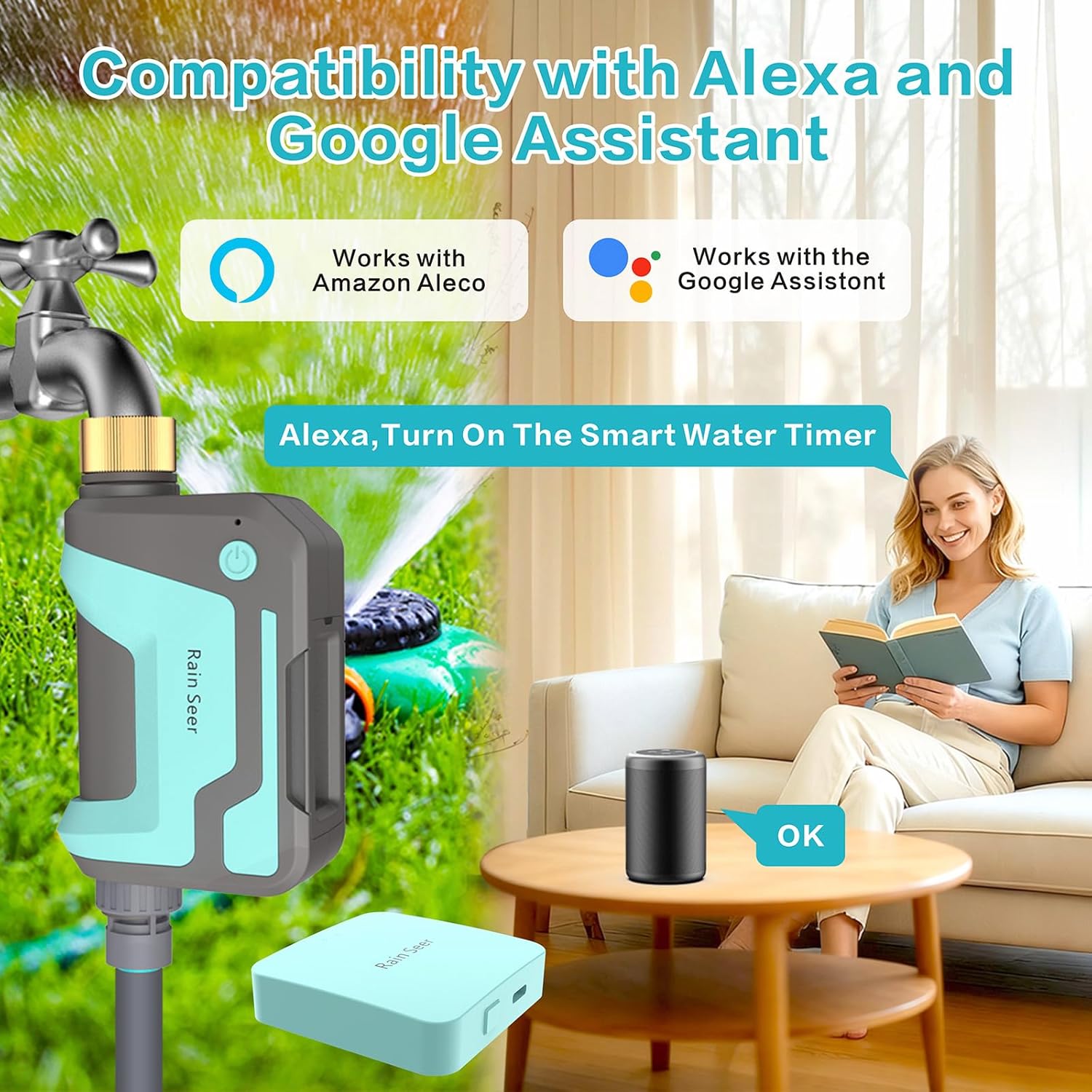
Image: Demonstrates compatibility with Alexa and Google Assistant for hands-free control.
3. Rain Delay Function
Activate the rain delay function via the app to prevent overwatering during wet weather. Options for rain delay typically include 24, 48, or 72 hours.

Image: The manual delay feature, allowing users to pause watering for 24, 48, or 72 hours.
4. Manual Mode
For immediate watering needs, use the manual mode through the app. This allows you to start or stop watering instantly, independent of scheduled programs.
5. Watering Log
The app maintains a watering log, allowing you to track usage and history for better water management.
Maintenance
1. Leak-Proof Design & Anti-Clog Performance
The water timer features a 360° brass rotating joint for durability and a secure, leak-proof seal. A built-in metal filter blocks dirt and debris, preventing clogs and reducing maintenance. Regularly check the filter for accumulated debris and clean as needed to ensure optimal water flow.

Image: Details of the brass inlet and anti-fouling filter, designed for durability and preventing clogs.
2. Battery Replacement
When the app indicates low battery, replace all four AA 1.5V alkaline batteries. The lifespan of batteries will vary based on usage frequency.
3. Weather Resistance
The device has an IP65 waterproof rating, allowing it to operate reliably in rain, snow, and sunlight. However, for prolonged periods of freezing temperatures, it is recommended to disconnect the timer and store it indoors to prevent damage.
Troubleshooting
- Device not connecting to app: Ensure the RF Gateway is powered on and within range of your 2.4GHz WiFi network. Check that the sprinkler timer has fresh batteries and is within range of the RF Gateway. Restart both the gateway and the timer if necessary.
- No water flow: Verify that the faucet is fully open. Check the built-in filter for clogs and clean if needed. Ensure the water pressure is adequate (up to 35kg supported).
- Leaks at connection points: Tighten all connections. Apply plumber's tape to threads if leaks persist. Check for damaged washers and replace if necessary.
- Scheduled watering not activating: Confirm that schedules are correctly set in the Smart Life app. Check the rain delay status; if active, watering will be paused. Ensure batteries are not low.
Specifications
| Feature | Detail |
|---|---|
| Brand | RAIN SEER |
| Model Number | RF433 |
| Material | Brass |
| Product Dimensions | 6.89"D x 2.7"W x 4.3"H |
| Item Weight | 13.12 ounces |
| Number of Settings | 18 (12 regular, 6 cyclic programs) |
| RF Control Range | Up to 1666ft (500m in open areas) |
| Gateway Capacity | Supports up to 20 RF water timers |
| WiFi Frequency | 2.4GHz (for gateway) |
| Waterproof Rating | IP65 |
| Power Source | 4*AA 1.5V Alkaline Batteries (Sprinkler Timer) |
Warranty and Support
RAIN SEER products are designed for reliability and performance. For warranty information or technical support, please refer to the contact details provided on the product packaging or visit the official RAIN SEER website. Keep your purchase receipt for warranty claims.