
1. Introduction
This manual provides essential information for the safe operation, maintenance, and setup of your UrbanGlide 1000GT Electric Scooter. Please read this manual thoroughly before using the scooter to ensure your safety and prolong the product's lifespan. Keep this manual for future reference.
2. Safety Information
Operating an electric scooter carries inherent risks. Always prioritize safety. Failure to follow these instructions may result in serious injury or property damage.
- Wear a Helmet: Always wear a certified helmet and other protective gear (knee pads, elbow pads) when riding.
- Check Before Ride: Before each use, inspect the scooter for loose parts, tire pressure, brake functionality, and battery level.
- Observe Local Laws: Adhere to all local traffic laws and regulations regarding electric scooter use. Speed is limited to 25 km/h to comply with legislation.
- Riding Conditions: Avoid riding in heavy rain, on slippery surfaces, or in poor visibility. The scooter has an IPX5 water resistance rating, but it is not fully waterproof.
- Weight Limit: Do not exceed the maximum load capacity of 120 kg.
- Age Restriction: Ensure the rider meets the minimum age requirements for electric scooter operation in your region.
- Avoid Stunts: Do not attempt stunts, jumps, or aggressive riding, as this can lead to injury and damage the scooter.
- Charging Safety: Use only the original charger. Do not charge unattended.
3. Product Overview
The UrbanGlide 1000GT is a powerful electric scooter designed for both urban commuting and off-road adventures. It features a robust chassis, dual motors, and advanced safety features.
Key Features:
- Powerful Dual Motors: Provides strong acceleration and the ability to climb inclines up to 20°.
- Long-Range Battery: Equipped with a 52V / 23.4Ah Lithium battery, offering up to 100 km of range.
- All-Terrain Tires: 10-inch tubeless all-terrain tires for stability and grip.
- Hydraulic Disc Brakes: Dual hydraulic disc brakes (front and rear) for superior stopping power.
- NFC Key Security: Integrated NFC key for enhanced security.
- Dual Charging Ports: Allows for faster charging with two chargers (chargers sold separately).
- IPX5 Water Resistance: Provides protection against water splashes from any direction.
- Full Lighting System: Includes headlight, turn signals, LED strip, and rear light for visibility.
Components Diagram:
Familiarize yourself with the main components of your UrbanGlide 1000GT scooter.

Figure 3.1: Front 3/4 view of the UrbanGlide 1000GT Electric Scooter, showcasing its robust design and all-terrain tires.

Figure 3.2: Side view of the UrbanGlide 1000GT Electric Scooter, highlighting the deck, wheels, and suspension.

Figure 3.3: Detailed view of key components including the front headlight, rear wheel with disc brake, and the digital display showing speed and battery level.

Figure 3.4: Illustration of the scooter's comprehensive lighting system, including headlight, turn signals, LED strip, and rear light for enhanced visibility.
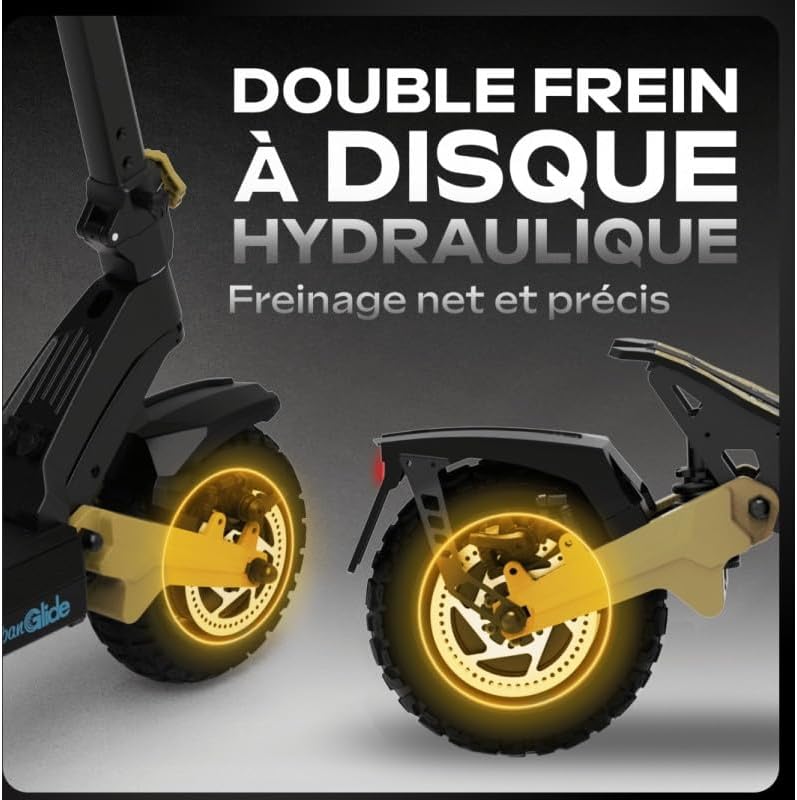
Figure 3.5: Close-up showing the dual hydraulic disc brake system, designed for precise and effective stopping.

Figure 3.6: Detail of the dual charging ports, allowing for faster battery replenishment.
4. Setup and First Use
4.1 Unfolding the Scooter
- Place the scooter on a flat surface.
- Locate the folding mechanism latch, usually near the base of the handlebar stem.
- Release the latch and carefully lift the handlebar stem until it locks into the upright position. Ensure it is securely locked.
- Adjust the handlebar height if applicable and secure it.

Figure 4.1: The scooter in its folded state, illustrating its compact dimensions (130Lx69Px53Hcm), weight (33.3kg), and maximum load capacity (120kg).
4.2 Initial Charging
Before first use, fully charge the scooter's battery.
- Ensure the scooter is turned off.
- Open the charging port cover(s).
- Connect the charger(s) to the charging port(s) and then to a power outlet.
- The charging indicator on the charger will change (e.g., red to green) when fully charged.
- Charging time is approximately 15 hours with one charger, or half that with two chargers.
- Disconnect the charger(s) and securely close the charging port cover(s) to maintain IPX5 rating.
4.3 Tire Pressure Check
Verify that the 10-inch tubeless tires are inflated to the recommended pressure, as specified on the tire sidewall or in the specifications section.
5. Operating Instructions
5.1 Powering On/Off
- To Power On: Place the NFC key near the designated sensor. The display will illuminate. Alternatively, press and hold the power button on the display.
- To Power Off: Press and hold the power button until the display turns off.
5.2 Riding the Scooter
- Stand on the deck with both feet, maintaining balance.
- Push off with one foot to gain initial momentum.
- Gently press the throttle lever to accelerate.
- Use the handlebars to steer.
- To brake, gently squeeze the brake levers on the handlebars. The dual hydraulic disc brakes provide strong stopping power.
- Utilize the full lighting system (headlight, turn signals, LED strip, rear light) for visibility, especially in low light conditions.
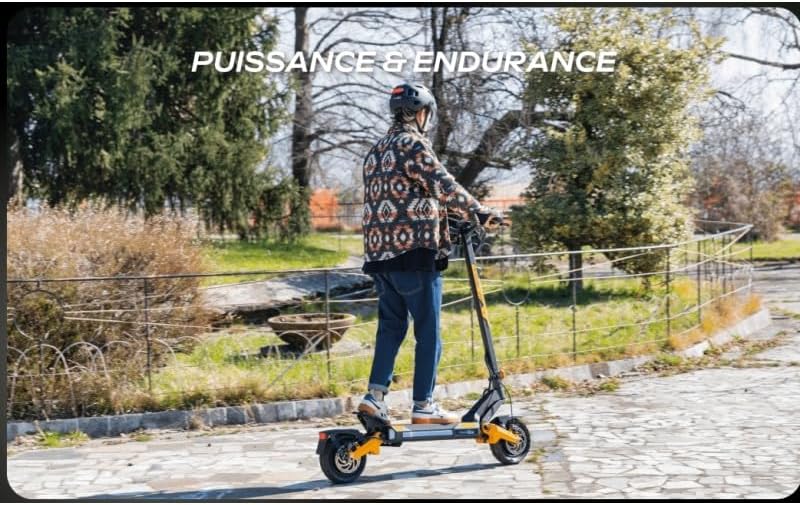
Figure 5.1: A rider operating the UrbanGlide 1000GT, demonstrating its use for both power and endurance.
5.3 Display Functions
The integrated display shows important information such as current speed, battery level, and riding mode. Refer to the display for real-time operational data.
6. Maintenance
Regular maintenance ensures the longevity and safe operation of your scooter.
- Cleaning: Wipe the scooter with a damp cloth. Do not use high-pressure water jets or immerse the scooter in water. The IPX5 rating protects against splashes, not submersion.
- Battery Care:
- Charge the battery regularly, even if not in use, to maintain its health.
- Avoid completely draining the battery.
- Store the scooter in a cool, dry place when not in use, with the battery charged to about 50-70%.
- Tires: Regularly check tire pressure and inspect for wear or damage. Replace worn tires promptly.
- Brakes: Periodically check the hydraulic disc brakes for proper function. If braking performance decreases, consult a qualified technician.
- Fasteners: Check all screws and bolts for tightness before each ride.
7. Troubleshooting
This section addresses common issues you might encounter with your UrbanGlide 1000GT.
| Problem | Possible Cause | Solution |
|---|---|---|
| Scooter does not power on. | Low battery; NFC key not detected; power button issue. | Charge the battery; ensure NFC key is correctly placed; try holding power button longer. |
| Reduced range or power. | Low battery; tire pressure too low; riding conditions (hills, heavy load). | Fully charge battery; inflate tires to correct pressure; adjust riding style. |
| Brakes feel weak. | Brake pads worn; hydraulic fluid low; cable adjustment needed. | Inspect brake pads and system. Consult a technician for hydraulic brake issues. |
| Unusual noises during operation. | Loose components; debris in wheels; motor issue. | Check all fasteners; inspect wheels for obstructions. If noise persists, seek professional inspection. |
8. Specifications
Detailed technical specifications for the UrbanGlide 1000GT Electric Scooter.
| Feature | Detail |
|---|---|
| Model Name | 1000GT |
| Battery | Lithium 52V / 23.4Ah |
| Maximum Range | Up to 100 km (depending on conditions) |
| Maximum Speed | 25 km/h (limited) |
| Charging Time | Approx. 15 hours (single charger), half with two chargers |
| Maximum Incline | 20° |
| Braking System | Dual Hydraulic Disc Brakes (front and rear) |
| Tires | 10-inch Tubeless All-Terrain |
| Security | Integrated NFC Key |
| Charging Ports | Dual |
| Water Resistance Rating | IPX5 |
| Maximum Load Capacity | 120 kg |
| Scooter Weight | 33.5 kg |
| Frame Material | Metal or Metallic Alloy |
| Suspension | Rigid |
| Handlebar Type | Adjustable |
| Color | Black/Red (as per model color) |
9. Warranty and Support
For warranty information, please refer to the warranty card included with your product or visit the official Urban Glide website. For technical support or service inquiries, please contact Urban Glide customer service through their official channels.
Note: Unauthorized modifications or repairs will void the product warranty.