
1. Important Safety Instructions
Please read all instructions carefully before using this appliance. Failure to follow these instructions may result in electric shock, fire, or serious injury.
- This appliance is for household use only. Do not use outdoors or on wet surfaces.
- Do not allow children to operate the vacuum cleaner. Close supervision is necessary when used near children.
- Do not pick up flammable or combustible materials (lighter fluid, gasoline, kerosene, etc.) or use in areas where they may be present.
- Do not pick up anything that is burning or smoking, such as cigarettes, matches, or hot ashes.
- Do not use without the dust cup and filters in place.
- Turn off the appliance before making any adjustments, changing accessories, or storing the vacuum.
- Use only as described in this manual. Use only manufacturer's recommended attachments.
- Keep hair, loose clothing, fingers, and all parts of the body away from openings and moving parts.
- Exercise extra care when cleaning on stairs.
- Do not handle the charger or appliance with wet hands.
- Do not charge the appliance outdoors.
- Store the appliance indoors in a cool, dry area.
2. Product Overview
The jkuoo V8-ZI Cordless Vacuum Cleaner is designed for versatile cleaning across various surfaces. It features a powerful motor, LED display, and multiple attachments for comprehensive cleaning.

Image: The jkuoo V8-ZI Cordless Vacuum Cleaner in stick mode, demonstrating its strong suction power on a carpeted floor. The image highlights its 10000 PA suction and 100W high-power motor.
Key Components:
- Main Motor Unit with Dustbin and LED Display
- Extension Tube
- Floor Brush (with optional mopping function)
- Crevice Tool
- Desk Brush
- 2-in-1 Combination Brush
- HEPA Filter and Exhaust Vent Filter Cotton
- Charging Cable
3. Assembly
Assemble the vacuum cleaner according to your cleaning needs. The modular design allows for easy conversion between different configurations.
- Attach the Extension Tube: Insert the extension tube into the main motor unit until it clicks into place.
- Attach the Floor Brush: Connect the floor brush to the other end of the extension tube. Ensure it is securely fastened.
- Handheld Configuration: For handheld use, attach desired accessories (crevice tool, desk brush, or 2-in-1 combination brush) directly to the main motor unit.

Image: Various configurations of the jkuoo V8-ZI Cordless Vacuum Cleaner, illustrating its 5-in-1 versatility for different cleaning tasks, including floor cleaning, handheld use, and reaching high areas.
4. Charging
Before first use, fully charge the vacuum cleaner. The LED display will indicate the battery level.
- Connect the charging cable to the Type-C charging port on the main motor unit.
- Plug the other end of the charging cable into a suitable power outlet.
- The LED display will show the charging status. A full charge provides approximately 50 minutes in minimum mode, 30 minutes in mid mode, and 20 minutes in maximum mode.
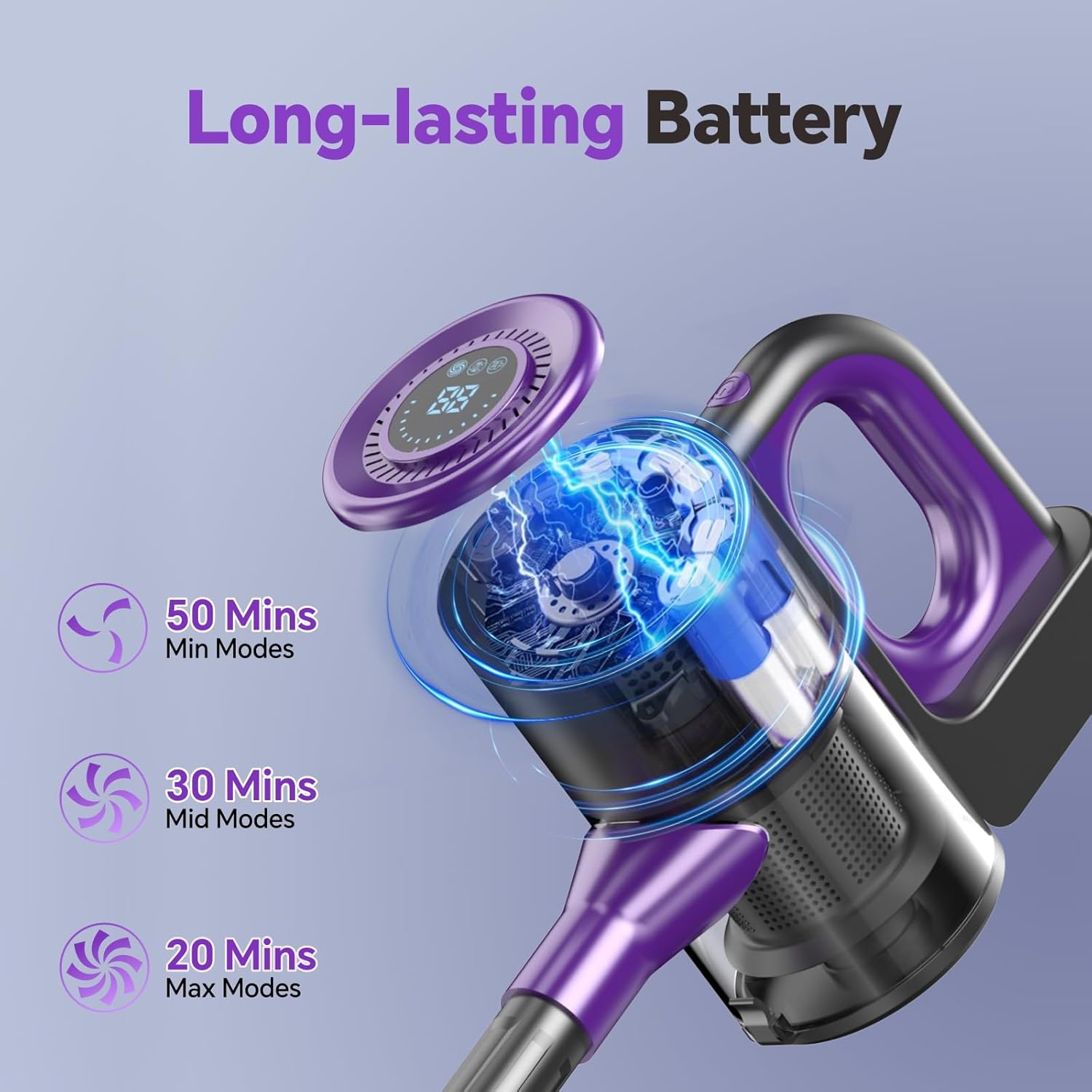
Image: The jkuoo V8-ZI Cordless Vacuum Cleaner's main unit displaying battery life indicators for different suction modes: 50 minutes in Min Mode, 30 minutes in Mid Mode, and 20 minutes in Max Mode.
5. Operating Instructions
Power On/Off and Suction Modes:
- Long press the power button to turn the device on.
- The LED display will show the current battery level and suction power level.
- Press the power button again to cycle through the 3 available suction power levels (Min, Mid, Max).
- Long press the power button to turn the device off.
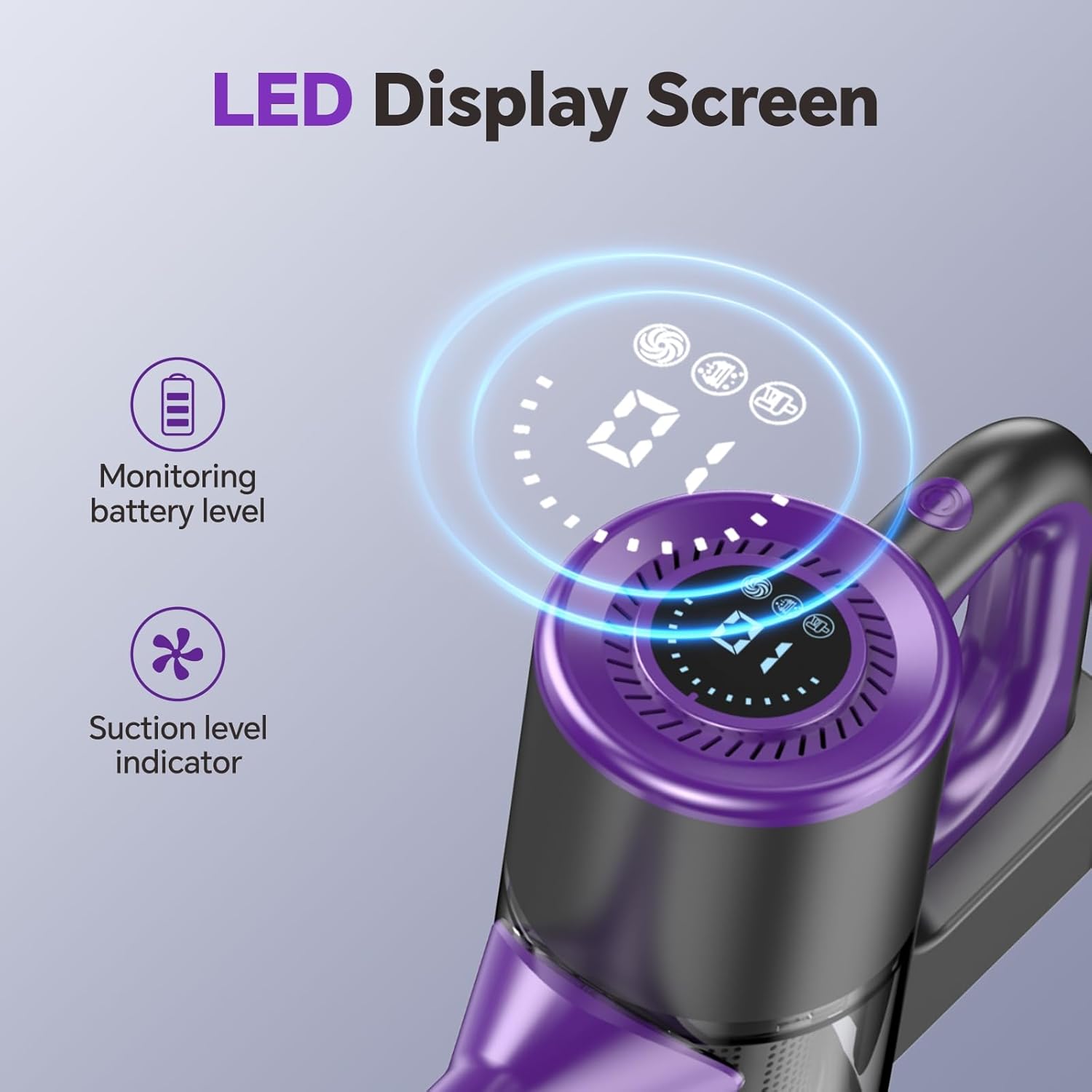
Image: Close-up of the jkuoo V8-ZI Cordless Vacuum Cleaner's LED display screen, showing real-time battery level and suction level indicators for intuitive operation.
Using Attachments:
- Floor Brush: Ideal for cleaning hard floors, carpets, and tiles. The brush supports 90° vertical and 180° horizontal rotation for flexible navigation around furniture.
- Vacuum and Mop Function: The floor brush also features a mopping function for simultaneous vacuuming and mopping, providing deep double cleaning.
- Crevice Tool: Use for narrow spaces, corners, and edges, such as kitchen crevices or car interiors.
- Desk Brush: Suitable for cleaning delicate surfaces, keyboards, and furniture.
- 2-in-1 Combination Brush: Combines a brush and a wide nozzle for versatile cleaning of upholstery, car seats, and other surfaces.
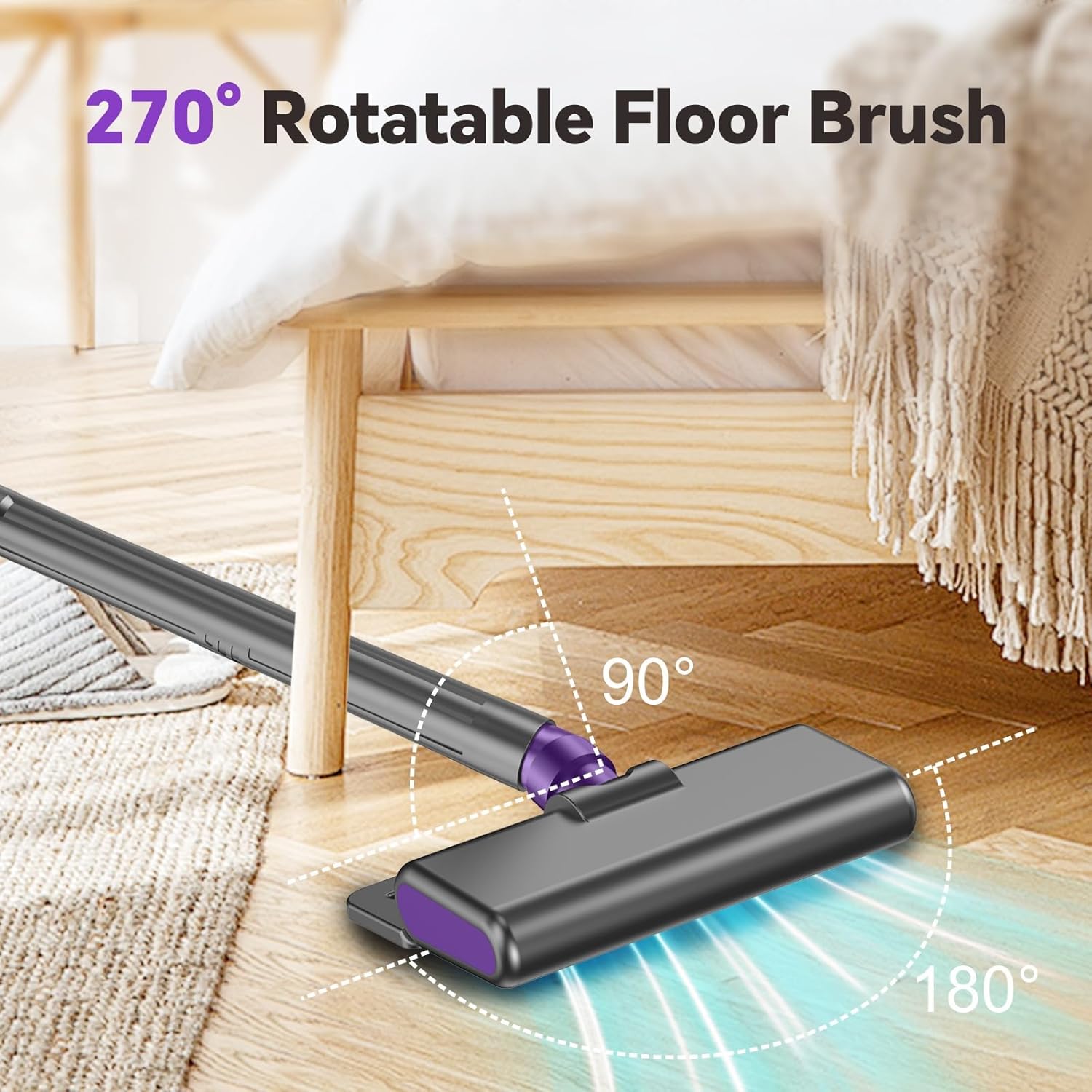
Image: The jkuoo V8-ZI Cordless Vacuum Cleaner's floor brush demonstrating its 90° vertical and 180° horizontal rotation capabilities, allowing for flexible cleaning under furniture and in tight spaces.
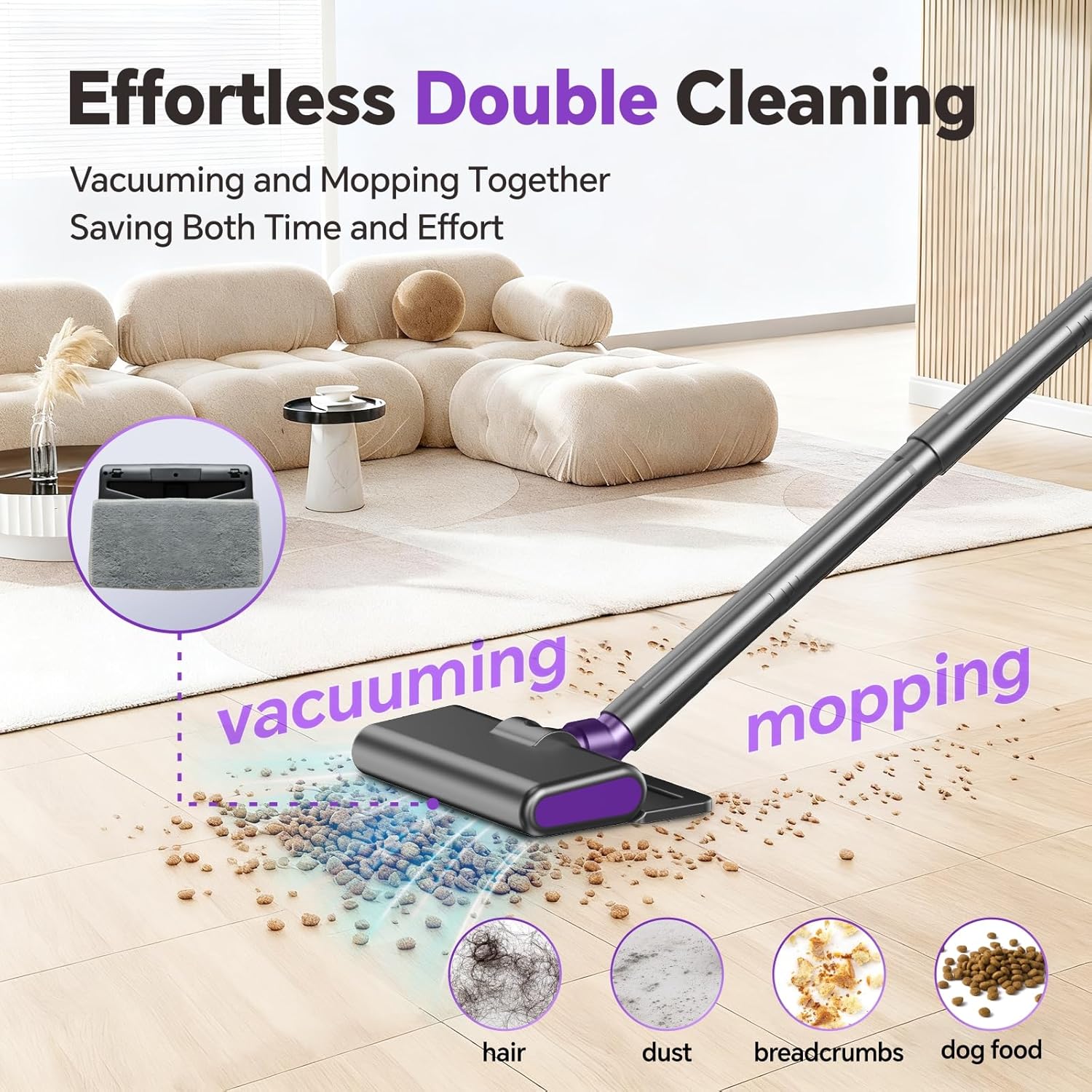
Image: The jkuoo V8-ZI Cordless Vacuum Cleaner demonstrating its dual vacuuming and mopping function, effectively cleaning various debris like hair, dust, breadcrumbs, and dog food from a hard floor.
Video: Product Features and Usage
Video: This official seller video demonstrates the jkuoo V8-ZI Cordless Vacuum Cleaner's features, including its wireless operation, adjustable suction settings, multi-angle rotation, ability to pick up various particles, mopping function, use of crevice and brush tools for detailed cleaning, and one-touch dustbin emptying. It also shows the Type-C charging port and self-standing storage.
6. Maintenance
Regular maintenance ensures optimal performance and extends the lifespan of your vacuum cleaner.
Emptying the Dustbin:
- The dustbin features a one-touch emptying design.
- Position the dustbin over a trash can.
- Press the release button to open the dustbin flap and dispose of dirt and debris.
- Close the flap securely after emptying.
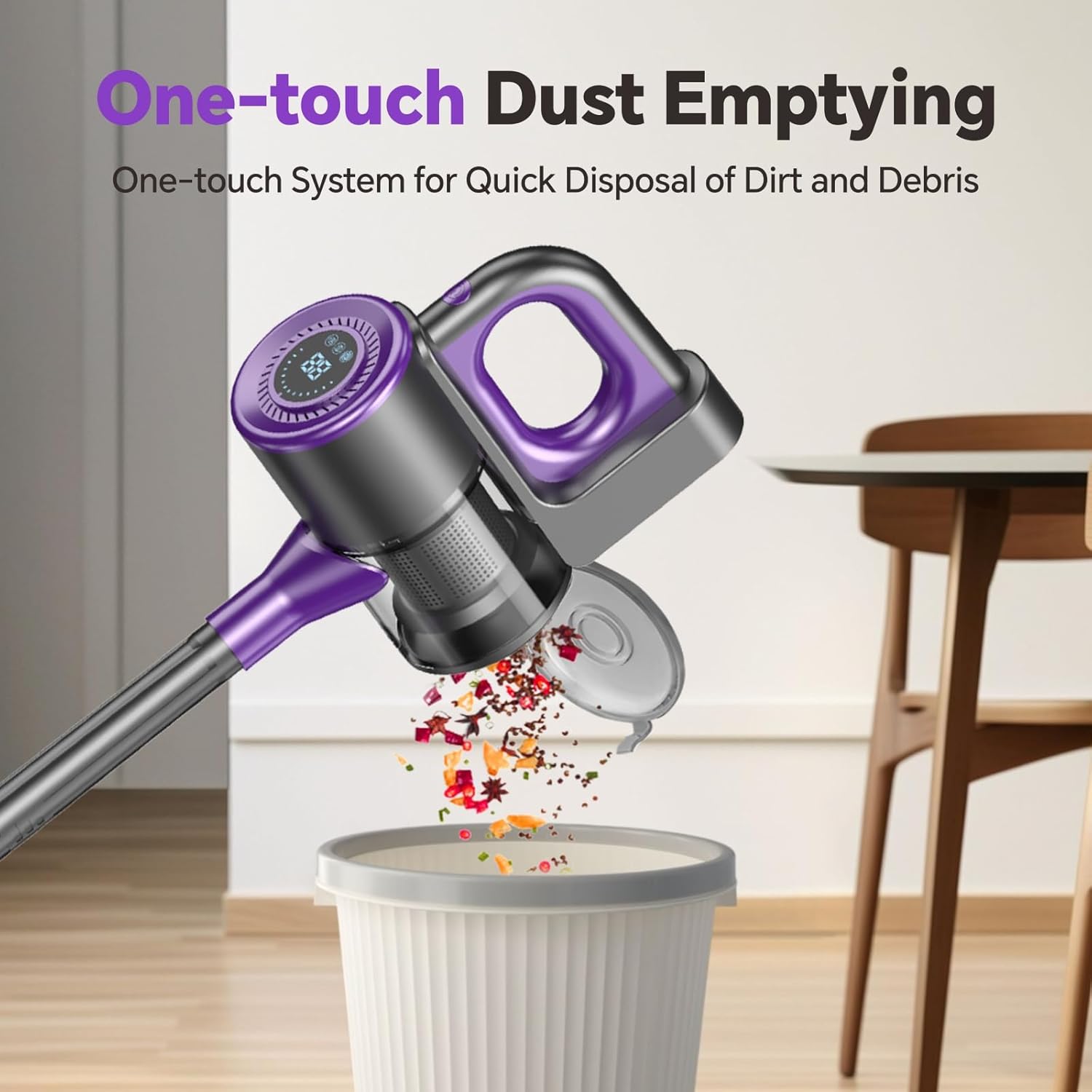
Image: The jkuoo V8-ZI Cordless Vacuum Cleaner demonstrating its one-touch dust emptying feature, allowing for quick and hygienic disposal of collected debris into a trash bin.
Filter Cleaning and Replacement:
- The vacuum cleaner uses a five-stage cyclonic filtration system with a HEPA filter.
- It is recommended to clean the HEPA filter every 2-3 weeks.
- To clean, remove the filter from the dustbin. Tap off loose dirt or rinse with water. Ensure the filter is completely dry before reinserting.
- Replace the HEPA filter every 2-3 months to maintain optimal filtration and suction performance.
- Always remove the filter before washing to avoid damaging the motor.
7. Troubleshooting
If you encounter issues with your jkuoo V8-ZI Cordless Vacuum Cleaner, refer to the following common solutions:
| Problem | Possible Cause | Solution |
|---|---|---|
| Vacuum does not turn on | Battery is low or depleted | Charge the vacuum cleaner fully. |
| Low suction power | Dustbin is full | Empty the dustbin. |
| Filter is clogged | Clean or replace the HEPA filter. | |
| Nozzle or hose is blocked | Check for and remove any blockages. | |
| Vacuum turns off unexpectedly | Battery is low | Recharge the battery. |
| Overheating | Turn off the vacuum and allow it to cool down for at least 30 minutes. Check for blockages. |
If the problem persists after attempting these solutions, please contact customer support.
8. Specifications
| Feature | Detail |
|---|---|
| Brand | jkuoo |
| Model Name | V8-ZI |
| Special Feature | Bagless, Cordless, Portable, Wet/Dry |
| Filter Type | HEPA Filter |
| Included Components | Accessory Kit |
| Capacity | 1 Liters |
| Recommended Uses | Carpet, Hard Floor, Home |
| Product Dimensions | 41.7"L x 2.16"W x 41.7"H |
| Item Weight | 4.24 pounds |
| Motor Horsepower | 0.13 Horsepower |
| Number of Speeds | 3 |
| Power Source | Battery Powered |
| Batteries | 3 Nonstandard Battery batteries required (included) |
| Vacuum Collection Technology | Brush Roll, Suction, Cyclonic Technology |
9. Warranty and Support
For warranty information or technical support, please refer to the product packaging or contact the manufacturer directly. Keep your purchase receipt as proof of purchase.