Introduction
This manual provides comprehensive instructions for the operation, maintenance, and troubleshooting of your SHOPVAMI Smart Watch BT OPE for vivo X27. Please read this manual carefully before using the device to ensure proper functionality and to extend the product's lifespan. The Crown Smartwatch features a 1.95" HD display with 900 nits brightness, BT Calling 5.2, a functional rotating crown, and a premium zinc alloy frame. It also includes SpO2 monitoring and various health tracking features.
What's in the Box
Upon opening the package, please verify that all components are present:
- 1 x SHOPVAMI Smart Watch (Model: vivo X27)
- 1 x Charging Cable
- 1 x User Manual (this document)
Product Overview and Features

Overall Design: The SHOPVAMI Smart Watch features a sleek design with a black strap and a large, vibrant display. The watch face shows the time, date, and battery percentage, indicating its readiness for daily use.
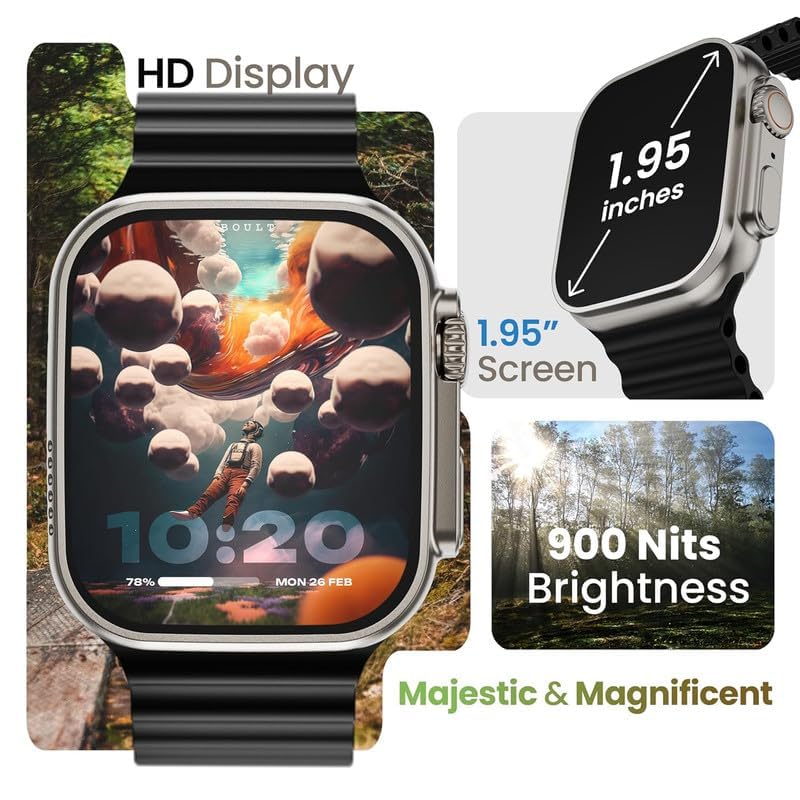
Massive 1.95" HD Display: Experience a vivid visual display with a large 1.95-inch screen, offering sharp details, vibrant colors, and ultra-smooth touch response. The display boasts 900 nits brightness for clear visibility even in direct sunlight.
Key Features:
- Bluetooth Calling with Built-in Speaker & Mic: Make and receive calls directly from your wrist. This feature ensures you stay connected without needing to access your phone, ideal for various activities.
- Working Rotating Crown for Easy Navigation: The functional rotating crown allows for intuitive navigation, including zooming, switching watch faces, and scrolling through applications with precision.
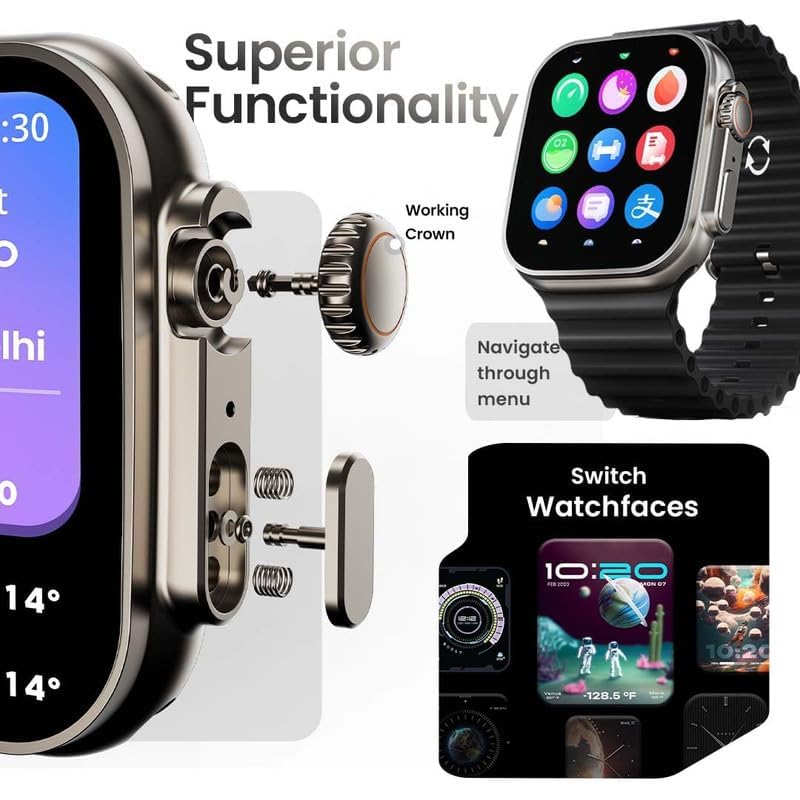
Image: The working crown mechanism and its function for navigating menus and switching watch faces.
- Advanced Health Suite with SpO2 & Heart Monitoring: Monitor your health with 24/7 heart rate tracking, SpO2 (blood oxygen) monitoring, sleep analysis, and sedentary alerts.
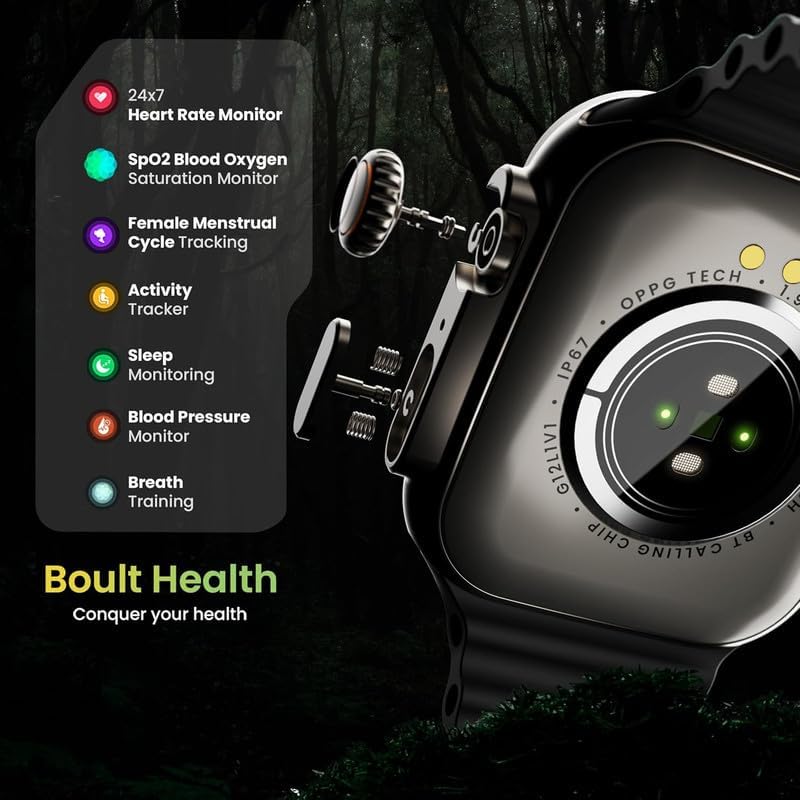
Image: Overview of the health sensors on the back of the watch and the various health metrics tracked, including Heart Rate, SpO2, Menstrual Cycle, Activity, Sleep, Blood Pressure, and Breath Training.
- 100+ Cloud-Based Watch Faces & Customization: Personalize your watch with over 100 dynamic watch faces available via the cloud. Customize your screen with widgets and layouts to match your style.
- Sports Modes with Smart Tracking: Choose from various sports modes for activities like running, cycling, and yoga. Get real-time metrics, performance insights, and goal tracking.
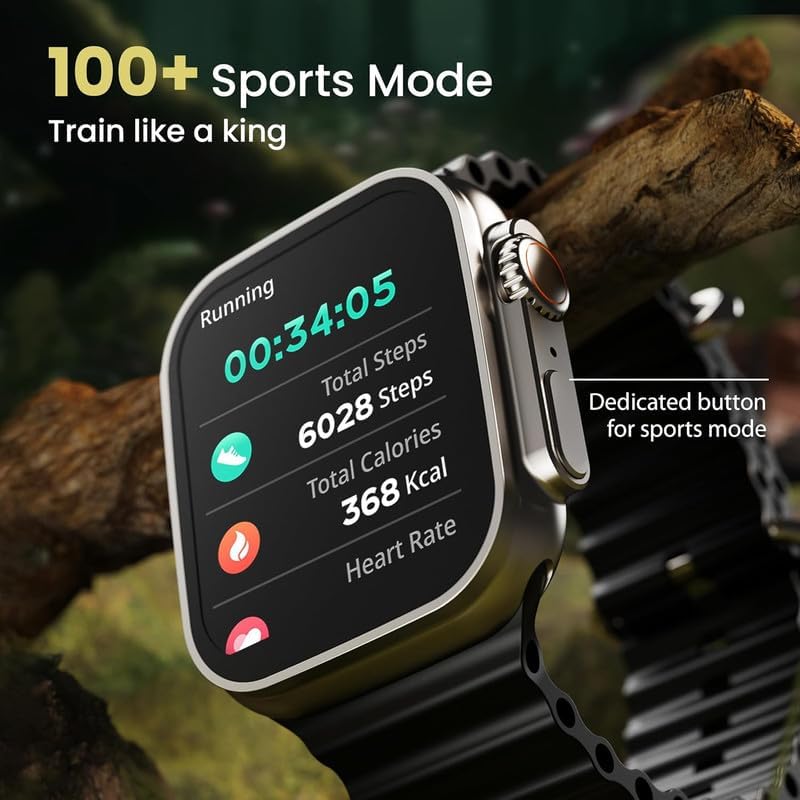
Image: The watch displaying data for a running activity, including elapsed time, total steps, total calories burned, and current heart rate, highlighting the dedicated button for sports mode.
- Skin-Friendly Silicone Strap: The strap is crafted from premium, soft-touch silicone for maximum comfort during extended wear. It is sweat-resistant and lightweight.
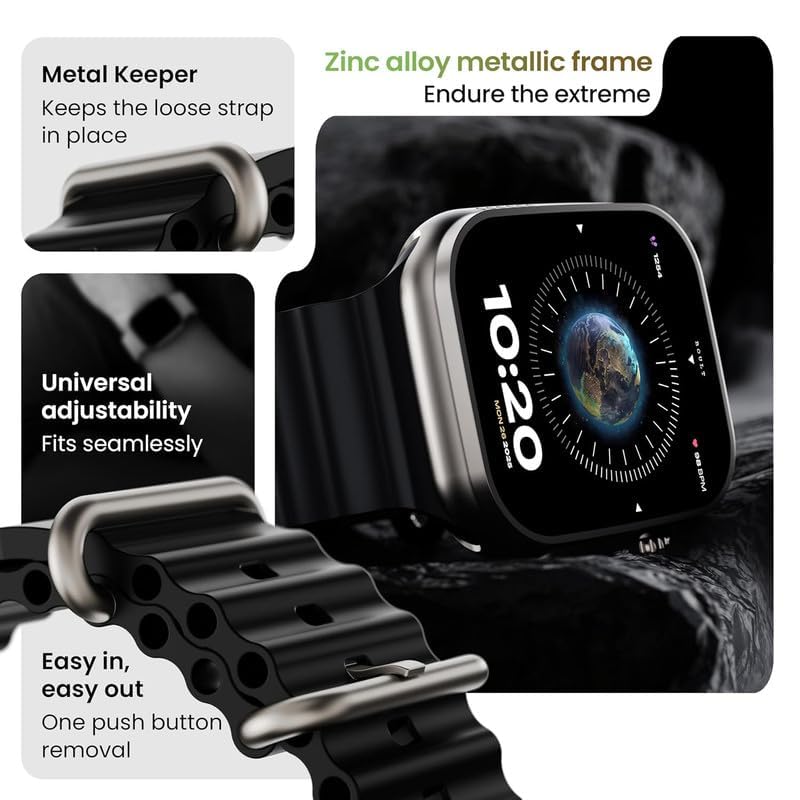
Image: Details of the watch strap, including the metal keeper to secure the loose end, universal adjustability, and the push-button mechanism for easy strap removal and attachment.
- Zinc Alloy Metallic Frame: The watch features a durable zinc alloy frame, designed to withstand daily use.
Setup
1. Initial Charging:
Before first use, fully charge your smartwatch. Connect the charging cable to the charging pins on the back of the watch and plug the USB end into a standard USB power adapter (not included). The watch display will indicate charging status. A full charge typically takes 2-3 hours.
2. Powering On/Off:
- Power On: Press and hold the side button (power button) for a few seconds until the screen lights up.
- Power Off: Press and hold the side button, then select "Power Off" on the screen, or navigate to the settings menu and choose "Power Off".
3. Pairing with Your Smartphone:
To unlock full functionality, pair your smartwatch with your smartphone via Bluetooth.
- Download the companion application (e.g., "WearFit Pro" or similar, check product packaging/quick start guide for exact app name) from your phone's app store (Google Play Store for Android, Apple App Store for iOS).
- Ensure Bluetooth is enabled on your smartphone.
- Open the companion application and follow the on-screen instructions to add a new device.
- The app will search for available devices. Select "vivo X27" or the corresponding device name from the list.
- Confirm the pairing request on both your phone and the smartwatch.
- Once paired, the watch will synchronize time, date, and notifications.
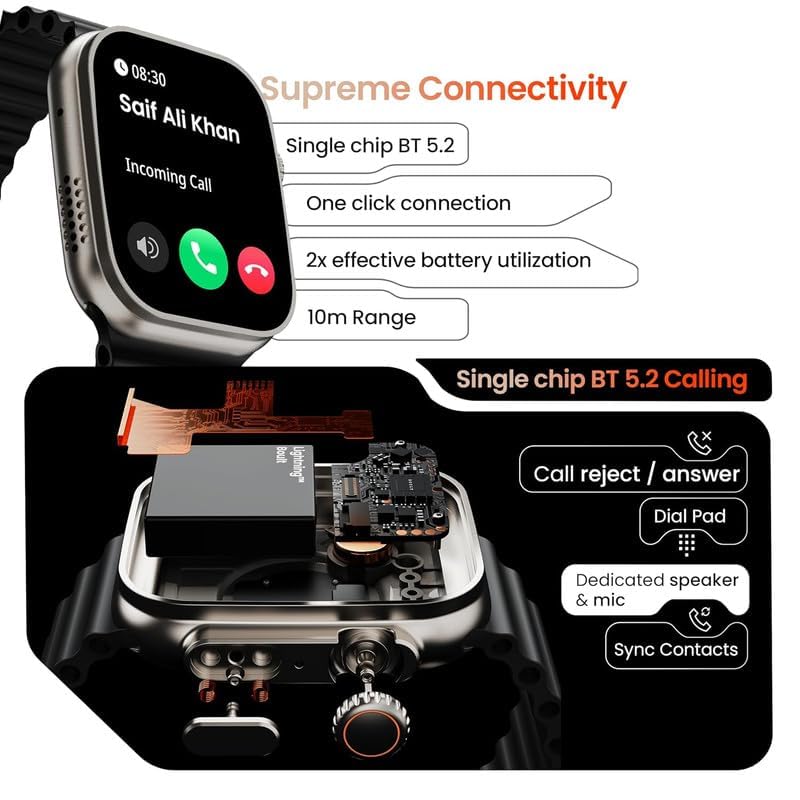
Image: The watch displaying an incoming call, illustrating the Bluetooth 5.2 calling feature with a dedicated speaker and mic, and the ability to sync contacts.
Operating Instructions
1. Basic Navigation:
- Touch Screen: Swipe left/right, up/down to navigate through menus and notifications. Tap to select.
- Working Crown: Rotate the crown to scroll through lists, zoom in/out, or switch watch faces. Press the crown to return to the home screen or confirm a selection.
- Side Button: A dedicated button (often below the crown) may be present for quick access to sports modes or other customizable functions.
2. Making and Receiving Calls:
- Making a Call: Access the dial pad or contact list from the watch menu. Tap to dial a number or select a contact.
- Receiving a Call: When a call comes in, the watch will display the caller ID. Tap the green icon to answer or the red icon to reject.
3. Changing Watch Faces:
From the home screen, press and hold the display, then swipe left or right to browse pre-installed watch faces. Alternatively, use the rotating crown to cycle through them. More watch faces can be downloaded and customized via the companion app.
4. Using Sports Modes:
Access the Sports Mode menu from the main interface. Select your desired activity (e.g., Running, Cycling, Walking). The watch will begin tracking relevant metrics such as duration, distance, calories burned, and heart rate. End the activity by tapping the pause/stop icon.
5. Health Monitoring:
- Heart Rate: Navigate to the Heart Rate monitor function. Ensure the watch is snug on your wrist for accurate readings.
- SpO2 (Blood Oxygen): Access the SpO2 measurement function. Keep your arm still during the measurement.
- Sleep Monitoring: Wear the watch to bed. It will automatically track your sleep patterns and provide data in the companion app.
- Activity Tracking: The watch continuously tracks steps, distance, and calories throughout the day.
Maintenance
1. Cleaning:
Wipe the watch screen and body with a soft, lint-free cloth. For stubborn dirt, dampen the cloth slightly with water. Avoid using harsh chemicals or abrasive materials. Clean the charging contacts regularly to ensure proper charging.
2. Charging Guidelines:
- Use only the provided charging cable.
- Do not charge the watch in damp conditions.
- Avoid overcharging; disconnect once fully charged.
3. Water Resistance:
The product description does not specify an IP rating, but generally, smartwatches are resistant to splashes and sweat. Avoid submerging the watch in water, showering, or swimming with it unless explicitly stated otherwise in the product specifications or packaging.
Troubleshooting
| Problem | Possible Cause | Solution |
|---|---|---|
| Watch does not power on. | Low battery; device malfunction. | Charge the watch for at least 30 minutes. If it still doesn't power on, contact customer support. |
| Cannot pair with smartphone. | Bluetooth off; app issue; watch not discoverable. | Ensure Bluetooth is on for both devices. Restart both the watch and phone. Reinstall the companion app. Make sure the watch is in pairing mode. |
| Inaccurate health data. | Watch not worn correctly; sensor obstruction. | Ensure the watch is snug on your wrist, not too tight or too loose. Clean the sensors on the back of the watch. |
| Short battery life. | Frequent use of features; high brightness; many notifications. | Reduce screen brightness. Limit background app refresh. Turn off unnecessary notifications. Charge fully before use. |
Specifications
| Feature | Detail |
|---|---|
| Brand | SHOPVAMI |
| Model Name | vivo X27 |
| Display Size | 1.95 inches |
| Brightness | 900 Nits |
| Connectivity | Bluetooth 5.2 (BT Calling) |
| Frame Material | Zinc Alloy |
| Strap Material | Silicone |
| Health Monitoring | Heart Rate, SpO2, Sleep Analysis, Activity Tracking |
| Sports Modes | 100+ modes |
| Item Weight | 70 g |
| Country of Origin | India |
Warranty and Support
For warranty information, please refer to the product packaging or the official SHOPVAMI website. In case of any issues or for technical assistance, please contact SHOPVAMI customer support. Keep your purchase receipt as proof of purchase.
Customer Support: Please visit the official SHOPVAMI website or refer to the contact information provided with your product for support.