1. Important Safety Instructions
Please read all instructions carefully before using this walking pad treadmill. Keep this manual for future reference.
- Always place the treadmill on a flat, stable surface.
- Ensure adequate clear space around the treadmill (at least 2 feet on sides and 6 feet behind).
- Keep children and pets away from the treadmill during operation.
- Do not operate the treadmill if it has a damaged cord or plug, or if it is not working properly.
- Wear appropriate athletic footwear during use.
- Do not exceed the maximum user weight of 350 lbs (158 kg).
- Unplug the treadmill from the power outlet when not in use, before cleaning, or performing maintenance.
- Consult a physician before starting any exercise program.
2. Product Overview
The SUOUER Walking Pad Treadmill is designed for home use, offering a compact and versatile solution for walking and light running. It features a powerful 3.0HP motor, adjustable speed, and a handle bar for added stability.
Key Features:
- 3.0HP Motor: Provides speeds from 0.6 to 7.6 MPH.
- 350 LBS Weight Capacity: Robust design to support various users.
- Incline Feature: Offers a light incline for varied workouts.
- Detachable Handle Bar: Allows use as a traditional treadmill or an under-desk walking pad.
- 6-Layer Anti-Slip Cushioning: Designed to absorb impact and reduce joint pressure.
- LED Display: Tracks distance, speed, time, and calories.
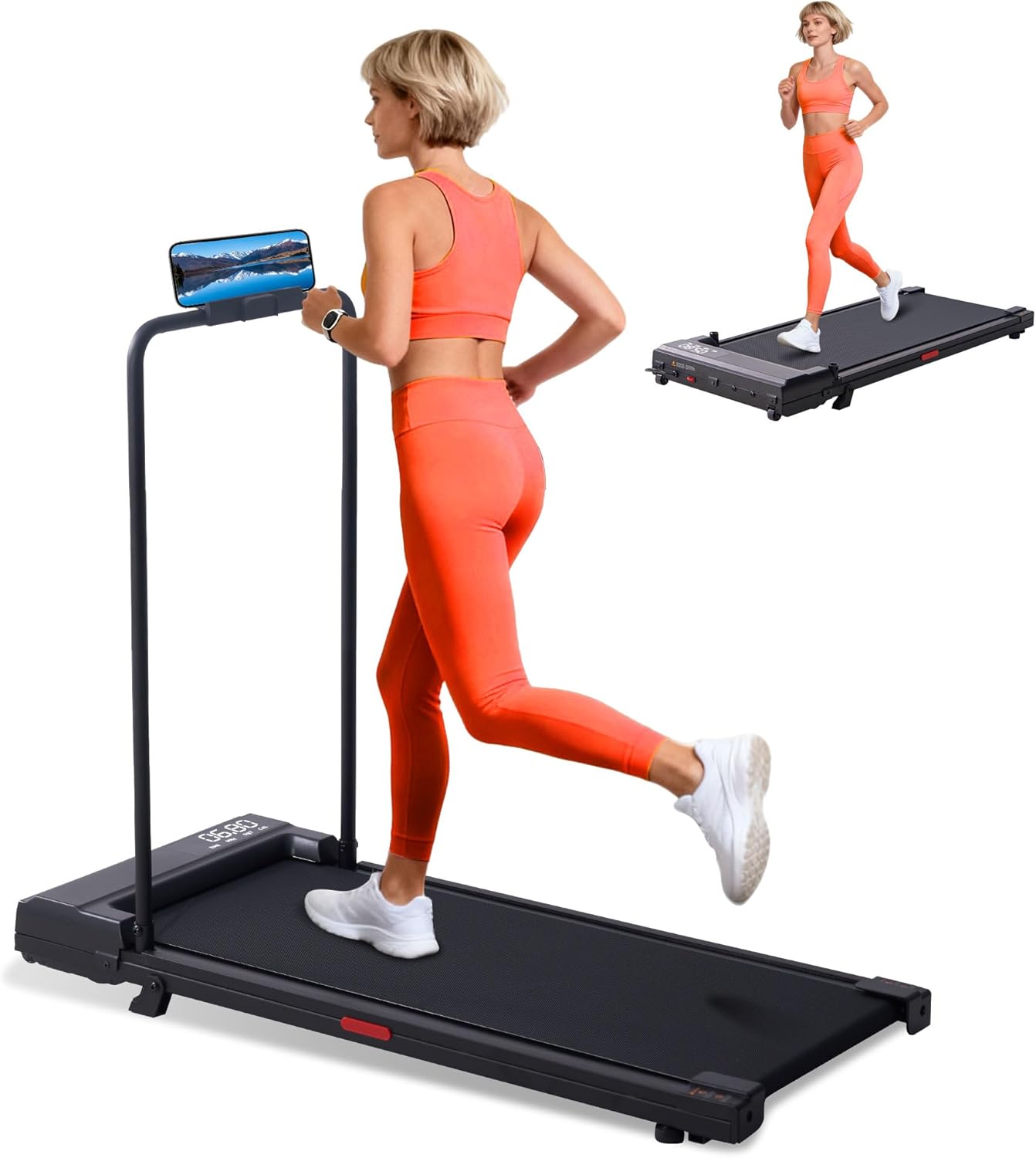
Figure 2.1: The SUOUER Walking Pad Treadmill with its handle bar attached, showing a user exercising. This image illustrates the product's primary configuration for walking or light running.
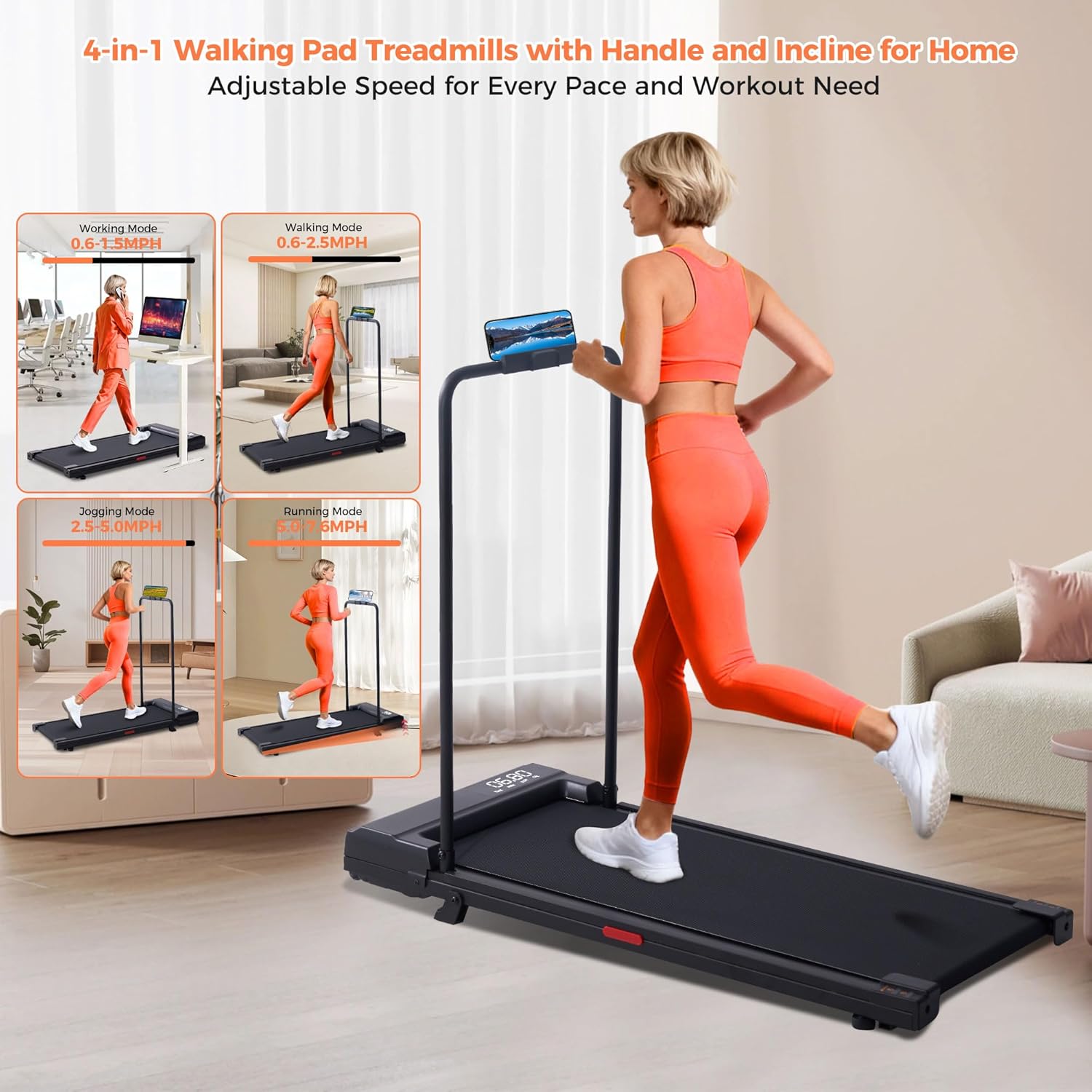
Figure 2.2: This image demonstrates the treadmill's versatility with four modes: Walking (0.6-1.5 MPH), Walking (0.6-2.5 MPH), Jogging (2.5-5.0 MPH), and Running (5.0-7.6 MPH). It highlights how the treadmill adapts to different exercise intensities.
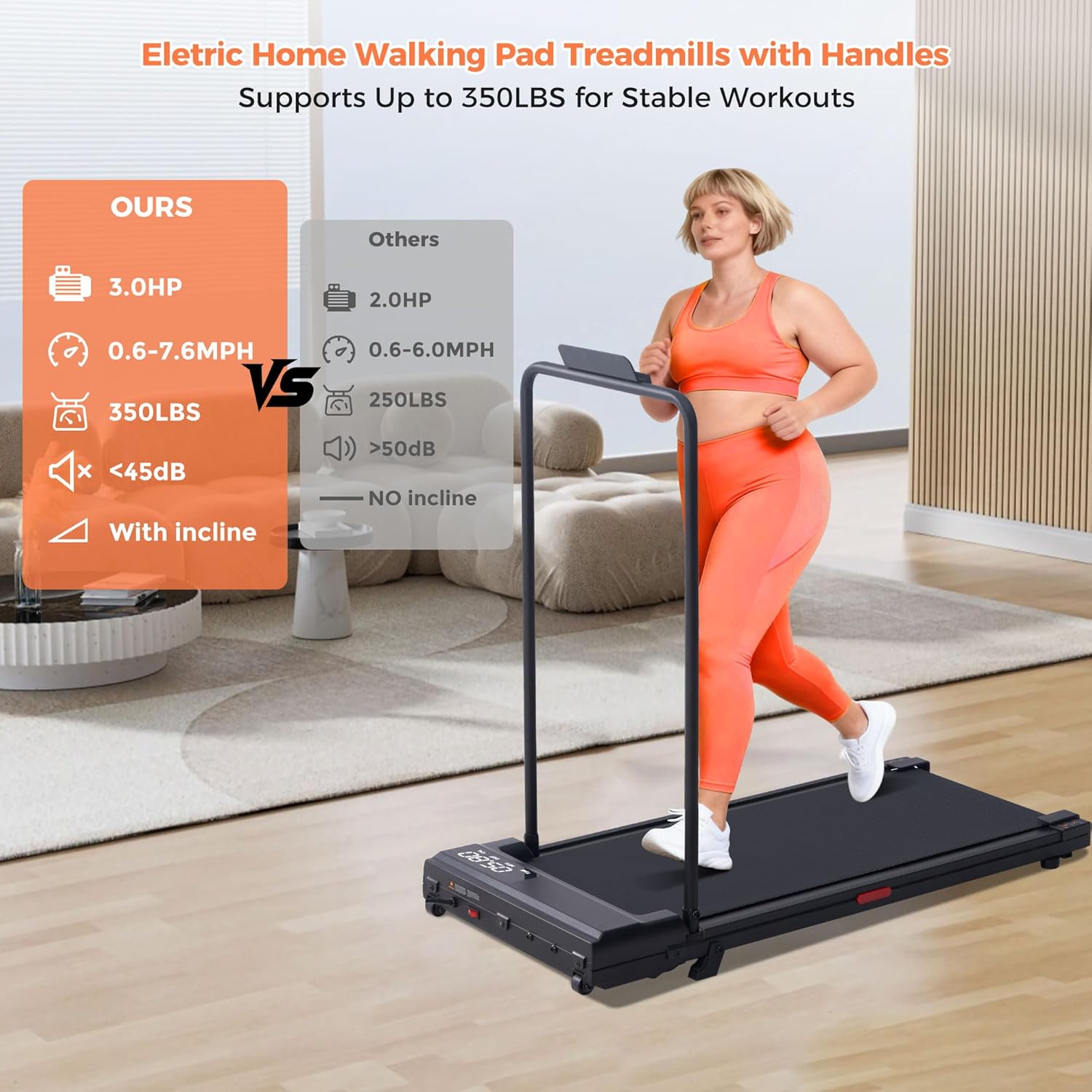
Figure 2.3: A comparison graphic highlighting the SUOUER treadmill's superior features: 3.0HP motor, 0.6-7.6 MPH speed range, 350 LBS capacity, less than 45dB noise, and an incline feature, contrasting it with typical competitor specifications.
3. Assembly and Setup
3.1 Unpacking
Carefully remove the treadmill from its packaging. Inspect all components for any damage. Ensure all parts listed in the packing list are present.
3.2 Handle Bar Installation/Detachment
The handle bar is designed for easy attachment and detachment, allowing you to switch between a traditional treadmill and an under-desk walking pad configuration.
- To Install: Align the handle bar posts with the designated slots on the treadmill base. Secure them using the provided screws and tools. Ensure the handle bar is firmly in place before use.
- To Detach: Loosen and remove the screws securing the handle bar. Carefully lift the handle bar from its slots. Store it safely when not in use.

Figure 3.1: This image illustrates the detachable handle design, showing how the handle bar can be removed for compact storage or under-desk use. A close-up highlights the screw mechanism for securing the handle.
3.3 Placement
Choose a location with sufficient space and a stable, level floor. Ensure the power cord can reach a grounded electrical outlet without being stretched or obstructed.
4. Operating Instructions
4.1 Powering On/Off
- To Power On: Plug the power cord into a grounded outlet. Locate the power switch, usually at the front or rear of the treadmill, and flip it to the 'ON' position. The LED display will illuminate.
- To Power Off: Press the 'STOP' button on the control panel. Once the belt has come to a complete stop, flip the power switch to the 'OFF' position and unplug the unit.
4.2 Control Panel Functions
The control panel, typically located on the handle bar or front of the treadmill, allows you to manage your workout.
- START/STOP Button: Initiates or halts the treadmill belt.
- SPEED +/- Buttons: Adjust the belt speed in increments.
- MODE Button: Cycles through display modes (Time, Distance, Calories).
- Safety Key: A magnetic safety key must be in place for the treadmill to operate. Attach the clip to your clothing during use. If the key is removed, the treadmill will stop immediately.
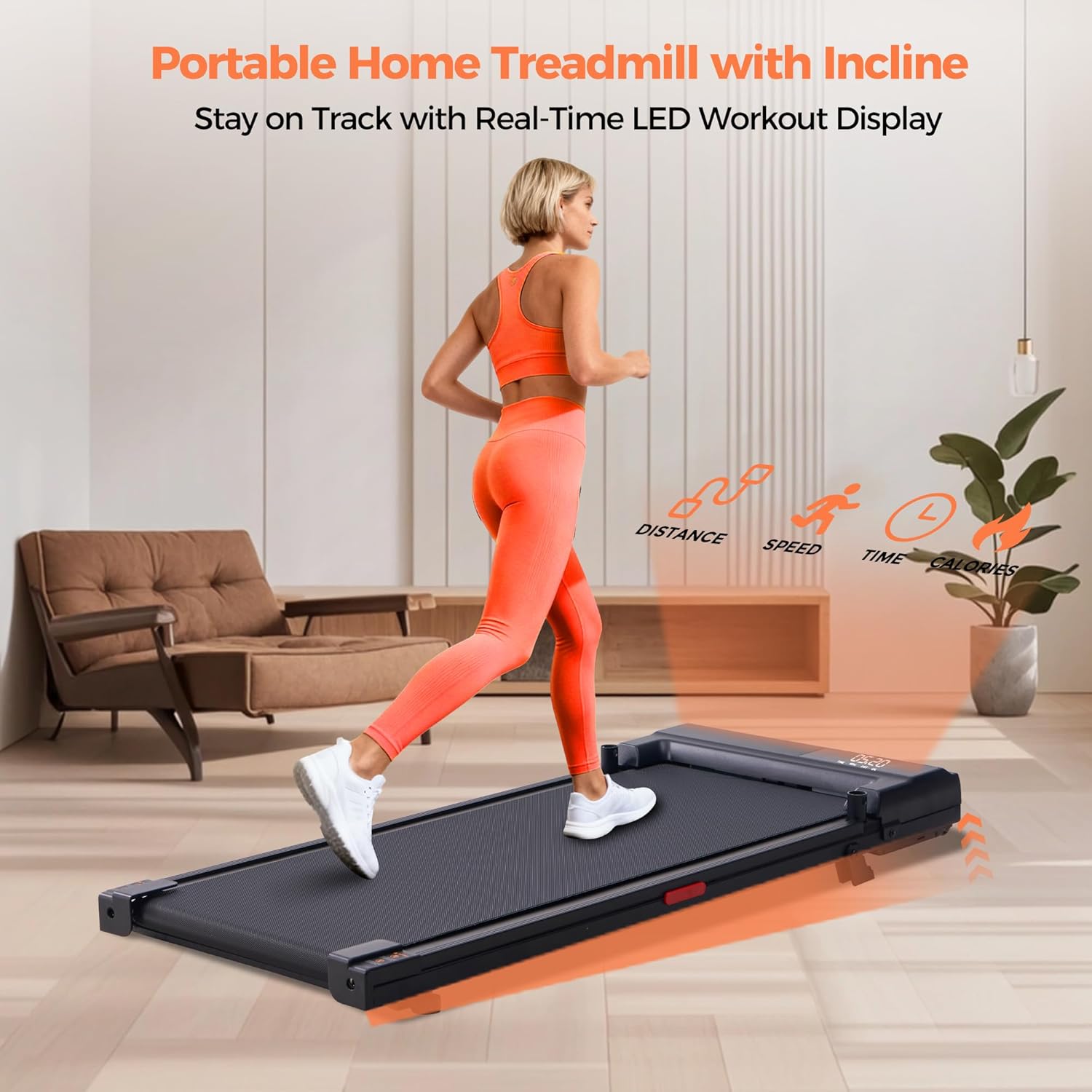
Figure 4.1: This image highlights the LED display of the portable home treadmill, showing real-time workout data such as distance, speed, time, and calories. This allows users to monitor their progress effectively.
4.3 Starting a Workout
- Stand on the side rails of the treadmill.
- Attach the safety key to your clothing and place it on the console.
- Press the 'START' button. The belt will begin moving at a low speed after a short countdown.
- Carefully step onto the moving belt.
- Adjust the speed using the 'SPEED +/-' buttons to your desired pace.
4.4 Incline Adjustment
This treadmill features a light incline. Refer to the specific product details for manual adjustment instructions, as some models may require physical adjustment of the rear feet or support points.
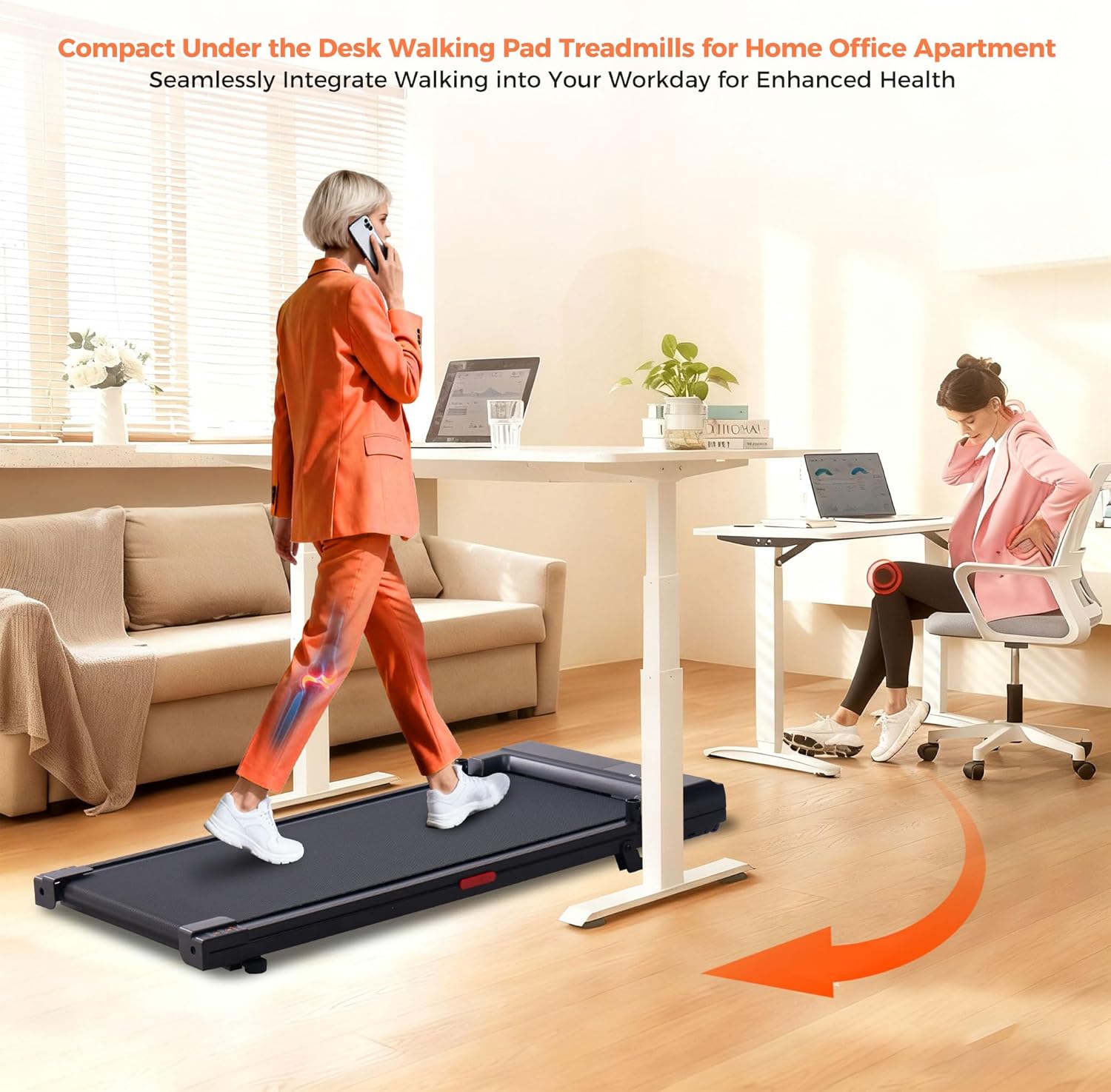
Figure 4.2: An illustration of the compact treadmill being used under a standing desk in an office environment. This demonstrates its capability to seamlessly integrate walking into a workday for enhanced health, highlighting its under-desk flexibility.
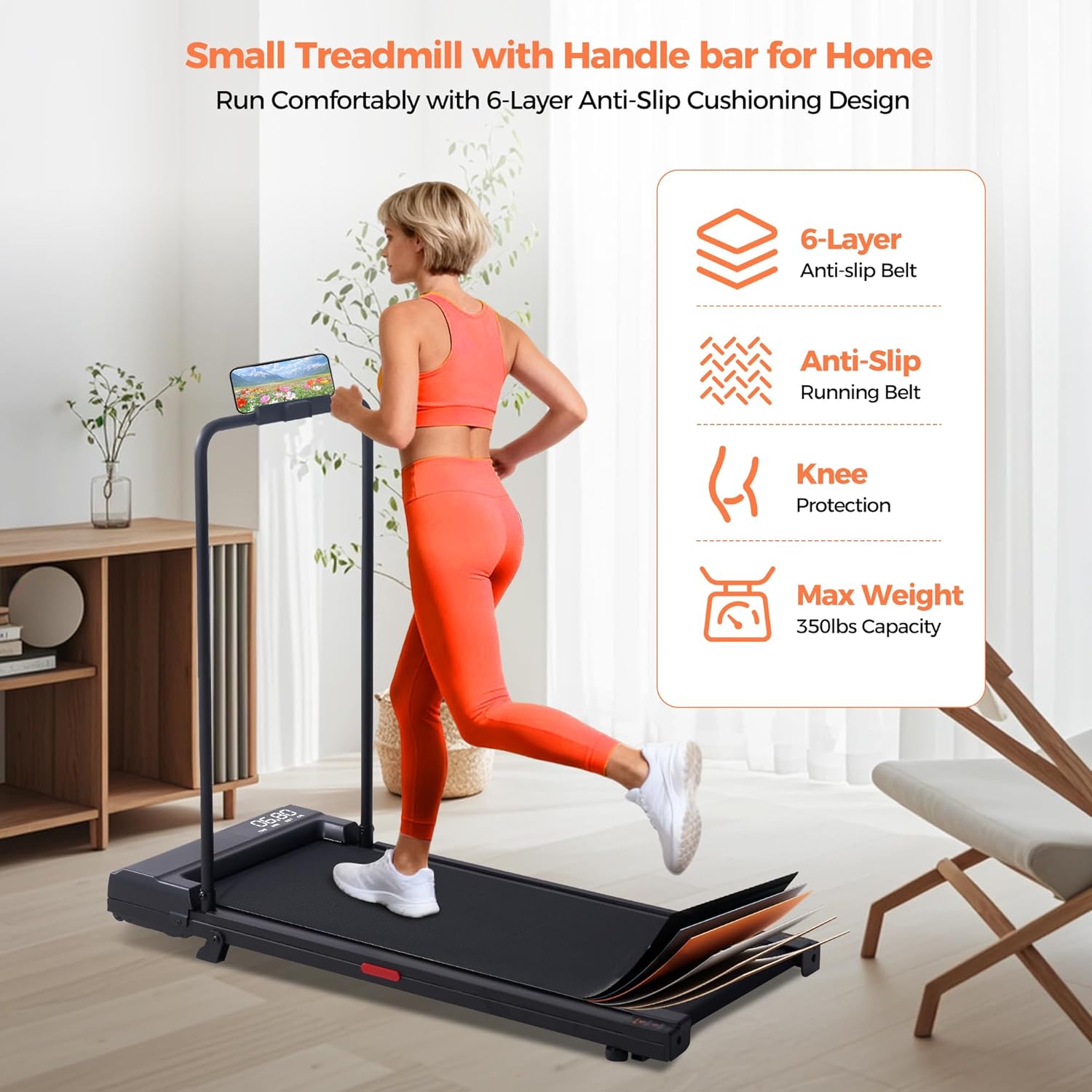
Figure 4.3: This image visually explains the 6-layer anti-slip cushioning design of the treadmill, emphasizing knee protection and a maximum weight capacity of 350 lbs. It shows the layers of the running belt for comfort and safety.

Figure 4.4: This image promotes the benefit of indoor exercise with the compact electric treadmill, showing various outdoor weather conditions (snow, rain, traffic) that might hinder outdoor training. It highlights the freedom to run regardless of external factors.
5. Maintenance and Care
Regular maintenance ensures the longevity and optimal performance of your treadmill.
5.1 Cleaning
- Always unplug the treadmill before cleaning.
- Wipe down the console and exterior surfaces with a soft, damp cloth. Avoid abrasive cleaners or solvents.
- Periodically vacuum underneath the treadmill to prevent dust and debris buildup.
5.2 Belt Lubrication
The running belt requires periodic lubrication to reduce friction and extend its lifespan. Refer to the specific instructions provided with your treadmill for the recommended lubricant type and application frequency (typically every 3-6 months depending on usage).
5.3 Belt Adjustment
If the running belt starts to slip or drift to one side, it may need adjustment. Consult the detailed instructions in your product's specific manual for how to tension and center the belt using the adjustment bolts at the rear of the treadmill.
5.4 Storage
When not in use, the treadmill can be folded or stored flat to save space. Ensure it is unplugged and stored in a dry, cool place away from direct sunlight.
6. Troubleshooting
If you encounter any issues with your SUOUER Walking Pad Treadmill, refer to the following common problems and solutions:
| Problem | Possible Cause | Solution |
|---|---|---|
| Treadmill does not power on. | Power cord not plugged in, power switch off, circuit breaker tripped. | Check power connection, ensure switch is ON, reset circuit breaker. |
| Belt does not move. | Safety key not in place, 'STOP' button pressed, motor issue. | Ensure safety key is attached, press 'START', contact support if motor issue suspected. |
| Belt slips during use. | Belt too loose, worn belt, insufficient lubrication. | Adjust belt tension, lubricate belt, consider belt replacement if worn. |
| Unusual noise from treadmill. | Loose parts, motor issue, belt friction. | Check for loose screws, lubricate belt, contact support for motor concerns. |
If the problem persists after attempting these solutions, please contact SUOUER customer support.
7. Product Specifications
| Feature | Specification |
|---|---|
| Brand | SUOUER |
| Model | B0FLVF1487 |
| Motor Horsepower | 3.0 HP |
| Speed Range | 0.6 - 7.6 MPH |
| Maximum User Weight | 350 LBS (158 kg) |
| Product Dimensions (L x W x H) | 42"D x 21"W x 36"H |
| Item Weight | 33.95 Pounds (15.4 kg) |
| Material | Carbon Steel, Plastic |
| Special Features | Incline, Detachable Handle Bar, LED Display, Compact Design |
8. Warranty and Support
SUOUER provides a 365-day support plan for your walking pad treadmill. This plan covers free repairs for issues ranging from treadmill malfunctions to handle bar concerns, ensuring your equipment remains in excellent working condition for continuous fitness routines.
For technical assistance, warranty claims, or any questions regarding your SUOUER Walking Pad Treadmill, please contact our customer support team:
- Website: Visit the SUOUER Store on Amazon
- Email: [Insert Customer Support Email Here]
- Phone: [Insert Customer Support Phone Number Here]
Please have your model number (B0FLVF1487) and purchase date ready when contacting support.