1. Introduction
Thank you for choosing the Tiksounds S12 Portable Bluetooth Speaker. This manual provides essential information for setting up, operating, and maintaining your speaker. Please read it carefully before use to ensure optimal performance and longevity of your device.
Key Features
- Immersive 15W Sound with Zero Distortion
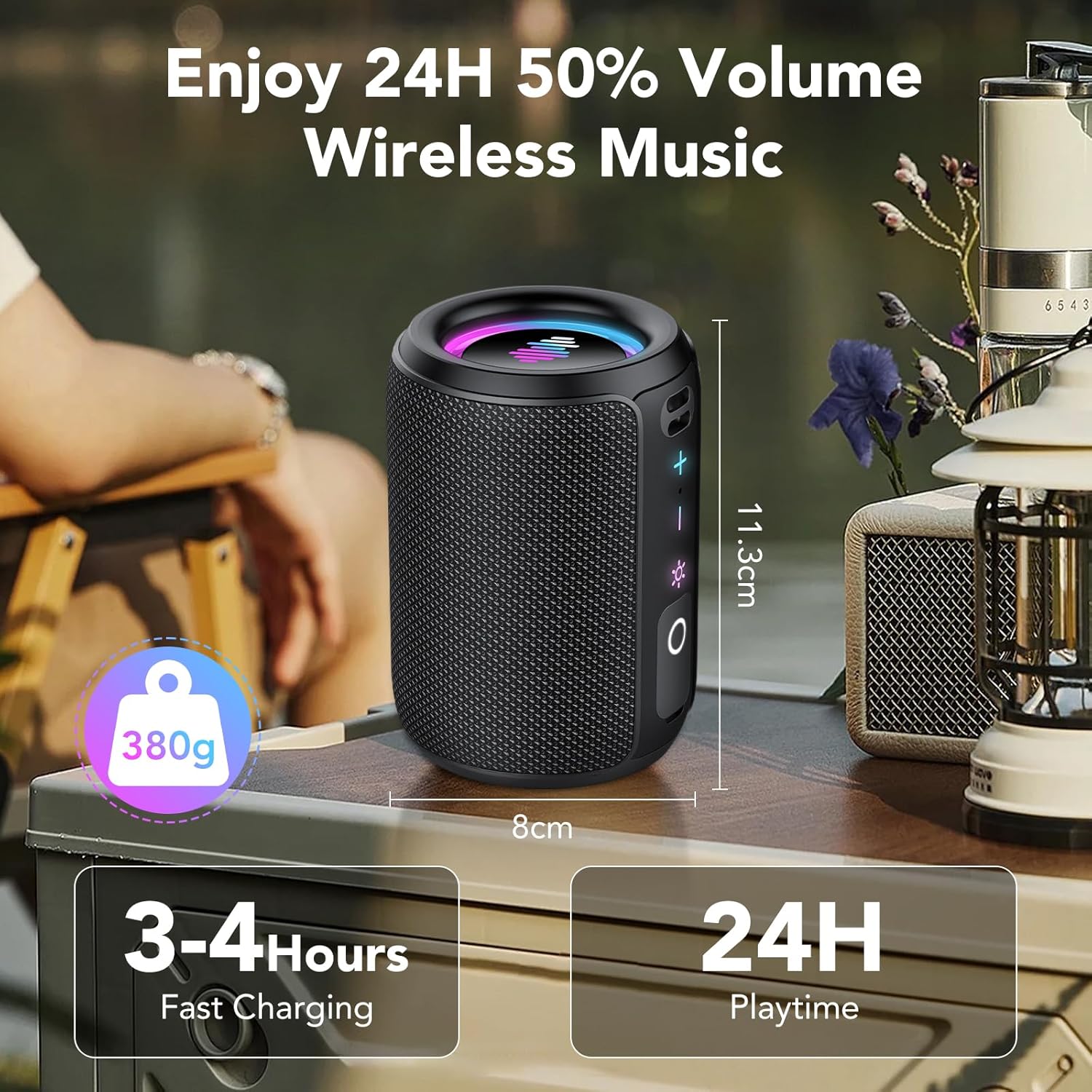
- Up to 24 Hours of Playtime
- Compact and Lightweight Portable Design
- Dynamic RGB Light Show with 6 Modes
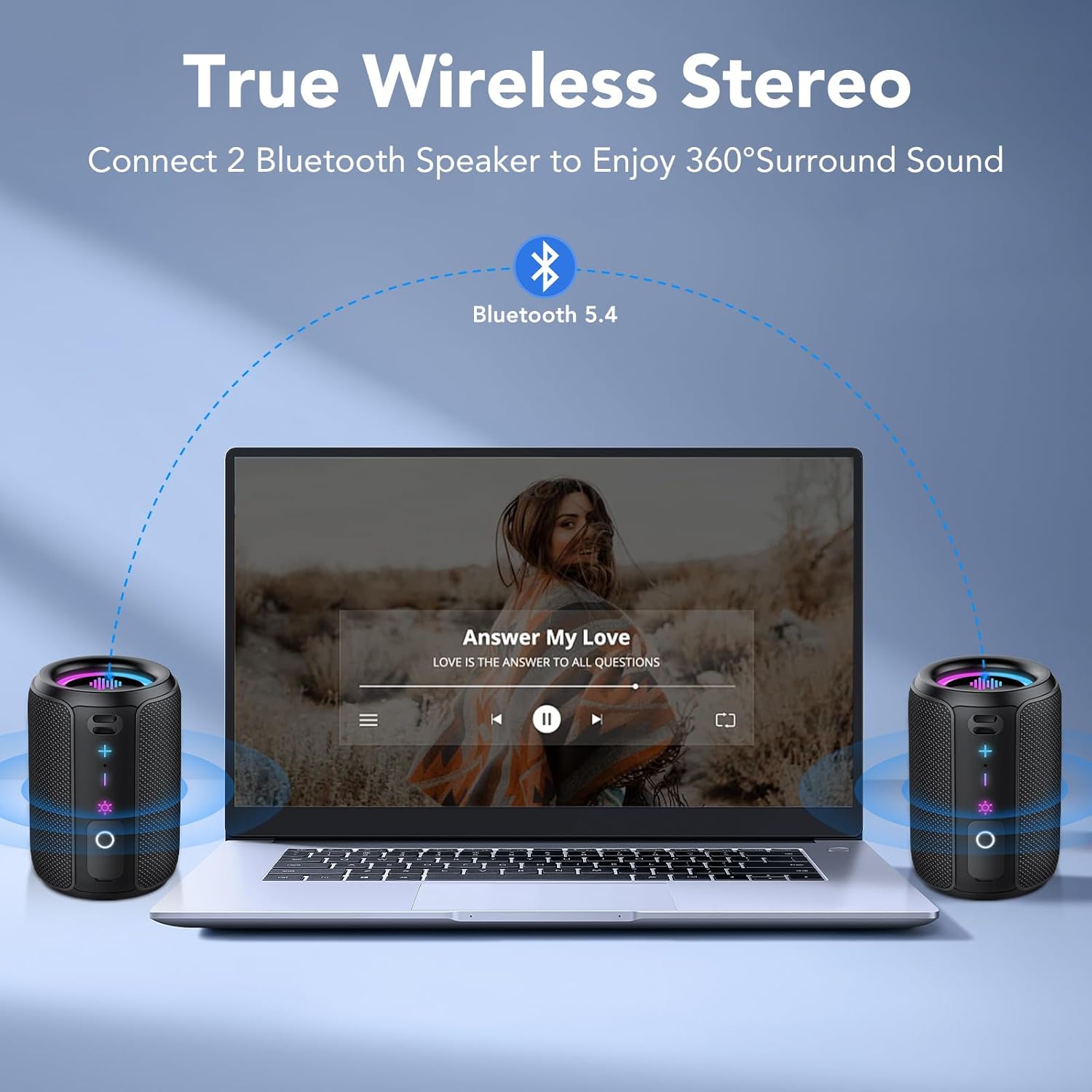
- True Wireless Stereo (TWS) Pairing for 360° Sound
- IPX7 Waterproof Rating
- Advanced Bluetooth 5.4 Connectivity
- TF Card Slot and Type-C Fast Charging

2. Package Contents
Please check the package for the following items:
- Tiksounds S12 Portable Bluetooth Speaker
- Power Cable (USB Type-C)
- User Manual (this document)
3. Product Overview
Speaker Components

The speaker features intuitive controls and essential ports for versatile use:
- Power Button: Press and hold to turn on/off.
- Volume Up (+): Increases volume.
- Volume Down (-): Decreases volume.
- Light Control Button: Cycles through light modes.
- Play/Pause Button: Controls music playback and call functions.
- TF Card Slot: For playing music directly from a memory card.
- Type-C Port: For charging and data transfer.
4. Setup
4.1 Charging the Speaker
- Connect the provided Type-C USB cable to the speaker's charging port.
- Connect the other end of the cable to a USB power adapter (not included) or a computer's USB port.
- The charging indicator light will illuminate. The speaker is fully charged when the light changes or turns off (refer to LED indicator behavior in specifications).
A full charge typically takes 3-4 hours.
4.2 Power On/Off
- To Power On: Press and hold the Power button for 2 seconds. You will hear an audible prompt, and the indicator lights will activate.
- To Power Off: Press and hold the Power button for 2 seconds. You will hear an audible prompt, and the indicator lights will turn off.
4.3 Bluetooth Pairing
- Ensure the speaker is powered on and in Bluetooth pairing mode (the Bluetooth indicator light will flash).
- On your device (smartphone, tablet, computer), enable Bluetooth and search for available devices.
- Select "Tiksounds S12" from the list of devices.
- Once paired, you will hear a confirmation sound, and the Bluetooth indicator light will become solid.
The speaker will automatically attempt to reconnect to the last paired device when powered on.
4.4 True Wireless Stereo (TWS) Pairing
For an enhanced stereo experience, you can pair two Tiksounds S12 speakers together.
- Ensure both S12 speakers are powered on and not connected to any other Bluetooth device.
- On one speaker (this will be the primary speaker), double-press the TWS button (often integrated with the Play/Pause or Light button, refer to Figure 3.2 for exact button layout). The speaker will enter TWS pairing mode.
- The two speakers will automatically search for and connect to each other. Once connected, you will hear a confirmation sound, and the TWS indicator light on both speakers will become solid.
- Now, connect your device to the primary speaker via Bluetooth as described in section 4.3. Audio will play through both speakers in stereo.

5. Operation
5.1 Basic Controls
Refer to Figure 3.2 for button locations.
- Volume Up (+): Short press to increase volume.
- Volume Down (-): Short press to decrease volume.
- Play/Pause Button: Short press to play or pause music. During an incoming call, short press to answer, or press and hold for 1.5 seconds to reject. During a call, short press to end the call.
- Light Control Button: Short press to cycle through the 6 dynamic RGB light modes. Press and hold for 3 seconds to turn the lights off.
5.2 Dynamic Light Show
The S12 speaker features an integrated RGB light show that synchronizes with your music. There are six distinct light modes:
- Rainbow Cycle
- Alternating Red, Green, and Blue
- Red, Green, and Blue Alternating
- Rainbow Breathing
- Rainbow Stacking
- Off
Press the Light Control button to switch between modes. Press and hold for 3 seconds to turn the lights off.
5.3 TF Card Playback
Insert a TF card (supports WAV / MP3 formats) into the TF card slot. The speaker will automatically detect the card and begin playing music from it. Use the Play/Pause and Volume buttons to control playback.
5.4 Waterproof Functionality (IPX7)
The Tiksounds S12 speaker is IPX7 rated, meaning it can be immersed in water up to 1 meter (3 feet) for 30 minutes. This makes it suitable for use in showers, by the pool, at the beach, or during outdoor activities without concern for splashes or rain.
Video 5.1: Demonstration of the Tiksounds S12 speaker's waterproof capabilities and dynamic lighting.
6. Maintenance
6.1 Cleaning
To clean your speaker, use a soft, damp cloth. Do not use abrasive cleaners, alcohol, or chemical solvents, as these may damage the surface or internal components. Ensure the charging port cover is securely closed before cleaning or exposing to water.
6.2 Storage
Store the speaker in a cool, dry place away from direct sunlight and extreme temperatures. If storing for an extended period, charge the battery to approximately 50% every three months to prolong battery life.
7. Troubleshooting
If you encounter issues with your Tiksounds S12 speaker, please refer to the following common problems and solutions:
| Problem | Possible Cause | Solution |
|---|---|---|
| Speaker does not power on. | Low battery. | Charge the speaker for at least 30 minutes. |
| Cannot pair via Bluetooth. | Speaker is not in pairing mode or already connected to another device. | Ensure the speaker is in pairing mode (flashing Bluetooth indicator). Disconnect from other devices. Restart both speaker and Bluetooth device. |
| No sound or low volume. | Volume too low on speaker or connected device. | Increase volume on both the speaker and your connected device. |
| TWS pairing fails. | Speakers are too far apart or already paired to a device. | Ensure both speakers are close to each other and not connected to any other Bluetooth device before initiating TWS pairing. |
| Lights are not working. | Lights are turned off or in a static mode. | Short press the Light Control button to cycle through modes. If off, press and hold for 3 seconds to reactivate. |
If the problem persists after trying these solutions, please contact customer support.
8. Specifications
| Feature | Detail |
|---|---|
| Model Name | S12 |
| Brand | Tiksounds |
| Speaker Type | Portable Speaker |
| Connectivity Technology | Bluetooth |
| Bluetooth Version | 5.4 |
| Speaker Maximum Output Power | 30 Watts (TWS combined) |
| Frequency Response | 20000 Hz |
| Audio Output Mode | Surround |
| Waterproof Rating | IPX7 |
| Product Dimensions | 3.34"D x 4.84"W x 3.34"H |
| Item Weight | 15.8 ounces |
| Special Features | Built-in Microphone, Dustproof, LED Light, Lightweight, Shockproof, Stereo Pairing, USB Port, Waterproof |
| Included Components | Power Cable, Speaker |
9. Warranty and Support
Tiksounds products are designed for reliability and performance. For warranty information and customer support, please refer to the warranty card included with your purchase or visit the official Tiksounds website. If you have any questions or require assistance, do not hesitate to contact our support team.