
Introduction
Thank you for choosing the Jesebang YT18 Wireless Earbuds. This manual provides essential information for setting up, operating, and maintaining your earbuds to ensure optimal performance and longevity. Please read it thoroughly before use.
What's in the Box
- YT18 Wireless Headphones (2 units)
- Portable Charging Box (1 unit)
- USB-C Charging Cable (1 unit)
- Silicone Earplugs (S/M/L sizes, 3 pairs)
- User Manual (this document)
Product Overview
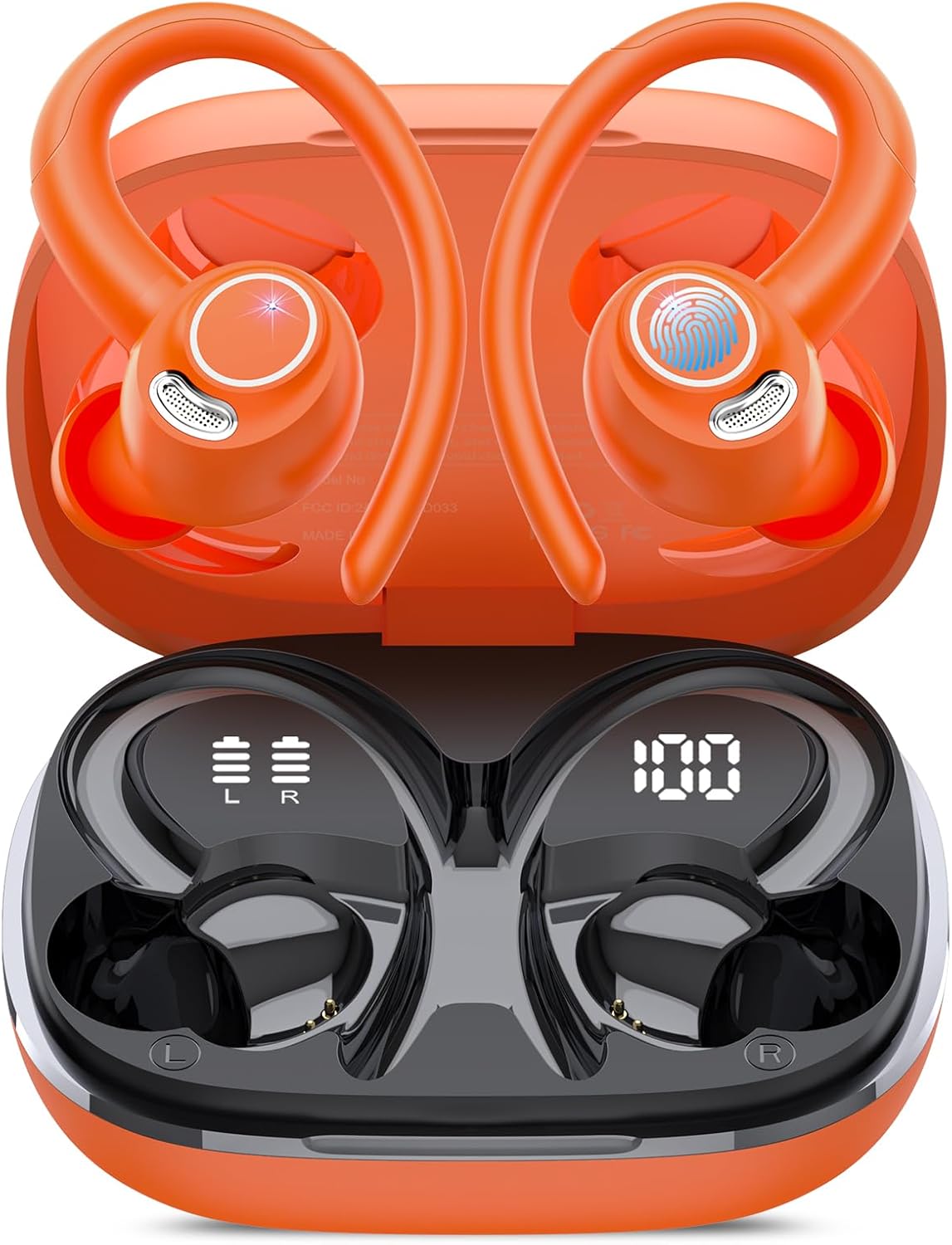
The Jesebang YT18 earbuds are designed for comfort and performance, featuring a secure over-ear hook design and a compact charging case with a digital display.
Key Features:
- Bluetooth 5.4 Technology: Ensures a fast and stable wireless connection with increased transmission speed and a range of up to 15 meters.
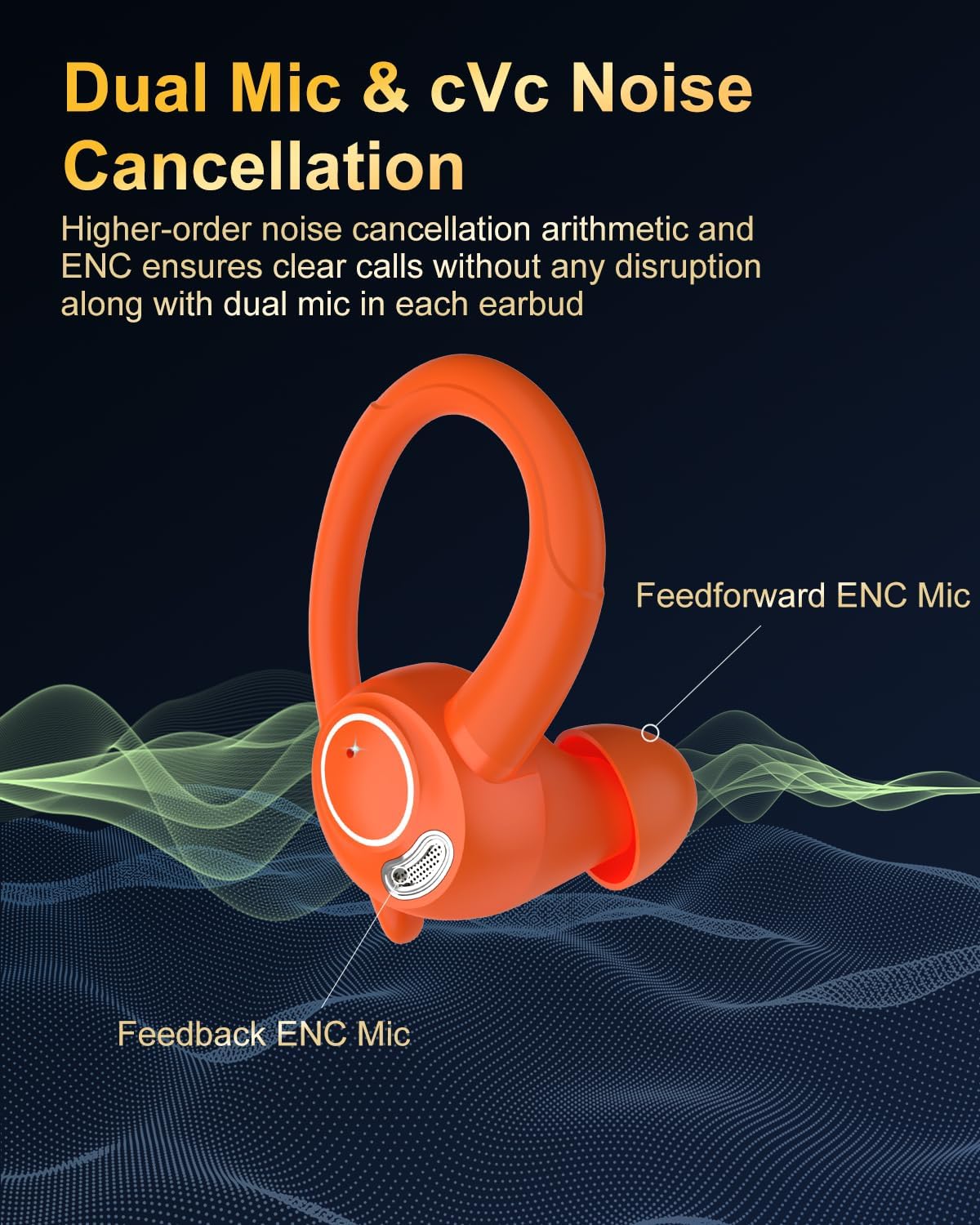
- ENC Noise Cancelling Microphones: Equipped with 4 ENC microphones to filter out over 80% of external noise, providing clear call quality.
- 14.2mm Dynamic Drivers: Delivers lossless sound quality with deep bass, balanced mids, and clear highs.
- Over-Ear Hook Design: Flexible and soft ear hooks provide a secure and comfortable fit, ideal for sports and active use.
- IP7 Waterproof Rating: Advanced nano-coating technology protects against sweat and rain.
- 48-Hour Battery Life: Up to 8 hours of playback on a single charge, extended to 48 hours with the portable charging case.
- Dual LED Digital Display: Clearly shows the remaining battery power of both earbuds and the charging case.
- Smart Touch Control: Intuitive touch sensors for managing music playback, calls, and voice assistants.
Setup
1. Initial Charging
Before first use, fully charge the earbuds and the charging case. Connect the provided USB-C cable to the charging port on the case and a compatible USB power source. The LED display will indicate charging progress.
2. Pairing with Your Device
- Ensure the earbuds are in the charging case and the case is open.
- On your smartphone or Bluetooth-enabled device, go to the Bluetooth settings.
- Search for available devices and select "YT18" from the list.
- Once selected, the earbuds will automatically pair. A voice prompt will confirm the connection.
Thanks to magnetic Hall effect technology, after the initial pairing, simply opening the charging case will automatically connect the earbuds to your last paired device.

3. Fitting the Earbuds
The YT18 earbuds feature flexible over-ear hooks for a secure fit. Select the appropriate silicone earplug size (S, M, or L) for your ear canal to ensure optimal sound quality and comfort.
- Gently place the earbud into your ear canal.
- Adjust the flexible ear hook over your ear until it feels secure and comfortable.
- Ensure a snug fit to maximize sound isolation and bass performance.
Operating Instructions
1. Smart Touch Controls
Each earbud is equipped with a high-precision touch sensor for easy control:
- Play/Pause: Single tap on either earbud.
- Next Track: Double tap on the right earbud.
- Previous Track: Double tap on the left earbud.
- Volume Up: Triple tap on the right earbud.
- Volume Down: Triple tap on the left earbud.
- Answer/End Call: Single tap on either earbud during an incoming call or active call.
- Reject Call: Press and hold either earbud for 2 seconds during an incoming call.
- Activate Voice Assistant: Press and hold either earbud for 3 seconds.
2. Charging
The earbuds provide up to 8 hours of music playback on a single charge. The portable charging case extends this to a total of 48 hours. A full charge for the earbuds takes approximately 1.5 hours.

3. Water Resistance (IP7)
The YT18 earbuds feature an IP7 waterproof rating, meaning they are protected against immersion in water up to 1 meter for up to 30 minutes. This makes them suitable for workouts, running, and use in rainy conditions. However, they are not recommended for swimming or prolonged submersion.

Sound Quality and Noise Cancellation
The YT18 earbuds are equipped with 14.2mm dynamic drivers, delivering a rich audio experience with impressive bass depth, balanced mid-tones, and clear high frequencies. This ensures every note and musical detail is vibrant and engaging.

For calls, the earbuds integrate 4 Environmental Noise Cancelling (ENC) microphones. These microphones effectively reduce over 80% of ambient noise, ensuring your voice remains clear and distinct during conversations, even in busy environments.
Maintenance
- Cleaning: Regularly clean the earbuds, especially the earplugs and charging contacts, with a soft, dry cloth. Do not use harsh chemicals or abrasive materials.
- Storage: When not in use, store the earbuds in their charging case to protect them from dust and damage.
- Battery Care: To prolong battery life, avoid fully discharging the earbuds and charging case frequently. Charge them regularly, even if not in constant use.
Troubleshooting
- Earbuds not pairing: Ensure Bluetooth is enabled on your device and the earbuds are charged and out of the case. Try forgetting the device in your Bluetooth settings and re-pairing.
- No sound: Check the volume levels on both your device and the earbuds. Ensure the earbuds are properly connected.
- Poor sound quality: Ensure the earplugs are the correct size and provide a snug seal in your ear canal. Clean any debris from the earbud speakers.
- Charging issues: Check the USB-C cable and charging port for damage. Ensure the charging contacts on the earbuds and case are clean.
Specifications
| Feature | Specification |
|---|---|
| Model Name | YT18 |
| Brand | Jesebang |
| Connectivity Technology | Wireless (Bluetooth 5.4) |
| Bluetooth Range | 15 Meters |
| Audio Driver Size | 14.2 Millimeters |
| Noise Control | Environmental Noise Cancellation (ENC) |
| Battery Life (Earbuds) | Up to 8 Hours |
| Battery Life (with Case) | Up to 48 Hours |
| Charging Time | 1.5 Hours |
| Water Resistance Level | IP7 Waterproof |
| Control Method | Touch |
| Ear Placement | Over Ear |
| Item Weight | 5 ounces |

Warranty and Support
For warranty information and customer support, please refer to the contact details provided on the product packaging or the official Jesebang website. Keep your purchase receipt as proof of purchase.

