1. Introduction
This manual provides essential instructions for the safe and efficient operation, maintenance, and troubleshooting of your VEVOR Manual Tile Cutter 24-inch. Designed for precision cutting of various tile types, including ceramic and porcelain, this tool features a durable aluminum frame, tungsten carbide cutting wheel, and infrared positioning for accurate results. Please read this manual thoroughly before use to ensure optimal performance and safety.

Image 1.1: VEVOR Manual Tile Cutter 24-inch. This image shows the complete tile cutter from an elevated angle, highlighting its teal and black components, handle, and cutting rail.
2. Safety Instructions
Always observe the following safety precautions to prevent injury and damage to the tool:
- Wear appropriate personal protective equipment (PPE), including safety glasses and gloves.
- Ensure the work area is clean, well-lit, and free from obstructions.
- Place the tile cutter on a stable, level surface before operation.
- Keep hands and fingers away from the cutting wheel during operation.
- Do not force the cutting wheel; apply steady, even pressure.
- Inspect the cutting wheel for damage before each use. Replace if worn or chipped.
- Keep children and bystanders away from the work area.
- Store the tile cutter in a dry, secure location when not in use.
3. Product Components
Familiarize yourself with the parts of your VEVOR Manual Tile Cutter:
- Aluminum Frame: Provides a stable and durable base for cutting.
- Cutting Handle: Ergonomic handle for scoring and breaking tiles.
- Tungsten Carbide Cutting Wheel: The scoring component for precise cuts.
- Infrared Positioning Guide: Laser guide for accurate alignment of cuts.
- Anti-Skid Feet: Rubberized feet for stability during operation.
- Durable Rails: Guide the cutting head for straight and consistent scoring.
- Adjustable Support Tables/Feet: Provide additional support for larger tiles and stability.
- Regulable Scale/Ruler: For accurate measurement and angle adjustments.

Image 3.1: Overview of the VEVOR Manual Tile Cutter, showing its application for various tile types like ceramics, porcelain, granite, and limestone.

Image 3.2: Detailed view of user-friendly design elements, including the ergonomic rubber handle, dual rugged steel rails, adjustable support feet, and regulable scale.
4. Setup
- Unpacking: Carefully remove all components from the packaging. Inspect for any damage.
- Placement: Position the tile cutter on a flat, stable, and non-slip surface. Ensure adequate space for tile handling.
- Attach Support Feet (if separate): If your model includes separate support feet, attach them securely to the designated points on the base for enhanced stability.
- Infrared Guide Adjustment: If equipped with an infrared guide, ensure it is properly aligned with the cutting wheel. Some models may require minor adjustment using a screwdriver to align the laser line precisely with the cutting path.
- Check Cutting Wheel: Verify that the tungsten carbide cutting wheel is securely installed and free from defects.

Image 4.1: Step 1 of setup, showing a hand adjusting the infrared guide with a screwdriver to align it with the cutting wheel.
5. Operating Instructions
Follow these steps for effective tile cutting:
- Measure and Mark: Accurately measure and mark the desired cut line on your tile using a pencil or marker.
- Position the Tile: Place the tile securely on the support bracket of the cutter. Align the marked cut line with the cutting wheel and the infrared guide (if applicable). Ensure the tile is stable and does not wobble.
- Score the Tile: Lower the cutting handle so the tungsten carbide wheel makes contact with the tile. Apply steady, even pressure and push the handle forward along the tile in a single, continuous motion. A clear scoring line should be visible. Avoid multiple passes, as this can lead to chipping.
- Break the Tile: Once scored, position the breaking bar (usually part of the handle mechanism) directly over the score line. Apply quick, firm downward pressure on the handle to snap the tile along the scored line.
- Inspect the Cut: Carefully remove the cut tile and inspect the edges for cleanliness and accuracy.

Image 5.1: Visual guide to the tile cutting process, showing steps from adjusting the infrared guide to placing the tile, scoring, and breaking the tile.

Image 5.2: Illustrates the high precision capabilities of the tile cutter, featuring the adjustable laser guide for accurate positioning and an accurate scale for cutting angles from 0-45 degrees.
6. Maintenance
- Cleaning: After each use, clean the tile cutter to remove tile dust and debris. Use a dry cloth or brush. Avoid using harsh chemicals that could damage the frame or components.
- Cutting Wheel Replacement: The tungsten carbide cutting wheel is a wear item. Replace it when you notice decreased cutting performance, chipping, or difficulty scoring. Refer to the product specifications for the correct replacement wheel size (e.g., φ15 x φ6 x φ1.5).
- Lubrication: Periodically apply a small amount of light machine oil to the rails to ensure smooth operation of the cutting head.
- Storage: Store the tile cutter in a clean, dry environment, protected from dust and moisture.
7. Troubleshooting
| Problem | Possible Cause | Solution |
|---|---|---|
| Tile chipping or uneven cuts | Dull or damaged cutting wheel; insufficient or excessive scoring pressure; multiple scoring passes; incorrect tile positioning. | Replace cutting wheel; apply steady, even pressure in a single pass; ensure tile is firmly positioned and aligned. |
| Difficulty scoring tile | Worn cutting wheel; insufficient pressure; tile material too hard for manual cutter. | Replace cutting wheel; increase scoring pressure; consider a wet saw for very hard materials. |
| Laser guide not visible or misaligned | Low battery (if applicable); bright ambient light; misalignment. | Check/replace batteries; use in a less brightly lit area; adjust laser alignment screws. |
| Handle sticks or does not slide smoothly | Accumulated debris on rails; lack of lubrication. | Clean rails thoroughly; apply light machine oil to rails. |
8. Specifications
| Brand | VEVOR |
| Model | Tile Cutter 24 inch |
| Max. Cutting Length | 24 inch / 600 mm |
| Min. Cutting Width | 1.38 inch / 35 mm |
| Cutting Thickness | 0.24-0.6 inch / 6-15 mm |
| Frame Material | High-leverage Aluminum |
| Cutting Wheel Material | Tungsten Carbide |
| Positioning | Infrared Laser |
| Item Weight | 19.9 pounds (approx. 9 kg) |
| Product Dimensions | 35 x 11 x 9.7 inches (approx. 89 x 28 x 24.6 cm) |
| Included Components | Manual Tile Cutter, Extra Cutting Wheel, Batteries (for laser) |
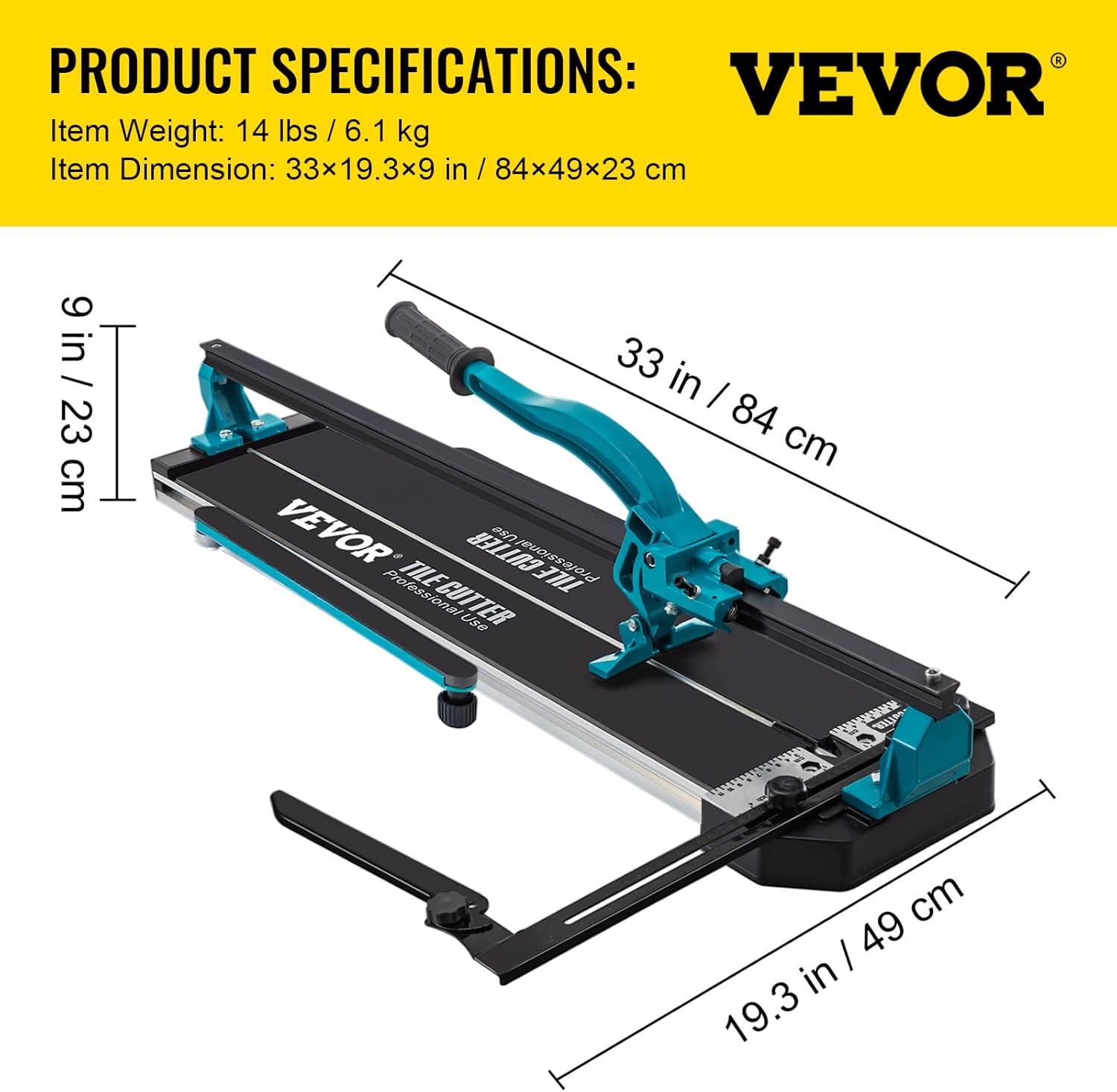
Image 8.1: Diagram illustrating key product dimensions and specifications, including item weight, cutting length, cutting width, and cutting thickness.
9. Warranty & Support
VEVOR products are designed for durability and performance. For specific warranty details, product registration, or technical support, please refer to the official VEVOR website or contact their customer service directly. Keep your purchase receipt for warranty claims.
For further assistance, visit the VEVOR Store on Amazon.


