1. Introduction
This manual provides essential instructions for the safe and efficient operation of your Generic ZQ07053 Full-Color Imaging Light. This 100W mini follow-spot light is designed for various applications including stage performances, weddings, parties, and decorative lighting. Please read this manual thoroughly before installation and use to ensure proper function and to prevent damage.
2. Safety Instructions
- Always connect the unit to a grounded power outlet.
- Ensure the voltage of the power supply matches the voltage specified on the unit.
- Do not operate the unit if the power cord is damaged.
- Avoid direct eye exposure to the light source.
- Keep the unit away from water, moisture, and high humidity environments.
- Ensure adequate ventilation around the unit to prevent overheating.
- Do not open the housing; there are no user-serviceable parts inside. Refer all servicing to qualified personnel.
- Disconnect power before cleaning or performing any maintenance.
- This product is for indoor use only.
3. Package Contents
Upon unpacking, please verify that all items listed below are present and in good condition:
- ZQ07053 Full-Color Imaging Light unit
- Power Cable
- User Manual (this document)
4. Product Overview
The Generic ZQ07053 is a 100W mini full-color imaging light designed to provide dynamic lighting effects. It features full-color output and supports multiple control modes including automatic, sound-activated, and DMX512. Its compact size makes it suitable for various event settings.
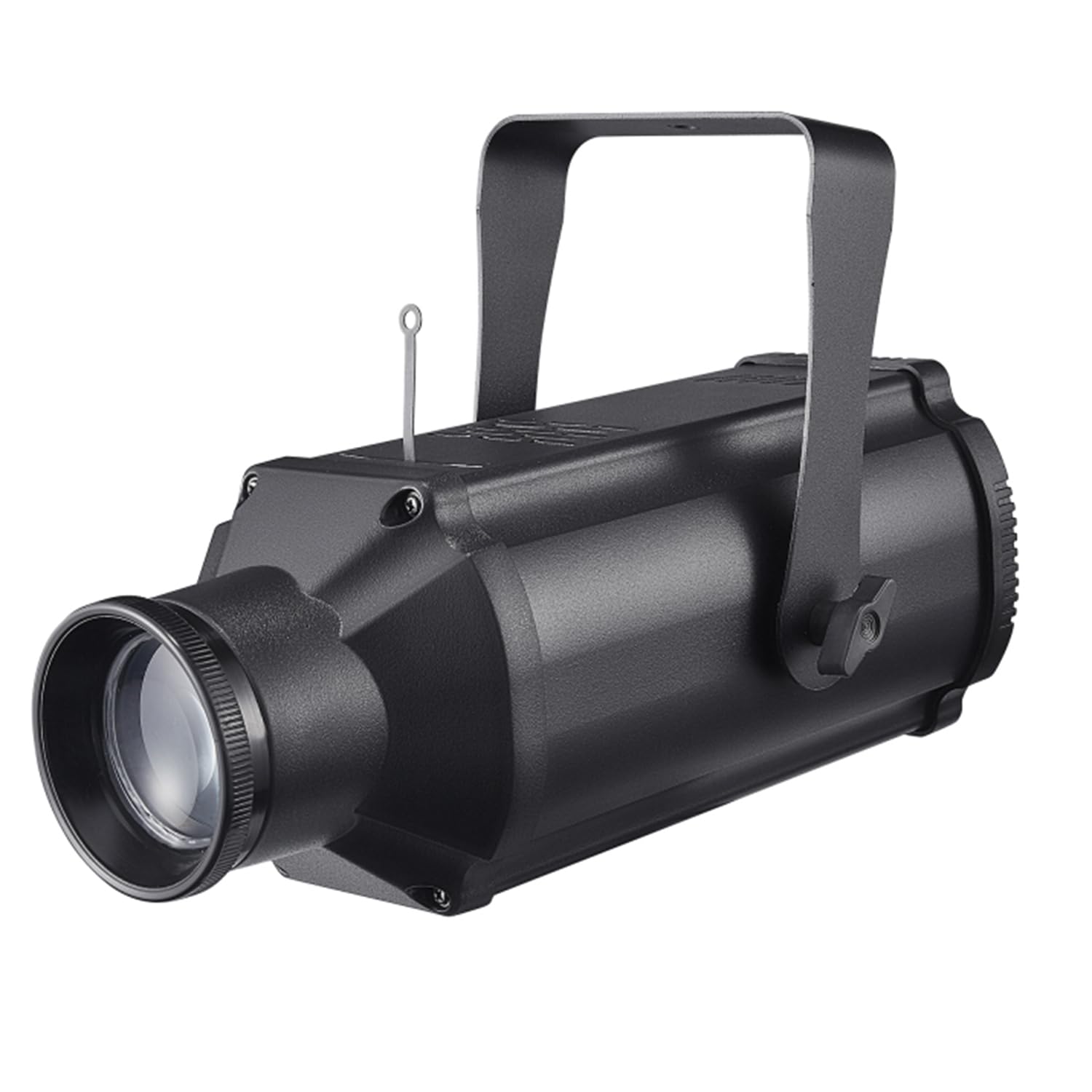
Figure 1: Generic ZQ07053 Full-Color Imaging Light. This image displays the compact design of the lighting unit, showcasing its main body and lens.
Key Features:
- 100W high-power full-color LED light source.
- Full-color imaging capabilities.
- Multiple control modes: Auto, Sound-Activated, DMX512.
- Compact and portable design.
5. Setup
5.1 Mounting
The ZQ07053 light can be placed on a flat surface or mounted to a truss using a suitable clamp (not included). Ensure the mounting surface or structure can safely support the weight of the fixture. Always use a safety cable when mounting overhead.
5.2 Power Connection
- Connect the provided power cable to the power input on the rear of the light fixture.
- Plug the other end of the power cable into a grounded electrical outlet.
- Ensure the power supply meets the unit's requirements.
5.3 DMX Connection (Optional)
For DMX control, connect a DMX cable from your DMX controller to the DMX IN port on the light. If connecting multiple units, daisy-chain them by connecting the DMX OUT of the first unit to the DMX IN of the next, and so on. Terminate the last unit in the chain with a DMX terminator.
6. Operating Instructions
The ZQ07053 light offers several operating modes, selectable via the control panel on the rear of the unit.
6.1 Auto Mode
In Auto mode, the light will cycle through pre-programmed patterns and color changes automatically. This mode is ideal for continuous background lighting effects without external control.
6.2 Sound-Activated Mode
When Sound-Activated mode is selected, the light's patterns and color changes will react to ambient sound. The built-in microphone detects sound, causing the light to synchronize with music or other audio inputs. Adjust sensitivity if available via the control panel.
6.3 DMX512 Mode
DMX512 mode allows for professional control of the light using a DMX controller. Set the DMX address for the fixture using the control panel. Refer to your DMX controller's manual and the light's DMX channel chart (if provided separately or on the unit) for detailed programming instructions. This mode provides precise control over color, intensity, and patterns.
7. Maintenance
7.1 Cleaning
To maintain optimal light output and extend the lifespan of the unit, regularly clean the lens and housing. Use a soft, lint-free cloth dampened with a mild cleaning solution. Do not use abrasive cleaners or solvents. Ensure the unit is powered off and disconnected from the mains before cleaning.
7.2 Storage
When not in use, store the light in a dry, dust-free environment, preferably in its original packaging or a protective case. Avoid extreme temperatures and humidity.
8. Troubleshooting
| Problem | Possible Cause | Solution |
|---|---|---|
| Light does not power on. | No power supply; faulty cable; unit malfunction. | Check power cable connection and outlet. Try a different power cable. If problem persists, contact support. |
| No light output. | Unit is powered but in standby; mode selection error. | Ensure the unit is not in standby. Check selected operating mode and settings. |
| DMX control not working. | Incorrect DMX address; faulty DMX cable; no DMX terminator; DMX controller issue. | Verify DMX address matches controller. Check DMX cable connections. Ensure a DMX terminator is used. Test with a different DMX controller if possible. |
| Sound-activated mode not responding. | Low sound input; microphone obstructed; sensitivity setting too low. | Increase ambient sound volume. Ensure microphone is clear. Adjust sound sensitivity if available. |
9. Specifications
| Feature | Detail |
|---|---|
| Model Number | ZQ07053 |
| Light Source | 100W Full-Color LED |
| Control Modes | Auto, Sound-Activated, DMX512 |
| Product Dimensions | 13.8"L x 5"W x 4.9"H (35.05 cm x 12.7 cm x 12.45 cm) |
| Material | Plastic |
| Power Input | Standard AC (Voltage not specified, refer to unit label) |
| Included Components | Light unit, Power Cable |
| Indoor/Outdoor Use | Indoor Use Only |
10. Warranty and Support
For warranty information or technical support, please refer to the documentation provided at the point of purchase or contact your retailer. Keep your purchase receipt as proof of purchase for any warranty claims.