
USKEYVISION R01 PRO
USKEYVISION R01 PRO Auto Face Tracking Tripod Instruction Manual
Model: R01 PRO
Product Overview
The USKEYVISION R01 PRO is a versatile 3-in-1 tripod designed for content creators, offering auto face tracking, gesture control, and a detachable wireless remote. It functions as a selfie stick, desktop stand, and camera mount tripod, supporting various shooting heights and angles.

Image: The USKEYVISION R01 PRO tripod shown in its full extended tripod form with a smartphone, as a folded selfie stick, and in a compact folded state. A remote control is also visible.
- Versatile 3-in-1 Design: Easily switches between selfie stick, desktop stand, and camera mount tripod.
- Auto Face Tracking: Advanced AI automatically locks onto and follows subjects with 360° rotation.
- Gesture Control: Use "OK" gesture to start tracking/shooting and "Palm" gesture to stop.
- Wireless Remote Control: Detachable remote with a 33ft (10m) range for convenient photo and video capture.
- Wide Compatibility: Features a standard 1/4" screw for mounting various devices, compatible with most smartphones (2 to 3.62 inches width).
Setup Instructions
- Unpack the Tripod: Carefully remove all components from the packaging, including the tripod unit, remote control, and charging cable.
- Charge the Device: Connect the tripod to a power source using the provided USB charging cable. Ensure the device is fully charged before first use.
- Extend the Tripod Legs:
- Locate the leg locks on each tripod leg.
- Release the locks and extend the legs to the desired height.
- Securely fasten the leg locks to ensure stability.
- Mount Your Device:
- For smartphones: Open the phone holder and carefully insert your smartphone, ensuring it is securely gripped. The holder accommodates devices 2 to 3.62 inches in width.
- For cameras/accessories: Utilize the standard 1/4" screw mount at the top of the tripod to attach compatible cameras, phone holders, or gimbal stabilizers.
- Adjust Angle and Orientation: The tripod supports 360° rotation and multi-angle adjustment for horizontal, vertical, and overhead shooting. Adjust the head to your preferred orientation.
- Pair the Remote Control:
- Remove the detachable remote control from its slot on the tripod.
- Activate Bluetooth on your smartphone.
- Search for available devices and select "Selfie" or a similar name to pair.

Image: The USKEYVISION R01 PRO tripod with a smartphone attached, illustrating its extendable design and how it can be folded for portability.
Operating Instructions
1. Auto Face Tracking & Gesture Control
The R01 PRO features an integrated AI camera that automatically detects and tracks human faces, ensuring you remain in the frame during recording or live streaming. No additional app is required for this function.
- Start Tracking: Make an "OK" gesture with your hand towards the tripod's camera. The device will recognize the gesture and begin tracking your face.
- Stop Tracking: Make a "Palm" gesture with your hand towards the tripod's camera. The device will stop tracking.

Image: A user demonstrating the "OK" gesture to initiate face tracking and the "Palm" gesture to halt tracking on the R01 PRO tripod.
2. Using the Wireless Remote Control
The detachable remote control allows for convenient photo and video capture from a distance of up to 33 feet (10 meters).
- Once paired via Bluetooth, press the button on the remote to trigger your smartphone's camera shutter or start/stop video recording.
Video: An official product video demonstrating the features and usage of the USKEYVISION R01 PRO tripod, including its face tracking and remote control capabilities.
3. Multi-Mode Operation
The R01 PRO can be used in several modes to suit different needs:
- Floor Mode: Extend the tripod legs and place it on a flat surface for stable, hands-free recording.
- Desktop Mode: Use the shorter leg extension for tabletop use, ideal for video calls or tutorials.
- Handheld Mode (Selfie Stick): Collapse the legs and hold the unit for mobile shooting, vlogging, or selfies.
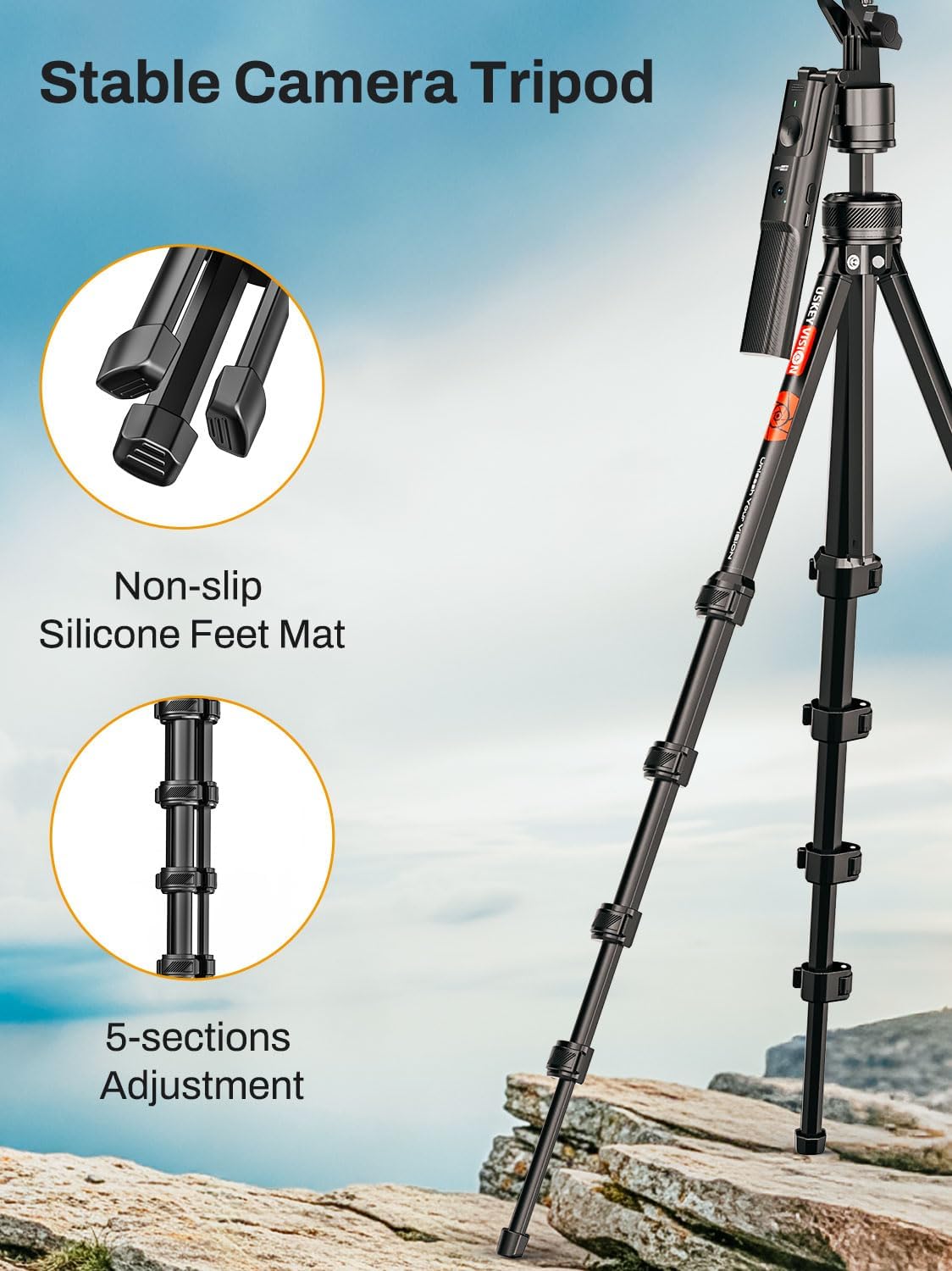
Image: The R01 PRO tripod demonstrated in Floor Mode for full-body tracking, Desktop Mode for seated use, and Handheld Mode for mobile recording.
Maintenance
- Cleaning: Wipe the tripod with a soft, dry cloth. Avoid using harsh chemicals or abrasive materials.
- Storage: Store the tripod in a cool, dry place away from direct sunlight and extreme temperatures. Ensure it is fully collapsed and secured when not in use.
- Battery Care: Recharge the internal battery regularly, even if not in frequent use, to maintain battery health.
Troubleshooting
| Issue | Possible Cause | Solution |
|---|---|---|
| Tracking is inconsistent or loses subject. |
|
|
| Remote control not pairing. |
|
|
| Smartphone does not fit in holder. |
|
|
Specifications
- Model Name: R01 PRO
- Brand: USKEYVISION
- Color: Black
- Material: Aluminum, Plastic
- Item Weight: 2.07 pounds
- Package Dimensions: 17.4 x 4.45 x 2.72 inches
- Minimum Height: 16.06 Inches
- Maximum Height: 57.67 Inches
- Number of Leg Sections: 3
- Tripod Head Type: Gimbal Heads
- Compatible Devices: Compact Camera, Smartphone (not recommended for foldable phones)
- Special Feature: Rotatable
- Batteries: 1 Lithium Metal battery required (included)
Warranty and Support
For warranty information and customer support, please refer to the official USKEYVISION website or contact their customer service directly. Keep your purchase receipt for any warranty claims.
For additional assistance, you may visit the USKEYVISION Store on Amazon.
Ask a question about this manual
Ask about setup, troubleshooting, compatibility, parts, safety, or missing instructions. Manuals+ will review the question and use this page’s manual context to help answer it.