
1. Product Overview
The Retevis NR40 is a professional-grade DMR two-way radio designed for reliable communication in demanding environments. It features a 5W high-range transmission, advanced DSP technology for clear audio, AES256 encryption for secure communication, and an IP67 waterproof and dustproof rating. With a 2800mAh battery, it offers extended operational time, making it suitable for construction, logistics, and security applications.
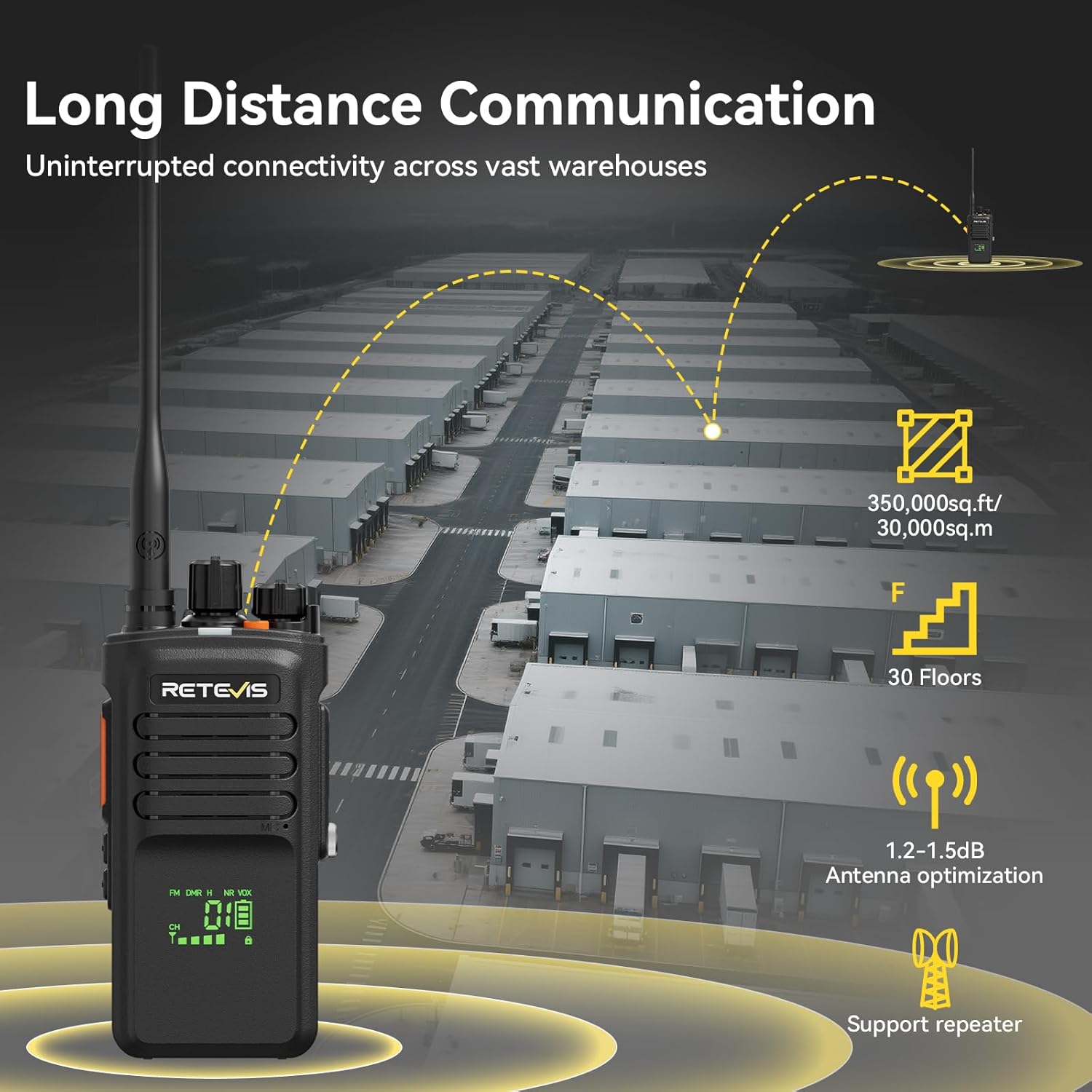
Figure 1.1: The Retevis NR40 Digital Two-Way Radio, showcasing its robust design.

Figure 1.2: An overview of the Retevis NR40's key features, including digital and analog compatibility, 2800mAh battery, two-way noise reduction, long range, AES256 technology, and IP67 waterproof and dustproof rating.
2. Key Features Explained
2.1 Long Range Communication
The 5W high-power walkie-talkie enables communication across 30 floors and extensive areas. Optimized antenna design ensures signals penetrate dense warehouse shelving and walls, maintaining connectivity and information flow for your team.

Figure 2.1: Visual representation of the Retevis NR40's long-distance communication capabilities, covering large areas and multiple floors.

Figure 2.2: An aerial view illustrating the extensive communication range of the Retevis NR40, suitable for large industrial sites.
2.2 DMR Digital Technology and Clear Audio
Professional-grade DMR digital two-way radios with advanced DSP technology filter background noise, ensuring instructions and alerts are received with clear clarity. The intelligent audio feature continuously monitors ambient noise levels and adjusts noise reduction intensity within seconds, providing clear communication whether in a quiet office or a busy communication hub.

Figure 2.3: The Retevis NR40 utilizing DMR Digital Technology with DSP for superior sound quality, filtering out forklift and loading dock noises.

Figure 2.4: Diagram illustrating the two-way digital-analog noise reduction feature, ensuring clear instructions even in noisy environments.

Figure 2.5: A graph demonstrating the intelligent audio adjustment, automatically adapting volume to ambient noise levels without manual intervention.
2.3 Secure Communication with AES256
The commercial two-way radio features a digital ARC4+AES256 system to prevent eavesdropping and ensure the security of voice communication, even in competitive business environments. It is compatible with Motorola DM4600 and XPR5000 models.

Figure 2.6: The Retevis NR40 highlighting its ARC4 and AES256 encryption technology for secure data and voice transmission.
2.4 IP67 Waterproof and Dustproof
Conquer the elements with this portable radio. It protects against dust ingress and immersion in water up to 1 meter for 30 minutes. Whether working in wet or dusty conditions, your communication remains reliable.

Figure 2.7: The Retevis NR40 demonstrating its 3-proof design, including IP67 waterproof and dustproof capabilities, built for tough warehouse conditions.
Video 2.1: Demonstration of the Retevis NR40's IP67 waterproof and dustproof capabilities, showing its resilience to water exposure.
2.5 Long-Lasting Battery Life
The DMR radio with a 2800mAh battery provides up to 20 hours of continuous operation and 90 hours of standby time, ensuring you are always available when needed, even during long shifts.

Figure 2.8: The Retevis NR40 highlighting its 2800mAh battery, offering extended use and standby time.

Figure 2.9: Detailed display of the Retevis NR40's battery features, including 2800mAh capacity, 20 hours of use, 90 hours of standby, Type-C charging, and power-saving mode.
2.6 Multiple Call Modes
Seamlessly manage team communication with the digital two-way radio. Initiate single calls for 1-on-1 conversations, group calls for team coordination, or all calls for company-wide announcements.
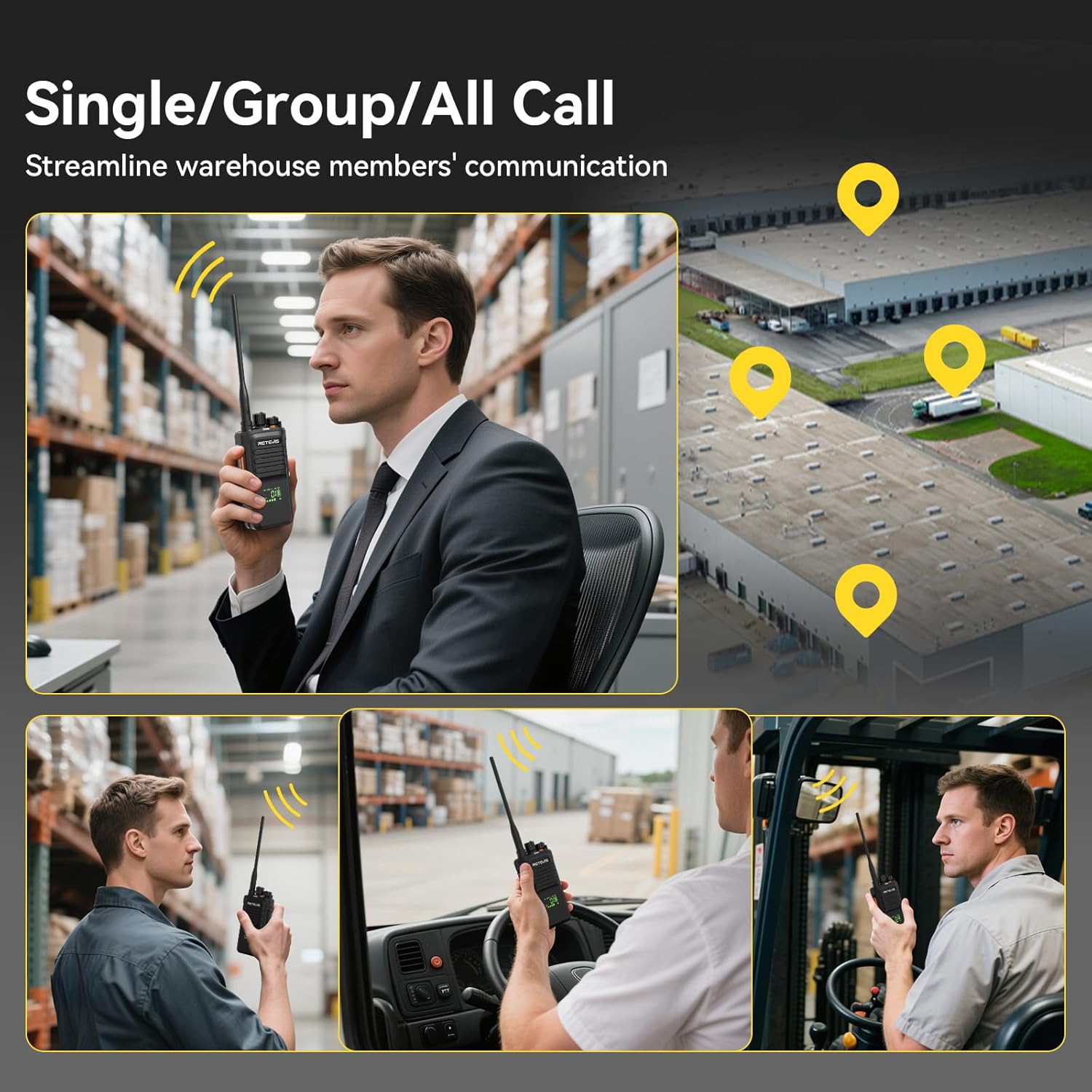
Figure 2.10: Illustration of the Retevis NR40's single, group, and all call modes, streamlining communication for warehouse teams.

Figure 2.11: Demonstrating effective group communication and planning of warehouse operations using the Retevis NR40.
2.7 Emergency Alarm Functions
The radio includes a dedicated alarm button and supports various alarm modes such as Local/Remote alarm, Man-down alarm, Digital alarm, and Lone worker alarm, providing instant assistance in emergencies.
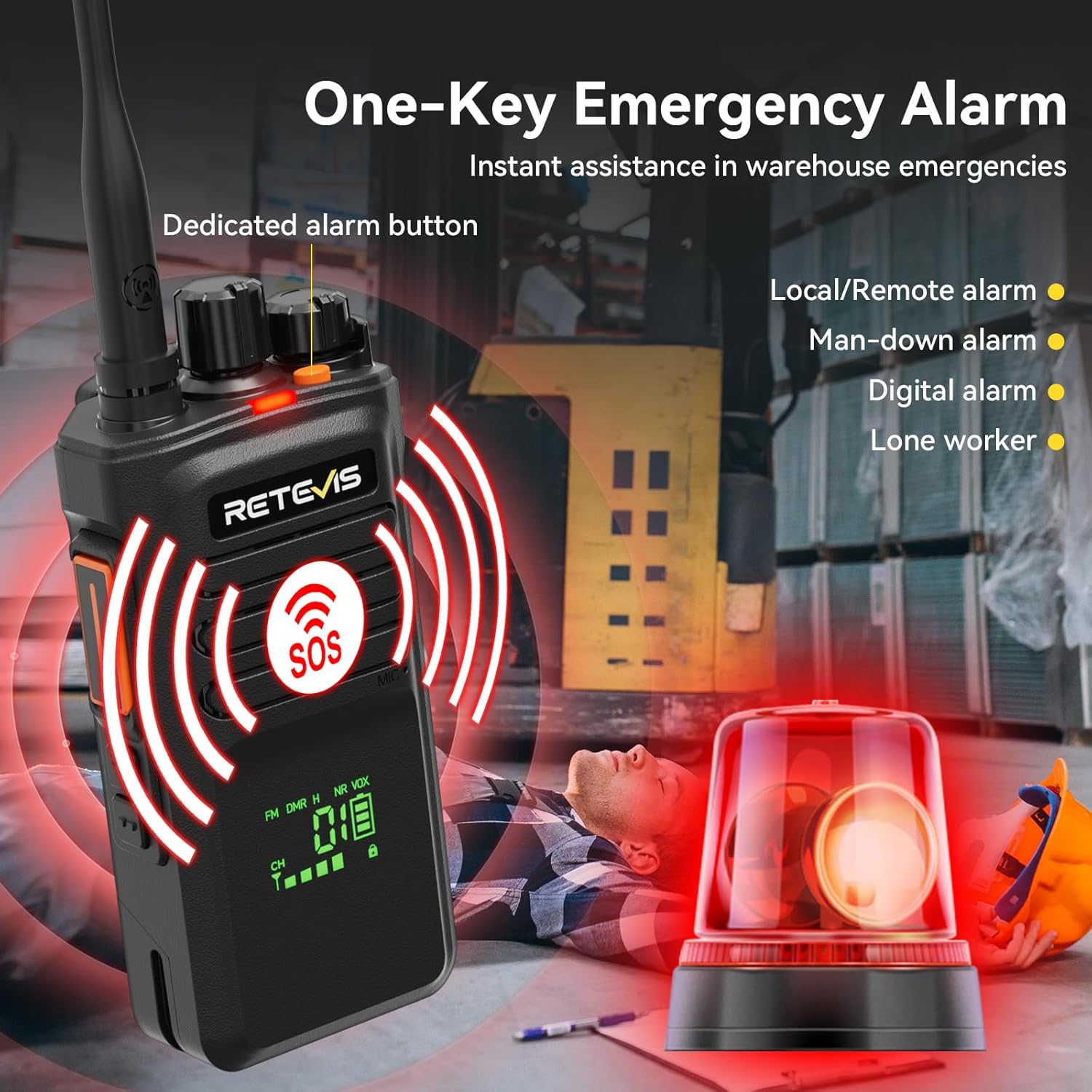
Figure 2.12: The Retevis NR40 featuring a one-key emergency alarm for immediate assistance in warehouse emergencies, including a Man-Down alarm.

Figure 2.13: The Retevis NR40's Man-Down alarm feature, designed to alert in case of an operator falling or being incapacitated.
Video 2.2: Demonstration of the Retevis NR40's alarm functions, including the emergency alert sound.
3. Package Contents
The Retevis NR40 package includes the following items:
- NR40 Digital Walkie Talkie *2
- Battery *2
- Type-C Charging Cable *2
- Belt Clip *2
- Hand Strap *2
- User Manual *2
- Data Cable *1
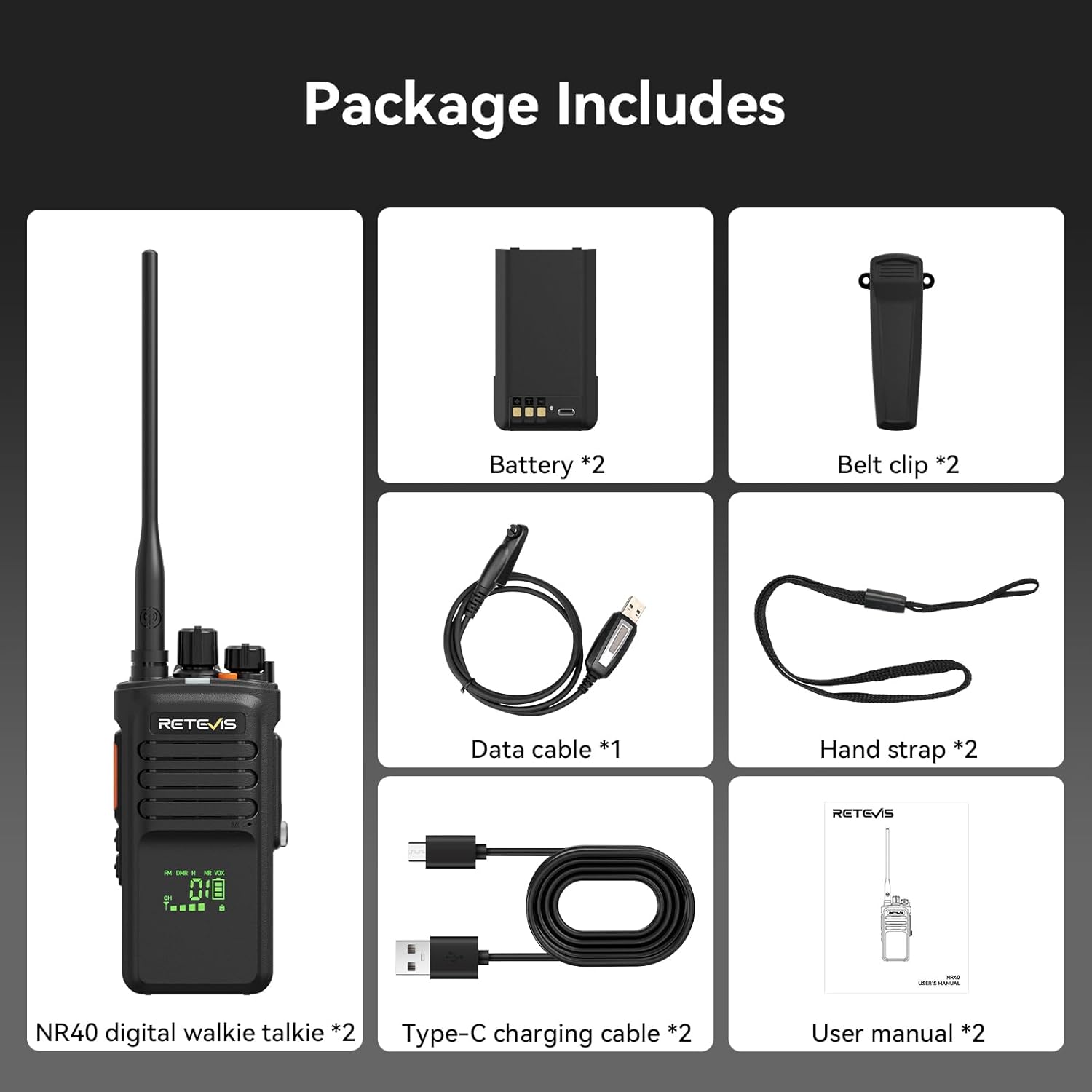
Figure 3.1: All items included in the Retevis NR40 product package.
4. Technical Specifications
| Specification | Value |
|---|---|
| Brand | Retevis |
| Color | Black |
| Number of Channels | 128 |
| Special Features | Digital and Analog, Long Range, Two-way Noise Reduction, 2800 mAh Long Battery Life, IP67 Waterproof |
| Frequency Range | 440-461.9Mhz/468-470Mhz |
| Maximum Talk Range | 4.5 Kilometers |
| Voltage | 7.4 Volts |
| Waterproof Level | Waterproof (IP67) |
| Product Dimensions (D x W x H) | 47mm x 60mm x 225mm |
| Number of Batteries | 1 12V (included) |
| Noise Level | 40 Decibels |
| Compatible Devices | Smartphone (for programming, likely) |
| Temperature Range | -10°C~50°C |
| Connectivity Protocol | DMR |
| International Protection Rating | IP67 |
| Model Number | NR40 |
| Manufacturer | Retevis |
| Country of Origin | China |
| Item Weight | 1 Grams (This seems incorrect, likely a placeholder or error in source data) |
5. Setup and Operation
5.1 Charging the Battery
Before first use, fully charge the radio's 2800mAh battery using the provided Type-C charging cable. Connect the cable to the Type-C port on the radio and a compatible USB power source.
Video 5.1: Demonstration of the Retevis NR40's Type-C charging port and charging process.
5.2 Basic Operation
- Power On/Off: Rotate the power/volume knob clockwise to turn on the radio. Rotate counter-clockwise until a click is heard to turn off.
- Volume Adjustment: Rotate the power/volume knob to adjust the listening volume.
- Channel Selection: Use the channel selector knob to choose the desired communication channel.
- Transmitting: Press and hold the PTT (Push-to-Talk) button on the side of the radio to transmit your voice. Speak clearly into the microphone. Release the PTT button to listen.
- Receiving: The radio will automatically receive transmissions on the selected channel when the PTT button is not pressed.
5.3 Advanced Features
- Emergency Alarm: Press the dedicated alarm button (usually orange or marked SOS) to activate the emergency alarm. Refer to the full user manual for specific alarm configurations (Local/Remote, Man-down, Digital, Lone worker).
- Call Modes: The radio supports single, group, and all call modes. These are typically configured via programming software.
- Noise Reduction: The intelligent audio system automatically adjusts noise reduction. No manual intervention is usually required for this feature.
6. Maintenance
- Cleaning: Use a soft, damp cloth to clean the radio's exterior. Do not use harsh chemicals or solvents.
- Battery Care: Avoid fully discharging the battery frequently. Charge the battery regularly, even if not in use, to maintain its lifespan.
- Storage: Store the radio in a cool, dry place away from direct sunlight and extreme temperatures when not in use for extended periods.
- Antenna: Ensure the antenna is securely attached. Do not operate the radio without an antenna.
7. Troubleshooting
| Problem | Possible Cause | Solution |
|---|---|---|
| No power | Battery discharged or not properly installed. | Charge the battery. Ensure the battery is correctly seated. |
| Cannot transmit or receive | Incorrect channel selected, out of range, or antenna issue. | Verify channel. Move closer to other radios. Check antenna connection. |
| Poor audio quality | Weak signal, interference, or microphone/speaker obstruction. | Move to an area with better signal. Check for obstructions. |
| Alarm activates unexpectedly | Accidental button press or sensor trigger (e.g., Man-down). | Ensure buttons are not accidentally pressed. Review alarm settings. |
8. Warranty and Support
Retevis provides a 2-year warranty for the radio body and a 1-year warranty for accessories. We offer a 30-day no-reason return policy. Beyond the warranty period, service is still available, with buyers responsible for associated costs. For any inquiries, please contact us on Amazon, and we will respond within 12 hours.

Figure 8.1: Retevis customer service support information, including warranty details and contact response time.


