
1. Introduction
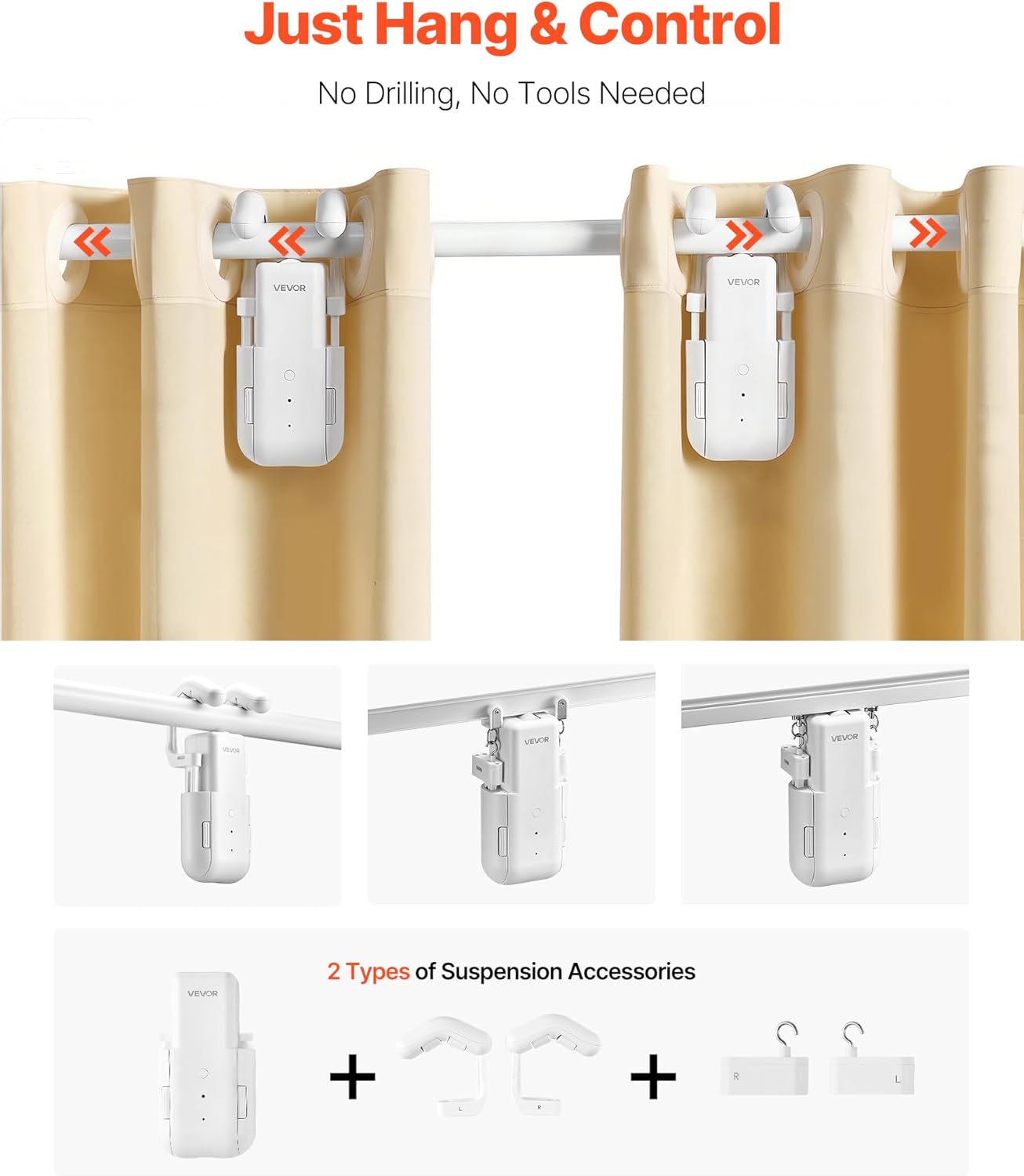
Thank you for choosing the VEVOR Automatic Smart Curtain Opener. This device is designed to automate your existing curtains, offering convenience through app, remote, and voice control. It supports various curtain track types including Roman rods, U-shaped, and I-shaped rails. This manual provides essential information for safe and efficient use of your new curtain opener.
2. Safety Instructions
- Read all instructions carefully before installation and operation.
- Keep the device away from water and high humidity environments.
- Do not attempt to disassemble or repair the device yourself. Contact customer support for assistance.
- Ensure the curtain rod or track is securely installed and can support the weight of the curtains and the opener (Max Load: 35 lbs / 16 kg).
- Keep children and pets away from the moving curtains during operation.
- Use only the provided accessories and power cables.
- Before initial use, check the opening/closing direction and calibrate the travel.
3. Package Contents
Verify that all items are present in your package:
- 2 x Main Unit
- 1 x Remote Control
- 1 x Wireless Gateway
- 2 x Type-C Cable
- 4 x Roman Rod Hooks
- 2 x 3m Traction Rope
- 2 x Connector Plate
- 1 x User Manual (this document)

4. Product Overview
The VEVOR Automatic Smart Curtain Opener is designed for easy integration with various curtain systems. Its compact design ensures it remains discreetly behind your curtains.
Compatibility
This device is compatible with:
- Roman Rods: Suitable for diameters of 0.3 - 1.6 inches (8 - 40 mm).
- U-Shaped Rails
- I-Shaped Rails

5. Setup and Installation
The VEVOR Automatic Smart Curtain Opener is designed for easy, tool-free installation on your existing curtain setup.
Installation Steps:
- Attach Main Units: Hang the main units onto your curtain rod or track. For Roman rods, use the provided Roman Rod Hooks. For U-shaped and I-shaped rails, use the quick-swap adapters. Ensure the units are securely attached and can move freely.
- Connect Traction Rope (if applicable): For certain curtain types, you may need to use the traction rope to ensure smooth movement.
- Charge Devices: Fully charge both main units using the provided Type-C cables before initial use.
- Download App: Download the companion app (e.g., Tuya Smart or Smart Life, refer to the quick start guide for specific app name) on your smartphone.
- Pair the Hub (Wireless Gateway):
- Keep your phone connected to the internet.
- Press the power button on the main unit twice; the blue light will flash.
- Power on the wireless gateway and long-press its button for 5 seconds until the red light stays on.
- The gateway will beep once paired.
- Add Device in App:
- Open the app and tap "Add Device".
- Select "WiFi smart curtain robot" or similar option.
- Follow the in-app instructions to complete the device addition and name your curtain opener.
- Calibrate Travel: Once connected, use the app or remote to calibrate the full open and closed positions of your curtains. This ensures the opener knows the exact travel distance for your specific setup.

6. Operating Instructions
Your VEVOR Automatic Smart Curtain Opener offers multiple control methods for maximum convenience.
6.1. Remote Control
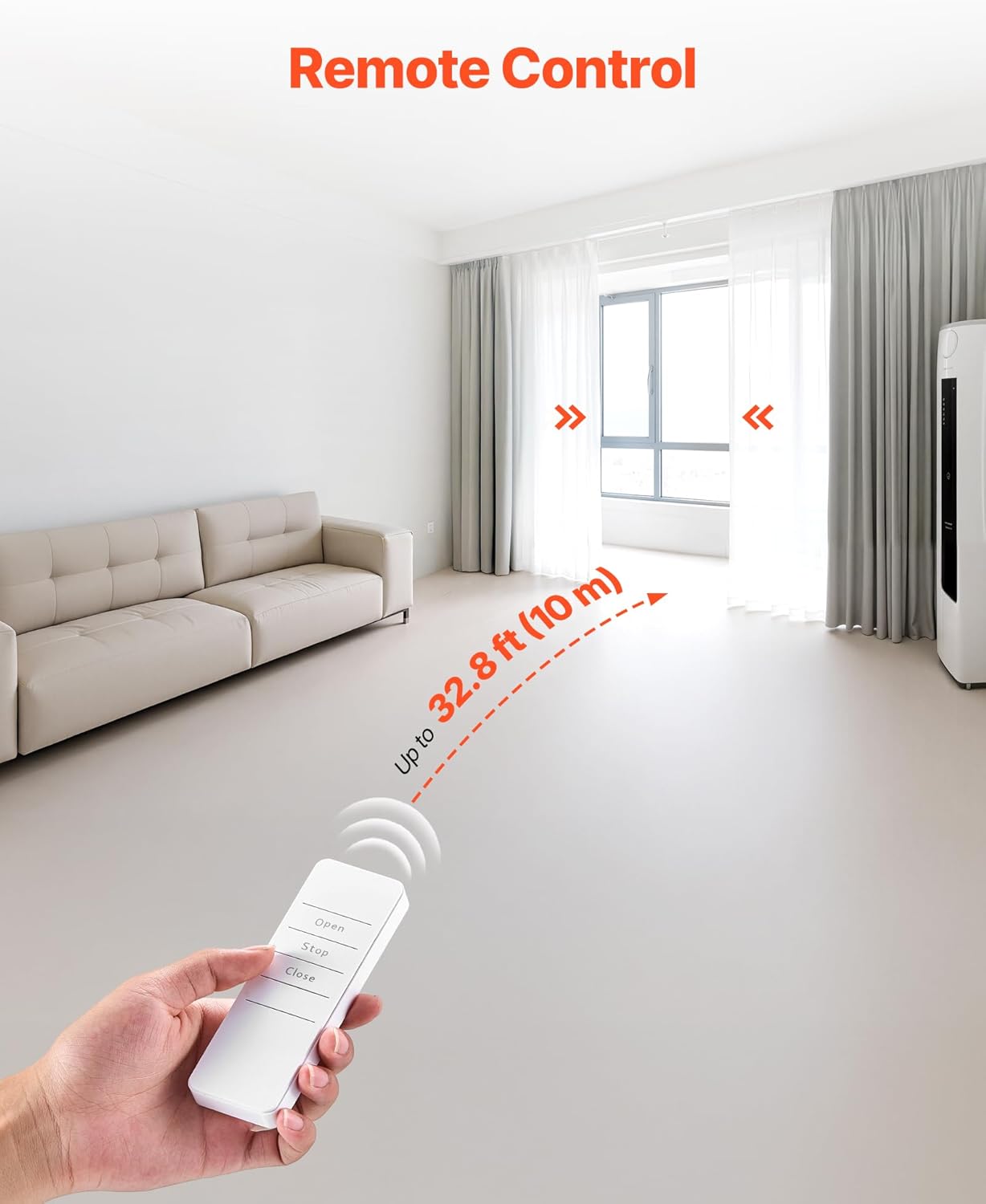
Use the included remote control to open, close, or stop your curtains from a distance of up to 32.8 ft (10 m).
6.2. App Control
Manage your curtains anytime, anywhere using the dedicated smartphone app. The app provides full control over opening/closing, setting schedules, and accessing smart features.

6.3. Voice Control
The device is compatible with Amazon Alexa and Google Assistant. Once integrated, you can use voice commands to control your curtains, such as "Hey Alexa, close the curtains at 9:00 pm."
7. Smart Features
Enhance your daily routine with the intelligent features of your curtain opener:
- Adjustable Range & Position Control: Precisely set the opening and closing limits to match your window dimensions.
- Timers & Schedules: Program specific times for your curtains to open and close automatically, aligning with your daily schedule or sunrise/sunset.
- Light and Temperature Sensing: The device can be configured to react to ambient light and temperature changes, automatically adjusting curtains for optimal comfort and energy efficiency.
- Custom Scenes: Create personalized scenes within the app to control multiple smart devices, including your curtains, with a single command.
- Quiet Mode: Ensures silent operation, ideal for bedrooms and nurseries, preventing disturbance during sleep.

8. Battery Life and Charging
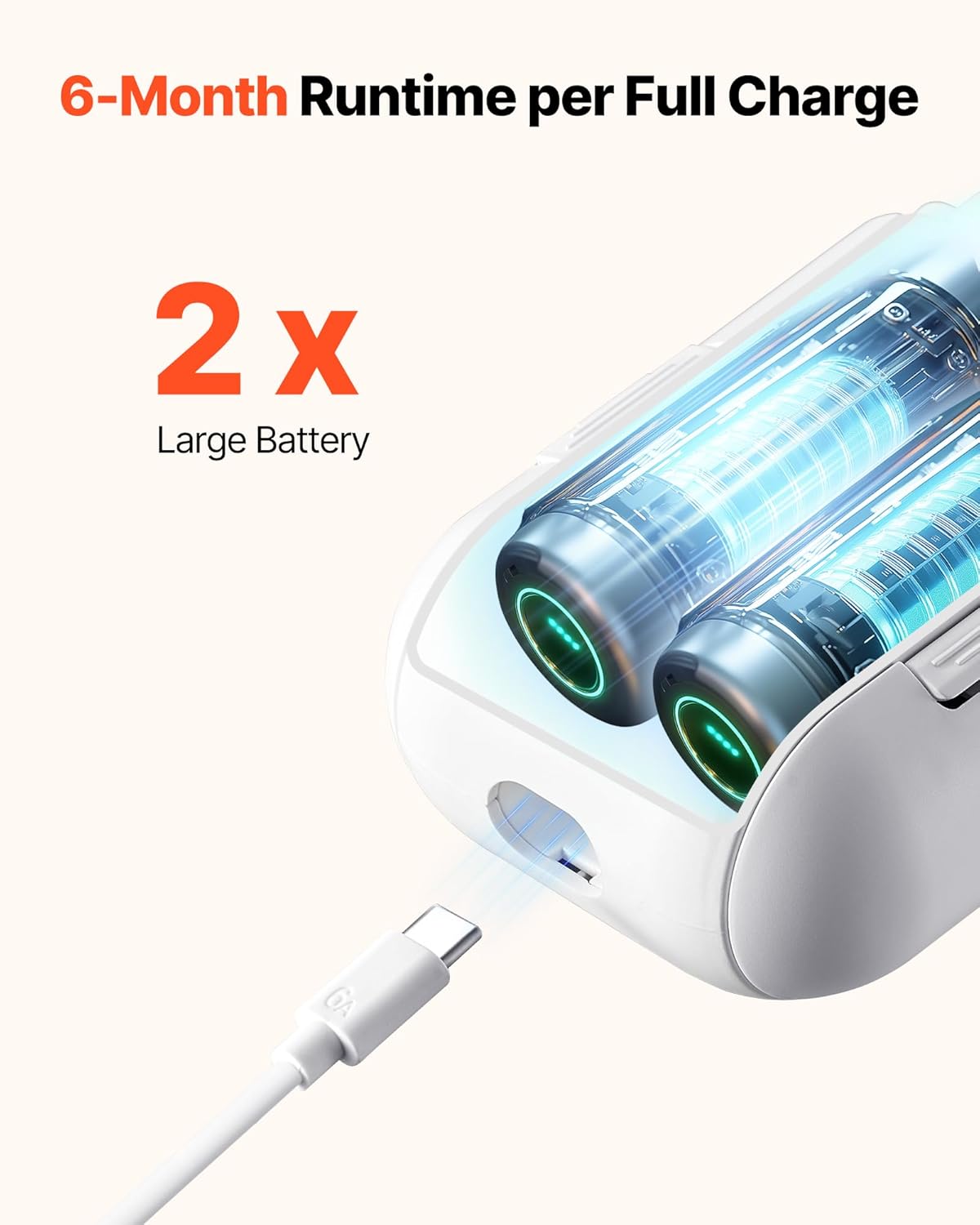
Each main unit is equipped with two built-in 2000mAh batteries, providing up to six months of runtime on a full charge with regular use. Recharge using the provided Type-C cables.

9. Maintenance
- Cleaning: Wipe the device with a soft, dry cloth. Do not use abrasive cleaners or solvents.
- Battery Care: Recharge the batteries when the low battery indicator appears. Avoid fully draining the batteries frequently to prolong their lifespan.
- Track Inspection: Periodically check your curtain rod or track for any obstructions or damage that might hinder the smooth operation of the opener.
- Firmware Updates: Check the app regularly for any available firmware updates to ensure optimal performance and access to new features.
10. Troubleshooting
If you encounter issues with your VEVOR Automatic Smart Curtain Opener, refer to the following common solutions:
| Problem | Possible Cause | Solution |
|---|---|---|
| Device not responding to remote/app. | Low battery, remote/app not paired, gateway offline. | Charge the main units. Re-pair the remote or app with the gateway. Ensure the gateway is powered on and connected to Wi-Fi. |
| Curtains not opening/closing fully. | Incorrect travel calibration, obstruction on track. | Recalibrate the open/closed positions via the app. Check the curtain track for any obstacles. |
| Device making unusual noise. | Obstruction, track friction, internal issue. | Check for obstructions. Ensure the track is clean and smooth. If noise persists, contact customer support. |
| Voice control not working. | Incorrect integration with Alexa/Google Home, network issue. | Verify the device is correctly linked in your Alexa/Google Home app. Check your home Wi-Fi connection. |
For further assistance, please refer to the in-app help section or contact VEVOR customer support.
11. Specifications
| Feature | Detail |
|---|---|
| Model Number | LY-1998 |
| Rated Voltage | DC 7.2 V |
| Power | 8 W |
| Battery Capacity/Cell | 2000 mAh (per cell) |
| Battery Quantity | 4 (total, 2 per main unit) |
| Material | ABS |
| Product Weight | 2.98 pounds (1.35 kg) |
| Product Dimensions | 9.45 x 3.39 x 2.17 inches (240 x 86 x 55 mm) |
| Remote Control Range | Up to 32.8 ft (10 m) |
| Compatible Track Types | Roman Rod, U-Shaped Rail, I-Shaped Rail |
| Compatible Roman Rod Diameter | 0.3 - 1.6 inches (8 - 40 mm) |
| Maximum Curtain Weight per Unit | 35 lbs (16 kg) |
12. Warranty and Support
VEVOR products come with a standard warranty. For specific warranty details, product registration, or technical support, please visit the official VEVOR website or contact their customer service directly. Keep your purchase receipt for warranty claims.


