
SAMSUNG Galaxy A17 5G
SAMSUNG Galaxy A17 5G Smartphone User Manual
Model: SM-A176B
Introduction
This manual provides essential information and instructions for using your new SAMSUNG Galaxy A17 5G smartphone. Please read this manual thoroughly to ensure safe and optimal use of your device. Keep this manual for future reference.

Image: Front and back view of the SAMSUNG Galaxy A17 5G smartphone in blue, highlighting its sleek design and camera module.
Setup
1. Package Contents
Before starting, ensure all items are present:
- SAMSUNG Galaxy A17 5G Smartphone
- Ejection Pin
- Quick Start Guide
- Note: Charger is sold separately.

Image: Diagram illustrating the phone's dimensions and the accessories typically included or recommended, such as the ejection pin and quick start guide.
2. Inserting SIM and MicroSD Card
- Locate the SIM card tray on the side of the device.
- Insert the ejection pin into the small hole next to the tray to open it.
- Place your Nano-SIM card(s) and/or microSDXC card into the tray with the gold contacts facing down. Note: The microSDXC card uses shared SIM slot 2. eSIM is not supported.
- Carefully reinsert the tray into the phone.
3. Initial Power On and Setup
- Press and hold the Power/Side key until the SAMSUNG logo appears.
- Follow the on-screen prompts to select your language, connect to a Wi-Fi network, and set up your Google account.
Operating Your Device
Display Features
The Galaxy A17 5G features an immersive 6.7-inch Super AMOLED display with a 90Hz refresh rate, providing vibrant colors and smooth scrolling. The resolution is 1080x2340 pixels with 385 ppi and up to 800 nits (HBM) brightness.

Image: The SAMSUNG Galaxy A17 5G displaying a colorful landscape, demonstrating the vibrancy of its Super AMOLED screen.
Camera Functions
Capture moments with the versatile triple-camera system:
- Main Camera: 50MP, f/1.8 with Optical Image Stabilization (OIS) for clear photos.
- Ultra-wide Camera: 5MP, f/2.2 for expansive landscape shots.
- Macro Camera: 2MP, f/2.4 for detailed close-ups.
- Front Camera: 13MP, f/2.0 for high-quality selfies and video calls.

Image: Detailed view of the SAMSUNG Galaxy A17 5G's rear camera module, indicating the specifications of its triple lens system.

Image: A split image demonstrating the effectiveness of Optical Image Stabilization (OIS) in reducing blur for clearer photos.

Image: Examples of photography modes available on the Galaxy A17 5G, including Ultra Wide, Macro, and Selfie.
Performance and Connectivity
Powered by an Exynos 1330 (5nm) octa-core processor clocked at 2.4 GHz and 6GB RAM, the Galaxy A17 5G ensures smooth performance for streaming, gaming, and social sharing. It supports global 5G and 4G LTE bands for ultra-fast connectivity.
Software and User Interface
The device runs on Android 15 with SAMSUNG's One UI 7, offering a personalized and connected user experience. It is designed to receive 6 OS upgrades and 6 years of security updates, ensuring your device remains current and secure.
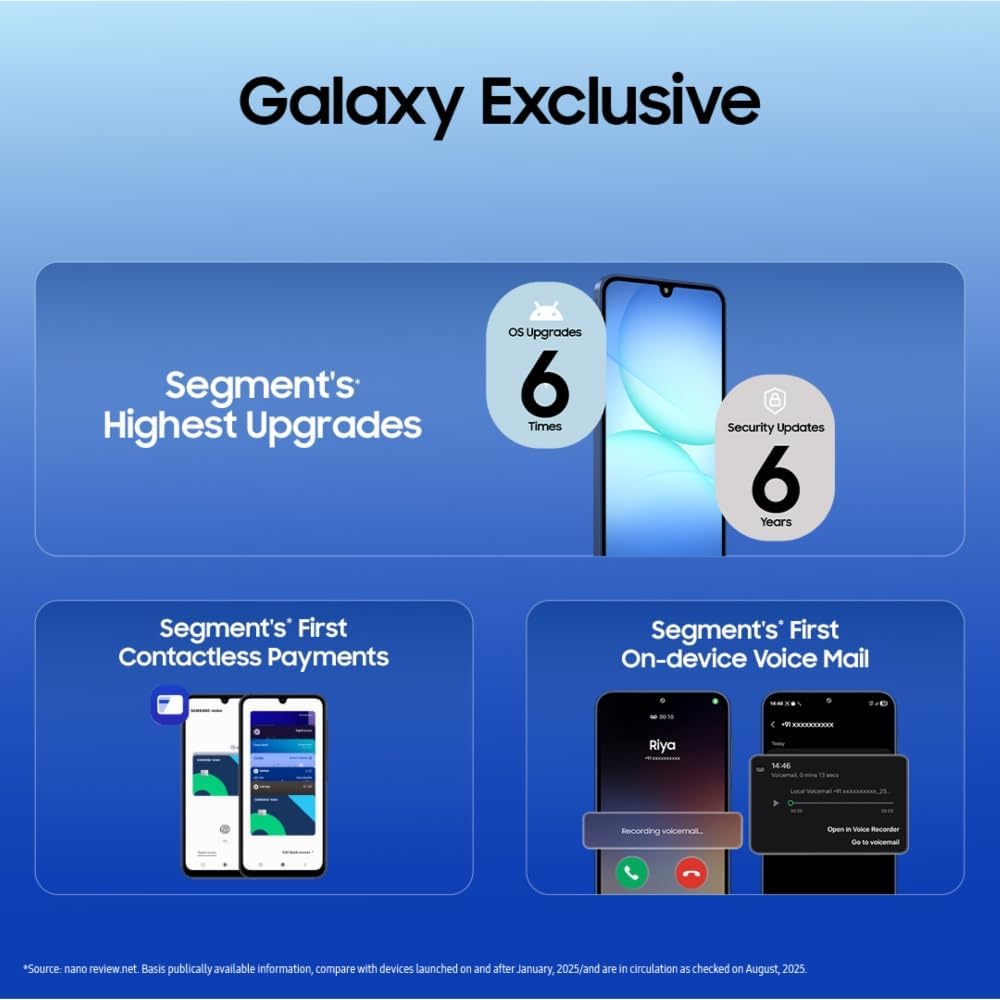
Image: Visual representation of the extended software support for the Galaxy A17 5G, including OS upgrades and security updates.
Special Features
- AI Assistant (Google Gemini): Interact with your device using Gemini Live for various tasks.
- Circle to Search: Quickly find information by circling objects on your screen.
- Knox Vault: Defense-grade security to protect your data.
- Voice Focus: Eliminates background noise during calls for clearer communication.
- Contactless Payments: Supports secure mobile payment options.
- On-device Voice Mail: Access voicemail directly on your device.

Image: A demonstration of Gemini Live on the Galaxy A17 5G, showing an AI assistant providing information based on a visual query.

Image: Examples of instant search capabilities on the Galaxy A17 5G, including music recognition, image-based search, and quick actions.
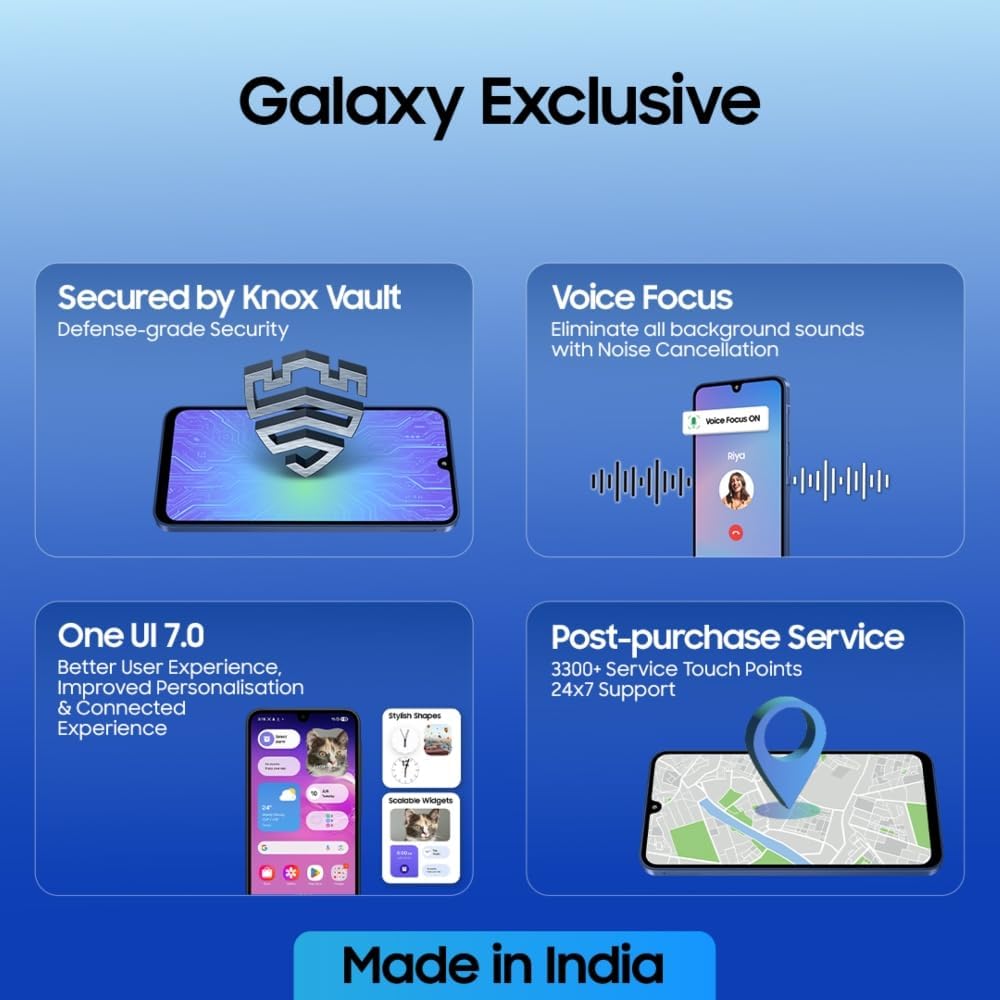
Image: Overview of exclusive features for the Galaxy A17 5G, such as enhanced security, call clarity, user interface improvements, and service support.
Maintenance
Software Updates
Regularly check for and install software updates to ensure your device has the latest features, security patches, and performance improvements. Updates are typically delivered over-the-air (OTA).
Battery Care
- Use only SAMSUNG-approved chargers and cables.
- Avoid exposing the device to extreme temperatures.
- For optimal battery longevity, avoid fully discharging the battery frequently.
Cleaning Your Device
Gently wipe the screen and body with a soft, lint-free cloth. Avoid using harsh chemicals or abrasive materials. The device has an IP54 rating for splash resistance, meaning it is protected against dust and splashing water from any direction. It is not waterproof; avoid submerging it in water.

Image: The Galaxy A17 5G shown with water droplets, emphasizing its IP54 splash resistance and the durability provided by Corning Gorilla Glass Victus.
Troubleshooting
Common Issues and Solutions
| Issue | Possible Solution |
|---|---|
| Device not turning on | Ensure the battery is charged. Connect to a charger for at least 10 minutes before attempting to power on. |
| Battery draining quickly | Close unused apps, reduce screen brightness, disable unnecessary features like GPS or Bluetooth when not in use. Check for background app activity. |
| Connectivity problems (Wi-Fi/5G) | Restart the device. Toggle Wi-Fi/Mobile Data off and on. Check router/network settings. |
| Apps crashing or freezing | Clear app cache/data (Settings > Apps > [App Name] > Storage). Update the app. If persistent, uninstall and reinstall. |
| Device overheating | Close background apps. Avoid using the device while charging for extended periods. Reduce heavy usage (gaming, video streaming) if it persists. Ensure adequate ventilation. |
If issues persist, consider performing a factory reset (back up your data first) or contacting support.
Specifications
| Feature | Detail |
|---|---|
| Model Name | Galaxy A17 5G (SM-A176B) |
| Display | 6.7-inch Super AMOLED, FHD+ (1080 x 2340), 90Hz Refresh Rate, 800 nits (HBM) |
| Processor | Exynos 1330 (5nm) Octa-Core (2.4 GHz) |
| RAM | 6GB |
| Internal Storage | 128GB (expandable via microSDXC, uses shared SIM slot) |
| Rear Camera | 50MP (Wide, OIS) + 5MP (Ultrawide) + 2MP (Macro) |
| Front Camera | 13MP |
| Battery Capacity | 5000 mAh |
| Operating System | Android 15, One UI 7 |
| Connectivity | 5G, 4G LTE, Wi-Fi, Bluetooth, GPS |
| SIM Type | Dual SIM (Nano-SIM) |
| Durability | IP54 Splash Resistant, Corning Gorilla Glass Victus |
| Dimensions | 0.3 x 3.07 x 6.47 inches (7.5mm thickness) |
| Weight | 6.8 ounces (192 Grams) |
Warranty and Support
Warranty Information
Important: This is an International Model. It may not come with a U.S. manufacturer warranty. Please refer to the seller's return policy for warranty and support details.
Customer Support
For technical assistance, troubleshooting, or service inquiries, please contact your point of purchase or refer to SAMSUNG's official support channels in your region. SAMSUNG offers post-purchase service with 3300+ service touch points and 24x7 support in some regions.
You can often find additional support and FAQs on the official SAMSUNG website: www.samsung.com/support/