
1. Introduction
Thank you for choosing the GLLAVA Electric Razor QWER11. This manual provides essential information for the safe and effective use, maintenance, and care of your new electric shaver. Please read it thoroughly before first use and retain it for future reference.
2. Safety Information
- Ensure the device is fully charged before initial use.
- Keep the device away from children.
- Do not disassemble or attempt to repair the device yourself. Contact customer support for assistance.
- This appliance is IPX8 waterproof, allowing for safe use in wet conditions and easy rinsing. However, do not immerse the charging cable in water.
- Activate the travel lock feature when transporting the shaver to prevent accidental activation.
- Use only the provided USB-C cable for charging.
3. Package Contents
Verify that all items are present in your package:
- GLLAVA Electric Razor (Main Unit with 3D Floating Shaver Head)
- Hair Trimmer Attachment
- Nose Hair Trimmer Attachment
- USB-C Charging Cable
- Cleaning Brush
- Travel Case
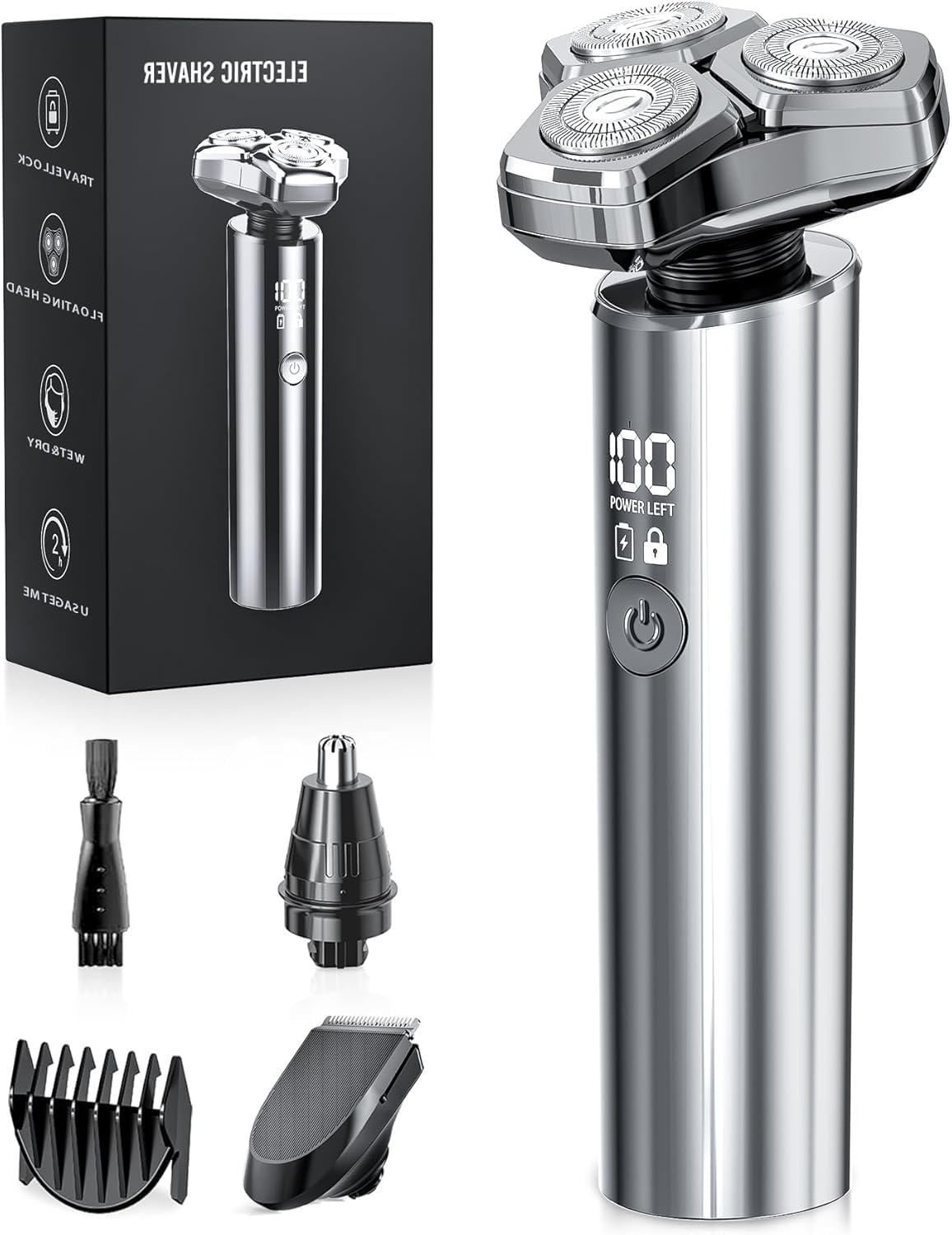
Figure 3.1: The GLLAVA Electric Razor QWER11 in metallic silver, alongside its complete set of accessories: a cleaning brush, a nose hair trimmer attachment, and a hair trimmer attachment with multiple guide combs. The product packaging is also visible.
4. Product Overview
The GLLAVA Electric Razor QWER11 is designed for efficient and comfortable grooming. Key features include:
- 3D Magnetic Floating Blades: Detachable blades that adapt to facial contours for a smooth shave.
- 10,000 RPM High-Speed Motor: Provides powerful and precise cutting for thick or coarse hair.
- IPX8 Waterproof: Allows for wet/dry use and easy cleaning under running water.
- USB-C Fast Charging: Offers a 5-minute quick charge for a single shave and up to 90 minutes of cordless operation on a full charge.
- Travel Lock: Prevents accidental activation during transport.
- Multi-functional Attachments: Includes a hair trimmer and nose hair trimmer for versatile grooming.
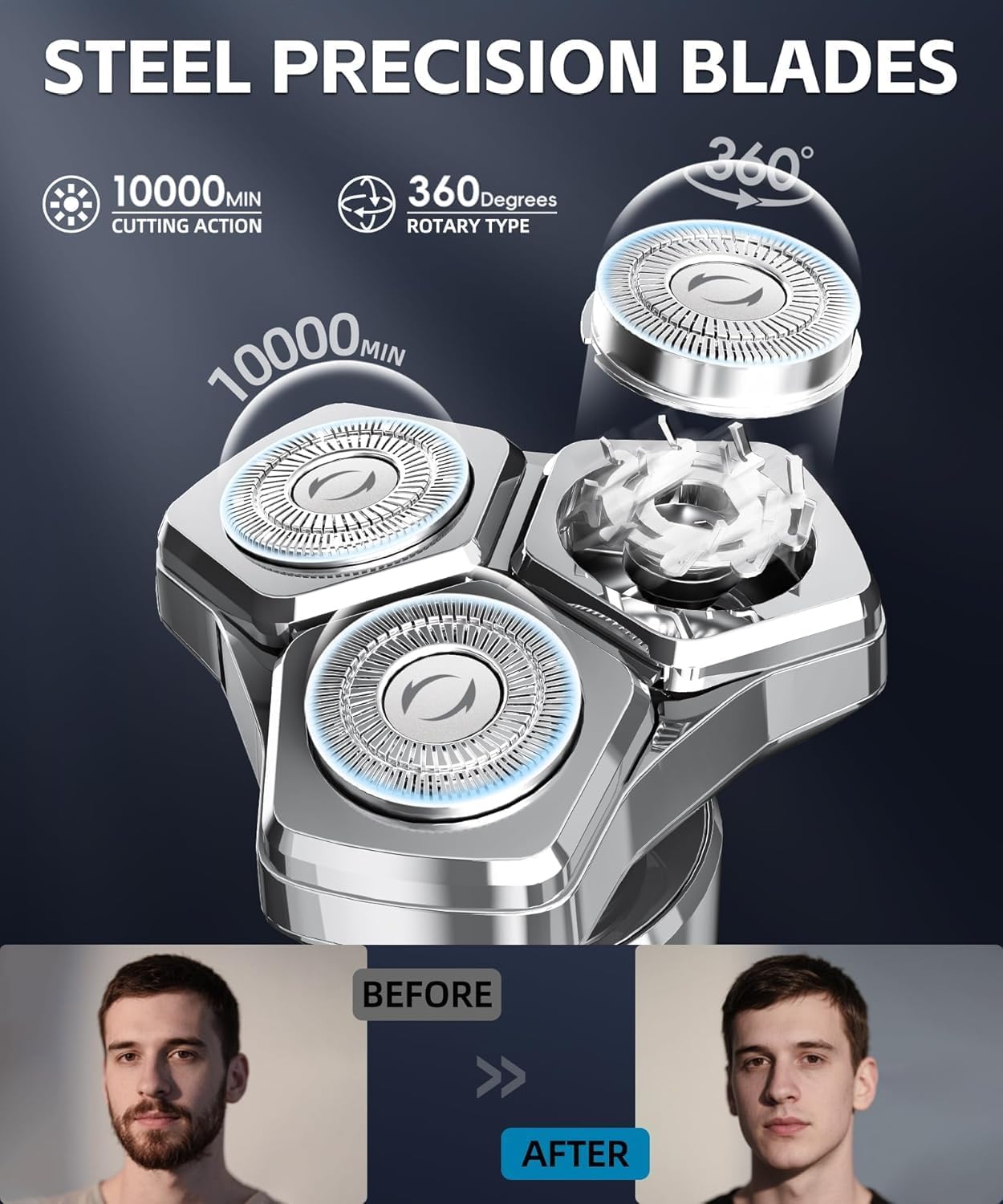
Figure 4.1: This close-up view focuses on the GLLAVA Electric Razor QWER11's three rotary shaving heads, emphasizing the steel precision blades and the 10,000 RPM high-speed motor for efficient cutting action.

Figure 4.2: The image details the unique magnetic design of the GLLAVA Electric Razor QWER11's shaving head. It highlights the strong magnetic connection that allows for easy attachment and detachment, simplifying the cleaning process.
5. Setup
5.1 Charging the Razor
- Connect the provided USB-C charging cable to the charging port at the bottom of the razor.
- Connect the other end of the USB-C cable to a compatible USB power source (e.g., power adapter, laptop, car charger, power bank).
- The LED display will indicate the charging status. A full charge typically takes approximately 60 minutes, providing up to 90 minutes of cordless operation.
- For emergency use, a 5-minute quick charge can provide enough power for one shave.
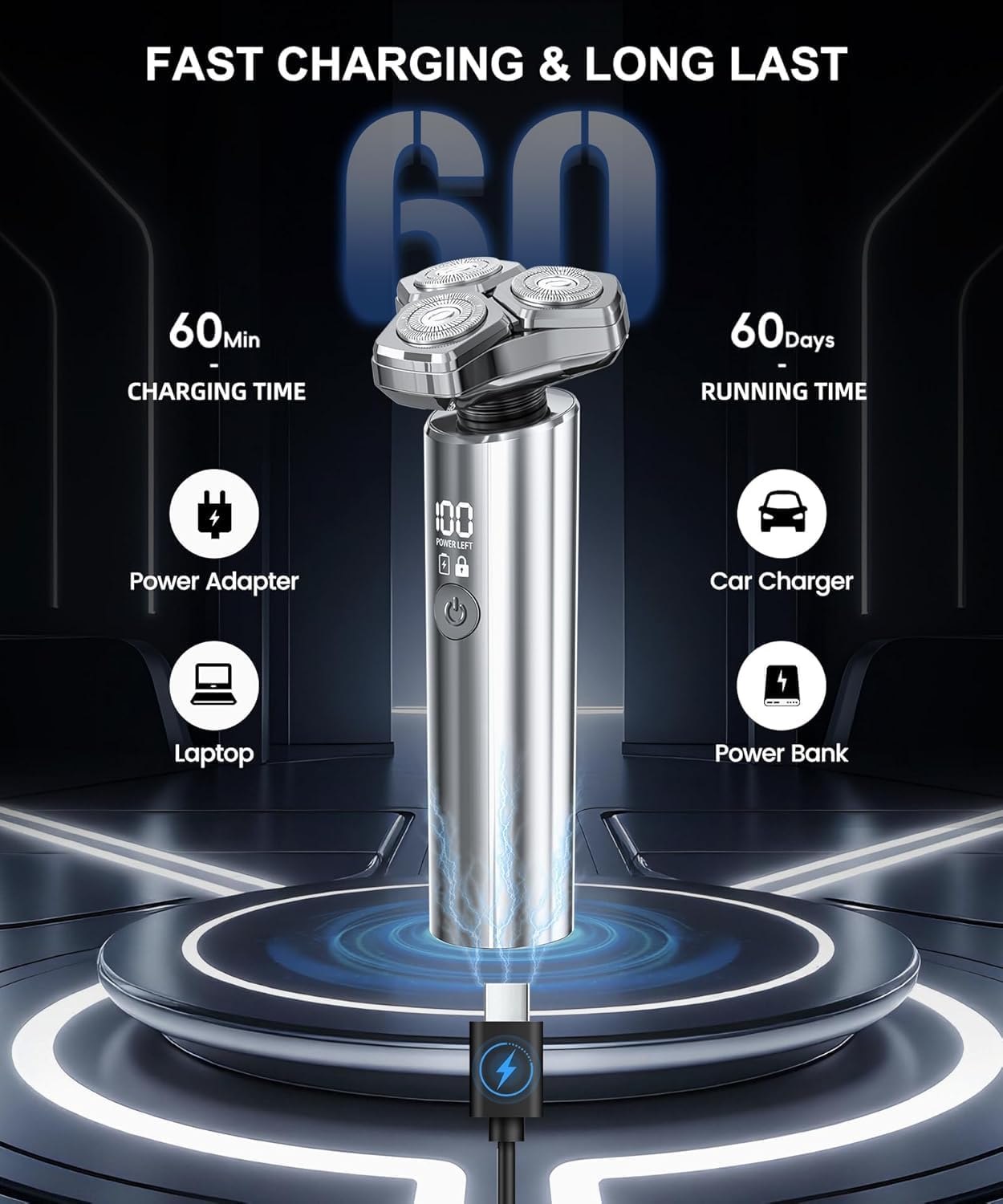
Figure 5.1: The image highlights the fast charging capabilities of the GLLAVA Electric Razor QWER11. It shows the shaver connected via USB-C, indicating a 60-minute charging time for 60 days of running time. Various charging methods are depicted, including power adapter, laptop, car charger, and power bank.
5.2 Activating/Deactivating Travel Lock
- To activate the travel lock, press and hold the power button for 3 seconds. The lock icon will appear on the LED display.
- To deactivate the travel lock, press and hold the power button for 3 seconds again. The lock icon will disappear, and the razor will be ready for use.
6. Operating Instructions
6.1 Shaving with the 3D Floating Shaver Head
- Ensure the 3D floating shaver head is securely attached to the main unit.
- Press the power button to turn on the razor.
- For a dry shave, ensure your skin is clean and dry. Gently move the shaver in small circular motions against the direction of hair growth.
- For a wet shave, you may use shaving foam or gel. Apply to your face and then shave in small circular motions. Rinse the shaver head frequently during a wet shave.
- The 3D floating blades will adapt to the contours of your face, jawline, and neck for a close and comfortable shave.
- After shaving, press the power button to turn off the razor.

Figure 6.1: This image visually confirms the GLLAVA Electric Razor QWER11's capability for both wet and dry shaving. One user is shown with shaving foam for a wet shave, while the other is performing a dry shave, emphasizing the product's flexibility.
6.2 Using Attachments (Hair Trimmer & Nose Hair Trimmer)
- To change attachments, gently pull the current shaving head upwards to detach it from the main unit. The magnetic design allows for easy removal.
- Align the desired attachment (Hair Trimmer or Nose Hair Trimmer) with the main unit and press down until it clicks securely into place.
- Hair Trimmer: Use for detailing beards, sideburns, or general hair trimming. Guide combs can be attached for desired hair lengths.
- Nose Hair Trimmer: Carefully insert the trimmer into your nostril or ear canal and move it gently to trim unwanted hair.
- After use, turn off the razor and remove the attachment for cleaning.

Figure 6.2: This image illustrates the versatility of the GLLAVA Electric Razor QWER11, showcasing its interchangeable heads. It features the hair trimmer, the main 3D floating shaver, and the nose hair trimmer, demonstrating how the device can be used for various grooming needs.
7. Maintenance and Cleaning
Regular cleaning ensures optimal performance and hygiene of your GLLAVA Electric Razor.
- Turn Off and Detach: Always turn off the razor before cleaning. Gently pull the shaving head or attachment upwards to detach it from the main unit.
- Rinse Under Water: Thanks to its IPX8 waterproof rating, you can rinse the detached shaving head and the main unit (ensure charging port cover is closed) directly under running tap water.
- Use Cleaning Brush: For thorough cleaning, use the provided cleaning brush to remove any trapped hair from the blades and inside the shaving head.
- Dry Thoroughly: After rinsing, shake off excess water and allow all parts to air dry completely before reattaching or storing.
- Reassemble: Once dry, align the shaving head or attachment and press it back onto the main unit until it clicks into place.

Figure 7.1: The image showcases the GLLAVA Electric Razor QWER11's IPX8 waterproof design, with water splashing over the device. It illustrates the easy disassembly of the shaving head and the ability to rinse it directly under running water for quick and hygienic cleaning.
8. Troubleshooting
If you encounter issues with your GLLAVA Electric Razor, refer to the following common solutions:
| Problem | Possible Cause | Solution |
|---|---|---|
| Razor does not turn on. | Battery is depleted. Travel lock is activated. | Charge the razor fully. Deactivate the travel lock by pressing and holding the power button for 3 seconds. |
| Poor shaving performance / pulling hair. | Blades are dirty or clogged. Blades are dull. Insufficient battery charge. | Clean the shaving head thoroughly. Consider replacing the shaving head if performance does not improve after cleaning. Ensure the razor is sufficiently charged. |
| Razor not charging. | USB-C cable or power source is faulty. Charging port is obstructed. | Try a different USB-C cable or power source. Check the charging port for debris and clean if necessary. |
9. Specifications
| Feature | Detail |
|---|---|
| Brand | GLLAVA |
| Model Number | QWER11 |
| Motor Speed | 10,000 RPM |
| Waterproof Rating | IPX8 |
| Power Source | Battery Powered |
| Battery Type | 1 A battery required |
| Charging Time | Approx. 60 minutes (for full charge) |
| Operating Time | Up to 90 minutes (cordless) |
| Quick Charge | 5-minute charge for one shave |
| Special Features | Adjustable Handle, Dry Shave, Fast Charging, Travel Lock, LED Display |
| Recommended Uses | Beard, Chest, Face, Nose Hair |
| Package Dimensions | 6.69 x 3.7 x 2.48 inches |
| Item Weight | 9.88 ounces |
10. Warranty and Support
For warranty information, please refer to the documentation included with your purchase or visit the official GLLAVA website. If you require technical support or have questions about your product, please contact GLLAVA customer service through the contact information provided on the product packaging or their official website.