
Introduction
Thank you for choosing the jurmiture 74.8" Kitchen Island with Extendable Table. This mobile kitchen cart is designed to provide versatile storage, preparation, and dining space for your home. It features an expandable tabletop, multiple storage options including drawers and cabinets, a built-in spice rack, and an integrated power outlet for convenience. This manual provides essential information for safe assembly, operation, and maintenance of your new kitchen island.
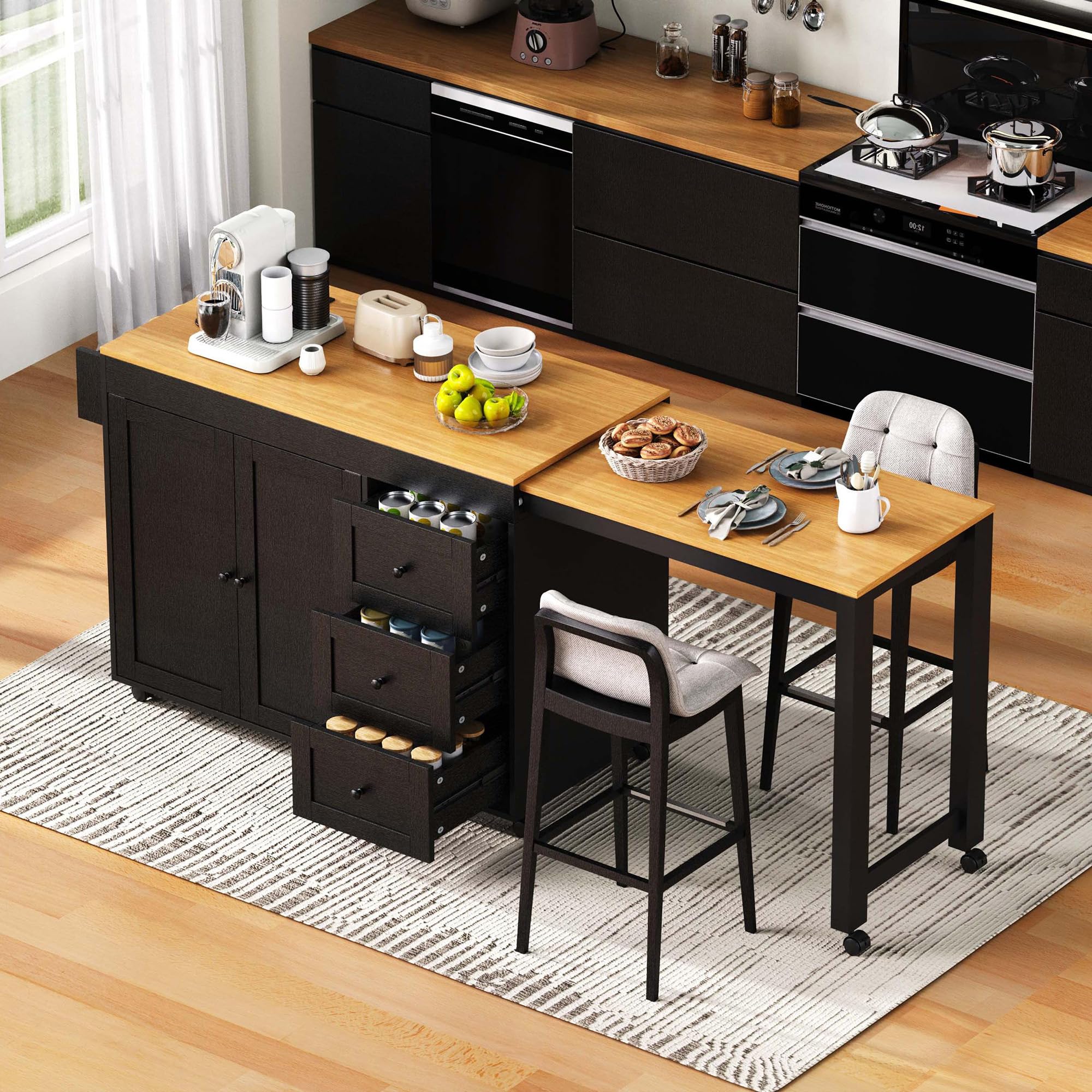
Image: The jurmiture 74.8 inch black kitchen island with its extendable table in a modern kitchen setting.
Safety Information
Please read and understand all safety instructions before assembling or using this product. Failure to follow these instructions may result in injury or damage to the product.
- Always lock the wheels when the kitchen island is stationary to prevent accidental movement and tip-over.
- Exercise caution around sharp edges during assembly and use.
- Do not exceed the maximum weight capacity of 400 lbs for the entire unit. Refer to the specifications section for individual component load limits.
- Ensure all connections for the power outlet are secure and follow standard electrical safety practices. Do not overload the power strip.
- Keep children and pets away from the assembly area.
- Periodically check all fasteners to ensure they remain tight.
Product Overview and Dimensions
This section provides an overview of the kitchen island's components and its overall dimensions. Understanding these details is crucial for proper assembly and placement.

Image: Detailed diagram illustrating the dimensions of the kitchen island, including the main body (74.8" wide, 17.7" deep, 35" high) and the extendable table (additional 27.6" length). It also shows maximum load capacities for the tabletop (400 lbs), shelf (75 lbs), drawer (15 lbs), and extendable table (250 lbs).
Key Components:
- Main Island Body: Features two large storage cabinets and three deep drawers.
- Extendable Table: A pull-out table that expands the countertop space or serves as a dining area.
- Spice Rack: Integrated on the side for convenient access to seasonings.
- Power Outlet: Includes 2 AC outlets, 1 USB port, and 1 Type-C port.
- Wheels: Seven wheels in total, including two lockable wheels for stability.
Setup and Assembly
The jurmiture kitchen island is designed for quick assembly. All necessary hardware and clear instructions are included with your product. Please ensure you have ample space and the appropriate tools before beginning.
- Unpack Components: Carefully unpack all parts and hardware. Verify that all items listed in the packing list are present and undamaged.
- Identify Parts: Refer to the assembly diagram to identify each component. Parts are typically labeled for easier identification.
- Follow Step-by-Step Instructions: Assemble the main island body first, ensuring all fasteners are securely tightened.
- Install Drawers and Cabinets: Follow the specific instructions for installing the drawer slides and cabinet hinges.
- Attach Wheels: Securely attach all seven wheels to the base of the island. Ensure the two lockable wheels are positioned as indicated in the instructions for optimal stability.
- Integrate Extendable Table: Install the extendable table mechanism according to the provided guide, ensuring smooth operation.
- Connect Power Outlet: Install the power outlet unit into its designated slot and ensure the power cord is accessible.
If you encounter any difficulties during assembly, please refer to the detailed assembly guide included in the packaging or contact customer support.
Operating Instructions
1. Extending and Retracting the Table
The kitchen island features an extendable table that can be easily expanded or contracted to suit your needs.
- To Extend: Gently pull the extendable table outwards from the main island body. Ensure it slides smoothly until fully extended and locked into position. The extended desktop adds approximately 27.6 inches of length.
- To Retract: Push the extendable table back towards the main island body until it is fully nested. Ensure it is securely closed when not in use to save space.

Image: The kitchen island demonstrating its extendable table in both fully expanded and fully contracted positions, highlighting the 27.6 inch extension.
2. Using the Built-In Power Outlet
The integrated power outlet provides convenient access to power for your kitchen appliances and devices.
- Plug the island's main power cord (4.9 ft / 1.5m) into a standard 125V/12A wall outlet.
- The unit provides 2 AC outlets for appliances and 1 USB (5V/2.4A) and 1 Type-C port for charging mobile devices.
- Do not exceed the maximum electrical load capacity of the unit. Avoid plugging in high-power appliances simultaneously if it exceeds the rated current.

Image: A close-up view of the integrated power outlet, detailing its 125V/12A AC outlets, 5V/2.4A USB A&C port, and 4.9ft (1.5m) power cord.
3. Moving and Locking the Wheels
The kitchen island is equipped with seven smooth-rolling wheels for easy mobility, including two lockable wheels for stability.
- To Move: Ensure the two lockable wheels are in the 'unlocked' position. Gently push the island to your desired location.
- To Lock: Once the island is in place, press down the locking mechanism on the two lockable wheels to secure the unit and prevent movement.

Image: The kitchen island on wheels, with an inset showing the 360-degree rotation wheels and a close-up of the lockable wheel mechanism (ON/OFF).
4. Utilizing Storage Features
The island offers ample storage with two cabinets, three drawers, and a spice rack.
- Cabinets: The two large cabinets feature adjustable shelves, allowing you to customize storage space for various items like pots, pans, or pantry goods.
- Drawers: Three deep drawers provide organized storage for utensils, linens, or smaller kitchen gadgets. They are designed with smooth drawer slides for easy access.
- Spice Rack: The integrated spice rack on the side offers convenient storage for frequently used spices.

Image: The kitchen island with its two large storage cabinets open, revealing two three-tier interior storage shelves, and three deep drawers pulled out, showcasing the ample storage capacity.

Image: Detailed views of the spice rack, adjustable shelves within the cabinets, the quiet door panel magnet, and the smooth drawer slide mechanism.
Maintenance
Proper maintenance will ensure the longevity and appearance of your kitchen island.
- Cleaning: Wipe surfaces with a soft, damp cloth. For stubborn stains, use a mild, non-abrasive cleaner. Avoid harsh chemicals that may damage the finish. The water-resistant surface is designed for easy cleaning.
- Spills: Clean up spills immediately to prevent staining or damage to the P2 Grade Particleboard+MDF material.
- Hardware: Periodically check all screws, bolts, and other fasteners to ensure they are tight. Retighten if necessary to maintain structural integrity.
- Wheels: Keep the wheels free of debris to ensure smooth movement. Lubricate if necessary.
- Power Outlet: Ensure the power outlet area remains dry and free from food particles or liquids.
Troubleshooting
This section addresses common issues you might encounter with your kitchen island.
- Issue: The extendable table is difficult to pull out or push in.
Solution: Check for any obstructions in the sliding mechanism. Ensure the table is aligned correctly. If the issue persists, inspect the slides for damage or debris. - Issue: The island moves when the wheels are locked.
Solution: Ensure both lockable wheels are fully engaged. Verify that the locking mechanism is not damaged. If the floor surface is uneven, reposition the island or use shims for stability. - Issue: Drawers are stiff or do not close smoothly.
Solution: Check if the drawers are overloaded. Ensure items are not obstructing the drawer slides. Inspect the drawer slides for debris or damage. A small amount of silicone lubricant can improve smoothness. - Issue: Power outlets are not working.
Solution: Verify that the main power cord is securely plugged into a functioning wall outlet. Check if the wall outlet itself is working by plugging in another device. Ensure the power strip on the island is not overloaded. - Issue: The island feels wobbly after assembly.
Solution: Recheck all assembly fasteners to ensure they are fully tightened. Ensure the island is placed on a flat, level surface.
Specifications
| Feature | Detail |
|---|---|
| Brand | jurmiture |
| Model Number | JURKSLWTCS |
| Color | Black |
| Overall Dimensions (Contracted) | 74.8" L x 17.7" W x 35" H |
| Extendable Table Length | Additional 27.6" |
| Item Weight | 126.8 pounds |
| Material Type | P2 Grade Particleboard + MDF |
| Number of Drawers | 3 |
| Number of Cabinets | 2 (with adjustable shelves) |
| Wheels | 7 (5 swivel, 2 lockable) |
| Power Outlet | 2 AC Outlets (125V/12A), 1 USB Port (5V/2.4A), 1 Type-C Port |
| Power Cord Length | 4.9 ft (1.5m) |
| Max. Load Capacity (Tabletop) | 400 lbs |
| Max. Load Capacity (Shelf) | 75 lbs |
| Max. Load Capacity (Drawer) | 15 lbs |
| Max. Load Capacity (Extendable Table) | 250 lbs |
Warranty and Support
jurmiture is committed to providing high-quality products and customer satisfaction. While specific warranty details are not provided in this manual, please retain your proof of purchase for any warranty claims.
For any questions, missing parts, or assistance with assembly or operation, please contact jurmiture customer support. Our US-based team is available to help you with any issues you may encounter.
Contact information can typically be found on the product packaging or on the official jurmiture website.