
1. Introduction
This manual provides detailed instructions for the assembly, operation, and maintenance of your LIKIMIO Corner Bed Frame Full Daybed. This versatile bed frame features an L-shaped design, integrated LED lighting, a convenient charging station, and two under-bed storage drawers. Please read this manual thoroughly before assembly and use to ensure proper function and safety.
2. Safety Information
Always assemble the bed frame according to the provided instructions to ensure stability. Be cautious when moving around the bed frame to avoid any sharp edges or corners. Keep the bed frame clean and free of any obstructions to prevent tripping hazards.
Ensure all bolts and screws are tightened securely before use. Periodically check all connections to confirm they remain tight. Do not exceed the recommended weight capacity for the bed frame. Keep small parts away from children during assembly.
3. Package Contents
Before beginning assembly, verify that all components listed below are present and undamaged. If any parts are missing or damaged, please contact customer support.
- Metal Bed Frame Components (side rails, support legs, slats)
- Upholstered Headboard/Fence Sections
- LED Light Strip Kit
- Integrated Charging Station (with 2 USB ports and 2 AC outlets)
- 2 Under-bed Storage Drawers with Lockable Wheels
- Assembly Hardware (screws, bolts, Allen wrench)
- Instruction Manual

Image: Exploded view of the bed frame components.
4. Setup and Assembly
The LIKIMIO Corner Bed Frame is designed for straightforward assembly. It is recommended to have two people for assembly. Please follow the step-by-step instructions provided in the included assembly guide. All parts are pre-labeled to simplify the process.
- Unpack and Identify Parts: Lay out all components and hardware. Refer to the parts list in your separate assembly guide to ensure everything is present.
- Assemble the Main Frame: Connect the metal frame sections using the provided bolts and Allen wrench. Ensure all connections are finger-tight before fully tightening.
- Install Slats: Secure the metal slats to the bed frame. Ensure they are evenly spaced and firmly attached to provide stable mattress support.
- Attach Headboard/Fence: Mount the upholstered headboard and fence sections to the frame. The L-shaped fence can be configured to your preferred corner orientation.
- Integrate LED Light and Charging Station: Carefully install the LED light strip into the designated channel and connect the charging station to the pre-wired ports.
- Assemble Storage Drawers: Put together the two storage drawers and attach the lockable wheels.
- Final Tightening: Once all components are in place, go back and fully tighten all bolts and screws. Do not overtighten.

Image: Detail of a frame connection during assembly.

Image: Stable metal slat structure.
5. Operating Instructions
5.1 LED Light Operation
The integrated RGB LED light strip offers customizable lighting options controlled via an app or remote control.
- Power On/Off: Use the remote control or app to turn the LED lights on or off.
- Color Selection: Choose from over 60,000 colors to match your mood or room decor.
- Brightness Adjustment: Adjust the light intensity to your preference.
- Speed Adjustment: For dynamic lighting modes, control the speed of color transitions.
- Timing Mode: Set schedules for the lights to turn on or off automatically.
- App Control: Download the dedicated app (refer to the LED light kit instructions for app details) to access advanced features and control from your smartphone.

Image: Multifunctional RGB LED Light features with app and remote control.
5.2 Charging Station Usage
The built-in charging station provides convenient power access for your electronic devices.
- AC Outlets: Two 120V/2A AC outlets are available for standard plugs.
- USB Ports: One 5V/2A USB-A port and one 5V/2A USB-C port are provided for charging smartphones, tablets, and other USB-powered devices.
- Power Cord: Ensure the bed frame's power cord is securely plugged into a wall outlet for the charging station and LED lights to function.

Image: Charging station with 2 AC outlets, 1 USB-A, and 1 USB-C port.
5.3 Storage Drawers
The two under-bed storage drawers offer additional space for organizing your belongings.
- Access: Simply pull the drawers out from under the bed frame.
- Lockable Wheels: Each drawer is equipped with lockable wheels. To secure a drawer in place, push down the lever on the wheel. To unlock and move, lift the lever.
- Smooth Glide: The casters are designed for smooth and quiet operation on various floor types.
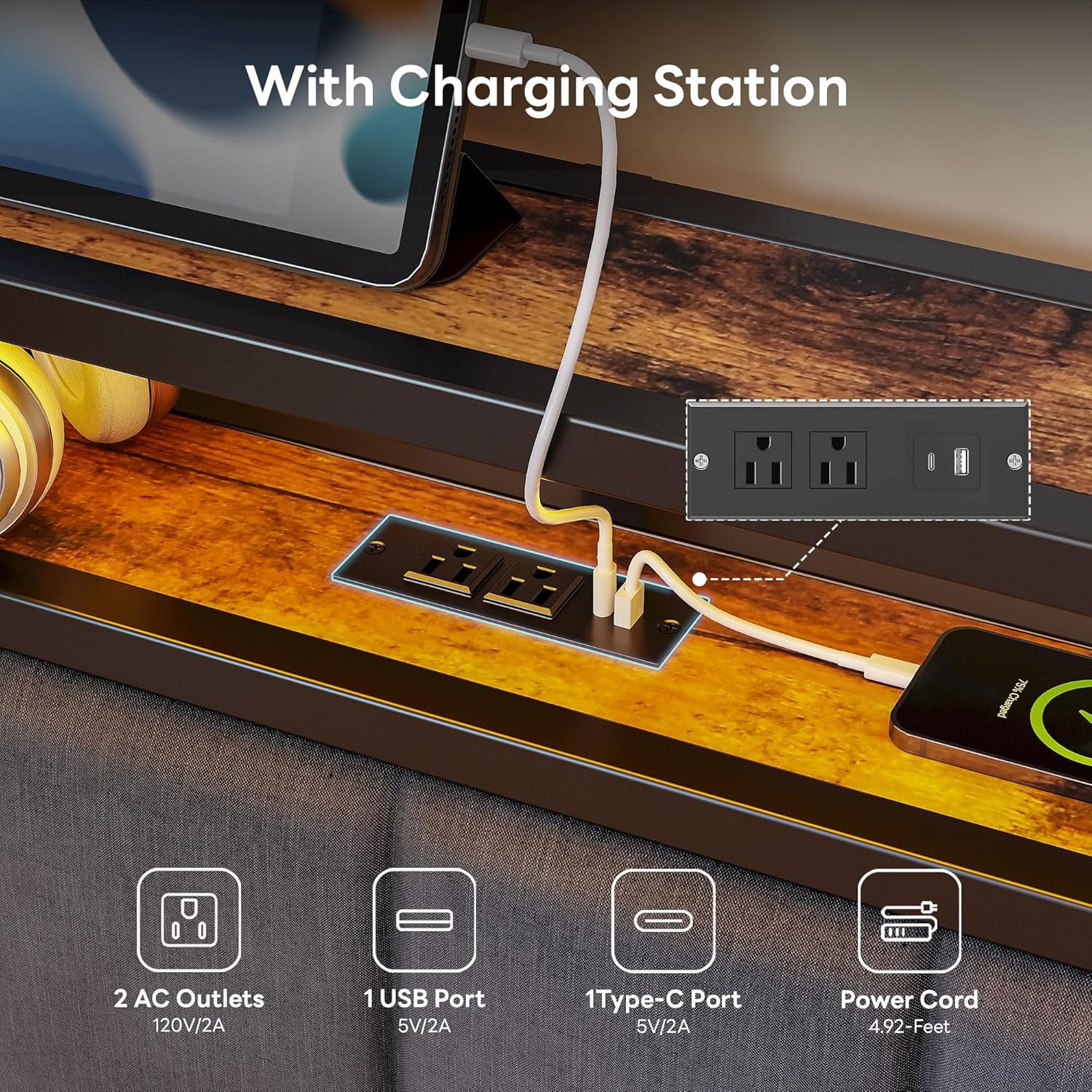
Image: Two built-in storage drawers with easy glide casters.
Video: Overview of the LIKIMIO Corner Bed Frame Full Daybed, demonstrating its features including the charging station, storage drawers, and overall design.
6. Maintenance
Regular maintenance will help prolong the life and appearance of your bed frame.
- Cleaning: Wipe down metal surfaces with a soft, damp cloth. For upholstered parts, use a fabric cleaner suitable for linen upholstery, following the product instructions. Avoid harsh chemicals.
- Hardware Check: Periodically inspect all bolts and screws to ensure they remain tight. Retighten as necessary to maintain stability.
- Drawer Wheels: Keep drawer wheels free of dust and debris for smooth operation.
- Electrical Components: Ensure the power cord for the LED lights and charging station is not pinched or damaged. Do not attempt to repair electrical components yourself.
7. Troubleshooting
If you encounter any issues with your bed frame, refer to the following common problems and solutions:
| Problem | Possible Cause | Solution |
|---|---|---|
| Bed frame creaks or is unstable | Loose bolts or screws; uneven assembly | Check and tighten all assembly hardware. Ensure the frame is on a level surface. |
| LED lights not working | Power cord unplugged; faulty connection; remote/app issue | Ensure the bed frame's power cord is plugged in. Check connections to the LED strip. Replace remote batteries or restart the app. |
| Charging station not providing power | Power cord unplugged; device not compatible; faulty outlet | Verify the bed frame's power cord is plugged in. Test with a different device or a different wall outlet. |
| Storage drawers do not slide smoothly or are stuck | Wheels locked; debris in wheels; uneven floor | Unlock the wheels. Clean any debris from the casters. Ensure the bed frame and floor are level. |
| Mattress slides on the frame | Mattress not compatible with frame size; lack of mattress stoppers | Ensure mattress size matches the frame (Full). The frame includes built-in mattress slide stoppers; ensure they are correctly positioned. Consider adding additional mattress grippers if needed. |
8. Specifications
| Feature | Detail |
|---|---|
| Brand | LIKIMIO |
| Model Number | HK-BFT-17 |
| Size | Full |
| Material | Metal |
| Product Dimensions (L x W x H) | 77.17" x 51.57" x 38.86" |
| Item Weight | 94.8 Pounds |
| Style | Modern |
| Special Features | LED Light, Charging Station, Storage Drawers, Upholstered Fence |
| Number of Drawers | 2 |
| Charging Station | 2 AC Outlets (120V/2A), 1 USB-A Port (5V/2A), 1 USB-C Port (5V/2A) |
| Required Assembly | Yes |
| UPC | 683770792704 |
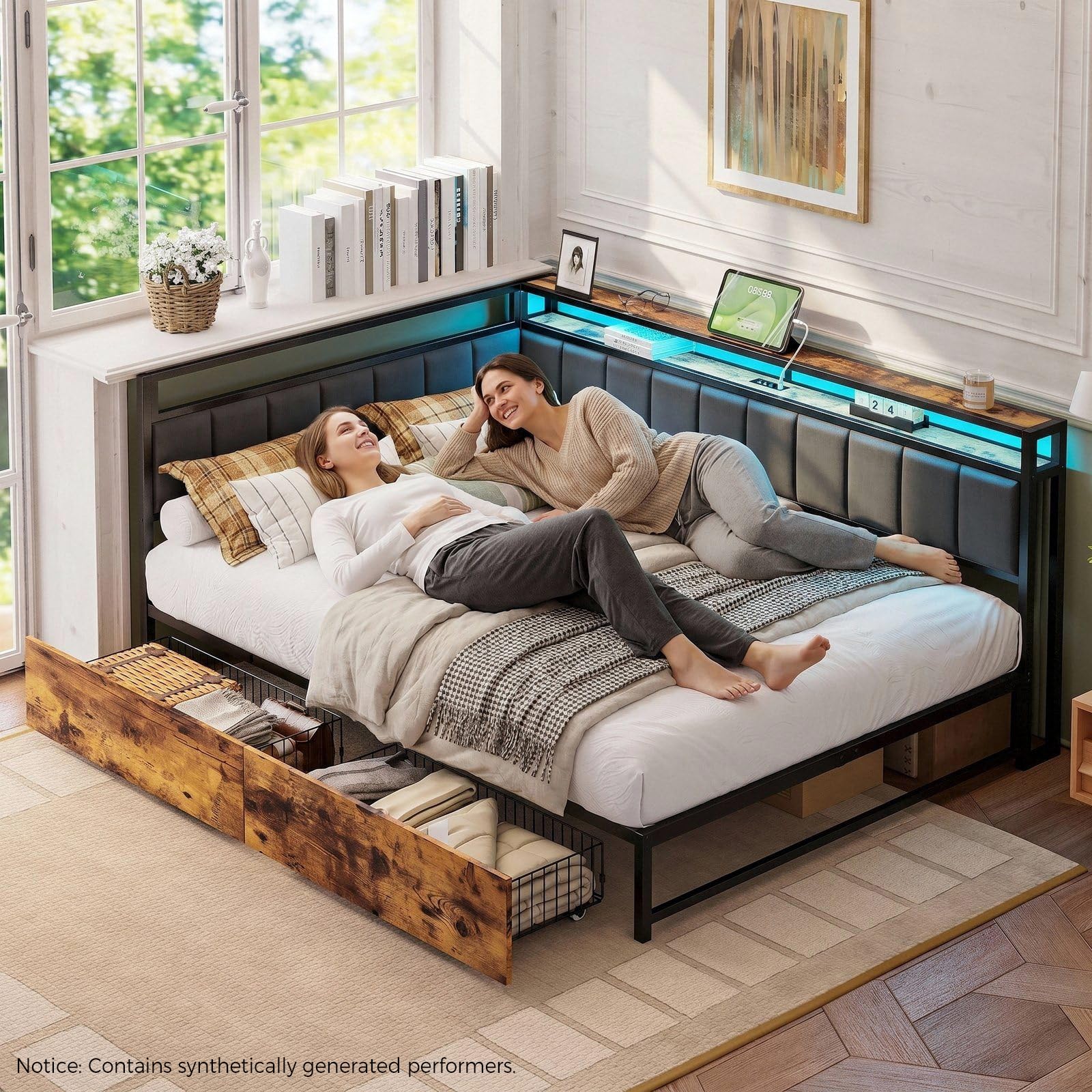
Image: Full size bed frame dimensions.
9. Warranty and Support
For warranty information, please refer to the documentation included with your purchase or contact the manufacturer directly. LIKIMIO products typically come with a manufacturer's warranty covering defects in materials and workmanship.
If you require assistance with assembly, missing parts, or troubleshooting beyond what is covered in this manual, please contact LIKIMIO customer support. You may also refer to the seller's return policy, which typically allows for returns within 30 days of purchase.
LIKIMIO Store: Visit the LIKIMIO Store on Amazon