
Zivolixd WiFi Trail Camera
Zivolixd Solar Trail Camera (Model WiFi Trail Camera) Instruction Manual
This manual provides detailed instructions for the setup, operation, and maintenance of your Zivolixd Solar Trail Camera.
Introduction
The Zivolixd Solar Trail Camera is designed for outdoor wildlife detection and surveillance, offering high-resolution imaging and robust features. It captures 60MP photos and 4K videos with a rapid 0.1s trigger speed. Equipped with a 5200mAh rechargeable battery and an integrated solar panel, it ensures extended operation. Connectivity options include built-in WiFi and Bluetooth for app control, allowing remote viewing and settings adjustment. The camera is IP66 waterproof, making it suitable for various environmental conditions.
Video: An overview of the Zivolixd Trail Camera, showcasing its features and applications in capturing wildlife.
What's in the Box
- 1x Zivolixd Solar Trail Camera
- 1x Type-C Cable
- 1x 32GB Micro SD card
- 1x Mounting Accessories (strap, stand mount, screws, stoppers)
- 1x User Guide (this manual)
Setup
Follow these steps to prepare your Zivolixd Solar Trail Camera for use.
1. Battery and SD Card Installation
The camera comes with a built-in 5200mAh rechargeable battery and a 32GB Micro SD card. Ensure the battery is charged before initial use.
- Open the camera's housing.
- Insert the provided 32GB Micro SD card into the designated slot. Ensure it is inserted correctly until it clicks into place. The camera supports up to 128GB Micro SD cards.
- Close the housing securely to maintain its IP66 waterproof rating.
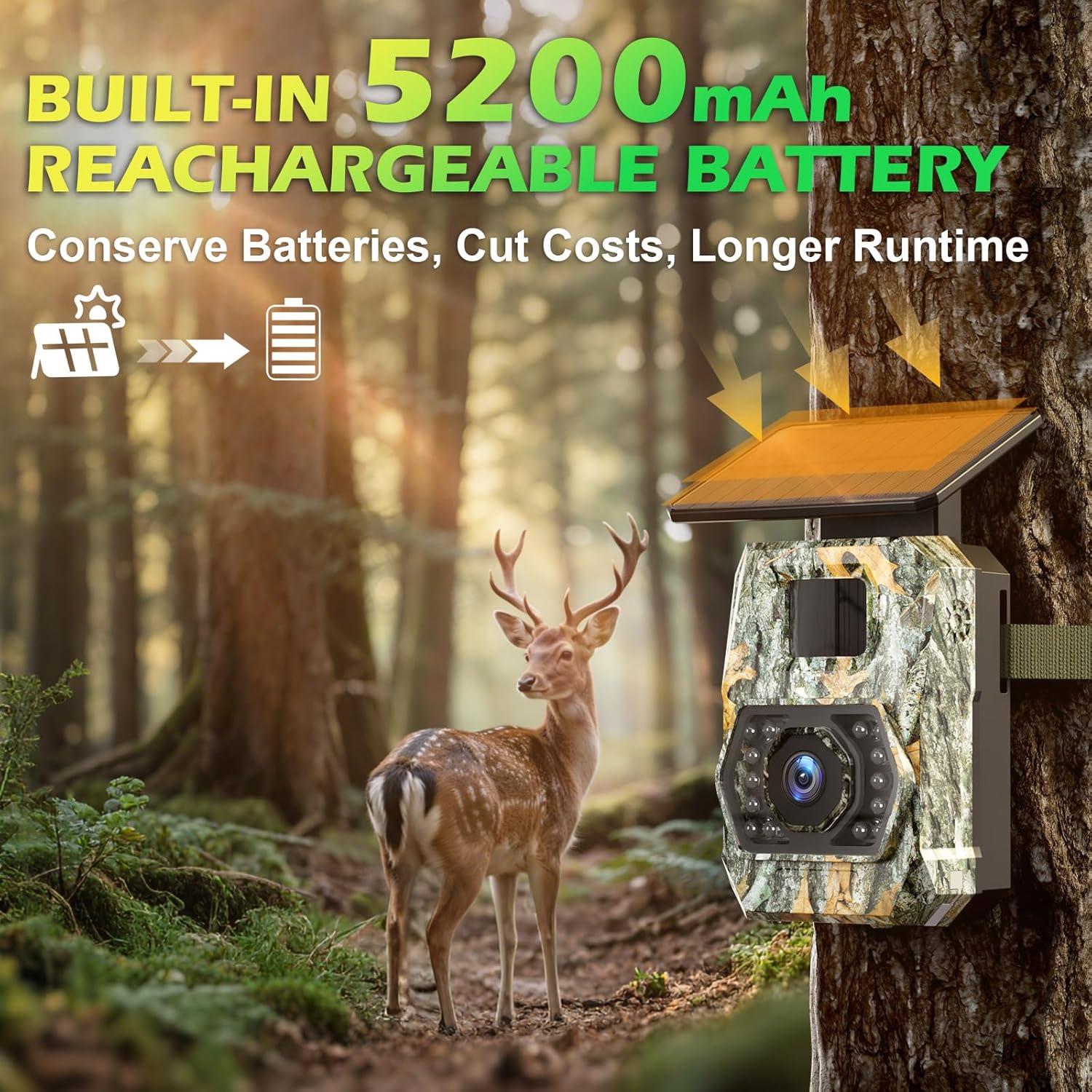
Image: The Zivolixd Solar Trail Camera mounted on a tree, with a deer in the background, illustrating its outdoor use and solar charging capability.
2. Mounting the Camera
The camera can be mounted using the included strap or stand mount.
- Strap Mounting: Thread the provided installation belt through the slots on the back of the camera and secure it around a tree or pole.
- Stand Mount Installation: Attach the stand mount to the camera using the provided screws. Secure the stand mount to a wall or other flat surface using the screws and stoppers. Adjust the camera angle as needed.

Image: The Zivolixd Solar Trail Camera discreetly mounted on a tree in a forest environment, demonstrating its camouflage design and typical placement.
3. Powering On
After installation, switch the camera to the ON position. The camera will enter monitoring mode.
Operating Instructions
1. App Connection (WiFi & Bluetooth)
The Zivolixd Solar Trail Camera features built-in WiFi and Bluetooth for convenient control via the "TrailCam Go" app.
- Download the "TrailCam Go" app from your device's app store (available for iOS and Android).
- Enable Bluetooth and WiFi on your smartphone.
- Open the "TrailCam Go" app and follow the on-screen instructions to connect to your camera. The app will guide you through pairing via Bluetooth and then establishing a WiFi connection.
- Once connected, you can preview live footage, download captured photos and videos, and adjust camera settings directly from your phone.

Image: A smartphone screen showing a live view from the trail camera, with the camera itself mounted on a tree, demonstrating the WiFi and Bluetooth app control feature.
Note: Device to app data transmission does not support home WiFi networks. The enhanced WiFi range reaches up to 65ft for stable, long-distance connectivity.
2. Capturing Photos and Videos
The camera automatically captures images and videos when motion is detected.
- Trigger Speed: The camera has a fast 0.1s trigger speed, capturing moments quickly.
- PIR Sensor: The 3-level adjustable Passive Infrared (PIR) sensor helps reduce false alarms. Adjust sensitivity based on your environment.
- Continuous Shots: The camera can take 1-5 continuous shots per trigger event.

Image: An illustration of the camera's 0.1s trigger speed, showing a cheetah and an impala in mid-action, highlighting its ability to capture fast-moving subjects.
Video: Footage captured by the Trail Camera PH970S, demonstrating its video recording capabilities.
3. Night Vision
The camera utilizes 850nm low-glow infrared LEDs to provide clear night vision up to 65ft without disturbing wildlife.

Image: An illustration demonstrating the camera's ultra-night vision capabilities, showing a leopard clearly visible in a dark environment.
Video: Nighttime footage captured by the Solar Trail Camera 970S, showcasing its infrared night vision capabilities.
4. Viewing Content
You can view captured content in several ways:
- Via App: Connect to the camera using the "TrailCam Go" app to browse and download photos/videos wirelessly.
- Via Type-C Cable: Connect the camera to a computer using the provided Type-C cable to access the SD card content.
- Via Card Reader: Remove the Micro SD card from the camera and insert it into a card reader connected to a computer.

Image: A visual guide demonstrating three methods for viewing captured content: connecting the camera to a computer via Type-C cable, viewing through the mobile app, and using a card reader with a computer.
5. Loop Recording
The camera supports loop recording. When the Micro SD card is full, the camera will automatically overwrite the oldest files to continue recording.

Image: An illustration depicting the loop recording function, showing a continuous film strip of animal images, with older files being overwritten as the memory card fills.
6. Time-Lapse Function
The time-lapse function allows the camera to capture images at set intervals and merge them into a video. This is useful for observing long-term events like construction or plant growth.

Image: A time-lapse sequence showing the construction of a house, illustrating how the camera captures images at intervals and compiles them into a video.
7. Custom Detecting Areas
Use the app to define custom detection areas, filtering out non-relevant zones to improve trigger accuracy and reduce unnecessary recordings.

Image: A smartphone screen displaying the "Custom Detecting Areas" feature within the app, showing how users can define specific zones for motion detection to enhance accuracy.
8. Power Management
The camera features a dual power supply system for extended operation.
- Solar Power: The integrated solar panel continuously charges the 5200mAh battery during daylight hours.
- External Power: For home surveillance or prolonged use, the camera supports external power sources via its Type-C port.

Image: Two panels illustrating the camera's multiple charging options: solar power from the integrated panel and rechargeable via a Type-C cable.
Maintenance
Proper maintenance ensures the longevity and optimal performance of your Zivolixd Solar Trail Camera.
- Cleaning: Regularly clean the lens and solar panel with a soft, dry cloth to ensure clear images and efficient charging. Avoid abrasive materials or harsh chemicals.
- Battery Check: While the solar panel provides continuous charging, periodically check the battery level via the app, especially during periods of low sunlight.
- SD Card Management: Format the SD card periodically to maintain optimal performance and prevent data corruption. Back up important files before formatting.
- Weather Protection: Although IP66 waterproof, ensure the camera's housing is always securely closed to prevent water ingress. Avoid submerging the camera.
- Firmware Updates: Check the manufacturer's website or the "TrailCam Go" app for any available firmware updates to improve camera performance and features.

Image: The IP66 waterproof trail camera shown in a rainy forest environment with a bear, highlighting its durability against extreme weather.
Troubleshooting
If you encounter issues with your Zivolixd Solar Trail Camera, refer to the following common solutions.
No Power / Camera Not Turning On
- Ensure the battery is sufficiently charged. Connect the camera to a power source using the Type-C cable for a few hours.
- Verify the power switch is in the ON position.
- Check the solar panel for any obstructions or dirt that might prevent charging.
Cannot Connect to App / WiFi Issues
- Ensure Bluetooth and WiFi are enabled on your smartphone.
- Make sure you are within the camera's WiFi range (up to 65ft).
- Restart both the camera and your smartphone.
- Re-pair the camera with the "TrailCam Go" app.
- Confirm that the app is updated to the latest version.
Poor Image/Video Quality
- Clean the camera lens with a soft cloth.
- Ensure there are no obstructions in front of the lens.
- Check the camera's settings in the app to ensure desired resolution (60MP for photos, 4K for video) is selected.
- For night vision, ensure there are no reflective surfaces close to the camera that could cause glare.
Camera Not Triggering / Missing Events
- Adjust the PIR sensor sensitivity in the app. Higher sensitivity is suitable for detecting smaller movements or at longer distances.
- Ensure the camera's detection range (20m) and wide-angle coverage (100°) are appropriate for your monitoring area.
- Check for any physical obstructions blocking the PIR sensor.
- Verify that the camera is not in a "sleep" or "off" mode.
SD Card Error
- Ensure the SD card is inserted correctly and fully into the slot.
- Try formatting the SD card using the camera's settings via the app or on a computer. (Backup data first).
- Test with a different compatible Micro SD card (up to 128GB, Class 10 or higher recommended).
Specifications
| Feature | Detail |
|---|---|
| Model Name | Solar Trail Camera |
| Effective Still Resolution | 60 MP |
| Video Capture Resolution | 4K |
| Trigger Speed | 0.1s |
| Power Source | Solar Powered, Type-C |
| Battery Power | 5200 Milliamp Hours (Built-in) |
| Connectivity Technology | Card Reader, Type-C, WiFi & Bluetooth, Wireless |
| Waterproof Rating | IP66 |
| Night Vision Range | 65 Feet |
| Viewing Angle | 100 Degrees |
| Flash Memory Supported Size Maximum | 128 GB (Micro SD) |
| Operating Temperature | -15°C to 60°C (5°F to 140°F) |
| Dimensions | 3.58 x 2.86 x 4.98 inches |
Warranty and Support
Zivolixd products are designed for reliability and performance. For specific warranty details, please refer to the warranty card included with your product or visit the official Zivolixd website.
For technical support, troubleshooting assistance, or any inquiries regarding your Zivolixd Solar Trail Camera, please contact our customer service team. Contact information can typically be found in the product packaging or on the official Zivolixd support page.