
1. Introduction
Thank you for choosing the KÖNIGHAUS Smart Dual Infrared Heater 600W. This manual provides essential information for the safe and efficient operation of your new infrared heater. Please read these instructions carefully before installation and use, and retain them for future reference.
This intelligent infrared heater offers versatile heating solutions, suitable for both floor standing and wall mounting. It features Wi-Fi app control and a remote control for convenient operation, along with integrated towel rails and comprehensive safety features.
2. Safety Instructions
WARNING: Failure to follow these safety instructions may result in fire, electric shock, or injury.
- Read all instructions before using this heater.
- Do not use this heater in the immediate vicinity of a bath, shower, or swimming pool.
- Do not use this heater if it has been dropped.
- Do not use if there are visible signs of damage to the heater.
- Keep combustible materials such as furniture, pillows, bedding, papers, clothes, and curtains at least 1 meter (3 feet) from the front of the heater and away from the sides and rear.
- This appliance is not intended for use by persons (including children) with reduced physical, sensory or mental capabilities, or lack of experience and knowledge, unless they have been given supervision or instruction concerning use of the appliance by a person responsible for their safety.
- Children should be supervised to ensure that they do not play with the appliance.
- The heater is equipped with double overheat protection and IP44 splash water protection, making it suitable for bathrooms (Zone 2 and 3). However, ensure proper installation and avoid direct water spray.
- Always unplug the heater when not in use.

Image Description: A white KÖNIGHAUS infrared heater is shown in a room with a child playing. Callouts highlight "IP44 splash protection" and "Double overheat protection," emphasizing the product's safety features.
3. Package Contents
Please check the package contents upon receipt. If any items are missing or damaged, contact customer support.
- KÖNIGHAUS Smart Dual Infrared Heater 600W
- Remote Control
- Set of Feet for freestanding use
- Wall Mounting Kit (screws, anchors)
- Towel Rail (optional attachment)
- User Manual (this document)
4. Setup
4.1 Choosing Installation Method
Your KÖNIGHAUS infrared heater can be used as a freestanding unit or mounted on a wall.
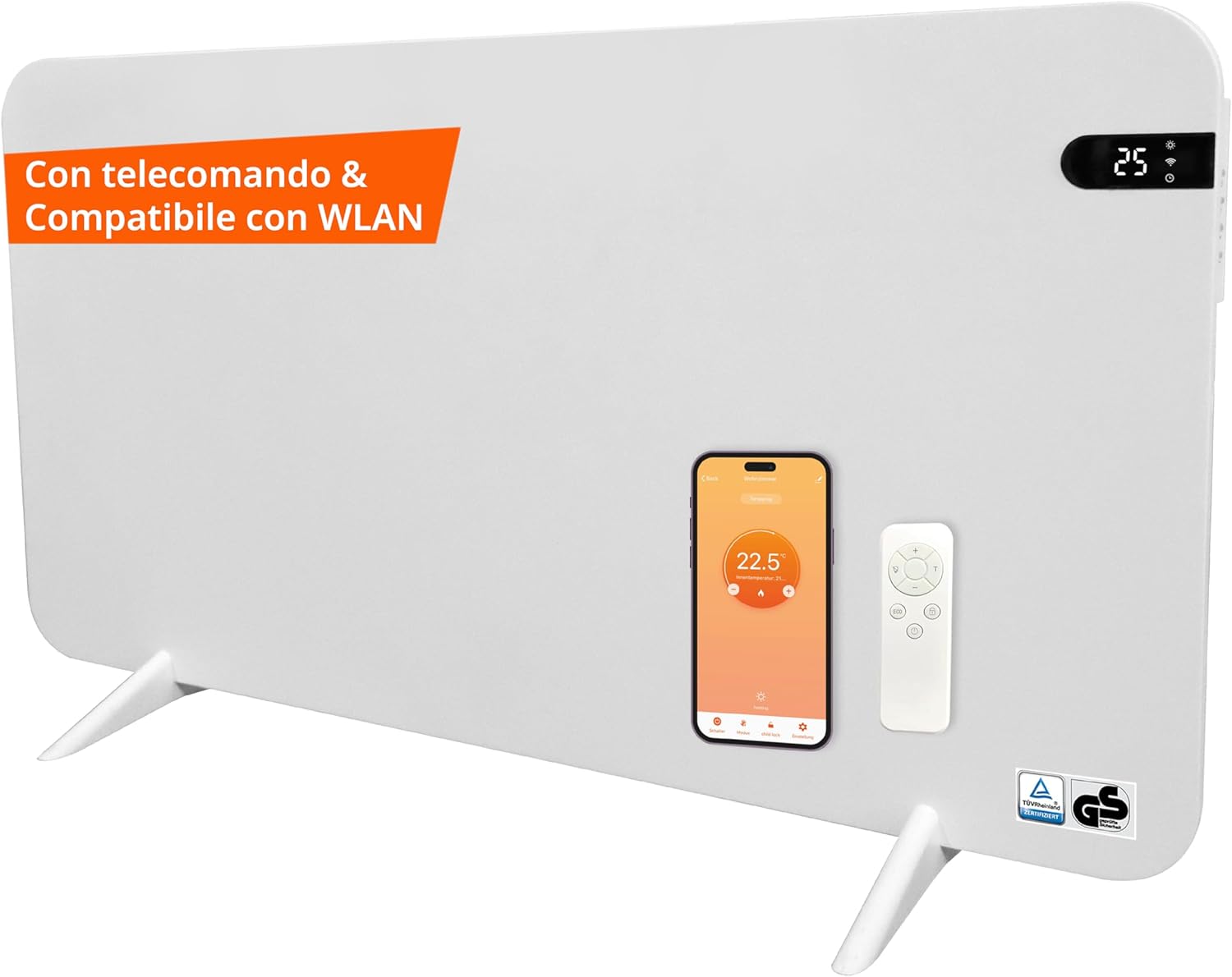
Image Description: A white KÖNIGHAUS infrared heater is displayed with its feet attached, indicating freestanding use. A remote control and a smartphone showing the control app are placed on the heater.
4.2 Freestanding Installation (with feet)
- Carefully unpack the heater and all accessories.
- Attach the provided feet to the bottom of the heater using the screws. Ensure they are securely fastened.
- Place the heater on a stable, level surface, ensuring adequate clearance from walls and combustible materials (at least 1 meter from the front, and clear from sides/rear).
4.3 Wall Mounting Installation
- Select a suitable wall location, ensuring it is structurally sound and free from hidden electrical wires or pipes. Maintain required clearances.
- Use the provided wall mounting kit. Mark the drilling points on the wall according to the heater's mounting holes.
- Drill holes, insert wall anchors, and secure the mounting brackets/screws.
- Carefully hang the heater onto the secured wall mounts. Ensure it is level and firmly attached.
4.4 Towel Rail Installation (Optional)
If desired, attach the towel rail to the designated points on the heater. This feature is designed to warm towels and should not be used to dry wet clothes directly on the heater surface.

Image Description: A white KÖNIGHAUS infrared heater is shown in a modern bathroom, standing on its feet with a towel draped over an attached towel rail. Text overlays describe "Pleasant climate in the room," "Heats like sun rays," "Pleasant and quiet," "Simple and elegant," and "Suitable for allergies."
4.5 Electrical Connection
Plug the heater into a standard 230V AC power outlet. Ensure the outlet is properly grounded and capable of handling the heater's wattage (600W). Do not use extension cords or power strips unless absolutely necessary and rated for the heater's power consumption.
4.6 Wi-Fi App Control Setup
- Download the compatible smart home app (e.g., Tuya Smart or Smart Life) from your smartphone's app store.
- Register or log in to your account.
- Ensure your heater is plugged in and powered on.
- Follow the in-app instructions to add a new device. This typically involves putting the heater into pairing mode (refer to the heater's display or specific app instructions for details).
- Connect the app to your home's 2.4GHz Wi-Fi network.
- Once connected, you can control the heater via the app.
4.7 Remote Control Pairing
The remote control should be pre-paired with the heater. If it does not respond, ensure batteries are correctly inserted. Refer to the heater's specific instructions for manual pairing if needed.

Image Description: A person is shown relaxing on a sofa, reading a book, with a KÖNIGHAUS infrared heater visible in the background. In the foreground, a remote control and a smartphone displaying the heater's control app are highlighted, emphasizing convenient control options.
5. Operating Instructions
5.1 Power On/Off
- Manual: Press the power button on the heater's display.
- Remote Control: Press the power button on the remote.
- App Control: Use the power toggle within the smart home app.
5.2 Temperature Adjustment
- Manual: Use the up/down arrows on the heater's display.
- Remote Control: Use the temperature adjustment buttons (e.g., '+' and '-') on the remote.
- App Control: Adjust the target temperature using the slider or input field in the app interface.
5.3 Timer Functions
The heater supports a 24-hour timer function for scheduled operation.
- Remote Control/Display: Consult the specific instructions for your remote control or heater display to set the timer.
- App Control: The smart home app provides advanced scheduling options, allowing you to set daily or weekly heating schedules.
5.4 Eco Mode
Activate Eco mode via the remote control or app for optimized energy consumption. This mode adjusts heating output to maintain a comfortable temperature efficiently.
6. Maintenance
6.1 Cleaning
- Always unplug the heater and allow it to cool completely before cleaning.
- Wipe the exterior surfaces with a soft, damp cloth. Do not use abrasive cleaners or solvents.
- Ensure no water enters the internal components of the heater.
6.2 Storage
When not in use for extended periods, store the heater in a cool, dry place, preferably in its original packaging, away from direct sunlight and moisture.
7. Troubleshooting
| Problem | Possible Cause | Solution |
|---|---|---|
| Heater does not turn on. | Not plugged in; power outlet fault; overheat protection activated. | Check power connection; test outlet with another device; unplug and allow to cool for 30 minutes. |
| No heat output. | Temperature setting too low; Eco mode active; faulty unit. | Increase target temperature; disable Eco mode; contact support if problem persists. |
| Remote control not working. | Dead batteries; remote not aimed correctly; remote not paired. | Replace batteries; ensure clear line of sight; refer to pairing instructions. |
| Wi-Fi app control not working. | Heater not connected to Wi-Fi; incorrect Wi-Fi password; router issues; app error. | Ensure heater is in pairing mode and connected; verify Wi-Fi password; restart router; reinstall app. |
| Unusual noises or smells. | Dust accumulation; internal fault. | Unplug immediately and contact customer support. Do not attempt to repair. |
8. Specifications
| Brand | KÖNIGHAUS |
| Model | Smart Dual Infrared Heater 600W |
| Wattage | 600 Watts |
| Voltage | 230 Volt (AC) |
| Dimensions (Product) | 1.3 x 50 x 100 cm (approx. 1.3P x 50W x 90H cm for other variant) |
| Weight | 7 Kilograms |
| Color | White |
| Form Factor | Pedestal (Freestanding) / Wall Mount |
| Indoor/Outdoor Use | Indoor |
| Safety Features | IP44 Splash Protection, Double Overheat Protection |

Image Description: A KÖNIGHAUS infrared heater is shown with its dimensions (90 cm width, 50 cm height) and a power plug. Text overlays highlight "Energy efficiency compared," "Direct heat," "Smart home," and "24-hour timer," along with a note about the temperature sensor on the cable.
9. Warranty and Support
KÖNIGHAUS products are manufactured to high-quality standards. For information regarding warranty coverage, please refer to the warranty card included with your product or visit the official KÖNIGHAUS website.
For technical support, troubleshooting assistance, or spare parts, please contact KÖNIGHAUS customer service. Contact details can typically be found on the product packaging, the official website, or your purchase documentation.
KÖNIGHAUS Customer Service:
Please refer to your purchase documentation or the manufacturer's website for the most current contact information.


