
Introduction
Thank you for choosing the ONBRILL Kitchen Island Table. This manual provides essential information for the safe assembly, operation, and maintenance of your new kitchen island. Please read these instructions carefully before beginning assembly and retain them for future reference.

Image: The ONBRILL Kitchen Island Table, showcasing its design and features.
Safety Information
Important Safety Warnings:
- This item is heavy. Two people are required for safe movement and assembly to prevent injury.
- Keep power outlets away from water sources to avoid electrical hazards.
- Do not overload the power outlets. Ensure total current draw does not exceed specified limits.
- Always follow the manufacturer's assembly instructions precisely to ensure the table's stability and structural integrity.
- Do not stand or sit on the table, except for its intended use as a dining or workspace.
Package Contents
Your ONBRILL Kitchen Island Table is delivered in a single box. Carefully unpack all components and verify against the included parts list (refer to the separate assembly guide for a detailed list). Ensure all hardware and parts are present before beginning assembly.
Assembly Instructions
Assembly of this kitchen island is designed to be straightforward. All necessary tools are included. For optimal safety and ease, a two-person assembly is recommended.
- Unpack and Identify Parts: Lay out all components on a clean, soft surface to prevent scratches. Refer to the assembly diagram to identify each part.
- Assemble the Base Structure: Follow the step-by-step diagrams in the provided assembly guide to connect the main frame components using the supplied screws and connectors.
- Attach the Tabletop: With assistance, carefully place the tabletop onto the assembled base. Secure it using the designated fasteners.
- Install Storage Shelves: Insert the adjustable shelf pins into the desired height positions and place the shelves.
- Connect Power Outlet and LED Lights: Integrate the power outlet unit and LED light strip according to the instructions. Ensure all connections are secure.
For a visual guide on assembly and features, please refer to the video below:
Video: An overview of the ONBRILL Dining Table / Kitchen Island Table, demonstrating its features and assembly process.
Product Features
1. 1.8" Thick Whole Board Tabletop
The tabletop is constructed from a single, 1.8-inch thick board, ensuring durability and stability. Its imitation marble finish provides a modern aesthetic without splicing or gaps.

Image: A close-up, top-down view of the table's 1.8-inch thick, seamless tabletop.
2. Smart LED Light Strip
Integrated RGB LED lighting offers multiple color modes and can sync with music, allowing you to customize the ambiance for various occasions. The lights are controlled via a remote (included).

Image: The kitchen island with its LED light strip active, casting a blue glow.
3. Multi-Functional Power Outlets
The table includes 2 AC outlets and 2 USB ports, powered by a 2-meter cord. This feature provides convenient access to power for charging devices or operating small kitchen appliances directly on the tabletop.

Image: Detail of the integrated power strip with AC and USB charging ports.
4. Spacious 3-Tier Storage Shelf
An adjustable 3-layer side shelf provides ample space for organizing kitchen essentials such as cutlery, condiments, napkins, or small appliances, helping to keep your dining area organized.
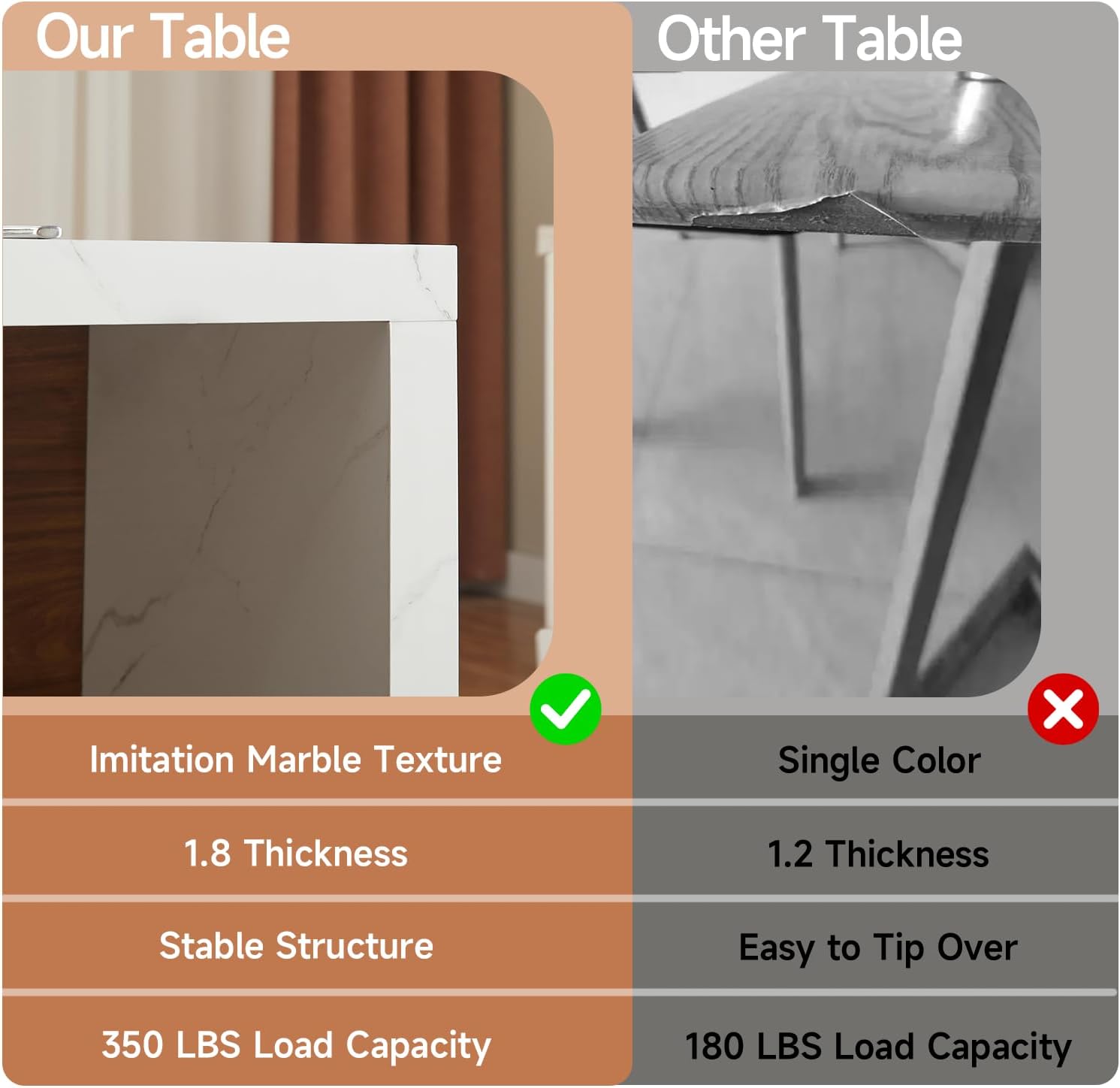
Image: The adjustable 3-tier storage shelves, demonstrating their capacity for organization.
Operating Instructions
Using the LED Light Strip
- Ensure the LED light strip is properly connected to the power source.
- Use the provided remote control to turn the lights on/off, change colors, adjust brightness, and select music sync modes.
- Point the remote directly at the LED receiver for best response.
Using the Power Outlets
- Plug the table's main power cord into a standard 120V AC wall outlet.
- Insert appliance plugs into the AC outlets (120V/12A max).
- Connect USB devices to the USB ports (5V/2A max) for charging.
- Do not exceed the maximum load capacity of the outlets to prevent electrical issues.
Maintenance and Care
- Cleaning: Wipe surfaces with a soft, damp cloth. Avoid harsh chemicals or abrasive cleaners that may damage the finish.
- Spills: Clean up spills immediately to prevent staining, especially on the imitation marble tabletop.
- Stability Check: Periodically check all screws and fasteners to ensure they remain tight. Retighten as necessary to maintain stability.
- Heat Protection: Use coasters or placemats for hot items to protect the tabletop surface.
Troubleshooting
- LED Lights Not Working:
- Check if the power cord for the LED strip is securely plugged in.
- Ensure the remote control has working batteries and is pointed correctly at the receiver.
- Verify that the LED strip itself is not damaged.
- Power Outlets Not Functioning:
- Confirm the table's main power cord is fully inserted into a live wall outlet.
- Test the wall outlet with another device to ensure it is supplying power.
- Avoid overloading the outlets; unplug some devices and try again.
- Table Wobbles:
- Ensure all assembly screws are tightened securely.
- Check that the table is placed on a flat, even surface.
Specifications
| Brand | ONBRILL |
| Model Name | ON MKS-108 |
| Product Dimensions (D x W x H) | 31.5" x 61" x 35.4" |
| Item Weight | 136 Pounds |
| Maximum Weight Recommendation | 350 Pounds |
| Frame Material | Engineered Wood |
| Top Material Type | Engineered Wood (Laminated Marble Finish) |
| Tabletop Thickness | 1.8 Inches |
| Number of Shelves | 3 (Adjustable) |
| Power Outlets | 2 AC Outlets, 2 USB Ports (2-meter power cord) |
| Included Components | LED Lights, Power Outlet Unit |
| Required Assembly | Yes |
| Tools Recommended For Assembly | Screw Driver (All assembly tools included) |
Warranty and Support
For warranty information or technical support, please refer to the documentation included with your purchase or contact ONBRILL customer service directly. Contact details can typically be found on the product packaging or the official ONBRILL website.
We are committed to providing high-quality products and support.