
Important Safety Information
Please read this entire manual carefully before assembly and use. Keep these instructions for future reference. Proper assembly and use are crucial for your safety and the longevity of the product.
- Two-Person Assembly Recommended: For safety and ease of assembly, it is highly recommended that two adults assemble this bed frame.
- Weight Capacity: The main bed frame is designed to support up to 800 lbs. Do not exceed this weight limit.
- Mattress Thickness: Recommended mattress thickness for the main bed is 6-10 inches.
- Secure Connections: Ensure all bolts, screws, and connectors are tightened securely before use. Periodically check and re-tighten as needed.
- Electrical Safety: Only use the integrated USB and power outlets as intended. Do not overload the ports. Disconnect power before cleaning or maintenance.
- Children Safety: Keep small parts and packaging materials away from children during assembly.
Package Contents
Before beginning assembly, verify that all components listed below are present and undamaged. If any parts are missing or damaged, please contact customer support.
- Upholstered Headboard with Integrated LED Lights and Charging Ports
- Main Bed Frame Side Rails and Footboard
- Trundle Bed Frame with Slats
- Wooden Slats for Main Bed (13 reinforced slats)
- Metal Support Beams and Legs
- Hardware Kit (screws, bolts, washers, Allen wrench)
- Power Adapter for LED Lights and Charging Ports
- Instruction Manual
Setup and Assembly Instructions
Follow these steps carefully for proper assembly. Refer to the diagrams for visual guidance.
- Unpack and Identify Parts: Carefully remove all components from the packaging. Lay them out on a clean, soft surface (like a rug or blanket) to prevent scratches. Identify each part using the provided parts list.
- Attach Headboard Supports: Secure the metal support brackets to the back of the upholstered headboard using the designated bolts and washers. Ensure they are firmly tightened.
- Assemble Main Bed Frame: Connect the side rails to the headboard and footboard. Insert and tighten all bolts. Do not fully tighten until all connections are made.
- Install Center Support: Attach the metal center support beam and its legs to the main bed frame. Adjust the leg height if necessary to ensure even support.
- Place Wooden Slats: Lay the 13 wooden slats across the bed frame. Ensure they are evenly spaced and secured to the side rails using the provided fasteners. The EVA silent strips on the slats help reduce noise.
- Assemble Trundle Bed: Assemble the trundle frame according to its specific instructions, attaching the wheels and slats. Ensure the wheels move freely.
- Insert Trundle: Carefully slide the assembled trundle bed beneath the main bed frame.
- Connect Power: Locate the power cable for the LED lights and charging ports on the headboard. Connect it to the provided power adapter and then plug the adapter into a standard wall outlet.
- Final Tightening: Once all components are in place and aligned, go back and fully tighten all bolts and screws on both the main bed and the trundle.

Figure 1: This diagram illustrates the key dimensions of the main bed frame and the pull-out trundle, including length, width, height, and recommended mattress thickness.
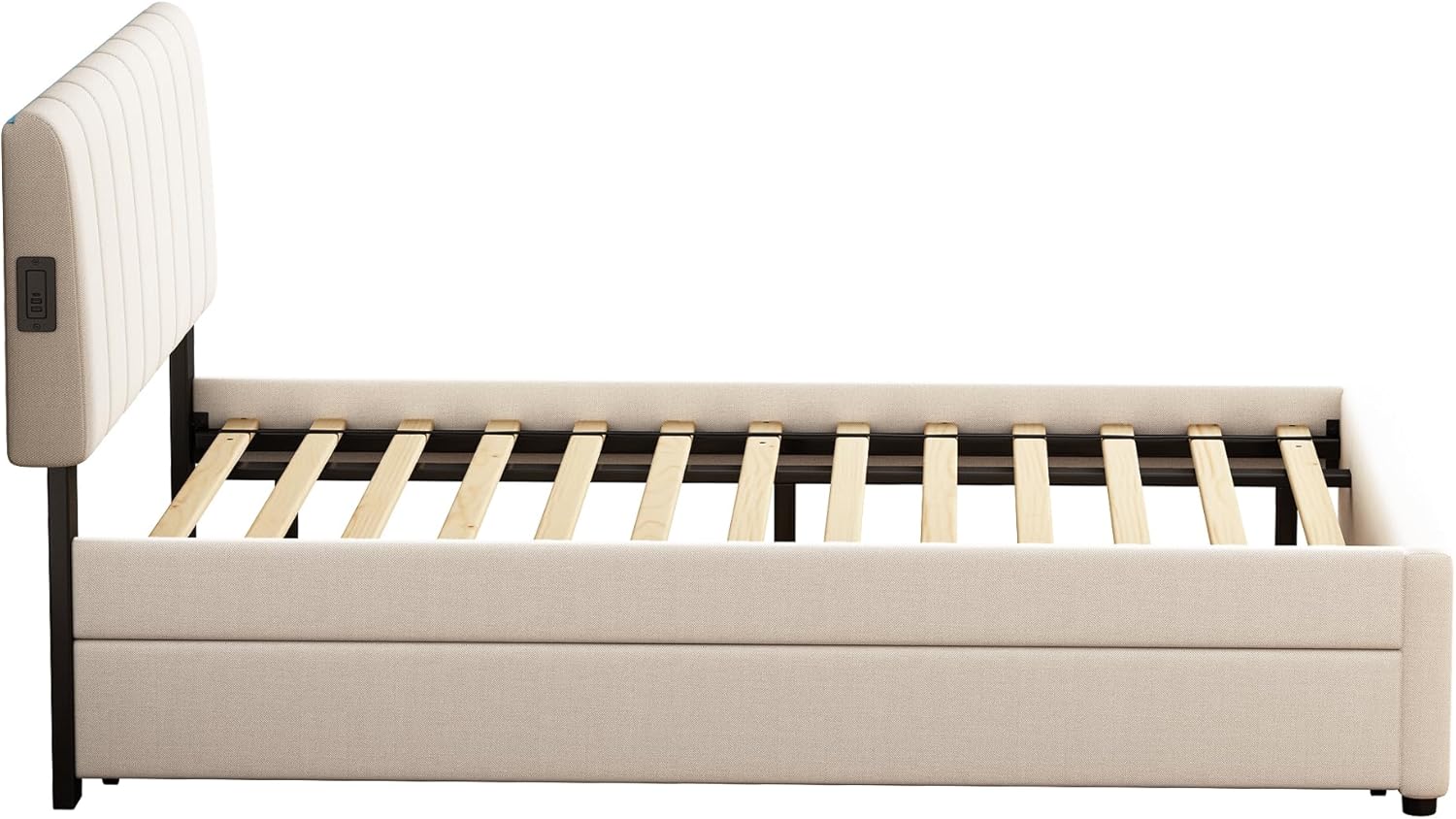
Figure 2: A side profile of the bed frame, illustrating the robust wooden slat system and metal keel designed for mattress support and durability.
Operating Instructions
LED Lighting System
The integrated LED lights in the headboard are controlled via a mobile application. Follow these steps to use the LED features:
- Download App: Scan the QR code provided in the separate LED instruction sheet (if applicable) or search for the recommended app in your device's app store.
- Connect: Ensure the bed's power is connected. Open the app and follow the on-screen instructions to pair your device with the bed's LED controller via Bluetooth.
- Control: Once connected, you can select from over 20 preset lighting effects, adjust brightness, change colors, and choose from 4 interactive modes to customize your bedroom ambiance.
USB and Type-C Charging Ports
The headboard features convenient charging ports for your electronic devices.
- Location: The charging module, including 2 standard outlets, 1 USB port, and 1 Type-C port, is located on the side of the headboard.
- Usage: Simply plug your device's charging cable into the appropriate port. Ensure the bed is plugged into a wall outlet for power.

Figure 3: This image highlights the charging station located on the side of the headboard, featuring two standard outlets, one USB port, and one Type-C port for convenient device charging.
Trundle Bed Operation
The pull-out trundle provides an additional sleeping surface.
- To Extend: Gently pull the trundle frame from beneath the main bed. The wheels allow for smooth movement.
- To Retract: Push the trundle back into its position under the main bed until it is fully stored.
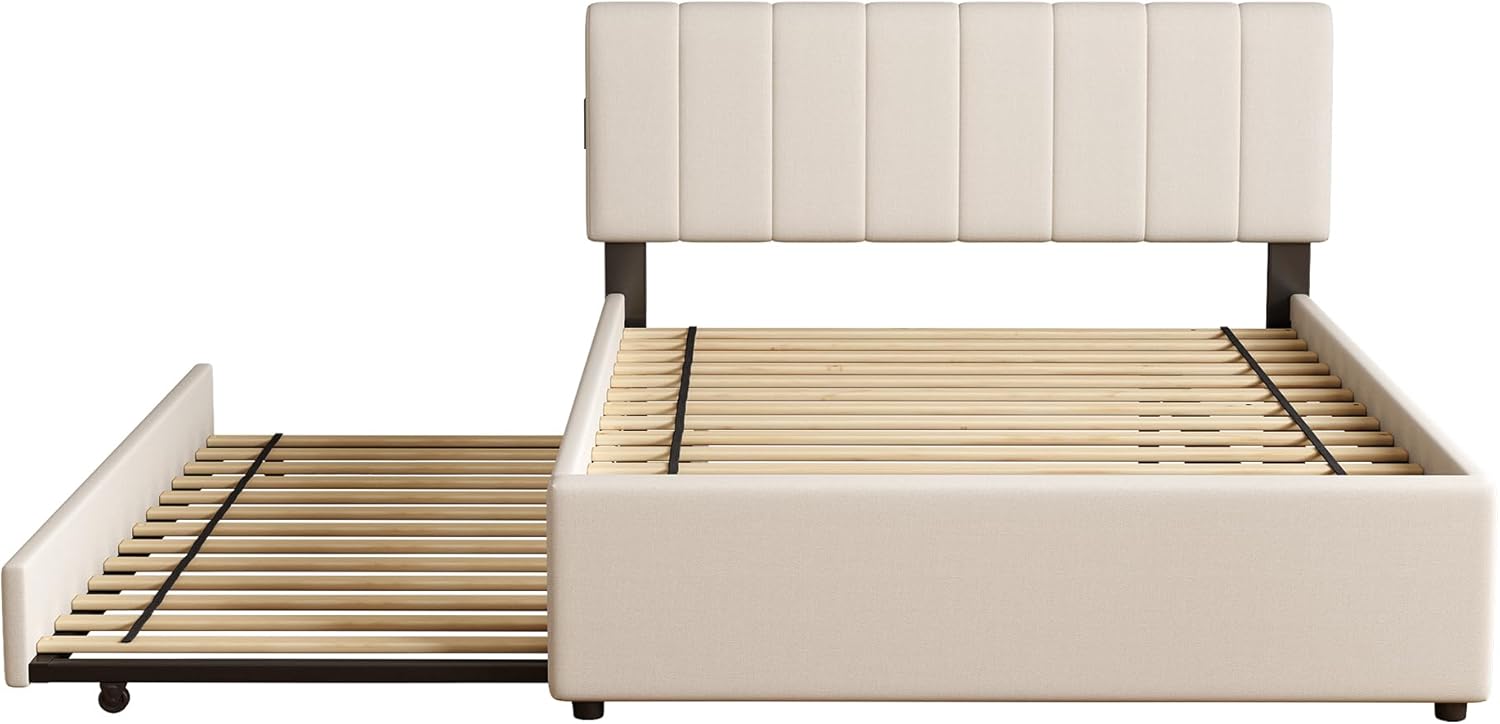
Figure 4: This image demonstrates the trundle bed in its fully extended position, ready for use as an additional sleeping surface.
Maintenance
Regular maintenance will help preserve the appearance and functionality of your bed frame.
- Cleaning Upholstery: For general cleaning, gently vacuum the chenille fabric to remove dust and debris. For spills, blot immediately with a clean, dry cloth. For stubborn stains, use a mild fabric cleaner specifically designed for chenille, testing on an inconspicuous area first. Do not use harsh chemicals or abrasive cleaners.
- Frame and Slats: Wipe the wood and metal components with a soft, damp cloth. Avoid excessive moisture.
- Hardware Check: Periodically (every 3-6 months) check all bolts, screws, and connections to ensure they remain tight. Re-tighten as necessary to maintain stability.
- Electrical Components: Keep the charging ports and LED strip free from dust. Do not attempt to repair or modify the electrical components yourself.
Troubleshooting
| Problem | Possible Cause | Solution |
|---|---|---|
| LED lights not turning on or responding to app. | Power not connected; App not paired; Faulty LED strip. | Ensure the bed is plugged into a working outlet. Check the power adapter connection. Re-pair the app with the LED controller. If issues persist, contact customer support. |
| USB/Type-C ports not charging devices. | Bed not plugged in; Device cable faulty; Port overloaded. | Verify the bed's power connection. Try a different charging cable or device. Ensure the total power draw does not exceed the port's capacity. |
| Bed frame is squeaking or unstable. | Loose hardware; Uneven floor; Damaged slats. | Check and re-tighten all bolts and screws. Ensure the bed is on a level surface. Inspect slats for damage and replace if necessary. |
| Trundle not sliding smoothly. | Obstruction; Damaged wheels; Uneven floor. | Check for any objects blocking the trundle's path. Inspect the wheels for damage or debris and clean if needed. Ensure the floor surface is clear and level. |
Specifications
- Main Bed Dimensions (L x W x H): 83" x 57.5" x 40.5" (211 cm x 146 cm x 103 cm)
- Trundle Dimensions (L x W x H): 78.75" x 41.25" x 8.75"
- Weight Capacity: 800 lbs
- Recommended Mattress Thickness: 6-10 inches
- Frame Material: Solid Wood, Metal
- Upholstery Material: Chenille Fabric
- Charging Ports: 2 Standard Outlets, 1 USB Port, 1 Type-C Port
- Lighting: App-controlled LED with 20+ preset effects and 4 interactive modes
- Color: Beige
Warranty and Support
This product comes with a limited manufacturer's warranty. Please refer to the warranty card included in your package for specific terms and conditions. For technical assistance, missing parts, or warranty claims, please contact FAVSH customer support through your retailer or the contact information provided on the warranty card.
Please have your model number (B0FL23JDWB) and purchase date ready when contacting support.