
1. Introduction
Thank you for choosing the HopCycle W8 Electric Scooter. This manual provides essential information for the safe operation, assembly, and maintenance of your scooter. Please read it thoroughly before use and retain it for future reference.
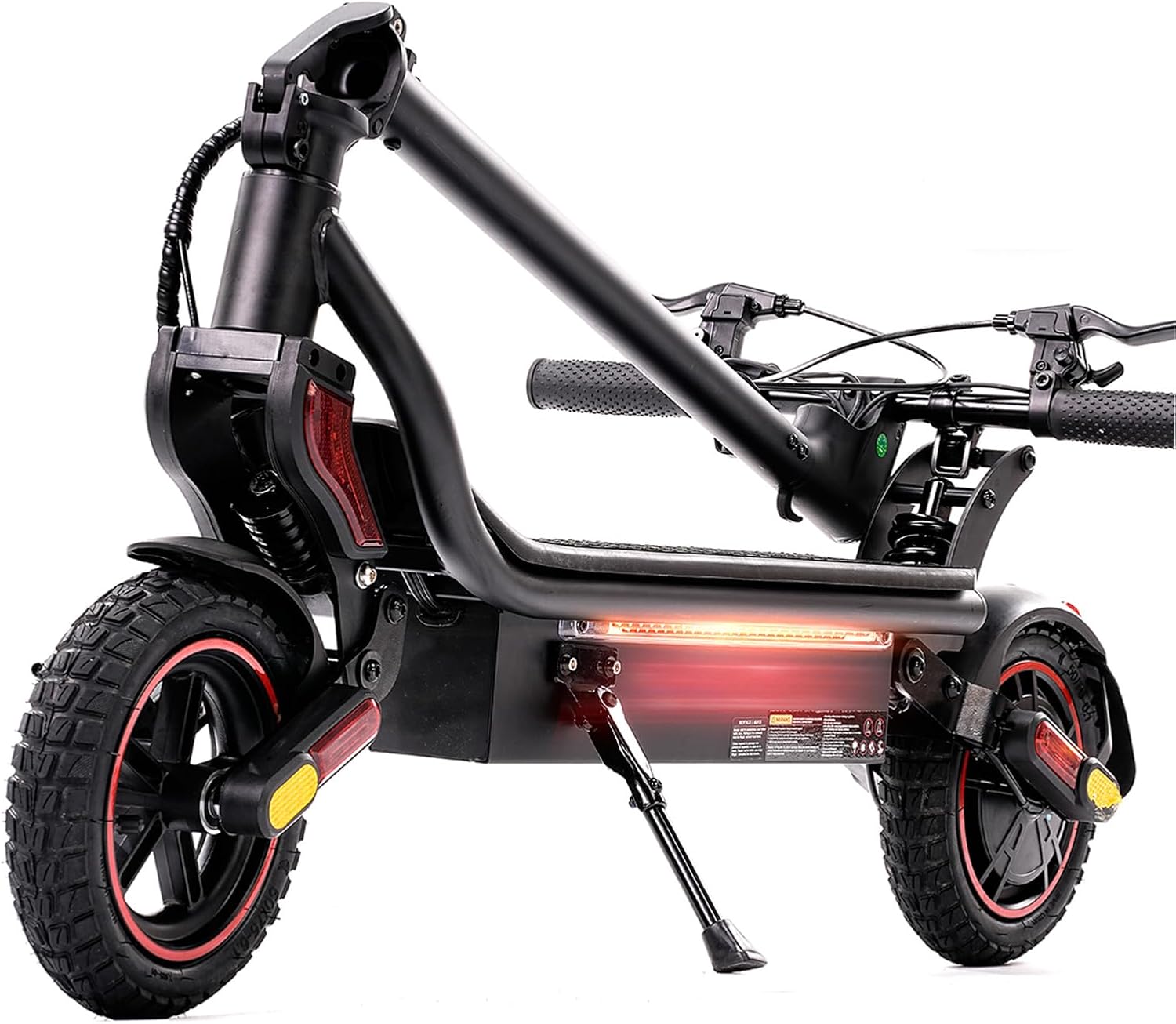
Figure 1.1: HopCycle W8 Electric Scooter Overview
2. Safety Information
Your safety is paramount. Always adhere to the following guidelines:
- Always wear a helmet and appropriate protective gear (knee pads, elbow pads) when riding.
- Ensure all screws and quick releases are securely fastened before each ride.
- Do not ride in heavy rain, on icy surfaces, or through standing water. The scooter is waterproof (IPX4), but excessive water exposure can cause damage.
- Observe local traffic laws and regulations.
- Maintain a safe distance from other vehicles and pedestrians.
- Avoid sudden acceleration or braking.
- Do not allow children under the recommended age to operate the scooter.
- The maximum weight limit is 264 pounds. Do not exceed this limit.
3. Package Contents
Verify that all items are present upon unboxing:
- HopCycle W8 Electric Scooter
- Charger
- User Manual (this document)
- Assembly Tools (if applicable)
4. Setup and Assembly
The HopCycle W8 Electric Scooter comes largely pre-assembled. Follow these steps to complete the setup:
- Unfolding the Scooter:
Carefully lift the scooter from its packaging. Locate the folding mechanism near the base of the handlebar stem. Release the latch and raise the handlebar stem until it locks securely into place. Ensure the locking mechanism is fully engaged. - Attaching the Handlebars:
Insert the handlebar into the stem. Align the screw holes and use the provided hex key to tighten the screws on both sides of the handlebar stem. Ensure the handlebars are firm and do not wobble. - Initial Charge:
Before your first ride, fully charge the scooter's battery. Connect the charger to the charging port, typically located on the side of the deck, and then plug it into a power outlet. The charging indicator on the charger will change color (e.g., red to green) when fully charged. This typically takes about 5 hours.

Figure 4.1: Securing the Handlebar Stem
For a visual guide on assembly, refer to the following video:
Video 4.1: HopCycle Electric Scooters - Assembly Overview
5. Operating Instructions
5.1 Power On/Off
- To power on: Press and hold the power button on the display for a few seconds until the screen illuminates.
- To power off: Press and hold the power button until the display turns off.
5.2 Speed Modes
The scooter features multiple speed modes to suit different riding conditions:
- ECO Mode: Energy-saving mode for extended range and lower speeds.
- DRIVE Mode: Balanced mode for everyday commuting.
- SPORT Mode: Maximum performance for higher speeds (up to 25 MPH) and stronger acceleration.
To switch between modes, double-press the power button quickly. The display will indicate the current mode.
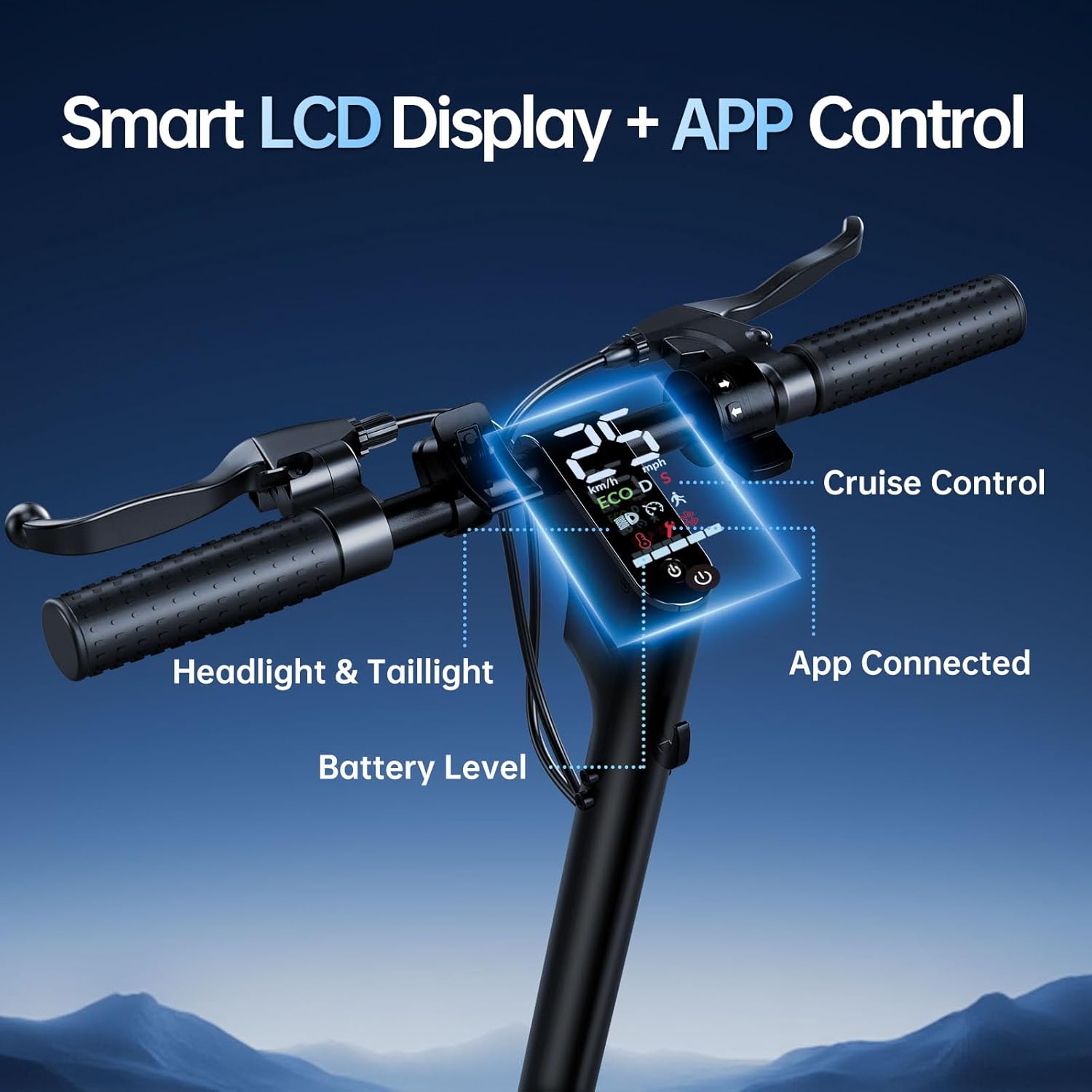
Figure 5.1: Smart LCD Display and Controls
5.3 Folding and Unfolding
The scooter's portable design allows for quick folding and unfolding:
- Folding: Ensure the scooter is powered off. Locate the folding latch on the handlebar stem. Pull the lever up and push the stem down until it clicks into the rear fender hook.
- Unfolding: Release the stem from the rear fender hook. Pull the folding latch lever up and raise the handlebar stem until it locks securely in the upright position.
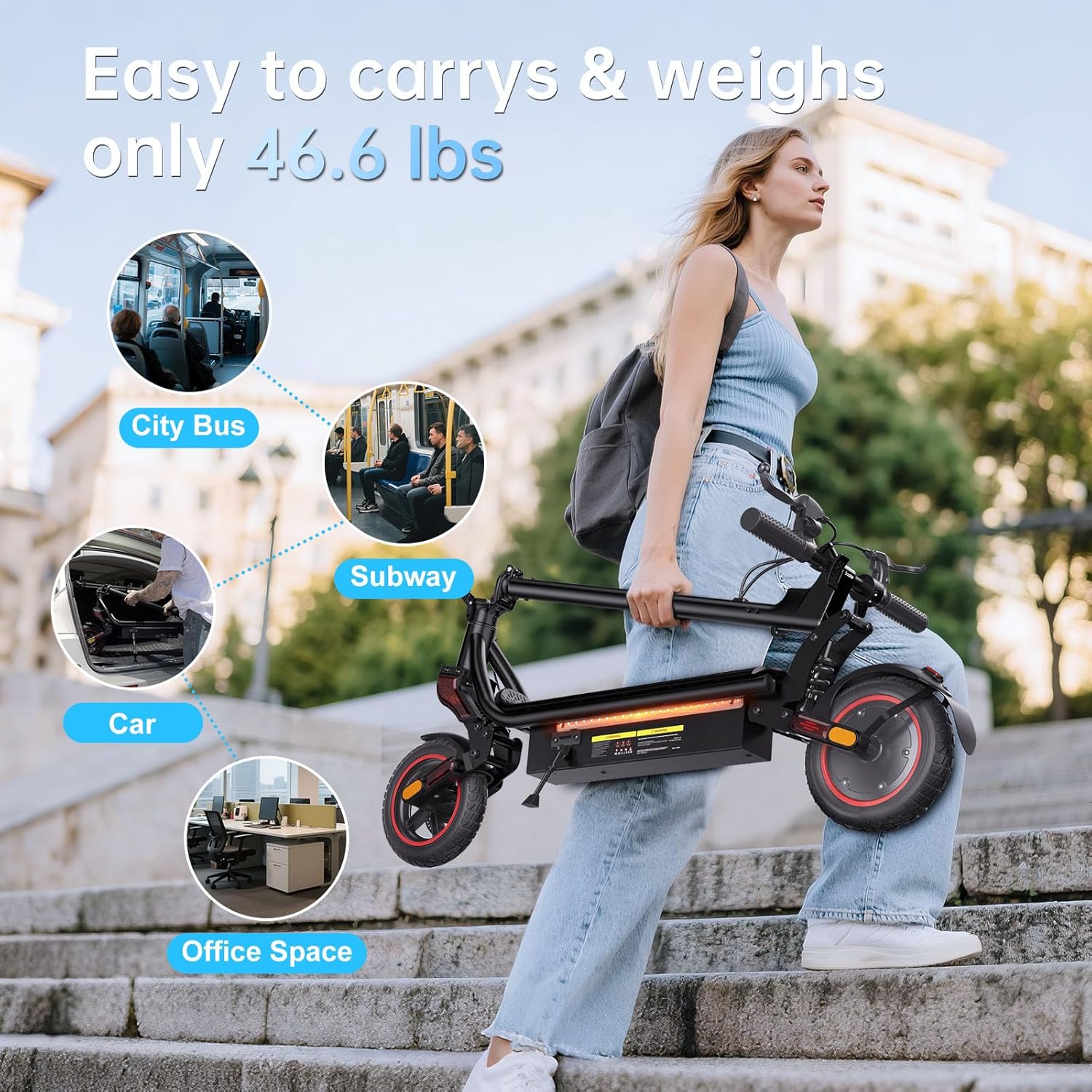
Figure 5.2: Portable Folding Design
5.4 Riding Tips
- Always start by pushing off with one foot to gain initial momentum before engaging the throttle.
- Use both brakes (EABS and rear disc brake) for effective stopping.
- Be aware of your surroundings and anticipate potential hazards.
- Avoid riding on uneven terrain or over large obstacles at high speeds.
6. Maintenance
Regular maintenance ensures the longevity and safe operation of your scooter:
- Tire Pressure: Regularly check and maintain the recommended tire pressure for optimal performance and safety.
- Brake Inspection: Periodically inspect brake levers, cables, and pads for wear and proper function. Adjust or replace as needed.
- Cleaning: Use a damp cloth to clean the scooter. Avoid high-pressure water jets directly on electronic components.
- Battery Care: Do not fully deplete the battery regularly. Charge it after each use and store it in a cool, dry place.
- Fastener Check: Ensure all screws and bolts are tight and secure.
For specific component replacement guides, refer to the following official videos:
Video 6.1: Electric Scooter Motor Replacement Guide
Video 6.2: Electric Scooter Throttle Replacement Guide
7. Troubleshooting
If you encounter issues, consult this section before contacting support:
- Scooter not turning on: Check battery level. Ensure the power button is pressed and held correctly.
- Loss of power/speed: Battery may be low. Check for loose connections. Ensure you are not exceeding the weight limit or riding on excessively steep inclines.
- Brakes not responding: Inspect brake cables and pads for damage or wear. Adjust cable tension if necessary.
- Unusual noises: Inspect wheels, brakes, and suspension for loose parts or debris.
8. Specifications
| Brand | HopCycle |
| Model Name | W8 |
| Motor Power | 1000W Peak |
| Top Speed | Up to 25 MPH |
| Maximum Range | Up to 28 Miles |
| Charging Time | 5 Hours |
| Tire Size | 9.3 Inches (Pneumatic Off-Road) |
| Suspension | Dual Suspension (Front) |
| Braking System | Triple Braking (EABS, Rear Disc Brakes) |
| Weight Limit | 264 Pounds |
| Item Weight | 46 Pounds |
| Product Dimensions | 43"L x 17"W x 47"H |
| Special Features | Digital Display, Foldable, Waterproof (IPX4) |
9. Warranty and Support
The HopCycle W8 Electric Scooter comes with a 180-day repair warranty from the date of purchase. This warranty covers manufacturing defects and workmanship under normal use. It does not cover damage caused by misuse, accidents, unauthorized modifications, or normal wear and tear.
For warranty claims, technical support, or inquiries, please contact HopCycle customer service through the retailer where the product was purchased or visit the official HopCycle website for contact information.