
Introduction
Thank you for choosing the Zorvixia Heated Throw Blanket. This manual provides essential information for the safe and efficient use of your new heated blanket. Designed for comfort and warmth, this blanket features ultra-soft 450gsm plush sherpa fabric, 5 adjustable heating levels, and a convenient 4-hour auto-off function for peace of mind. Please read these instructions carefully before first use and retain for future reference.
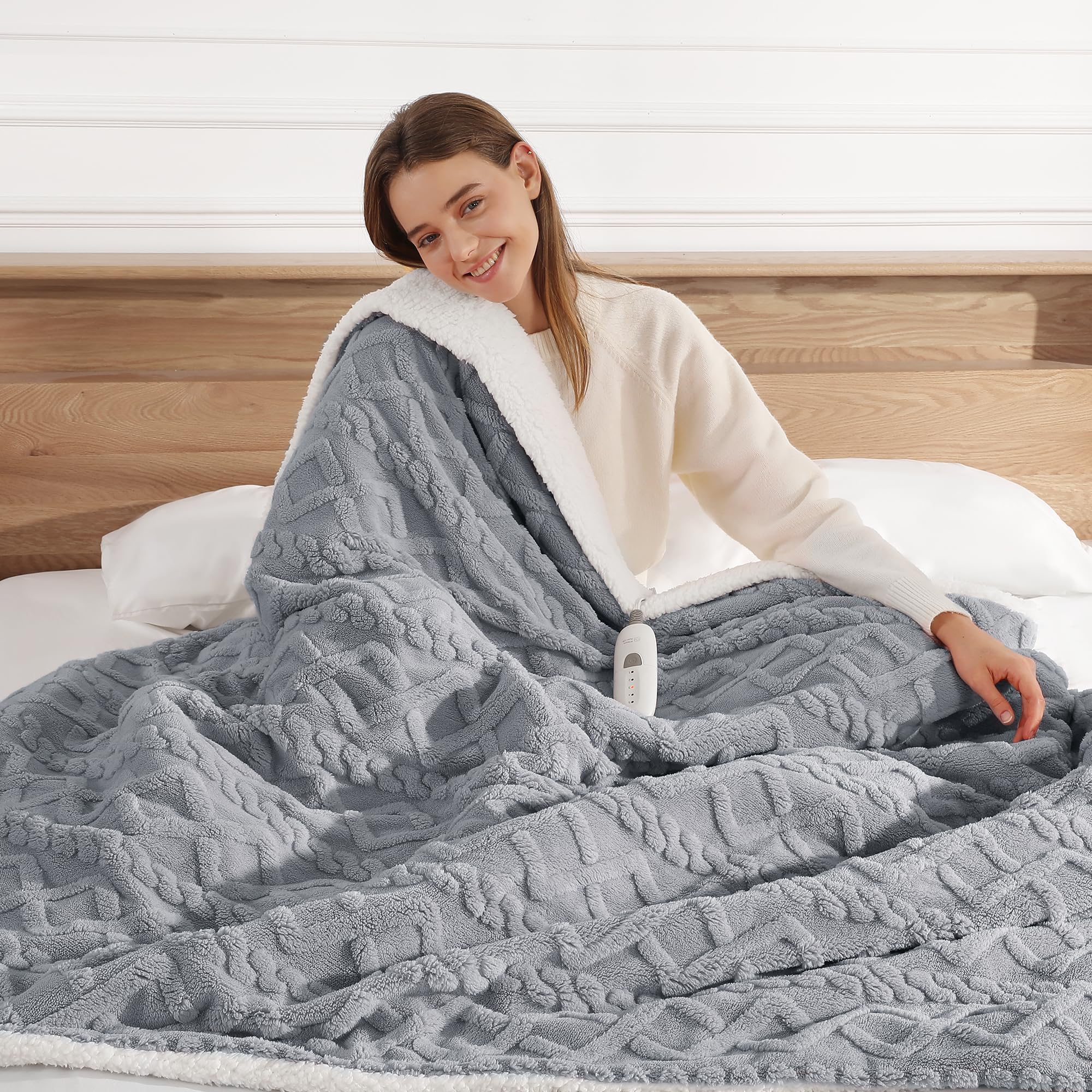
Image: The Zorvixia 50"x60" dark gray heated throw blanket, showcasing its plush texture and size on a bed.
Important Safety Information
To reduce the risk of burns, electric shock, fire, or injury, this product must be used in accordance with the following instructions:
- Read all instructions before use.
- Do not use with an infant, child, incapacitated person, or anyone insensitive to heat.
- Do not use on areas of insensitive skin.
- Do not use in conjunction with other heating appliances.
- Do not use if the blanket is wet.
- Always connect the blanket to the controller first, and then plug the power source into the outlet.
- Avoid sharp folds in the blanket.
- Do not use pins or other metallic objects with this blanket.
- This blanket is equipped with ETL and FCC certifications, ensuring high quality and safety standards, including overheat protection.

Image: Close-up of the blanket fabric displaying ETL and FCC certification logos, indicating safety compliance.
Setup Instructions
Follow these steps to properly set up your Zorvixia Heated Throw Blanket:
- Unpack: Carefully remove the blanket and controller from its packaging.
- Inspect: Check the blanket and power cord for any signs of damage. Do not use if damaged.
- Connect Controller: Locate the connector on the blanket and the corresponding plug on the controller. Firmly push the controller plug into the blanket connector until it clicks securely into place.
- Position Blanket: Lay the blanket flat on your bed, couch, or desired surface, ensuring there are no folds or creases.
- Connect to Power: Plug the power cord from the controller into a standard 120V AC electrical outlet. Ensure the outlet is easily accessible.

Image: The white controller unit securely connected to the dark gray heated blanket, ready for power connection.
Operating Instructions
Your heated blanket is designed for ease of use with a simple controller:
- Power On: Press the power button on the controller to turn the blanket on. The indicator lights will illuminate.
- Adjust Heat Level: Press the heat level button to cycle through the 5 available heating levels. Each press will increase the heat level, indicated by the illuminated lights. Select your desired warmth.
- Automatic Shut-off: The blanket features a default 4-hour automatic shut-off for safety and energy conservation. After 4 hours of continuous use, the blanket will turn off automatically.
- Power Off: To turn off the blanket manually, press the power button until all indicator lights are off, or cycle through all heat settings until the off state is reached. Unplug the blanket from the wall outlet when not in use.

Image: A hand operating the controller, showing the one-button on/off, 5 heating levels, and 4-hour auto-off features.
Official Product Video
Video: This video demonstrates how the Zorvixia heated blanket provides warmth and comfort, highlighting its features and cozy design.
Maintenance and Care
Proper care will extend the life of your heated blanket:
- Disconnect Power: Always unplug the blanket from the wall outlet and disconnect the controller from the blanket before cleaning.
- Machine Washable: The blanket is machine washable. Wash on a gentle cycle with cold water. Do not bleach.
- Drying: Tumble dry on low heat or air dry. Ensure the blanket is completely dry before reconnecting the controller and using it again. Do not iron.
- Storage: When not in use, store the blanket loosely folded in a cool, dry place. Avoid placing heavy objects on top of the blanket, as this may damage the heating wires.
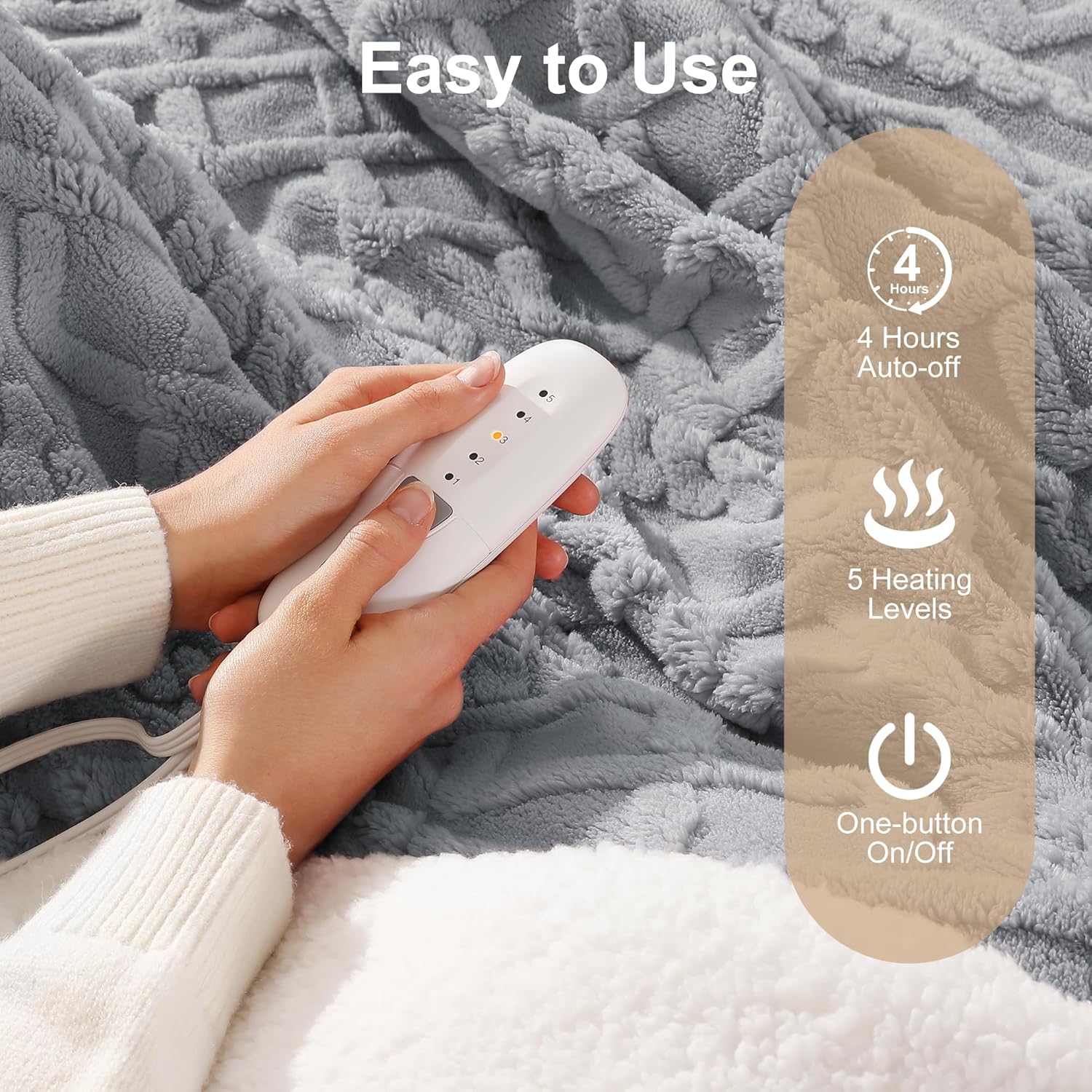
Image: A close-up of the blanket's ultra-thick sherpa fabric, accompanied by a machine washable icon, indicating ease of care.
Troubleshooting
If you experience issues with your heated blanket, refer to the following common problems and solutions:
| Problem | Possible Cause | Solution |
|---|---|---|
| Blanket not heating | Not plugged in correctly; Controller not connected securely; Power outage; Blanket folded or creased. | Ensure power cord is firmly plugged into outlet. Verify controller is securely connected to blanket. Check household circuit breaker. Lay blanket flat to remove folds. |
| Controller lights not illuminating | No power; Faulty connection. | Check power outlet and connections. Try a different outlet. |
| Blanket heats unevenly | Internal wiring issue; Blanket folded or bunched. | Ensure blanket is spread out flat. If problem persists, discontinue use and contact customer support. |
| Automatic shut-off too soon | Overheating protection activated; Timer function. | Allow blanket to cool down. The blanket has a 4-hour auto-off feature. If it shuts off before 4 hours, ensure it is not folded or covered in a way that traps heat. |
If these solutions do not resolve the issue, please contact customer support.
Specifications
| Feature | Detail |
|---|---|
| Model Name | MDV-HTTHROW |
| Dimensions | 50 inches (W) x 60 inches (L) |
| Material | 450gsm Plush Sherpa |
| Color | Dark Gray |
| Heating Levels | 5 |
| Auto-Off Timer | 4 Hours |
| Certifications | ETL, FCC |
| Care Instructions | Machine Washable |
| Weight | 3.6 Pounds |
Warranty and Support
Zorvixia is committed to providing high-quality products. While specific warranty details are not provided in this document, please retain your proof of purchase for any warranty claims. For product support, troubleshooting assistance, or to inquire about warranty information, please contact the seller or manufacturer directly through the platform where the product was purchased.
You can visit the Zorvixia Store for more information and contact options.

Image: A person comfortably wrapped in the heated blanket on a sofa, demonstrating its use in a home setting.