
1. Introduction
Thank you for choosing the GLYLF A306 Vibration Plate Exercise Machine. This manual provides essential information for the safe and effective use of your new fitness equipment. Please read all instructions carefully before operating the machine and retain this manual for future reference.
The GLYLF A306 Vibration Plate is designed to provide a full-body workout experience, supporting muscle activation, lymphatic drainage, improved circulation, and overall well-being through controlled vibrations. With 130 adjustable speed levels and various modes, it caters to diverse fitness needs.
2. Important Safety Instructions
- Consult a physician before starting any new exercise program, especially if you have pre-existing medical conditions, are pregnant, or have implanted electronic devices.
- Ensure the machine is placed on a stable, level surface before use.
- Keep children and pets away from the machine during operation.
- Do not use the machine immediately after meals or alcohol consumption.
- Do not insert fingers or any objects into any openings of the machine.
- If the power supply voltage does not match the product's requirements, do not use the device.
- In case of a power outage or extended non-use, turn off the power switch and unplug the device.
- If water or any liquid spills on the product or remote control, immediately turn off the power and unplug the device.
- Discontinue use immediately if you experience dizziness, numbness, pain, or discomfort.
- Do not operate during power outages, thunderstorms, or lightning.
- Ensure proper balance to prevent falls during use.
3. Package Contents
Please check the package to ensure all items are present and in good condition:
- GLYLF A306 Vibration Plate Exercise Machine
- 5x Resistance Bands (various strengths)
- 2x Pull Ropes with handles
- 1x Remote Control
- 1x User Manual (this document)
- 1x Power Cord

Image: All items included in the GLYLF A306 Vibration Plate package.
4. Product Overview
The GLYLF A306 Vibration Plate features a user-friendly design with several key components:
- Control Panel: Integrated LED display for time, speed, and mode selection.
- Remote Control: Allows convenient adjustment of settings without bending over.
- Magnetic Massage Surface: Textured footpads with magnetic points for enhanced comfort and foot massage during workouts.
- Anti-slip Surface: Ensures stability and safety during use.
- Non-slip Suction Bases: Provides strong grip to the floor, preventing movement during operation.
- Power Switch: Main power control located on the side of the unit.
- Resistance Band Hooks: Attachment points for pull ropes and resistance bands.
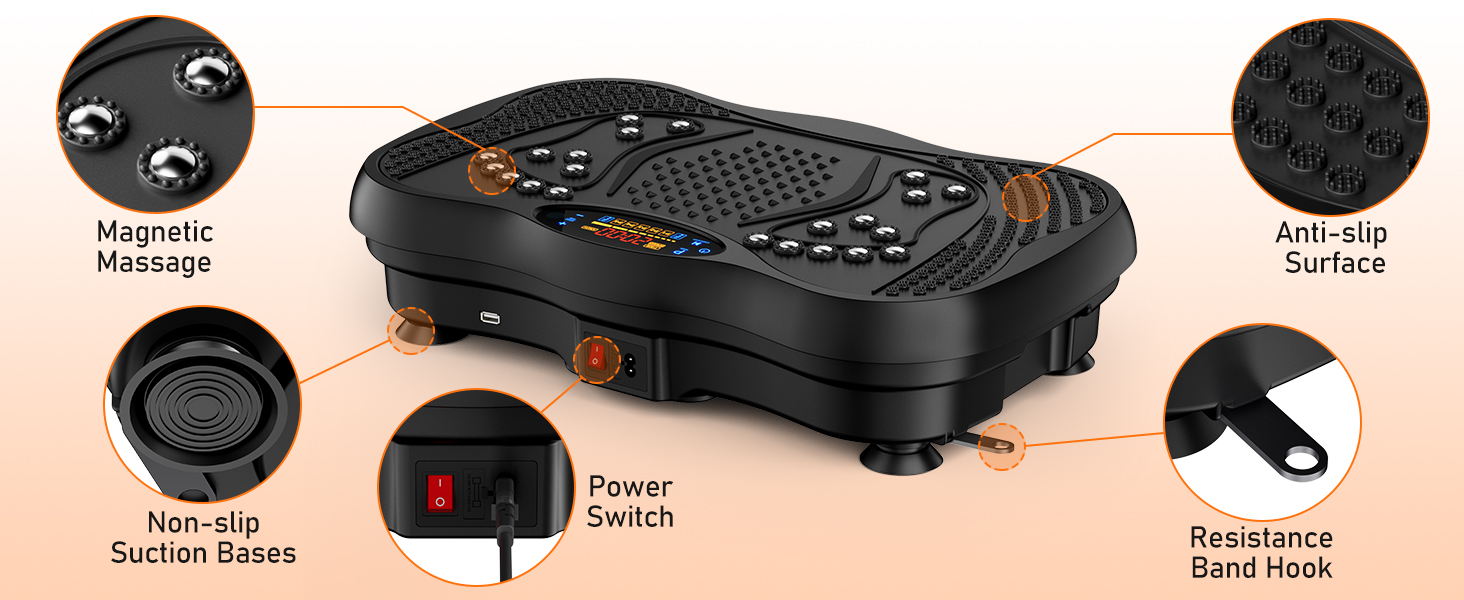
Image: Key features and components of the vibration plate.

Image: The LED display and control panel functions.
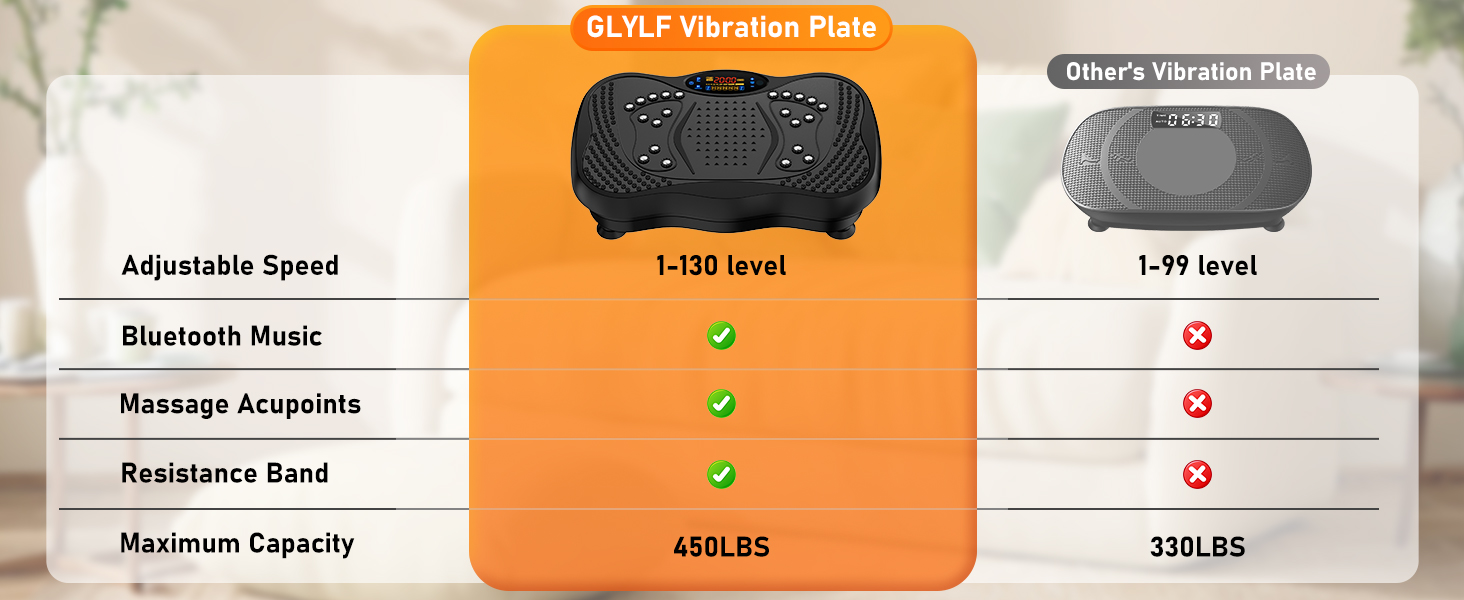
Image: Functions of the remote control.
5. Setup
- Placement: Place the vibration plate on a firm, level, and non-slip surface. Ensure there is enough clear space around the machine for safe movement.
- Power Connection: Insert the power cord into the machine's power socket and then into a suitable wall outlet. Ensure the main power switch on the machine is in the OFF position before plugging it in.
- Secure Bases: Press down firmly on the machine to engage the non-slip suction bases to the floor.
6. Operating Instructions
Power On/Off
- Flip the main power switch on the side of the machine to the ON position. The LED display will light up.
- Press the 'Power' button on the control panel or remote control to activate the device.
- To turn off, press the 'Power' button again, then flip the main power switch to OFF.
Mode Selection
- The machine offers 5 automatic pre-programmed modes (P1-P5) and a manual mode.
- In manual mode, you can freely adjust the speed and time.
- Press the 'Mode' button on the control panel or remote to cycle through the available modes.
Speed and Time Adjustment
- Speed: The machine features 130 adjustable speed levels. Use the '+' and '-' speed buttons on the control panel or remote to increase or decrease the vibration intensity.
- Time: The workout duration can be set from 1 to 20 minutes. Use the '+' and '-' time buttons on the control panel or remote to adjust the session length.
Bluetooth Connectivity
- Activate Bluetooth on your mobile device.
- Search for the device name (usually
Ask a question about this manual
Ask about setup, troubleshooting, compatibility, parts, safety, or missing instructions. Manuals+ will review the question and use this page’s manual context to help answer it.