1. Introduction
Welcome to the ZapRun Electric Scooter user manual. This manual provides essential information for the safe operation, assembly, maintenance, and troubleshooting of your new electric scooter. Please read this manual thoroughly before your first ride to ensure optimal performance and safety.

Image: Two ZapRun Electric Scooters, showcasing their sleek design and compact form factor.
2. Safety Information
Your safety is paramount. Always wear a helmet and appropriate protective gear (knee pads, elbow pads) when riding. Adhere to local traffic laws and regulations.
2.1 General Safety Guidelines
- Do not ride in heavy rain or through puddles deeper than 2 cm. The scooter has an IPX4 waterproof rating, but excessive water exposure can cause damage.
- Avoid riding on slippery surfaces, loose gravel, or steep inclines.
- Maintain a safe distance from other vehicles and pedestrians.
- Do not perform stunts or sudden maneuvers.
- Ensure all bolts and fasteners are tightened before each ride.
- Do not allow children under the age of 16 to operate the scooter.
- The maximum weight limit for the scooter is 264 lbs (120 kg).
2.2 Braking System
The ZapRun Electric Scooter is equipped with UL-certified mechanical and electronic brakes for reliable stopping power. Always use both brakes simultaneously for effective and safe deceleration.
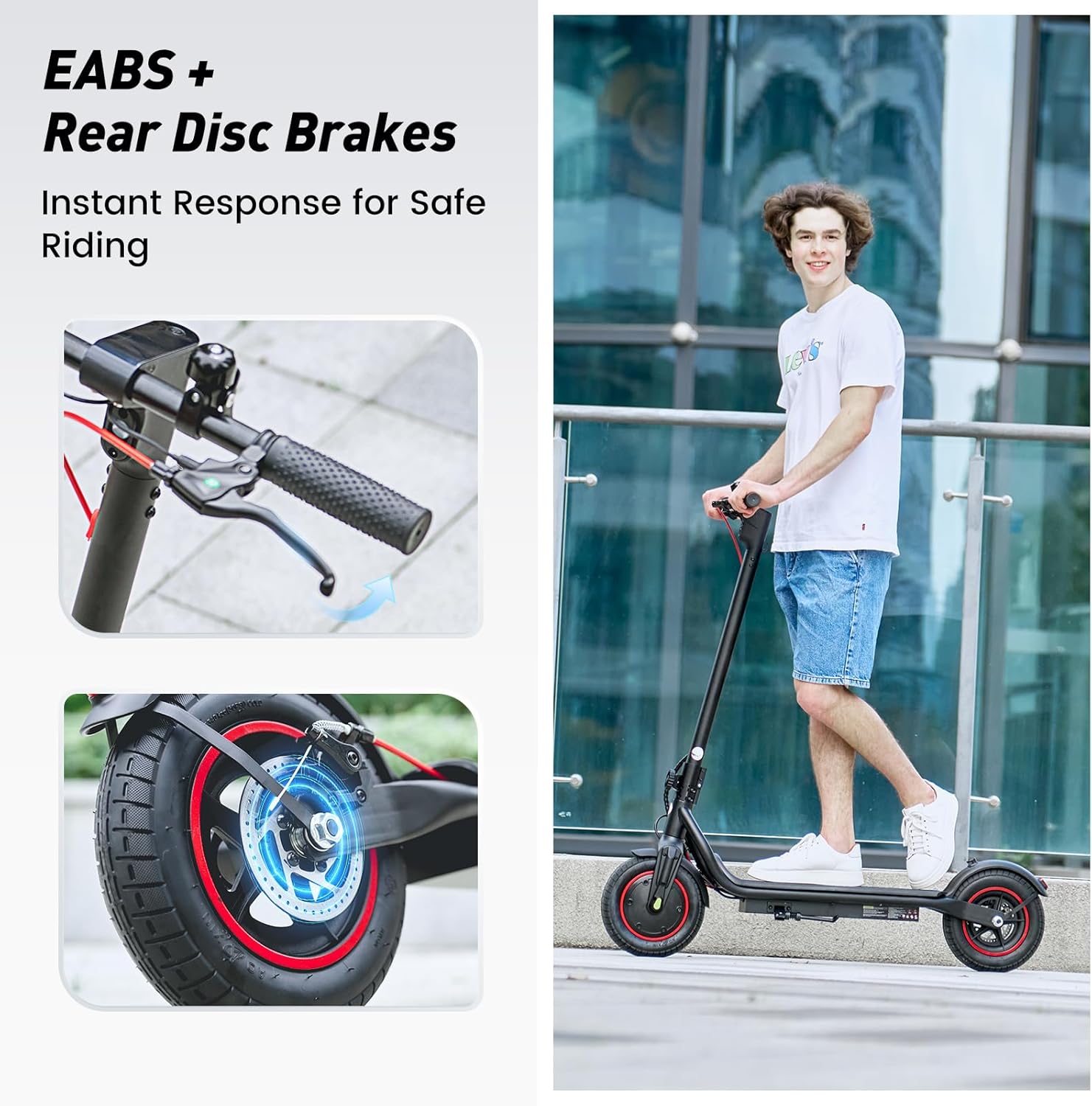
Image: Detailed view of the EABS and Rear Disc Brakes, highlighting the instant response for safe riding.
2.3 Lighting
Integrated LED headlights and taillights provide 360° visibility, enhancing safety during night rides or in low-light conditions. Ensure lights are functional before riding.

Image: Safety Lighting, showing the bright headlight and brake light for enhanced visibility.
3. Package Contents
Upon opening the package, verify that all components are present and in good condition.
- ZapRun Electric Scooter (x2 for this package)
- Power Adapter/Charger
- User Manual
- Assembly Tools (e.g., Allen wrench)
- Extra inner tube (may be included as a bonus)
4. Assembly and Setup
The ZapRun Electric Scooter comes mostly pre-assembled. Follow these steps to complete the setup:
- Carefully remove the scooter from its packaging.
- Unfold the handlebar stem until it locks into place. Ensure the folding mechanism is securely latched.
- Attach the handlebars to the stem, aligning the holes and securing them with the provided screws and tools. Typically, this involves four screws.
- Check tire pressure. The 10-inch pneumatic tires should be inflated to the recommended PSI (check tire sidewall for exact value, typically 35-50 PSI).
- Fully charge the scooter before its first use. Refer to the "Charging" section for details.

Image: One-Step Folding mechanism, demonstrating how easy it is to carry and store the 33 lbs lightweight scooter.
5. Operating Instructions
5.1 Power On/Off
- To power on: Press and hold the power button on the display for a few seconds.
- To power off: Press and hold the power button again until the display turns off.
5.2 Riding Modes
The scooter features three adjustable speed modes:
- ECO Mode: Energy-saving mode, typically for lower speeds (e.g., 9 MPH).
- Drive Mode: Standard mode for balanced speed and range (e.g., 15 MPH).
- Sport Mode: Maximum performance mode, reaching up to 21 MPH.
Switch between modes by pressing the mode button on the display.
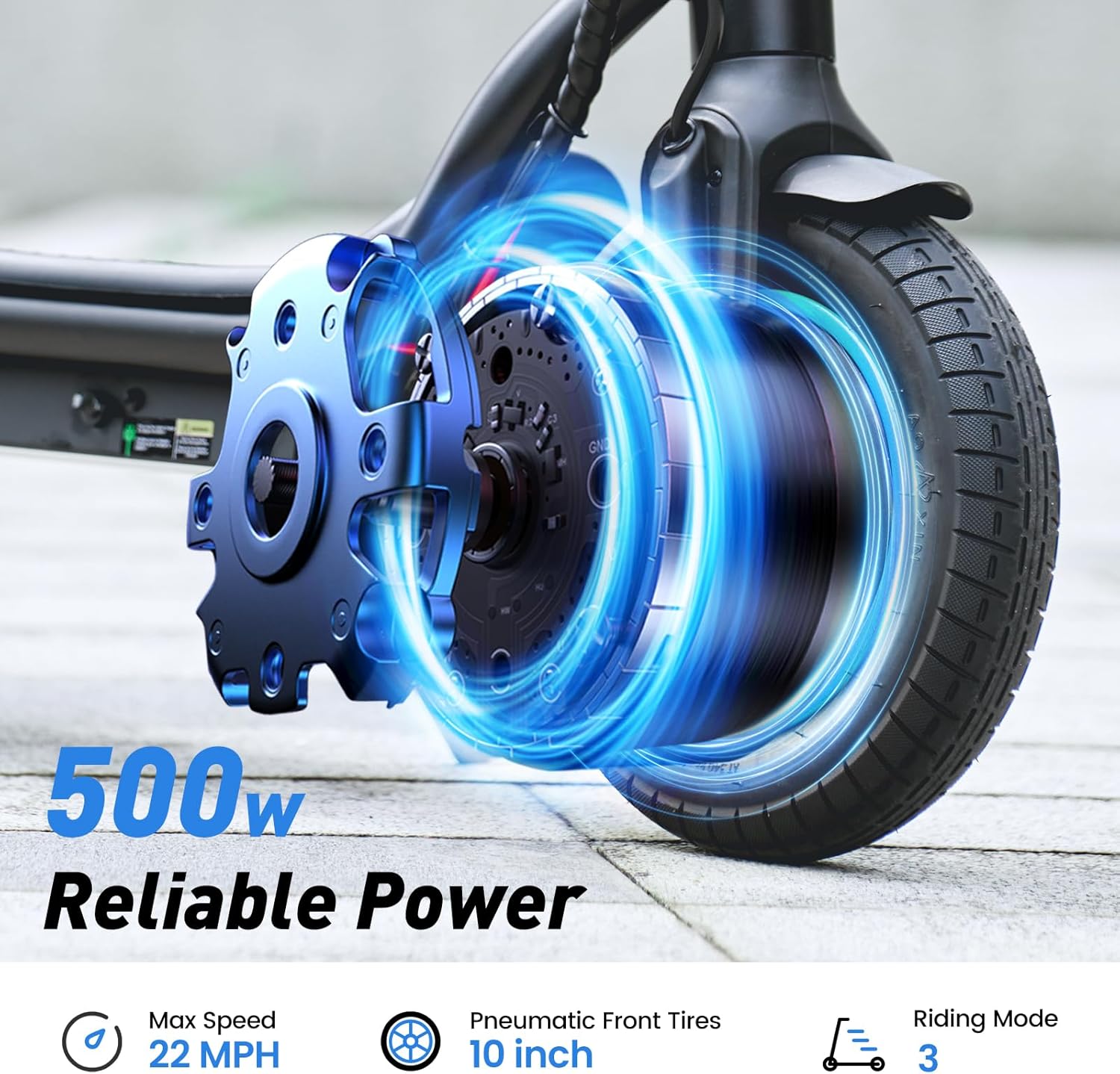
Image: Illustration of the 500W motor's reliable power, highlighting max speed, tire size, and riding modes.
5.3 Smart APP Control
Enhance your riding experience by connecting to the companion mobile application. The app allows you to:
- Lock/Unlock your scooter.
- Track real-time statistics (speed, battery level, mileage).
- Customize settings, including gear modes and lighting.
- Activate cruise control for relaxed, long-distance rides.

Image: Smart Display and APP Control interface, demonstrating features like lock/unlock, cruise control, headlight control, and riding mode switching.
6. Charging the Battery
The scooter is powered by a high-capacity 42V 10.5Ah lithium-ion battery, providing up to 22 miles of range.
- Locate the charging port on the scooter.
- Ensure the scooter is powered off before charging.
- Connect the charger to the scooter's charging port, then plug the charger into a standard wall outlet.
- The charging indicator light on the charger will typically turn red during charging and green when fully charged.
- Charging time is approximately 5-7 hours for a full charge.
- Do not leave the scooter charging unattended for extended periods.
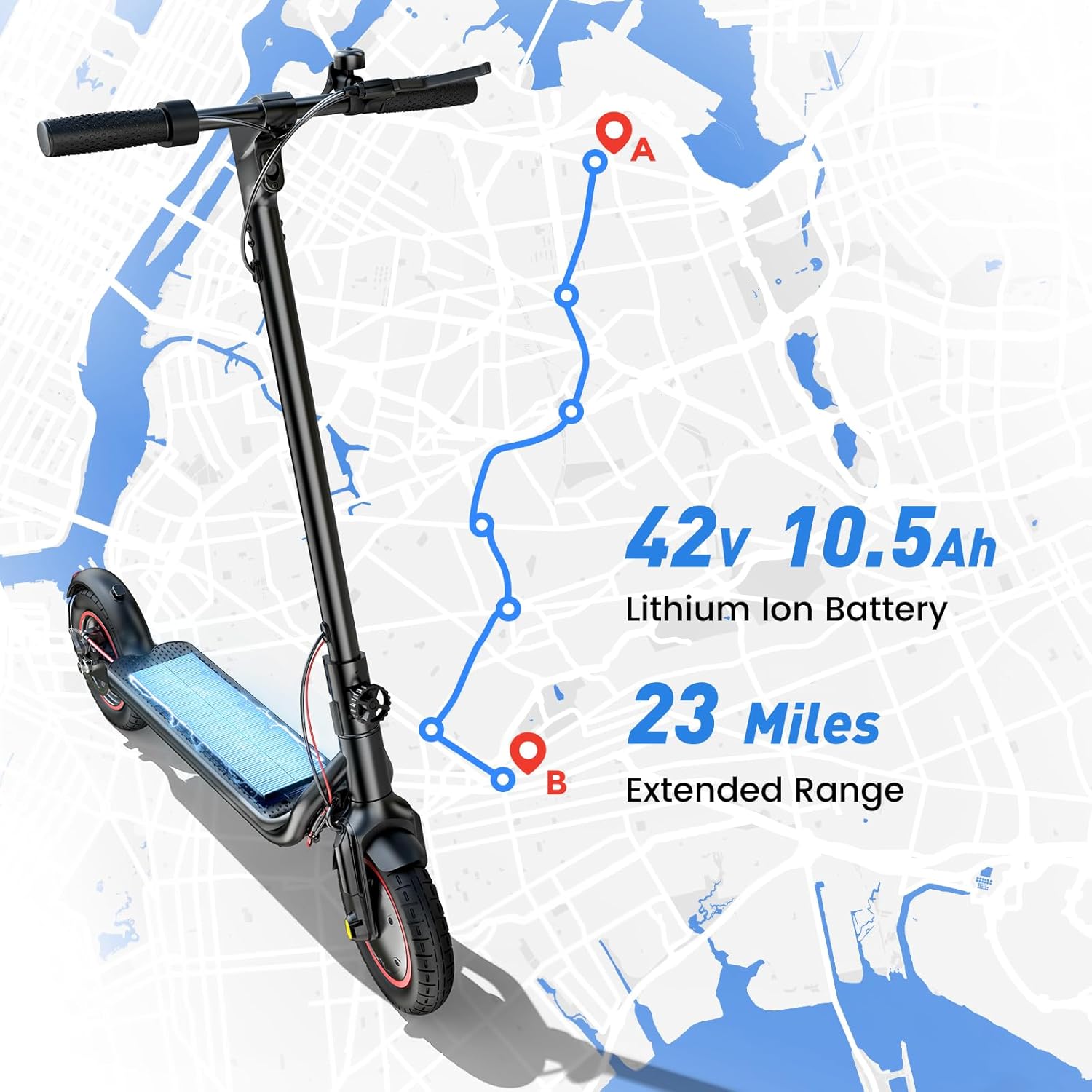
Image: Visual representation of the scooter's extended range, powered by its 42V 10.5Ah Lithium Ion Battery.
7. Maintenance
7.1 Cleaning
Wipe the scooter clean with a damp cloth. Do not use high-pressure water jets or corrosive cleaning agents.
7.2 Tire Care
Regularly check the pressure of the 10-inch pneumatic tires. Proper tire pressure ensures optimal ride quality, range, and tire longevity. Inspect tires for wear and tear.
7.3 Storage
Store the scooter in a cool, dry place away from direct sunlight and extreme temperatures. If storing for an extended period, ensure the battery is charged to approximately 50-70% and recharge it every 30-60 days to prevent deep discharge.
8. Troubleshooting
| Problem | Possible Cause | Solution |
|---|---|---|
| Scooter does not power on. | Low battery; loose connections. | Charge the battery; check all cable connections. |
| Reduced range or speed. | Low tire pressure; heavy load; uphill riding; cold weather. | Inflate tires to recommended PSI; reduce load; understand performance variations. |
| Brakes feel weak. | Brake cable adjustment needed; worn brake pads. | Adjust brake cable tension; replace brake pads if worn. Consult professional if unsure. |
| Flat tire. | Puncture. | Repair or replace inner tube/tire. Professional assistance recommended. |
For issues not listed here or if solutions do not resolve the problem, please contact ZapRun customer support.
9. Specifications
| Feature | Detail |
|---|---|
| Model Name | W6 |
| Motor Power | 500W |
| Max Speed | 21 MPH (34 km/h) |
| Max Range | Up to 22 Miles (35 km) |
| Battery | 42V 10.5Ah Lithium-Ion |
| Charging Time | 5-7 Hours |
| Tire Type | 10-inch Pneumatic Tires |
| Braking System | EABS + Rear Disc Brake (UL Certified) |
| Max Load | 264 lbs (120 kg) |
| Product Dimensions (Unfolded) | 44.09"L x 19.29"W x 43.3"H |
| Item Weight | 33 Pounds (15 kg) |
| Waterproof Rating | IPX4 |

Image: All-Day Comfort, illustrating the scooter's capacity to support up to 264 lbs max load.
10. Warranty and Support
ZapRun provides a warranty for its products.
- Warranty Period: ZapRun offers a 365-day or 180-day parts warranty, depending on the specific component. Please refer to your purchase documentation for exact details.
- Customer Support: If you have any questions, require assistance with assembly, operation, maintenance, or troubleshooting, please contact ZapRun customer service. Contact information can typically be found on the product packaging or the official ZapRun website.
Please have your model name (W6) and purchase date ready when contacting support.