1. Introduction
The MHAZDZE 3D Galaxy Projector BL-3D03 is designed to transform your living space with immersive visual and auditory experiences. This device projects dynamic 3D scenes, moving stars, and offers a built-in Bluetooth speaker for enhanced ambiance. It features an adjustable projection angle, auto-timer functions, and user-friendly controls.

Image 1.1: The MHAZDZE 3D Galaxy Projector in a living room setting, projecting a vibrant galaxy scene.
2. Product Components
Verify that all items are present in the packaging:
- 3D Galaxy Projector (x1)
- Power Adapter (x1)
- Remote Controller (x1)
- User Manual (x1)

Image 2.1: Overview of the projector's components and included accessories.
3. Device Overview
Familiarize yourself with the main parts and controls of the projector:
- Power Switch/Volume Knob: Controls power and adjusts speaker volume.
- Function Keys: Buttons for various operations on the device.
- Ventilation/Speaker Grille: Ensures proper cooling and sound output.
- Power Indicator Light: Indicates the device's power status.
- Timer Indicator Light: Shows active timer settings.
- Remote Control Signal Receiver: Receives signals from the remote.
- Stars Projection: Projects moving star effects.
- Background Lighting: Projects static background colors (R, G, B, W).
- 3D Scenes Projection: Projects dynamic 3D holographic scenes.
- 3D Projection Focus Wheel: Adjusts the clarity of the 3D projection.
- Cooling Holes: Facilitate heat dissipation.
- Power Input: DC24V 1.5A connection for the power adapter.
4. Remote Control Functions
The remote control provides full functionality for operating your projector:

Image 4.1: Detailed layout of the remote control buttons and their functions.
- Power On/Off: Turns the projector on or off.
- Scene Combination Mode Switching: Cycles through different projection combinations.
- Background Lighting Gradient Mode: Activates a gradual change in background lighting.
- Background Lighting Breathing Mode: Creates a pulsating effect for background lighting.
- Turn on/off Red/Green/Blue/White Background Lighting: Individual control for static background colors.
- Previous/Next 3D Scene/Track: Navigates through 3D scenes or audio tracks.
- Volume +/-: Adjusts the speaker volume.
- Audio Play/Pause: Controls media playback.
- Sequential 3D Scenes Loop: Plays all 3D scenes in a continuous loop.
- Single 3D Scene Loop: Repeats the current 3D scene.
- Set 1H/2H Auto-Shutdown Timer: Sets the projector to turn off after 1 or 2 hours.
- Cancel 1H/2H Timer (Default 6 hours auto-shutdown remains): Disables the set timer.
- Star Speed Adjustment: Controls the speed of the moving star effect.
- Mode Switching (BT/T): Toggles between 3D scenes, background music, and Bluetooth modes.
5. Setup Instructions
- Placement: Place the projector on a stable, flat surface. For optimal projection, position it 10-16 feet away from the desired projection surface (wall or ceiling). This distance allows for a projection area of 161-538 square feet.
- Power Connection: Connect the provided power adapter to the 'Power Input' port on the projector and then plug it into a standard electrical outlet. The power indicator light will illuminate.
- Adjust Angle: The projector features a 180° adjustable angle. Tilt the projector to direct the projection onto your desired surface.
- Adjust Focus: Use the '3D Projection Focus Wheel' on the projector to achieve a clear and sharp image. Rotate the wheel until the projection is in focus.
6. Operating Instructions
6.1 Power On/Off
Press the 'Power On/Off' button on the remote control or rotate the 'Power Switch/Volume Knob' on the device to turn the projector on or off.
6.2 Scene Selection and Combination
The projector offers 90 dynamic 3D scenes across 11 themes. You can combine 3D scenes, background lights, and moving stars.
- Browse Scenes: Use the 'Previous/Next 3D Scene/Track' buttons on the remote to cycle through the available scenes.
- Loop Modes: Select 'Sequential 3D Scenes Loop' to play all scenes continuously or 'Single 3D Scene Loop' to repeat the current scene.
- Combine Effects: Use the 'Scene Combination Mode Switching' button to blend 3D scenes with background lights and moving stars.
- Background Lights: Individually turn on/off Red, Green, Blue, or White background lighting. Explore 'Background Lighting Gradient Mode' or 'Background Lighting Breathing Mode' for dynamic effects.
- Star Speed: Adjust the speed of the moving stars using the 'Star Speed Adjustment' button.
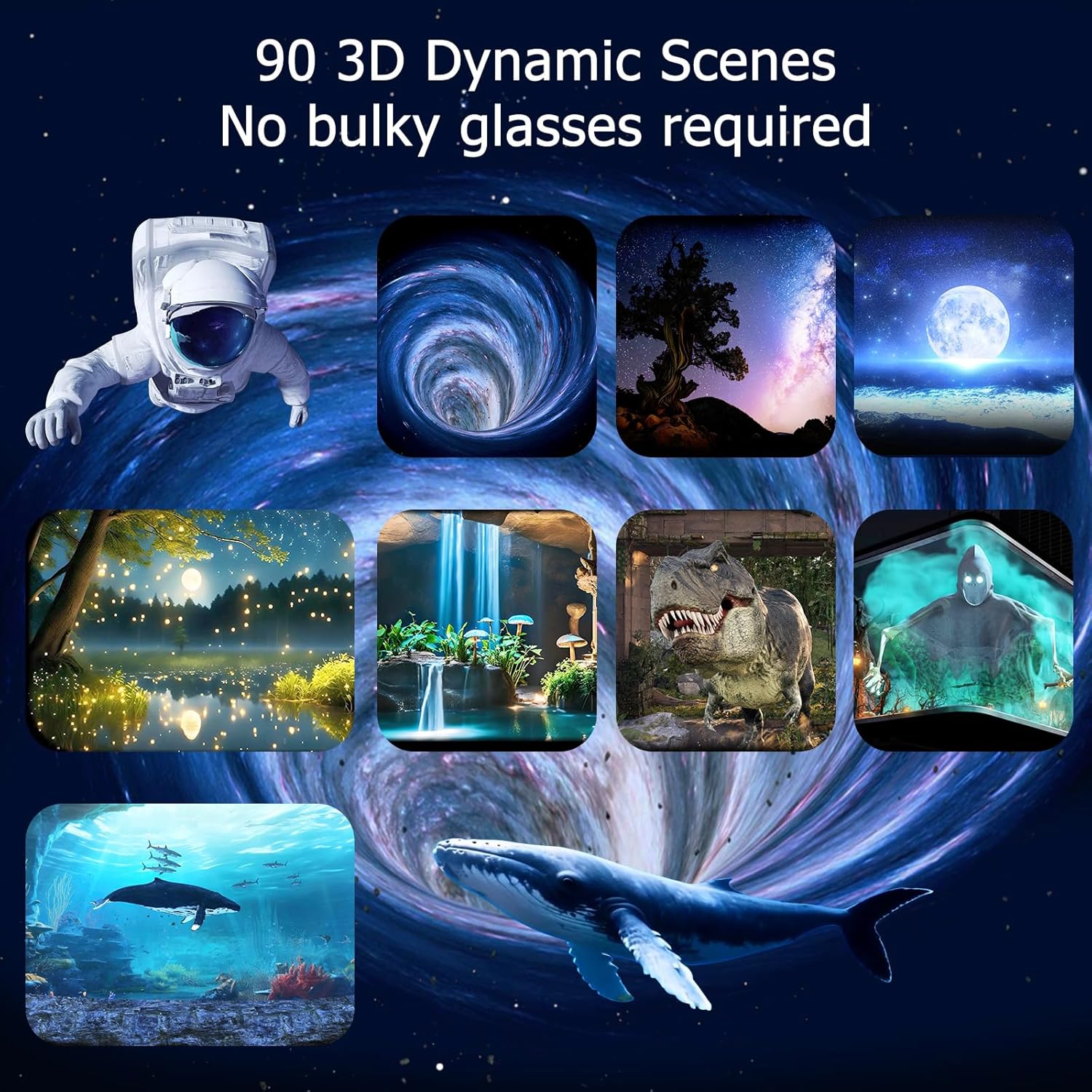
Image 6.1: Examples of the 90 dynamic 3D scenes available.

Image 6.2: Illustrates combining different light types for a customized ambiance.
6.3 Bluetooth Speaker Function
The projector includes a stereo Bluetooth speaker for audio playback.
- Activate Bluetooth: Press the 'Mode Switching (BT/T)' button on the remote until the Bluetooth mode is active.
- Pairing: On your smartphone or computer, search for Bluetooth devices and select 'BL-3D03' to connect.
- Playback: Once connected, you can stream music, white noise, or bedtime stories. Use the 'Volume +/-' and 'Audio Play/Pause' buttons on the remote to control playback.
- Built-in Soundscapes: The projector also features built-in soundscapes designed to complement each theme. These will play automatically when a scene is selected if not streaming via Bluetooth.

Image 6.3: The projector's built-in Bluetooth speaker enhances the immersive experience.
6.4 Auto-Shutdown Timer
Set a timer for automatic shutdown to conserve energy or for bedtime use.
- Set Timer: Press the '1H' or '2H' buttons on the remote to set the projector to turn off after 1 or 2 hours, respectively. The timer indicator light will confirm the setting.
- Cancel Timer: Press the 'Cancel 1H/2H Timer' button to disable any active timer.
- Default Safety Shutoff: The projector has a default 6-hour safety shutoff feature.

Image 6.4: Setting the auto-shutdown timer for convenience.
6.5 Brightness Adjustment
Adjust the projection brightness to suit your environment and preference.
- The projector offers 5 levels of brightness. Use the dedicated brightness adjustment buttons on the remote to cycle through these levels.
- Higher brightness is suitable for vivid details during activities, while lower brightness is ideal for a gentle glow during relaxation or bedtime.
7. Maintenance
To ensure the longevity and optimal performance of your MHAZDZE 3D Galaxy Projector, follow these maintenance guidelines:
- Cleaning: Use a soft, dry cloth to clean the exterior of the projector. For the lens, use a specialized lens cleaning cloth to avoid scratches. Do not use liquid cleaners or abrasive materials.
- Ventilation: Ensure the ventilation grilles and cooling holes are free from dust and obstructions to prevent overheating.
- Storage: When not in use for extended periods, store the projector in a cool, dry place, away from direct sunlight and extreme temperatures.
- Handling: Handle the projector with care to avoid dropping or impacting the device, which could damage internal components.
8. Troubleshooting
If you encounter issues with your projector, refer to the following common problems and solutions:
| Problem | Possible Cause | Solution |
|---|---|---|
| No projection | Power not connected; device off; lens cap on. | Ensure power adapter is securely connected and plugged in. Turn on the device. Remove any lens cap. |
| Projection is blurry | Focus not adjusted; projector too far/close. | Rotate the '3D Projection Focus Wheel' until the image is clear. Adjust the distance of the projector from the surface. |
| No sound from speaker | Volume too low; Bluetooth not connected; incorrect mode. | Increase volume using the remote or knob. Ensure Bluetooth is paired (BL-3D03) or switch to a mode with built-in soundscapes. |
| Remote control not working | Batteries low/dead; obstruction; out of range. | Replace remote batteries. Ensure no objects block the signal path to the projector's receiver. Operate within range. |
| Projector overheats | Blocked ventilation. | Ensure cooling holes and ventilation grilles are clear. Do not operate in enclosed spaces without airflow. |
9. Specifications
Key technical specifications for the MHAZDZE 3D Galaxy Projector BL-3D03:
| Feature | Detail |
|---|---|
| Model Number | BL-3D03 |
| Color | 3D projector (White) |
| Material | Plastic |
| Light Source Type | LED |
| Item Weight | 3.6 Pounds |
| Product Dimensions | 7.12 x 7.6 x 9.41 inches |
| Adjustable Angle | 180° |
| Projection Distance | 10–16 ft |
| Projection Coverage | 161–538 sq ft |
| Auto-Shutdown Timer | 1H/2H options, 6-hour default safety shutoff |
| Brightness Levels | 5 levels |
| Bluetooth Model Name | BL-3D03 |
| Manufacturer | Zhongshan Bolong Electronic Technology Co., Ltd. |
10. Official Product Video
Watch this video for a visual demonstration of the MHAZDZE 3D Galaxy Projector's features and capabilities.
Video 10.1: Official product video showcasing the MHAZDZE 3D Galaxy Projector's holographic projection, adjustable features, and immersive effects.
11. Warranty and Support
For warranty information, technical support, or any inquiries regarding your MHAZDZE 3D Galaxy Projector BL-3D03, please refer to the contact details provided on your product packaging or the official MHAZDZE website. Keep your purchase receipt for warranty claims.