
1. Safety Instructions
Always read and understand all safety warnings, instructions, illustrations, and specifications provided with this power tool. Failure to follow all instructions listed below may result in electric shock, fire, and/or serious injury.
General Power Tool Safety Warnings
- Work Area Safety: Keep the work area clean and well-lit. Cluttered or dark areas invite accidents. Do not operate power tools in explosive atmospheres, such as in the presence of flammable liquids, gases, or dust. Power tools create sparks which may ignite the dust or fumes. Keep children and bystanders away while operating a power tool. Distractions can cause you to lose control.
- Electrical Safety: Power tool plugs must match the outlet. Never modify the plug in any way. Do not use any adapter plugs with earthed (grounded) power tools. Unmodified plugs and matching outlets will reduce risk of electric shock. Avoid body contact with earthed or grounded surfaces, such as pipes, radiators, ranges and refrigerators. There is an increased risk of electric shock if your body is earthed or grounded. Do not expose power tools to rain or wet conditions. Water entering a power tool will increase the risk of electric shock. Do not abuse the cord. Never use the cord for carrying, pulling or unplugging the power tool. Keep cord away from heat, oil, sharp edges or moving parts. Damaged or entangled cords increase the risk of electric shock.
- Personal Safety: Stay alert, watch what you are doing and use common sense when operating a power tool. Do not use a power tool while you are tired or under the influence of drugs, alcohol or medication. A moment of inattention while operating power tools may result in serious personal injury. Use personal protective equipment. Always wear eye protection. Protective equipment such as dust mask, non-skid safety shoes, hard hat, or hearing protection used for appropriate conditions will reduce personal injuries. Prevent unintentional starting. Ensure the switch is in the off-position before connecting to power source and/or battery pack, picking up or carrying the tool. Carrying power tools with your finger on the switch or energizing power tools that have the switch on invites accidents.
- Power Tool Use and Care: Do not force the power tool. Use the correct power tool for your application. The correct power tool will do the job better and safer at the rate for which it was designed. Do not use the power tool if the switch does not turn it on and off. Any power tool that cannot be controlled with the switch is dangerous and must be repaired. Disconnect the plug from the power source and/or remove the battery pack, if detachable, from the power tool before making any adjustments, changing accessories, or storing power tools. Such preventive safety measures reduce the risk of starting the power tool accidentally. Store idle power tools out of the reach of children and do not allow persons unfamiliar with the power tool or these instructions to operate the power tool. Power tools are dangerous in the hands of untrained users. Maintain power tools and accessories. Check for misalignment or binding of moving parts, breakage of parts and any other condition that may affect the power tool’s operation. If damaged, have the power tool repaired before use. Many accidents are caused by poorly maintained power tools. Keep cutting tools sharp and clean. Properly maintained cutting tools with sharp cutting edges are less likely to bind and are easier to control. Use the power tool, accessories and tool bits etc. in accordance with these instructions, taking into account the working conditions and the work to be performed. Use of the power tool for operations different from those intended could result in a hazardous situation.
2. Product Overview
The Cecotec MultiCut 4000 Jigsaw is a versatile 400W power tool designed for precise cutting in various materials. It features adjustable speed, a 2-meter cable for extended reach, and an adapter for connecting to a vacuum cleaner to keep your workspace clean. The package includes 8 blades suitable for different materials.
Components
- Jigsaw unit
- 8 assorted blades (6 for wood, 2 for metal)
- Guide ruler
- Vacuum adapter
- Allen key
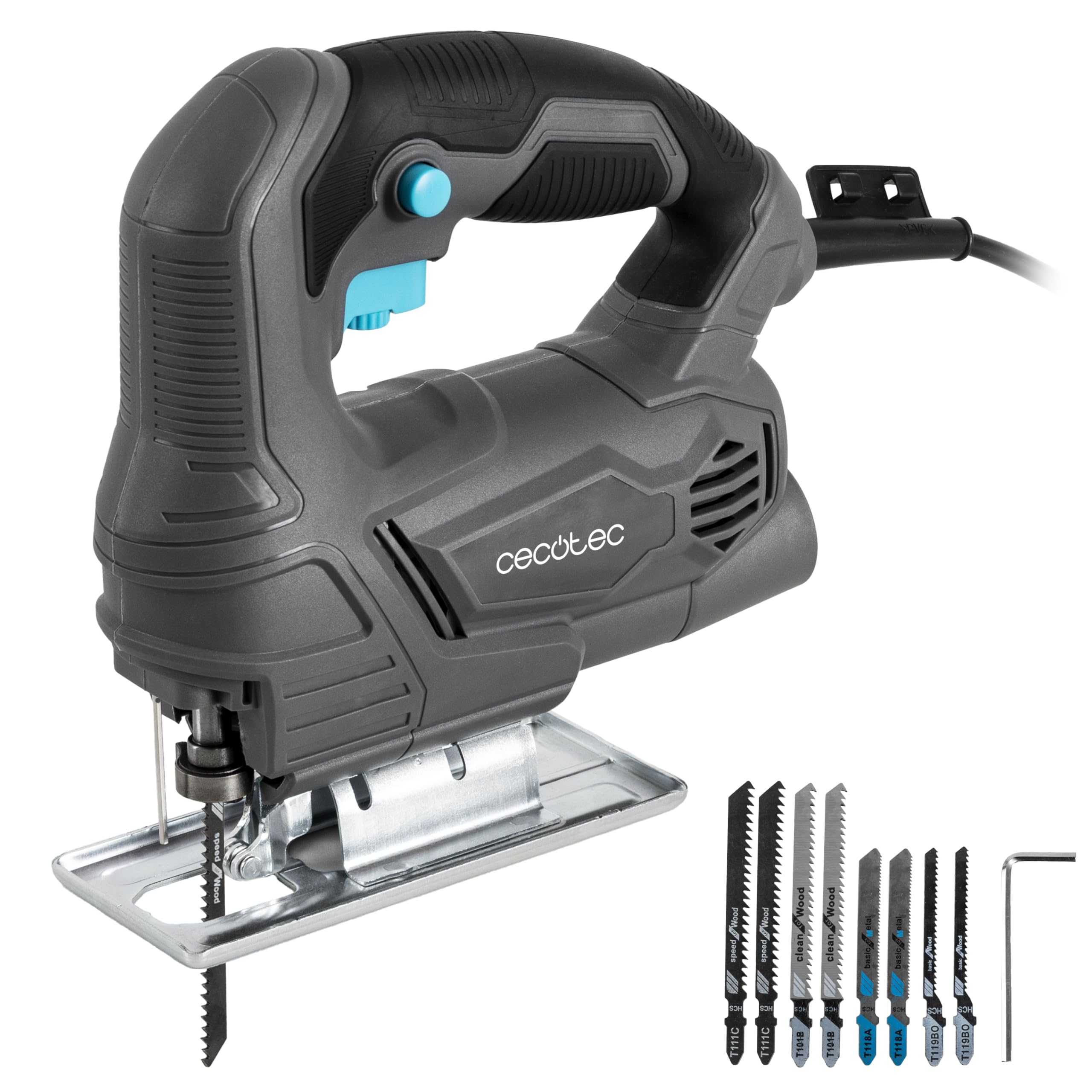
Figure 2.1: Cecotec MultiCut 4000 Jigsaw - Main View
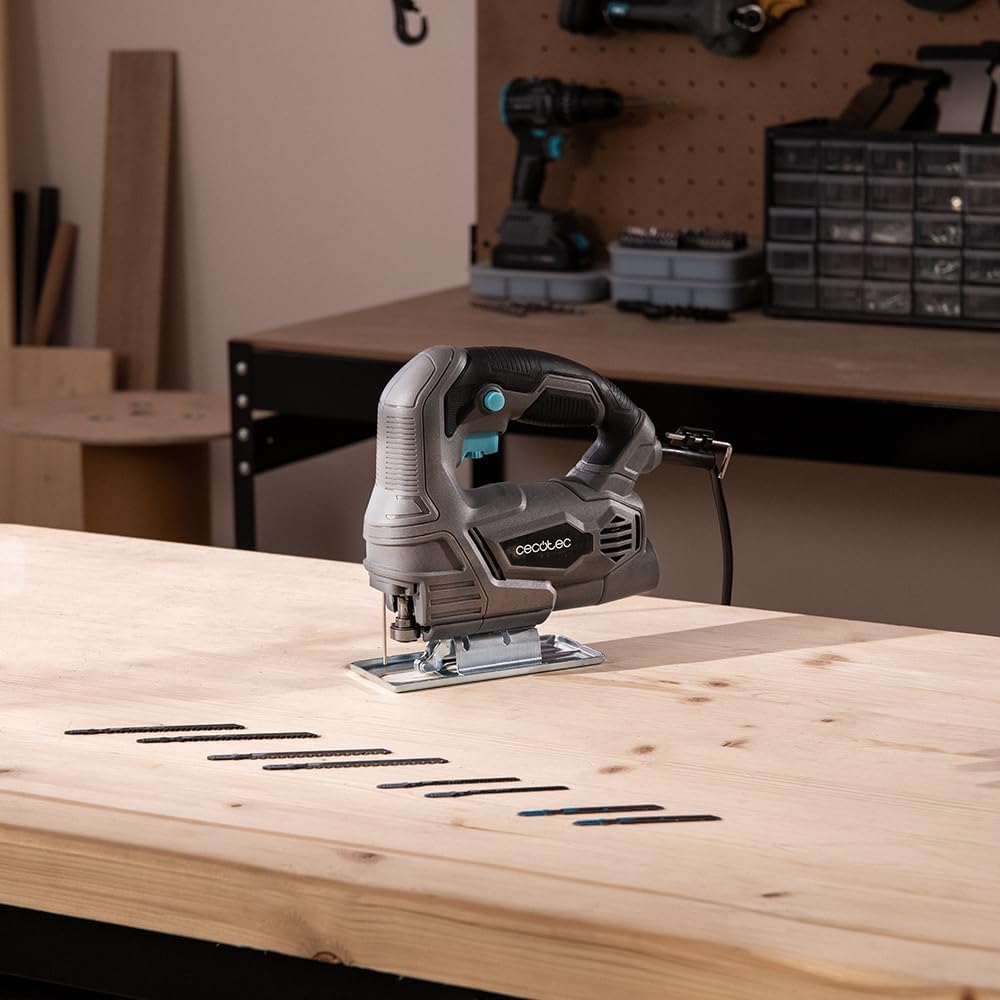
Figure 2.2: Jigsaw with included blades and guide ruler on a workbench.
3. Setup
3.1 Blade Installation
- Ensure the jigsaw is unplugged from the power source.
- Locate the blade clamp mechanism at the front of the tool.
- Loosen the blade clamp using the provided Allen key or quick-release lever (if available).
- Insert the appropriate blade for your material into the blade clamp, ensuring the teeth face forward.
- Tighten the blade clamp securely. Gently pull on the blade to confirm it is firmly seated.
3.2 Adjusting the Base Plate for Bevel Cuts
The base plate can be adjusted to make bevel cuts from 0° to 45°.
- Unplug the jigsaw.
- Loosen the screws that secure the base plate to the main body of the jigsaw.
- Tilt the base plate to the desired angle (up to 45°). Use a protractor for accuracy if needed.
- Tighten the base plate screws firmly to secure the angle.
3.3 Connecting the Vacuum Adapter
For a cleaner workspace, attach the vacuum adapter to the dust extraction port on the jigsaw and connect it to a suitable vacuum cleaner.

Figure 3.1: Jigsaw connected to a vacuum cleaner for dust extraction.
4. Operating Instructions
4.1 Powering On and Speed Adjustment
Plug the jigsaw into a suitable power outlet. The 400W motor provides ample power for various tasks. Use the variable speed control to match the cutting speed to the material and desired cut quality. Lower speeds are generally for harder materials or intricate cuts, while higher speeds are for softer materials and faster cuts.
4.2 Making Straight Cuts
For straight cuts, use the guide ruler. Secure the workpiece and align the guide ruler to the desired cut line. Maintain steady pressure and guide the jigsaw along the ruler.
4.3 Making Curved Cuts
For curved cuts, mark your cutting line clearly on the workpiece. Start the jigsaw before it touches the material, then slowly guide the blade along the curve. Do not force the tool; let the blade do the work.

Figure 4.1: User making a curved cut on a wooden piece.
4.4 Cutting Different Materials
- Wood: Use wood-specific blades. The jigsaw can handle various wood types.
- Metal: Use metal-specific blades. Apply cutting oil for smoother cuts and to prolong blade life. Use a slower speed setting.

Figure 4.2: Close-up of the jigsaw cutting a metal sheet.
5. Maintenance
Regular maintenance ensures the longevity and optimal performance of your Cecotec MultiCut 4000 Jigsaw.
5.1 Cleaning
- Always unplug the tool before cleaning.
- Clean the ventilation openings regularly to prevent overheating. Use a soft brush or compressed air.
- Wipe the tool housing with a soft, damp cloth. Do not use harsh chemicals or abrasive cleaners.
- Remove any sawdust or debris from the blade clamp area and the base plate.
5.2 Blade Care
- Replace dull or damaged blades immediately. Using worn blades can lead to poor cut quality and increased strain on the motor.
- Store blades in a dry place to prevent rust.
5.3 Cord Inspection
Regularly inspect the power cord for any signs of damage, cuts, or fraying. If the cord is damaged, have it repaired by a qualified technician to avoid electrical hazards.
6. Troubleshooting
This section addresses common issues you might encounter with your jigsaw.
| Problem | Possible Cause | Solution |
|---|---|---|
| Jigsaw does not start. | No power supply. Faulty power cord/plug. On/Off switch malfunction. | Check power outlet and connections. Inspect power cord for damage. Contact customer support for switch repair. |
| Poor cut quality (rough edges, splintering). | Dull or incorrect blade. Incorrect speed setting. Forcing the tool. | Replace blade or use appropriate blade for material. Adjust speed setting. Allow the tool to cut at its own pace. |
| Blade bends or breaks frequently. | Incorrect blade for material thickness. Excessive side pressure. Blade not securely installed. | Use a thicker or more robust blade. Apply even, forward pressure. Reinstall blade, ensuring it is tight. |
| Excessive vibration. | Loose blade. Damaged blade. Internal component issue. | Check blade installation. Replace blade. Discontinue use and contact customer support. |
7. Specifications
| Feature | Detail |
|---|---|
| Brand | Cecotec |
| Model | MultiCut 4000 (A01_EU01_106750) |
| Power | 400 W |
| Voltage | Not specified (assumed standard mains voltage for power tools) |
| Cable Length | 2 meters |
| Bevel Cut Angle | 0° to 45° |
| Speed Control | Adjustable |
| Weight | 1.37 Kilograms |
| Product Dimensions (L x W x H) | 19.5 x 6.5 x 19.5 cm |
| Included Components | Jigsaw, vacuum adapter, 6 wood blades, 2 metal blades, Allen key |
| Blade Material | High-speed steel |
| Special Feature | Lightweight |
8. Warranty & Support
8.1 Warranty Information
This Cecotec MultiCut 4000 Jigsaw comes with a Limited Warranty. Please refer to the warranty card included in your product packaging for specific terms and conditions, including coverage details and duration.
8.2 Spare Parts Availability
Spare parts for this product are available for a period of 10 years from the date of purchase. For inquiries regarding spare parts, please contact Cecotec customer support.
8.3 Customer Support
For technical assistance, troubleshooting, or warranty claims, please contact Cecotec customer support through their official website or the contact information provided in your product documentation. When contacting support, please have your model number (A01_EU01_106750) and proof of purchase ready.