
Introduction
The XNY 4G Wi-Fi Home Alarm System provides comprehensive security for your home. This advanced system features a 2.4-inch TFT display, supports dual Wi-Fi (2.4GHz) and 4G cellular networks, and offers multiple notification methods including app alerts, SMS, and calls. It is designed for easy installation and can be expanded with up to 90 accessories. Control your system via the keypad, smartphone app, remote controls, or RFID cards. This manual provides detailed instructions for setting up, operating, and maintaining your alarm system.
Package Contents
Please verify that all the following components are included in your package:
- 1 x Alarm Control Panel
- 1 x PE-513 Alarm Siren
- 2 x Pet-Friendly PIR Motion Detectors
- 10 x Door/Window Sensors
- 3 x RFID Cards
- 3 x Remote Controls
- 1 x SOS Button
Setup
1. Main Panel Installation
Mount the alarm control panel in a central location within your home, away from direct sunlight and heat sources. Ensure it is within Wi-Fi range and has access to a power outlet. The panel can be screw-mounted to a wall.
2. SIM Card Insertion (Optional)
For 4G cellular backup, insert a 2G/3G/4G compatible SIM card into the designated slot on the alarm panel. Ensure the SIM card is active and has sufficient credit or data plan for SMS and calls.

3. App Download and Pairing
- Download the 'Tuya Smart' or 'Smart Life' app from your smartphone's app store (iOS or Android).
- Register for an account or log in.
- Follow the in-app instructions to add your XNY alarm system. Ensure your phone and the alarm panel are connected to a 2.4GHz Wi-Fi network during pairing. 5GHz Wi-Fi is not supported.
4. Sensor Installation
All sensors are wireless and can be easily installed.
- Door/Window Sensors: Attach the two parts of the sensor to a door or window frame and the movable part (door/window) using the provided adhesive or screws. Ensure the two parts are aligned and close to each other (within 1 cm) when the door/window is closed.

- PIR Motion Detectors: Install PIR sensors in corners of rooms or hallways, ensuring a clear line of sight to the area you wish to monitor. Avoid placing them near heat sources or in direct sunlight. These sensors are pet-friendly for animals under 15 kg.

5. Pairing Accessories
The system supports up to 100 wireless accessories. Refer to the app or panel menu for instructions on pairing additional remote controls, RFID cards, and other detectors.
Operating the System
1. Arming and Disarming
The system can be armed or disarmed using the control panel keypad, remote controls, RFID cards, or the smartphone app.
- Arm: Activates all sensors. Any triggered sensor will sound the alarm and send notifications.
- Disarm: Deactivates the alarm system. Sensors will not trigger an alarm.
- Home Arm: Activates perimeter sensors (e.g., door/window sensors) while allowing movement within the home (e.g., disabling PIR sensors).

2. Scheduled Arm/Disarm
Set up automatic arming and disarming schedules via the smartphone app or control panel to suit your daily routine. This feature prevents repeated manual operations.

3. Notification Methods
When an alarm is triggered, the system can notify you through:
- App Notifications: Real-time alerts sent to your smartphone.
- SMS Notifications: Text messages sent to up to 5 pre-defined phone numbers.
- Call Notifications: Automated calls to up to 5 pre-defined phone numbers.
4. Pet-Friendly PIR Operation
The PIR motion detectors are designed to ignore pets weighing less than 15 kg, minimizing false alarms while maintaining security against human intruders.
5. SOS Function
In an emergency, press the SOS button on the remote control or main panel. This will immediately trigger the alarm and send emergency notifications to your pre-set contacts.

6. Smart Home Integration
The XNY alarm system is compatible with Amazon Alexa and Google Assistant. You can control your alarm system and other smart home devices using voice commands.
7. Sensor Management and History
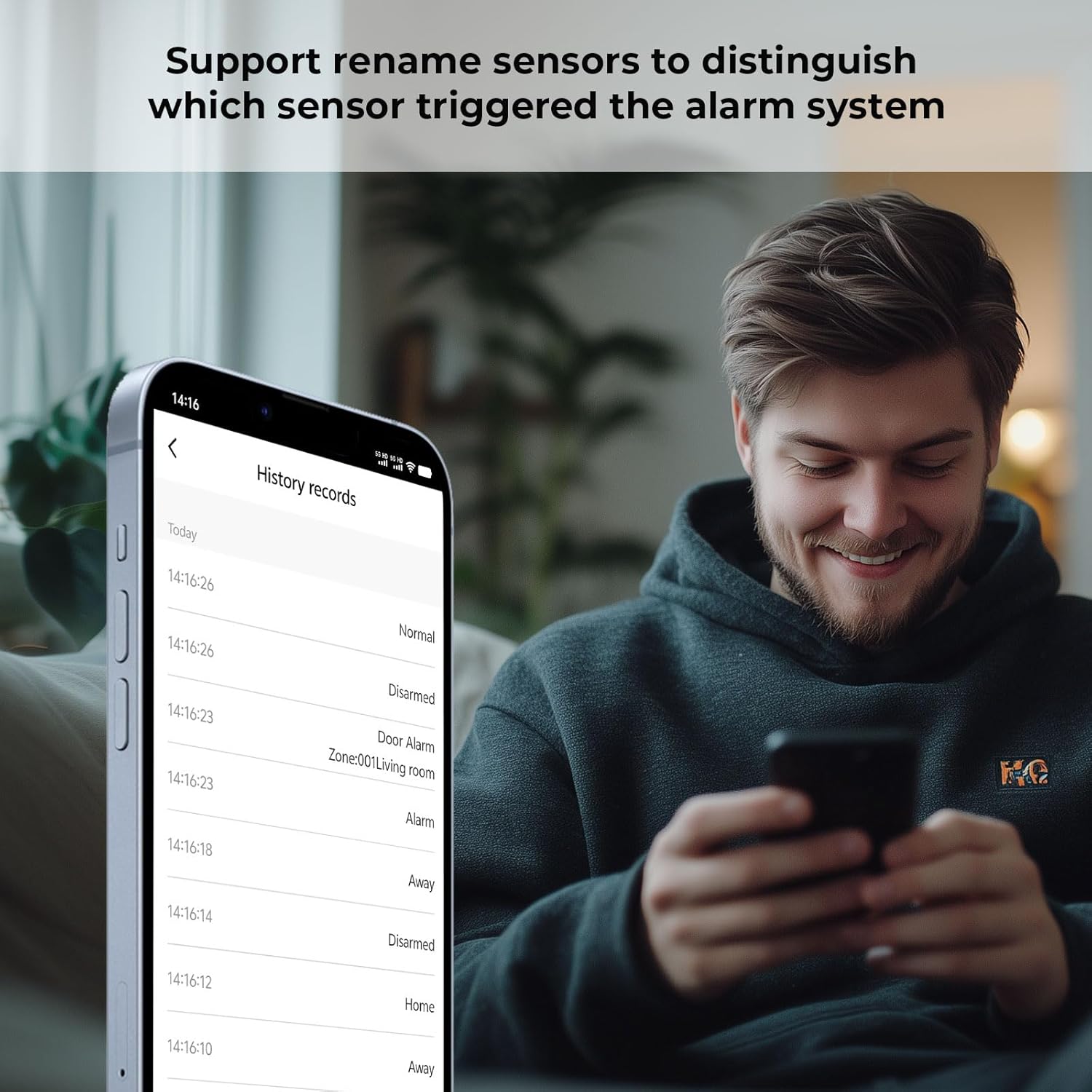
The app allows you to rename sensors for easier identification of triggered zones. You can also view a detailed history log of all system events, including arming/disarming and sensor activations.
8. Child Protection Feature
Utilize door/window sensors to monitor access points for children. The system can notify you via the app when a monitored door or window is opened, enhancing child safety.

Maintenance
1. Battery Life
The main alarm panel includes a Lithium-ion battery with an approximate life of 2 hours during a power outage. Ensure the panel is connected to a reliable power source for continuous operation. Wireless sensors are battery-powered; replace batteries as indicated by low battery warnings on the panel or app.
2. Cleaning
Wipe the alarm panel and sensors with a soft, dry cloth. Avoid using abrasive cleaners or solvents that could damage the devices.
Troubleshooting
| Problem | Possible Cause | Solution |
|---|---|---|
| Alarm siren is not working or is too quiet. | Siren not properly connected or faulty. Volume settings too low. | Ensure the siren is securely connected to the main panel. Check the volume settings in the app or on the control panel. If issues persist, contact support. |
| No app notifications or SMS alerts. | Wi-Fi connection issue, SIM card issue, or app notification settings. | Verify the alarm panel's Wi-Fi connection (2.4GHz only). Check if the SIM card is properly inserted and has an active plan. Ensure app notifications are enabled in your phone's settings and within the alarm app. |
| False alarms from PIR motion detectors. | Pet exceeding 15 kg, sensor placement, or environmental factors. | Ensure pets in the detection area are under 15 kg. Reposition the sensor to avoid direct sunlight, heat vents, or moving objects like curtains. |
| Cannot pair new accessories. | Accessory limit reached or incorrect pairing procedure. | The system supports up to 90 accessories. If you are within this limit, ensure you are following the correct pairing steps as outlined in the app or panel menu. |
Specifications
| Feature | Detail |
|---|---|
| Model Number | XNY-103-4G-T |
| Dimensions (L x W x H) | 16 x 10 x 2 cm |
| Weight | 1.1 Kilograms |
| Color | Black |
| Power Source | Electric Cable |
| Installation Method | Screw-in |
| Sound Level | 120 Decibels |
| Battery Type | 1 Lithium-ion (included) |
| Battery Life (Panel) | 2 hours (during power outage) |
| Connectivity Technology | Wi-Fi (2.4GHz), 2G/3G/4G SIM |
| Control Method | Application, Keypad, Remote, RFID |
| Compatible Devices | Smartphone, Amazon Alexa, Google Assistant |
| Max Accessories | Up to 90 wireless detectors/accessories |
Warranty and Support
Specific warranty information for the XNY 4G Wi-Fi Home Alarm System is not available in the provided product details. For warranty claims or technical support, please refer to the contact information provided with your purchase or visit the XNY official website.