
1. Introduction
This manual provides essential information for the safe assembly, operation, and maintenance of your GLACER Corner Wooden Play Kitchen, Model 10393-TP. Please read all instructions carefully before assembly and use to ensure proper function and safety for children aged 3 years and older.
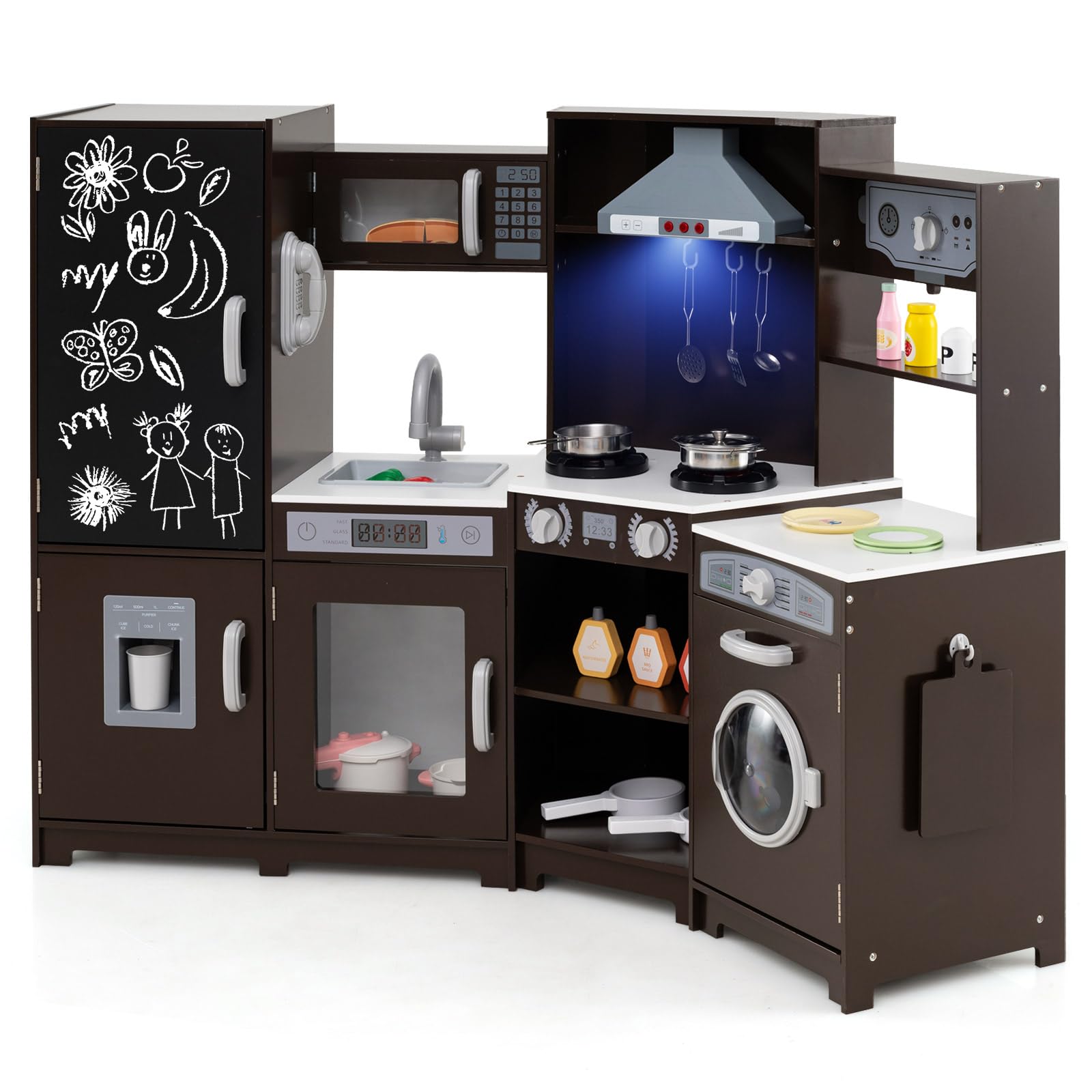
Figure 1: GLACER Corner Wooden Play Kitchen (Espresso)
2. Safety Information
- Recommended Age: Suitable for children aged 3 years and older.
- Adult Assembly Required: This product contains small parts and requires adult assembly. Keep small parts away from children before and during assembly.
- Supervision: Always supervise children during play to prevent accidents.
- Stability: Ensure the kitchen is assembled correctly and placed on a stable, flat surface to prevent tipping.
- Material Safety: Constructed from MDF, Stainless Steel, and Plastic. Complies with ASTM and CPSIA safety standards.
- Electrical Components: The stovetops and range hood feature lights and sounds. Ensure batteries are installed correctly and replaced by an adult.
3. Package Contents
Please verify that all components listed below are present before beginning assembly. If any parts are missing or damaged, please contact customer support.
- 1 × Wooden Play Kitchen (various panels and hardware)
- 1 × Pan
- 1 × Pot with Lid
- 1 × Spoon
- 1 × Skimmer
- 1 × Spatula
- 1 × Cutting Board
- 1 × Cup
- 2 × Ice Cubes (pretend)
- 1 × Instruction Manual (this document)

Figure 2: Included Accessories
4. Assembly Instructions
Assembly is required for this play kitchen. Please follow the detailed steps provided in the official assembly video for best results. Ensure all hardware is securely fastened.
Video 1: GLACER Corner Wooden Play Kitchen Assembly Guide. This video provides a step-by-step visual guide for assembling the play kitchen, demonstrating how to connect each component and secure hardware.
General Assembly Tips:
- Lay out all parts and hardware before starting.
- Use appropriate tools as indicated in the video.
- Do not overtighten screws to avoid damaging the wood.
- Ensure all connections are firm and stable before allowing children to play.
5. Operating Instructions
The GLACER Corner Wooden Play Kitchen features several interactive elements designed for imaginative play:
- Stovetops & Range Hood: These components include realistic lights and sounds. Ensure batteries are correctly installed for these features to function.
- Ice Maker: Insert the pretend ice cubes into the dispenser and press the lever to simulate ice dispensing.
- Chalkboard: Use standard chalk (not included) to write menus or draw on the integrated chalkboard on the refrigerator door. Wipe clean with a damp cloth.
- Microwave, Oven, Washing Machine: These appliances feature opening doors and interactive dials/buttons for pretend play.
- Sink & Faucet: The sink area includes a faucet for pretend washing.
- Telephone: A pretend telephone is included for role-playing communication.

Figure 3: Immersive Lights and Sounds Features
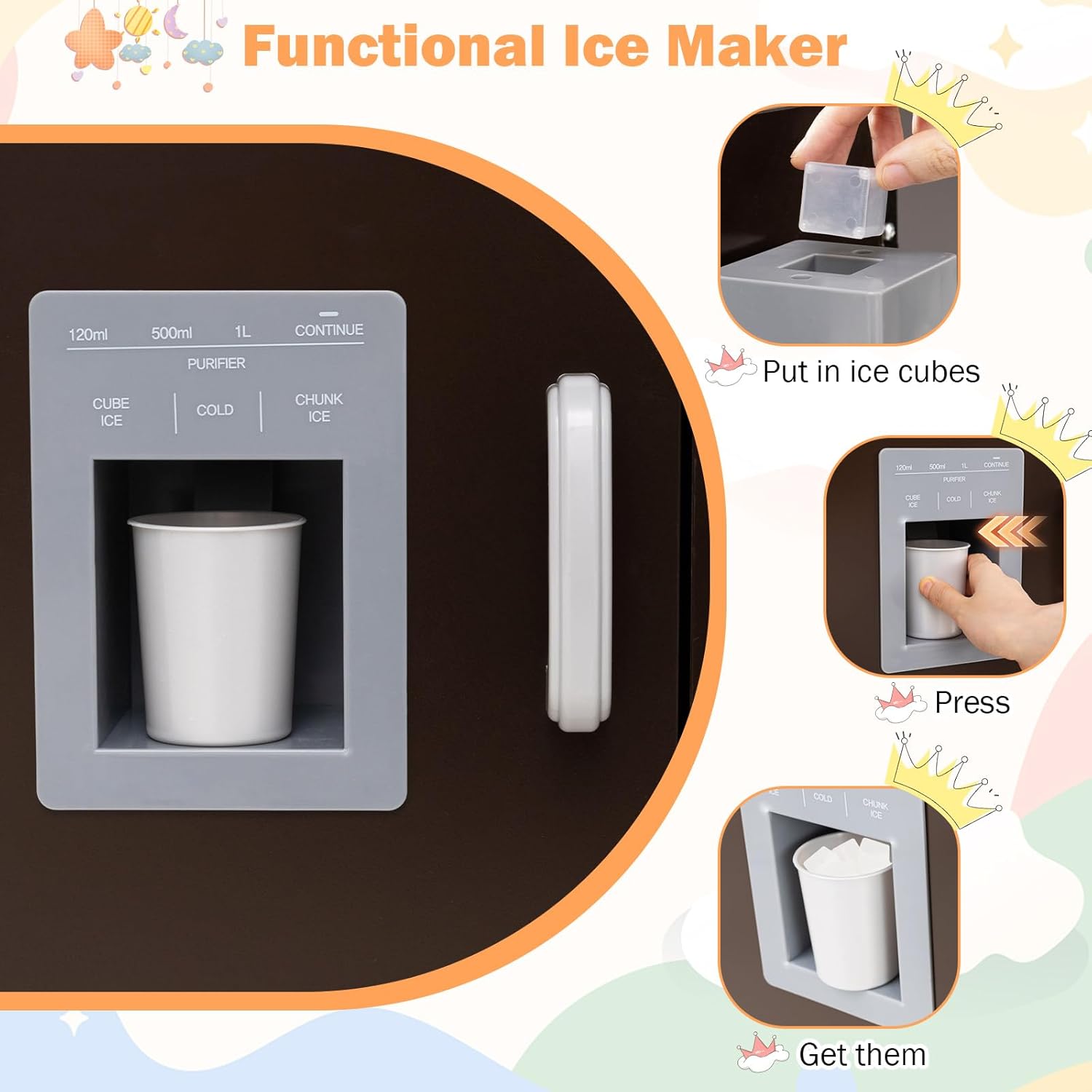
Figure 4: Functional Ice Maker Operation

Figure 5: Overview of Kitchen Functions
6. Maintenance and Care
To ensure the longevity and cleanliness of your play kitchen, follow these care guidelines:
- Cleaning: Wipe surfaces with a soft, damp cloth. Avoid abrasive cleaners or harsh chemicals that could damage the finish.
- Spills: Clean up spills immediately to prevent staining or damage to the wood.
- Storage: Store the play kitchen in a dry environment, away from direct sunlight or extreme temperatures, to prevent warping or fading.
- Hardware: Periodically check all screws and fasteners to ensure they remain tight. Retighten if necessary.
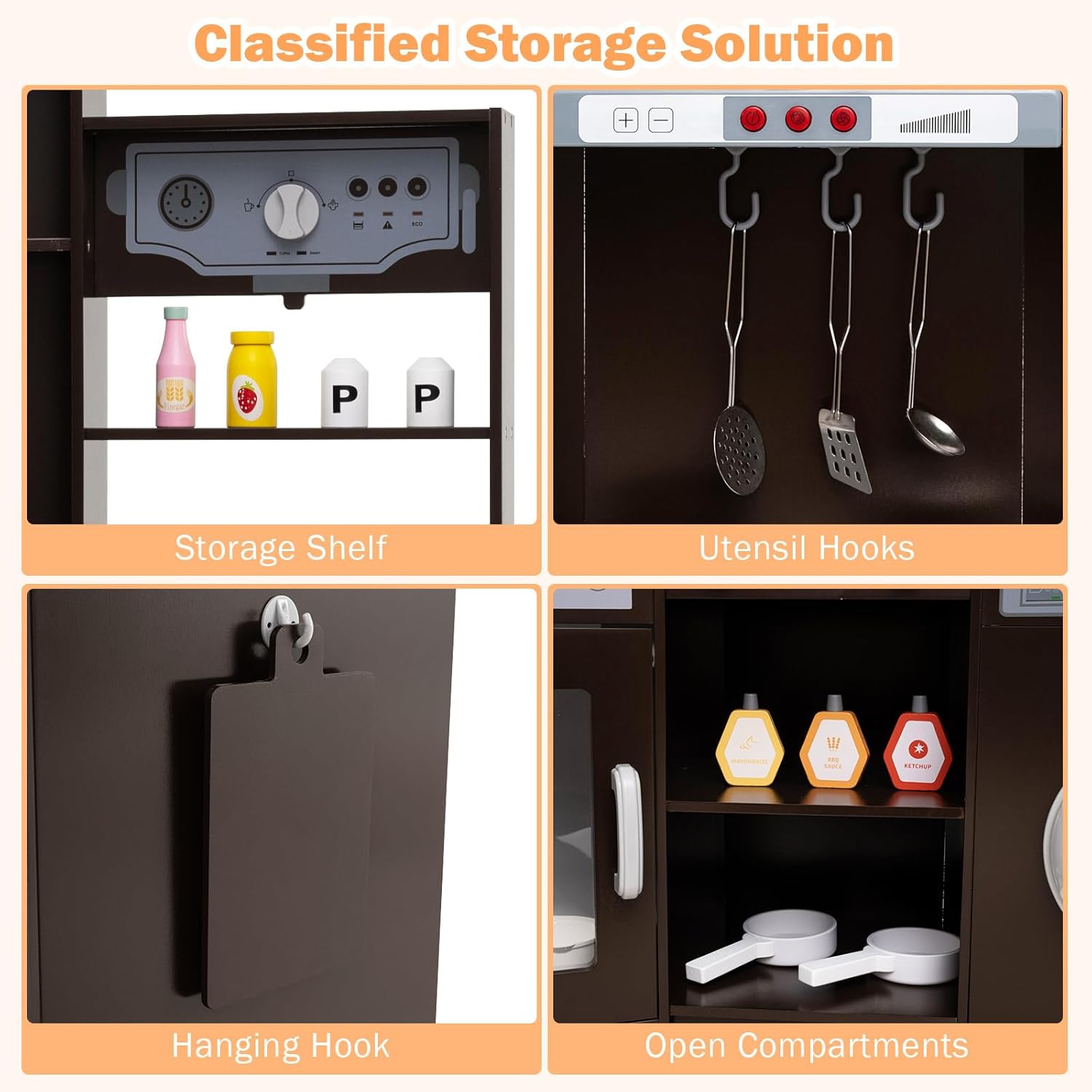
Figure 6: Integrated Storage Solutions
7. Troubleshooting
If you encounter any issues with your play kitchen, consider the following:
- Lights/Sounds Not Working: Check if batteries are installed correctly and are not depleted. Replace batteries if needed.
- Loose Parts: If any parts feel loose, refer to the assembly video and re-tighten the corresponding screws.
- Stability Issues: Ensure the kitchen is on a flat, even surface. Check all connections for proper assembly.
For further assistance, please contact GLACER customer support.
8. Specifications
| Attribute | Detail |
|---|---|
| Brand | GLACER |
| Model Number | 10393-TP |
| Color | Espresso |
| Materials | MDF, Stainless Steel, Plastic |
| Product Dimensions (L x W x H) | 52" × 18.5" × 36" |
| Blackboard Size (L x W) | 20" × 11" |
| Countertop Height | 18.5", 19" |
| Net Weight | 46 lbs |
| Suitable Ages | 3+ Years Old |
| Safety Compliance | ASTM and CPSIA compliant |

Figure 7: Product Dimensions and Safety Compliance
9. Warranty and Support
For warranty information, product support, or to report missing/damaged parts, please contact GLACER customer service through the retailer where the product was purchased or visit the official GLACER website. Please retain your proof of purchase for any warranty claims.
You can visit the GLACER Store for more information: GLACER Official Store


