
1. Introduction
This manual provides detailed instructions for the installation, operation, and maintenance of your Generic Yoosee 360° Full HD Wi-Fi Smart Bulb Security Camera (Model BBG-70500). Please read this manual thoroughly before using the product to ensure proper functionality and safety. This camera is designed for intelligent monitoring with Wi-Fi technology and panoramic vision, accessible via your mobile phone. It is suitable for residential, commercial, and office environments requiring real-time surveillance.

Image 1: Generic Yoosee Smart Bulb Security Camera. This image shows the main product, a white smart bulb camera with an E27 screw base, alongside a smartphone displaying its live monitoring interface.
2. Product Overview
The BBG-70500 camera integrates a security camera into a standard E27 light bulb socket, offering discreet and easy installation. It features 1080p Full HD video, 360-degree pan/tilt rotation, night vision, motion detection, and two-way audio communication.

Image 2: Product Details. This image provides multiple views of the camera, showcasing its compact design and various angles.
2.1 Package Contents
- 1x Generic Yoosee Wi-Fi Camera
- 1x Installation Manual
- (MicroSD card not included)
2.2 Key Features
- Yoosee App Compatibility: View and control via your mobile phone.
- 2.4GHz Wi-Fi Connection: Easy connection to your home network (not compatible with 5GHz).
- Full HD 1080p (2MP) Image: High-definition video capture, day and night.
- PTZ Control: 360° horizontal rotation and 100° vertical rotation.
- Motion Detection with Auto Tracking: Automatically tracks targets and sends app alerts.
- Color Night Vision: Clear monitoring in the dark with white LEDs (can be deactivated).
- Two-Way Audio: Real-time communication with individuals near the camera.
- MicroSD Card Recording: Supports up to 128GB (card not included).
- Simple Installation: Screws directly into a standard E27 lamp socket.
- IP44 Protection: Splash-resistant, suitable for indoor and semi-outdoor environments.
2.3 Product Components

Image 3: Product Components. This diagram highlights the key parts of the camera: the E27 bulb socket for power and mounting, the internal Wi-Fi 2.4 GHz antenna for network connection, the microphone for audio input, the LEDs for illumination and night vision, the Full HD lens for video capture, and the illumination sensor for automatic light adjustment.

Image 4: Audio and Storage Features. This image details the microphone for two-way audio, the speaker for output, and the MicroSD card slot for local video storage.
3. Setup Instructions
3.1 Installation
- Power Off: Ensure the power to the E27 lamp socket is turned off before installation.
- Screw In: Carefully screw the camera into a standard E27 lamp socket. No additional wiring or tools are required.
- Power On: Turn on the power to the E27 lamp socket. The camera will power on and initiate its startup sequence.

Image 5: Easy Installation. This image demonstrates the simple process of screwing the camera into a standard E27 light bulb socket, highlighting its quick and tool-free setup.
3.2 App Download and Account Creation
- Download Yoosee App: Search for "Yoosee" in your mobile device's app store (Google Play Store for Android or Apple App Store for iOS) and download the application.
- Register/Login: Open the Yoosee app and follow the on-screen instructions to register a new account or log in if you already have one.

Image 6: Yoosee App Interface. This image shows the Yoosee application on a smartphone, illustrating the user interface for controlling and monitoring the camera.
3.3 Connecting the Camera to Wi-Fi
- Add Device: In the Yoosee app, tap the "+" icon or "Add Device" to begin the pairing process.
- Select Device Type: Choose the appropriate device type (e.g., "Smart Camera" or "Wi-Fi Camera").
- Scan QR Code: The app may prompt you to scan a QR code. The QR code for your camera is typically located on the device itself or on a sticker in the packaging. It is advisable to scan this QR code before final installation if the camera will be in a hard-to-reach location.
- Wi-Fi Configuration: Follow the app's instructions to connect the camera to your 2.4GHz Wi-Fi network. Ensure your mobile device is also connected to the same 2.4GHz network during setup. Note: This camera is not compatible with 5GHz Wi-Fi networks.
- Completion: Once connected, the camera will appear in your device list within the Yoosee app.
4. Operating Instructions
4.1 Live View and PTZ Control
- Access Live View: Open the Yoosee app and select your camera from the device list to view the live feed.
- Pan/Tilt/Zoom (PTZ): Use the on-screen controls within the app to remotely rotate the camera horizontally (360°) and vertically (100°) to adjust the viewing angle.
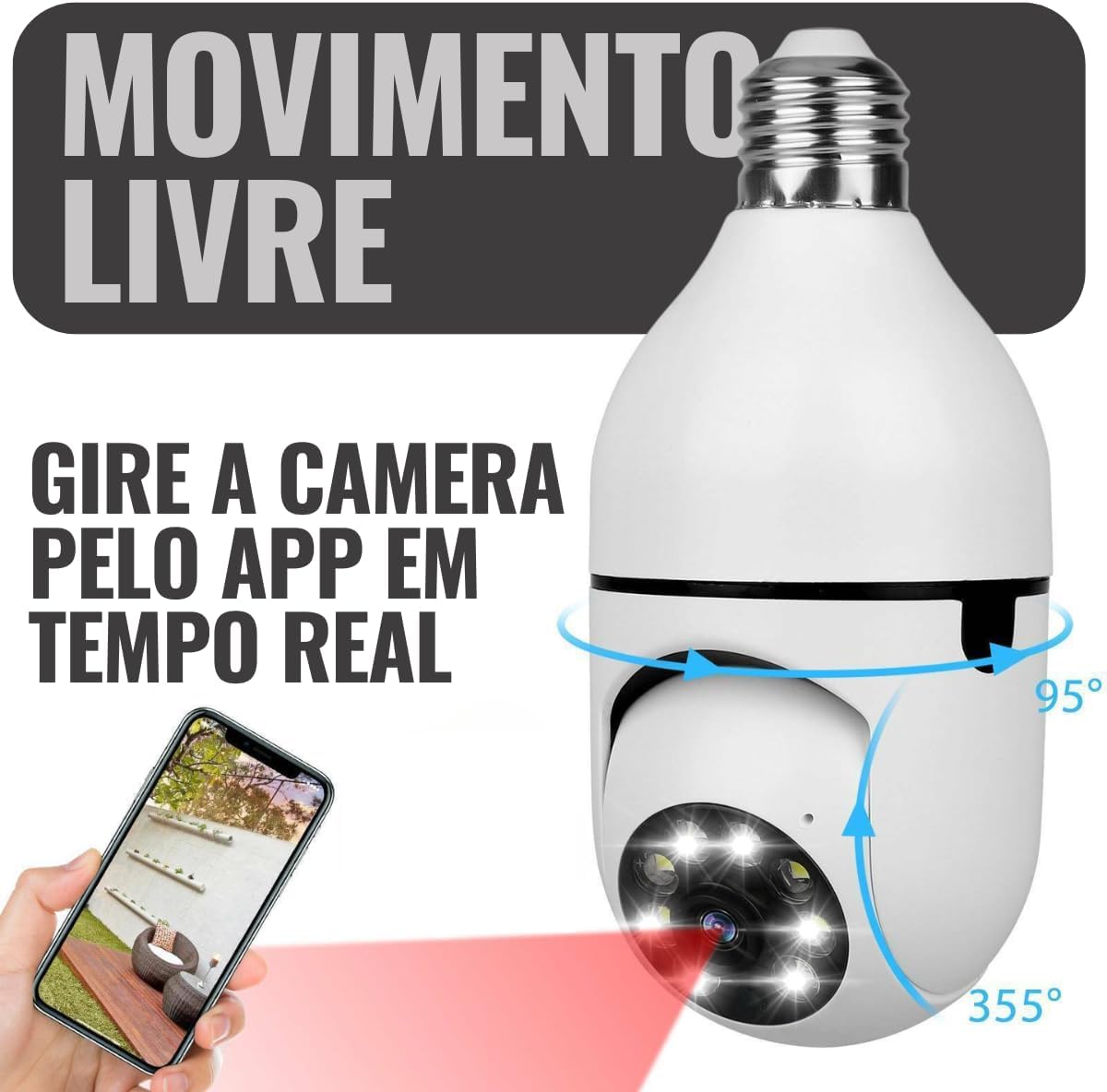
Image 7: Remote PTZ Control. This image illustrates how to control the camera's pan and tilt functions in real-time using the Yoosee app on a smartphone, allowing for a full 360-degree view.
4.2 Motion Detection and Alerts
- Enable Motion Detection: Navigate to the camera settings in the Yoosee app and enable motion detection.
- Auto Tracking: If enabled, the camera will automatically track detected movement within its field of view.
- Receive Alerts: The app will send push notifications to your mobile device when motion is detected.
4.3 Night Vision
- The camera is equipped with infrared LEDs for clear night vision.
- It also features white LEDs for color night vision, which can be activated or deactivated in the app settings.

Image 8: Night Vision Capability. This image shows the camera with its LEDs illuminated, demonstrating its ability to provide clear visibility in low-light conditions through infrared or white LED illumination.
4.4 Two-Way Audio
- Activate Audio: In the live view interface, tap the microphone icon to speak through the camera's speaker.
- Listen: The camera's built-in microphone allows you to hear audio from the camera's location.
4.5 Video Recording and Storage
- MicroSD Card: Insert a MicroSD card (up to 128GB, not included) into the designated slot for local recording. The camera will automatically record based on your settings (e.g., continuous, motion-triggered).
- Cloud Storage: The Yoosee app may offer optional cloud storage services (subscription may be required).
- Playback: Access recorded footage via the "Playback" option in the Yoosee app.
5. Maintenance
- Cleaning: Gently wipe the camera lens and body with a soft, dry cloth. Do not use harsh chemicals or abrasive cleaners.
- Firmware Updates: Regularly check the Yoosee app for firmware updates to ensure optimal performance and security.
- Environmental Conditions: While the camera has IP44 protection, avoid direct exposure to heavy rain or extreme temperatures.
6. Troubleshooting
- Camera Not Connecting to Wi-Fi:
- Ensure your Wi-Fi network is 2.4GHz. The camera does not support 5GHz.
- Verify the Wi-Fi password is correct.
- Place the camera closer to the Wi-Fi router during initial setup.
- Restart the camera by unscrewing and re-screwing it into the socket.
- Poor Image Quality:
- Check your internet connection speed.
- Clean the camera lens.
- Ensure adequate lighting in the environment, especially for night vision.
- Motion Detection Not Working:
- Verify motion detection is enabled in the Yoosee app settings.
- Adjust sensitivity settings if necessary.
- Ensure there are no obstructions blocking the camera's view.
- No Audio:
- Check microphone and speaker settings in the app.
- Ensure your phone's volume is up.
7. Specifications
| Feature | Detail |
|---|---|
| Model | BBG-70500 |
| Brand | Generic |
| Video Resolution | 1080p Full HD (2MP) |
| Lens | 3.6mm |
| Pan/Tilt Angle | Horizontal 360°, Vertical 100° |
| Night Vision Range | Up to 15 meters |
| Connectivity | Wi-Fi 2.4GHz (IEEE 802.11b/g/n) |
| App Compatibility | Yoosee (iOS, Android) |
| Storage | MicroSD card (up to 128GB, not included) |
| Audio | Two-way audio (built-in microphone and speaker) |
| Power Supply | E27 Lamp Socket (Wired Electric) |
| Voltage | 110-220 Volts (Bivolt) |
| Power Consumption | 3W (Camera), 9W (Total with light, if applicable) |
| Water Resistance | IP44 (Splash-resistant) |
| Dimensions (L x W x H) | 10 x 8.5 x 15 cm |
| Weight | 220g |
| Compatible Devices | iPhone, Smartphone, Tablet |
| Special Features | Integrated light, Motion detection, Auto tracking |
8. Warranty and Support
This product is covered by a standard manufacturer's warranty against defects in materials and workmanship. Please refer to your purchase documentation for specific warranty terms and duration. For technical support, troubleshooting assistance, or warranty claims, please contact the retailer or manufacturer directly. Keep your proof of purchase for warranty validation.
Extended warranty options may be available from your retailer. Please inquire at the time of purchase for details.


