1. Introduction
The Yewhick YY-1099-Pro Smart Pool Monitor is an advanced 7-in-1 device designed to provide accurate, real-time water quality monitoring for swimming pools, hot tubs, and spas. This comprehensive system includes a floating monitor and a gateway for wireless connectivity, allowing you to track key water parameters directly from your smartphone.
The monitor measures pH, Chlorine (CL), Salinity (SALT), Oxidation-Reduction Potential (ORP), Electrical Conductivity (EC), Total Dissolved Solids (TDS), and Temperature. By providing precise data and alerts, the Yewhick Smart Pool Monitor simplifies pool maintenance, helping you maintain optimal water conditions for a safer and more enjoyable experience.
Video: Overview of the Yewhick 7-in-1 Smart Pool Monitor's features and benefits.
2. Safety Information
Please read and understand all safety instructions before using the Yewhick Smart Pool Monitor. Failure to follow these instructions may result in product damage, property damage, or injury.
- Keep out of reach of children: This device is not a toy.
- Proper Placement: Ensure the monitor floats freely in the pool and is not obstructed.
- Electrical Safety: The gateway device must be connected to a power source indoors, away from water. Do not expose the gateway or charging cables to water.
- Probe Handling: Handle the probes with care. Avoid touching the sensor tips directly to prevent contamination or damage.
- Calibration Solutions: Use calibration solutions according to instructions. Keep them out of reach of children and pets.
- Disposal: Dispose of the device and its components according to local regulations.
3. Product Overview
The Yewhick Smart Pool Monitor system consists of the following main components:
- Smart Pool Monitor: The floating device that measures water parameters.
- Gateway: Connects the monitor to your home Wi-Fi network and the Tuya App.
- USB Charging Cable: For charging the monitor (in addition to solar charging).
- Calibration Solutions: For accurate sensor calibration (pH 4.00, pH 7.00, pH 10.01, ORP 222mV).
- Probe Holder: A plastic accessory to assist with probe handling and calibration.

Image: The Yewhick Smart Pool Monitor package contents, showing the monitor, gateway, charging cable, calibration solutions, and probe holder.
4. Setup
4.1. Initial Charging
The Smart Pool Monitor features both solar and USB charging. For initial setup or if the battery is low, use the provided USB cable to charge the device. The solar panel will continuously charge the device when exposed to sunlight in the pool.
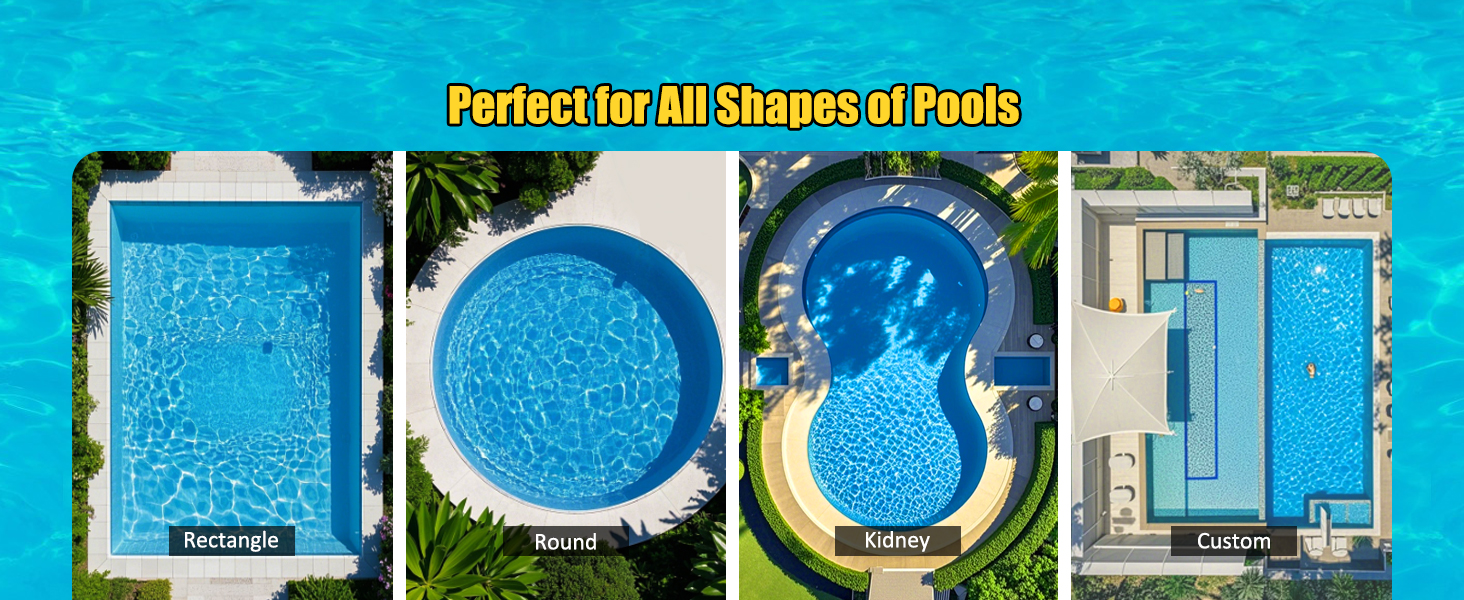
Image: The monitor supports both convenient solar charging and USB charging.
4.2. App Installation and Device Pairing
- Download the Tuya Smart App: Search for "Tuya Smart" in your smartphone's app store (iOS or Android) and install it.
- Enable Permissions: Before searching for devices, ensure that Location, Bluetooth, Local Network, and Cellular Data permissions are enabled for the Tuya Smart App in your phone's settings.
- Connect the Zigbee Gateway: Plug the gateway device into a power outlet using the provided USB cable and adapter. The indicator light on the gateway will illuminate.
- Add Gateway to App: Open the Tuya Smart App. The app should automatically detect the gateway. Follow the on-screen prompts to add the gateway to your account. If not detected automatically, tap the '+' icon to add a device manually and select the appropriate gateway type.
- Power On Monitor: Press the power button on the Smart Pool Monitor. The indicator light will turn on.
- Pair Monitor with Gateway: In the Tuya Smart App, navigate to the gateway device. Select the option to add a sub-device or search for nearby devices. The app will discover the Smart Pool Monitor. Follow the prompts to complete the pairing process.
Video: Demonstrates the process of connecting the gateway and pairing the monitor with the Tuya Smart App.
4.3. Probe Preparation
The monitor's probes are protected by a cap. Remove this cap before placing the monitor in the water. Ensure the probes are clean and free from debris for accurate readings.

Image: The probe section of the Yewhick Smart Pool Monitor, highlighting the importance of proper pH and ORP ranges for accurate chlorine readings.
5. Operating Instructions
5.1. Placing the Monitor
Once paired, gently place the Smart Pool Monitor into your pool or spa. It is designed to float and continuously monitor the water quality. Ensure the probes are fully submerged.
5.2. Real-time Monitoring via App
Open the Tuya Smart App on your smartphone to view real-time data from your pool monitor. The app displays all 7 parameters: Temperature, TDS, EC, Free Chlorine, Salt, pH, and ORP.
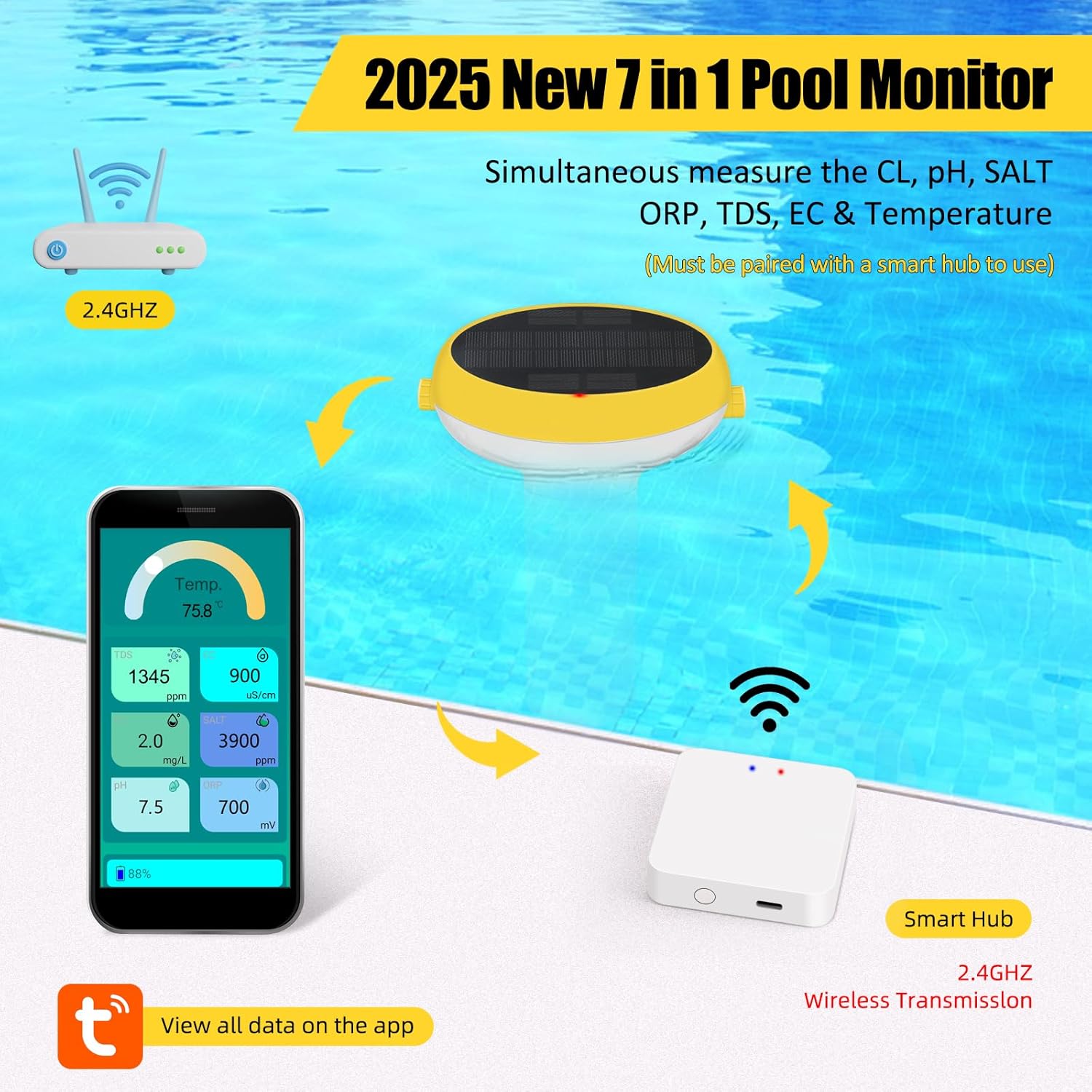
Image: The Yewhick Smart Pool Monitor system in action, showing the monitor in the pool, the gateway, and the smartphone app interface with live data.
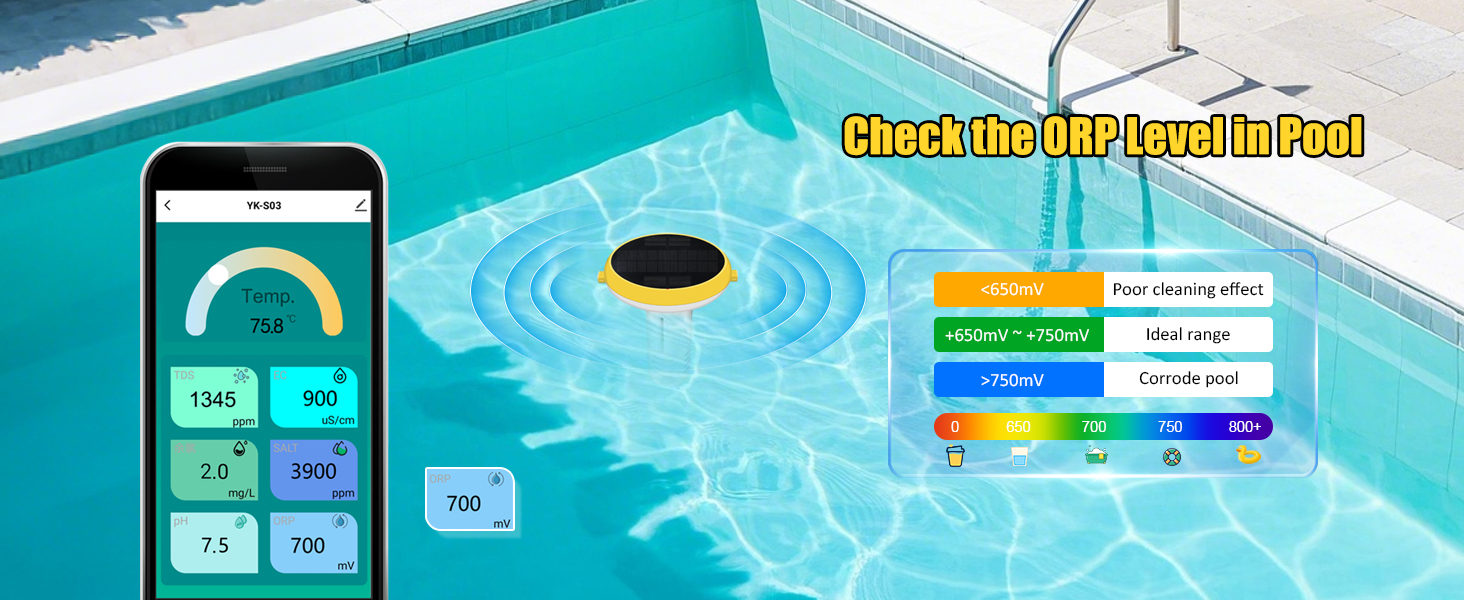
Image: The Tuya Smart App's remote viewing feature, allowing users to check historical water quality data anytime, anywhere.
5.3. Setting Warning Thresholds
The app allows you to set custom warning thresholds for each parameter. If a measured value falls outside your set range, the app will display the data in red and send real-time alerts to your smartphone, prompting you to take corrective action.
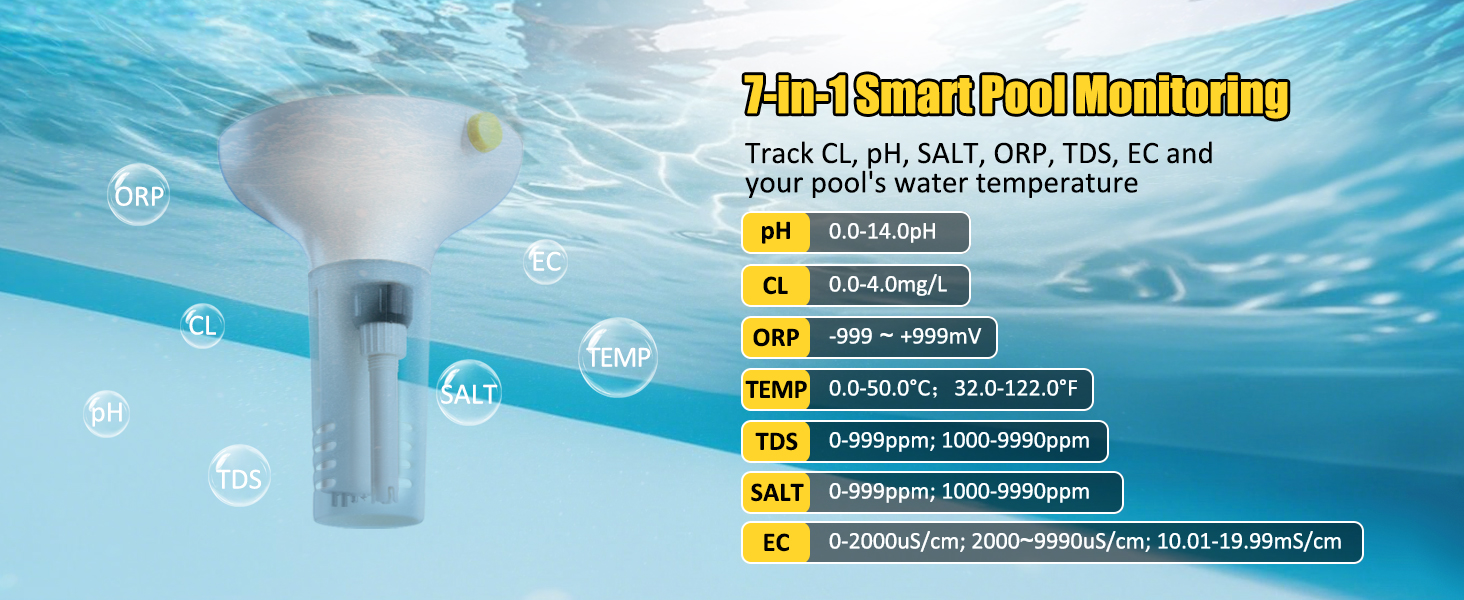
Image: The app's warning settings interface, illustrating how out-of-range values trigger visual alerts for immediate attention.
5.4. Data Export
You can export historical data reports from the Tuya Smart App. This feature allows you to track trends over time and share information as needed for detailed analysis of your pool's water quality.
6. Calibration
Regular calibration ensures the accuracy of your Smart Pool Monitor. The device comes with calibration powders for pH and ORP. Always follow the instructions carefully.
6.1. pH Calibration
- Open the protective cover of the probe. Rinse the probe with purified water.
- Prepare the pH 7.00 buffer solution according to its instructions.
- Put the meter into the pH 7.00 solution. Shake gently and wait until the reading is stable.
- Press "CAL" on the Tuya Smart App and confirm the pH 7.00 calibration.
- Repeat the process for pH 4.00 and pH 10.01 solutions if a three-point calibration is desired or required for specific acidity/alkalinity. The order depends on the item you measure: Acidic (7.00 -> 4.00 pH) or Alkaline (7.00 -> 10.01 pH).
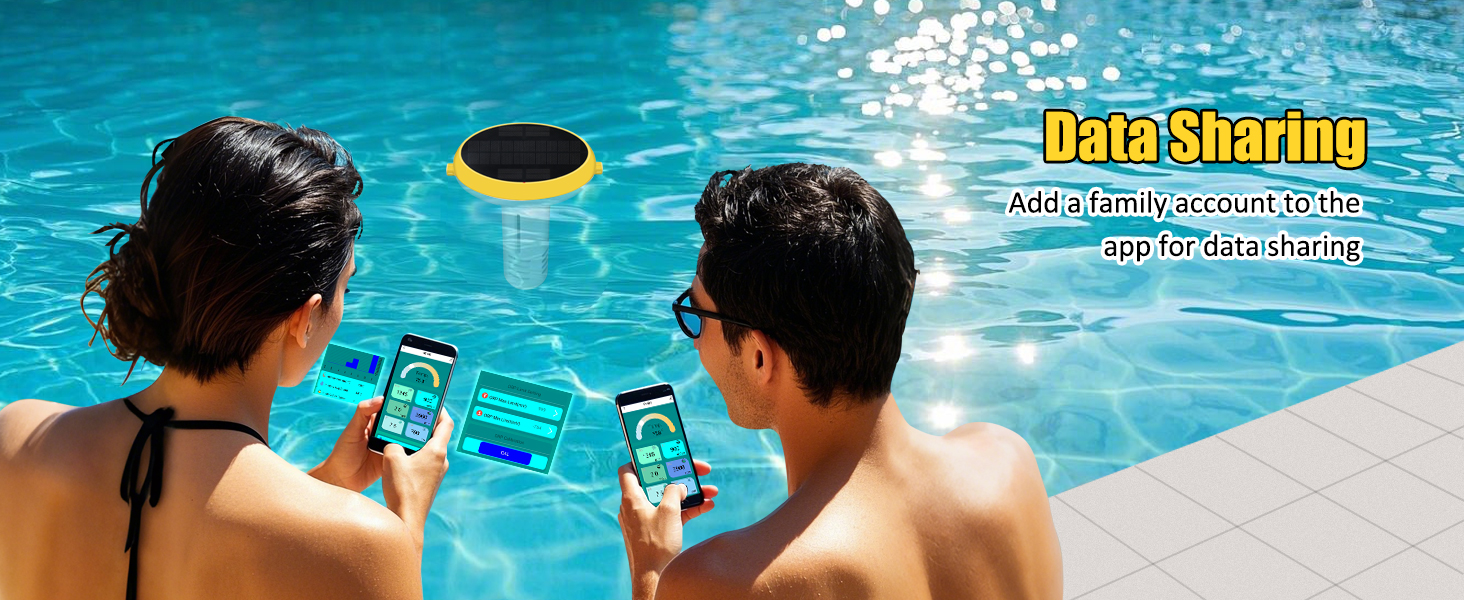
Image: Detailed steps for pH calibration using buffer solutions and the Tuya Smart App.
6.2. ORP/CL Calibration
- Prepare the 222mV ORP buffer solution according to its instructions. Pour it into a cup with a large opening.
- Put the ORP probe into the 222mV calibration solution.
- Press "CAL" on the Tuya Smart App.
- Adjust the value to "222" using the '+' or '-' buttons on the app.
- Complete the ORP calibration.
Image: Detailed steps for ORP/CL calibration using a 222mV buffer solution and the Tuya Smart App.
7. Maintenance
7.1. Cleaning the Probes
Regularly clean the probes to ensure accurate readings. Gently wipe the probes with a soft cloth or brush to remove any algae, scale, or debris. Rinse with purified water after cleaning.
7.2. Battery Care
The monitor is equipped with a solar charging panel for continuous power. If the monitor is stored or used in low-light conditions, use the provided USB cable to charge it. Ensure the USB port cover is securely closed when the monitor is in water.
7.3. Storage
When not in use for extended periods, clean the monitor and probes thoroughly. Store the monitor in a cool, dry place, away from direct sunlight and extreme temperatures. Ensure the probe protective cap is reattached.
8. Troubleshooting
| Problem | Possible Cause | Solution |
|---|---|---|
| Chlorine (CL) value reads 0.0 mg/L | pH or ORP levels are outside the required range for accurate chlorine measurement. | Ensure pH is within 6.5-8.0 and ORP is within 487-840 mV. Adjust pool chemistry as needed. |
| Monitor not connecting to app/gateway | Bluetooth/Location permissions disabled, monitor not in pairing mode, or too far from gateway. | Check app permissions. Press the monitor's power button to enter pairing mode. Move monitor closer to the gateway. Ensure gateway is powered and connected to Wi-Fi. |
| Inaccurate readings | Probes are dirty, damaged, or require calibration. | Clean the probes thoroughly. Perform a full calibration for pH and ORP. If issues persist, inspect probes for damage. |
| Battery not charging | Insufficient sunlight for solar charging, or USB cable/port issue. | Ensure the solar panel is exposed to direct sunlight. Try charging via USB. Check USB cable and port for damage. |
9. Specifications
| Parameter | Range | Ideal Level (Saltwater Pool) |
|---|---|---|
| pH | 0.0-14.0 pH | 7.2-7.8 pH |
| Chlorine (CL) | 0.0-4.0 mg/L | 1-3 mg/L (1-3 ppm) |
| Salinity (SALT) | 0-999 ppm; 1000-9990 ppm | 2700-3400 ppm |
| ORP | -999 - +999 mV | 650-750 mV |
| Electrical Conductivity (EC) | 0-2000 uS/cm; 2000-9990 uS/cm; 10.01-19.99 mS/cm | N/A |
| Total Dissolved Solids (TDS) | 0-999 ppm; 1000-9990 ppm | N/A |
| Temperature | 0.0-50.0°C; 32.0-122.0°F | N/A |
- Product Dimensions: 6 x 6 x 7.8 inches
- Item Weight: 1.96 pounds
- Model Number: YY-1099-Pro
- Connectivity: 2.4GHz Wi-Fi (via Gateway)
- App Compatibility: Tuya Smart App (iOS/Android)
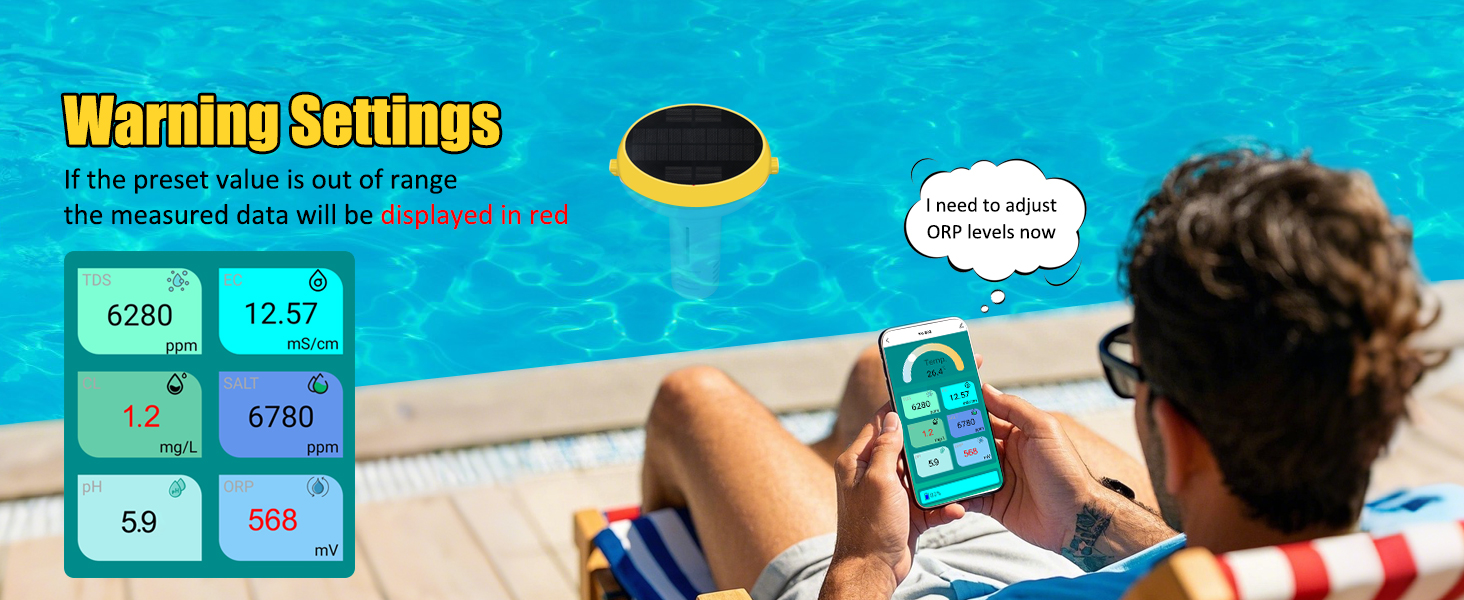
Image: Visual representation of the 7-in-1 monitoring capabilities and measurement ranges.
10. Warranty and Support
The Yewhick Smart Pool Monitor comes with a standard manufacturer's warranty. For specific warranty details, please refer to the product packaging or contact Yewhick customer support. If you encounter any issues or have questions regarding your device, please contact our support team through the Tuya Smart App or visit the Yewhick official website for assistance.


